

Yith Woocommerce Affiliates
/Year
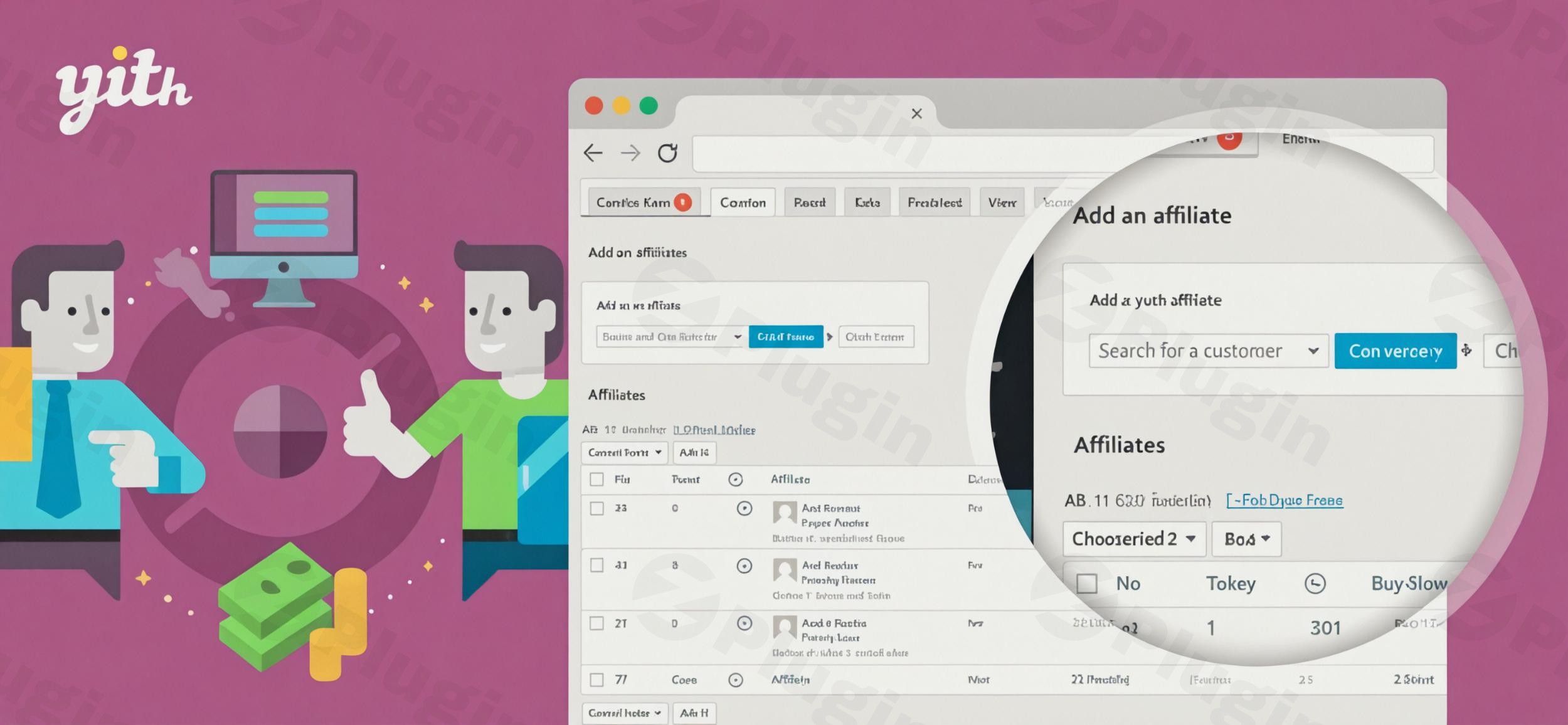
Running a thriving e-commerce store with excellent products is a fantastic start, but without effective visibility, even the best products can remain undiscovered. To truly scale your business and reach a wider audience, you need a powerful strategy to drive targeted traffic. This is precisely where affiliate marketing shines, and the YITH WooCommerce Affiliates plugin provides a robust, all-in-one solution for implementing and managing a successful affiliate program directly within your WordPress and WooCommerce store. This comprehensive WooCommerce affiliate plugin empowers you to transform your customer base, bloggers, and influencers into a dedicated sales force, paying only for successful conversions.
Why Implement an Affiliate Program for Your WooCommerce Store?
Imagine an army of promoters sharing your products across their websites, social media, and email lists, directing highly motivated buyers to your shop. An affiliate program makes this a reality. By partnering with third-party promoters, you gain significant exposure and a substantial boost in sales, all while maintaining a performance-based cost structure. Affiliates earn a commission for every sale they refer, creating a powerful win-win partnership that’s inherently scalable and cost-effective.
How YITH WooCommerce Affiliates Works: Key Features & Benefits
The YITH WooCommerce Affiliates plugin is designed to automate the complexities of running an affiliate program, making it accessible even for store owners without technical expertise. It provides a comprehensive suite of features for both store administrators and affiliates.
For Store Owners: Comprehensive Management & Control
As a store owner, you gain unparalleled control over every aspect of your affiliate program:
- Effortless Affiliate Recruitment & Management:
- Customizable Registration Forms: Allow users to register as affiliates through a default form, a dedicated shortcode, or integrate it directly into your WooCommerce registration page. The premium version allows you to add unlimited custom fields (like website/blog URLs, social media links) and make them mandatory, helping you gather vital information from potential promoters.
- Flexible Approval Process: Choose between manual approval for vetting each affiliate or automatic approval for a quicker onboarding process. You can also manually add existing users as affiliates or create new accounts.
- Centralized Affiliate Dashboard: Manage all your affiliates from a dedicated table within your WordPress admin, with options to view, edit, reject, or even ban affiliates, maintaining full control over your network.
- Flexible WooCommerce Commission Tracking & Payouts:
- Customizable Commission Structures: Set a global default commission rate (percentage-based) and then override it for specific needs. You can assign different rates to individual users, user roles, specific products (including variations), or even entire product categories. This granular control allows for strategic incentives.
- Exclude Products & Categories: Easily exclude certain products, categories, or tags from earning affiliate commissions, ideal for low-margin items or special promotions.
- First or Last Click Attribution: Decide whether the first or last affiliate click before a purchase receives commission credit, giving you flexibility in your attribution model.
- Automated Refund Handling: The system automatically reverses associated commissions if a customer returns a product and a refund is processed, ensuring accurate payout management.
- Advanced Referral Tracking & Promotion Tools:
- Unique Referral Links: Each affiliate receives a unique referral link, which they can easily share across platforms directly from their personal dashboard.
- YITH WooCommerce Affiliates Coupon Tracking: Assign unique WooCommerce coupon codes to affiliates. Sales made using these codes will credit the affiliate, even if the customer didn’t click a referral link, offering a versatile promotion method.
- Configurable Cookie Duration: A key differentiator, this feature allows you to extend the cookie period for referral tracking. This means affiliates earn commissions even if a customer clicks their link today but completes the purchase several days later, maximizing conversion potential and rewarding long-term influence.
- Detailed Visit Logging: Register every click from a referral link and track visitors’ IP addresses for transparency and analytics.
- Robust Reporting & Analytics:
- Integrated Dashboard: Monitor your program’s performance with a dedicated dashboard that tracks visitors, conversions, total commissions, and payouts at a glance.
- Detailed Reports: Access in-depth reports on affiliate earnings, identify your most popular affiliates, and discover which products are being most effectively promoted.
- Export Data: Easily export commissions and affiliate lists into a CSV file for external analysis or record-keeping.
For Affiliates: Empowering Their Promotion Efforts
Affiliates benefit from a user-friendly, dedicated dashboard that keeps them informed and motivated:
- Personalized Performance Dashboard: Affiliates access a dedicated section, typically via their “My Account” page, to monitor their activity in real-time.
- Comprehensive Performance Tracking: They can view their available balance, current commission rate, conversion rate, total earnings, paid commissions, refunds, total visits, and a list of their recent commissions.
- Effortless Link Generation: Affiliates can quickly access their primary referral link and generate custom tracking URLs for specific products they wish to promote.
- Direct Payment Requests: Once they meet the minimum payout threshold, affiliates can request withdrawals directly from their dashboard.
- Account & Payment Management: Affiliates can easily edit their personal and payment details (e.g., PayPal email, bank information) within their account.
- Coupon Code Visibility: Any exclusive coupon codes assigned to them for promotion are clearly visible.
How to Set Up Your YITH WooCommerce Affiliates Program
Setting up YITH WooCommerce Affiliates is a straightforward process, designed for WordPress users of all skill levels. Here’s a step-by-step guide:
- Purchase and Download: First, acquire the YITH WooCommerce Affiliates plugin. You’ll receive a
.zipfile containing the plugin. - Install the Plugin:
- Log in to your WordPress admin dashboard.
- Navigate to Plugins > Add New.
- Click on the “Upload Plugin” button at the top of the page.
- Click “Choose File”, select the
.zipfile you downloaded, and then click “Install Now”.
- Activate the Plugin: Once installed, click the “Activate Plugin” button.
- Configure General Settings:
- After activation, you’ll find a new menu item, typically under YITH > Affiliates.
- Go through the settings tabs to configure your program’s essentials:
- General Options: Set the base commission rate, cookie duration, and decide on commission attribution (first or last click).
- Registration: Configure the affiliate registration form, including optional custom fields and approval settings.
- Affiliate Pages: Define the page for the affiliate dashboard and other related endpoints.
- Payouts: Set minimum payout amounts and specify payment methods (e.g., manual bank transfer). For automated payments with PayPal or Stripe, you’ll need to integrate with additional YITH plugins like YITH PayPal Payouts or YITH Stripe Connect.
- Set Specific Commission Rules (Optional but Recommended):
- Navigate to Products > All Products and edit individual products to set unique commission rates.
- You can also adjust rates for specific categories or user roles within the plugin’s settings.
- Promote Your Program: Once configured, start recruiting affiliates! Share information about your program on your website, social media, and through outreach to bloggers and influencers.
Practical Usage & Best Practices for Maximizing Your Affiliate Program
To get the most out of YITH WooCommerce Affiliates and truly boost your sales, consider these practical strategies:
- Targeted Recruitment: Don’t just accept any affiliate. Focus on recruiting individuals or entities whose audience aligns with your products. This could include:
- Existing Customers: Turn your most loyal customers into advocates. Offer them special commission rates.
- Bloggers & Niche Influencers: Partner with those who genuinely review or recommend products in your niche.
- Complementary Businesses: If you sell fitness equipment, partner with a nutritionist or personal trainer who has an online presence.
- Strategic Commission Rates: While a global rate is a good starting point, consider offering higher commissions for high-margin products, new product launches, or to incentivize top-performing affiliates. You can also offer bonus commissions during promotional periods. This flexibility, enabled by YITH WooCommerce Affiliates, is ideal for dynamic marketing campaigns.
- Leverage Both Links and Coupons: Encourage affiliates to use both their unique referral links and assigned coupon codes. Coupon-based tracking (a strong feature of YITH WooCommerce Affiliates coupon tracking) is especially effective for social media influencers and when customers prefer direct discounts.
- Longer Cookie Duration: Utilize the extended cookie duration feature. This is a game-changer as it rewards affiliates for sales that might not happen immediately, reducing friction and increasing affiliate motivation. If a customer needs a few days to think before purchasing, your affiliate still gets credit.
- Clear Communication & Support: Provide affiliates with clear guidelines, promotional assets (banners, ad copy), and prompt support. The more tools and assistance they have, the more effective they will be. Regularly communicate any new products, sales, or changes to the program.
- Regular Payouts & Transparency: Ensure affiliates are paid accurately and on time. The integrated reporting and clear payout requests in their dashboard foster trust and encourage continued promotion. While full automation requires additional YITH plugins, streamline your manual processes for reliability.
FAQ & Troubleshooting
Can I set different commission rates with YITH WooCommerce Affiliates?
Yes, absolutely. YITH WooCommerce Affiliates offers extensive flexibility for setting commission rates. You can establish a global default rate, and then override it to set unique commission percentages for specific products (including variations), product categories, individual affiliates, or even different user roles. This allows for highly strategic incentive programs.
Does YITH WooCommerce Affiliates support recurring commissions for subscriptions?
While the base premium version of YITH WooCommerce Affiliates provides robust affiliate management, achieving recurring commissions for subscription-based products typically requires integration with another YITH plugin, specifically YITH WooCommerce Subscriptions. This combination allows for seamless tracking and commission payouts on recurring payments.
How to pay affiliates with YITH WooCommerce Affiliates?
YITH WooCommerce Affiliates supports both manual and automated payout methods. You can process payments manually via direct bank transfers, after affiliates request withdrawals from their dashboard. For full automation of payments, such as through PayPal or Stripe, you would integrate the plugin with other YITH extensions like YITH PayPal Payouts for WooCommerce or YITH Stripe Connect for WooCommerce. The plugin allows you to set minimum payout amounts and schedule payment cycles.
Is YITH WooCommerce Affiliates compatible with major WordPress versions and themes?
YITH plugins are generally designed for broad compatibility within the WordPress ecosystem and specifically with WooCommerce. Being part of the YITH family, which is a leading developer for WooCommerce extensions, it’s regularly updated to maintain compatibility with the latest versions of WordPress and WooCommerce. While specific theme compatibility can vary, it integrates seamlessly with standard WooCommerce setups. It’s always best practice to keep your WordPress, WooCommerce, and all plugins updated.
How does YITH WooCommerce Affiliates track referrals and conversions?
YITH WooCommerce Affiliates tracks referrals primarily through unique referral links assigned to each affiliate. When a customer clicks an affiliate’s unique link, a cookie is placed in their browser. If the customer makes a purchase within the configured cookie duration, the affiliate is credited with the commission. Additionally, the plugin supports YITH WooCommerce Affiliates coupon tracking, crediting sales to an affiliate when a unique coupon code assigned to them is used at checkout, even without a referral link click.
Conclusion
The YITH WooCommerce Affiliates plugin is an indispensable tool for any e-commerce store owner looking to expand their reach, drive more traffic, and significantly boost sales through the power of referral marketing. By providing an intuitive platform for managing affiliates, flexible commission structures, advanced tracking capabilities, and comprehensive reporting, it empowers you to build a thriving network of promoters.While some advanced payment automation might require additional YITH integrations, the core functionality offers a solid and reliable foundation for any small to mid-sized WooCommerce store. With its focus on ease of use, extensive control, and the trusted reputation of the YITH brand, this WooCommerce affiliate plugin stands out as a smart investment for transforming your online store into a sales powerhouse. Start building your network of promoters today and unlock a new era of growth for your e-commerce business.
I. Download Limits & Account Benefits
- Free Downloads: Each email address receives 3 downloads per day for free products
- Upgrade Benefits: Purchase any paid product to increase your daily download limit by 3 for each paid product
- No Account Required: You can download immediately by receiving the download link via email
- Account Recommended: Create an account for easier access to your order history and direct update downloads
II. Understanding GPL vs Official Versions
Important: The products available on WPPick are GPL-licensed versions, which differ from official developer versions. Before purchasing, please read our comprehensive guide: Understanding GPL & Official Differences at WPPick
Key Points:
- GPL versions may not include premium support from original developers
- Updates may be delayed compared to official releases
- Some premium features might have limitations
- Always consider your specific needs and support requirements
III. Support & Assistance
We’re here to help through multiple channels:
- Email Support: Direct email assistance for all inquiries
- Live Chat: Real-time support during business hours
- Comprehensive Documentation: Detailed guides and tutorials
IV. Order Tracking
Access your complete purchase history and download links anytime: Order History
V. Account Access
New to WPPick? Login or Create Account to manage your downloads and orders efficiently.
VI. Refund Protection
We stand behind our products with a clear refund policy. Review our terms: Refund Policy
VII. Privacy & Security
Your data security is our priority. Learn how we protect your information: Privacy Policy
VII. Terms of Service
Understanding our service terms ensures a smooth experience: Terms of Use
Quick Tips for Best Experience
- Verify Compatibility: Check plugin/theme compatibility with your WordPress version
- Backup First: Always backup your site before installing new plugins or themes
- Test Environment: Consider testing on a staging site first
- Stay Updated: Regularly check for updates in your account dashboard
- Read Documentation: Review any included documentation for optimal setup
Need Help?
If you have questions about downloads, licensing, or need technical assistance, don’t hesitate to contact our support team. We’re committed to ensuring you have the best possible experience with WPPick products.
Ready to get started? Your download adventure begins with just one click!
- support for WooCommerce 10.1
- YITH plugin framework
- support for WooCommerce 9.9
- YITH plugin framework
- added new action yith_wcaf_after_gateway_{$gateway->get_id()}_fields
- order visits and commissions correctly in the affiliate dashboard summary