
Yith Woocommerce Category Accordion
/Year
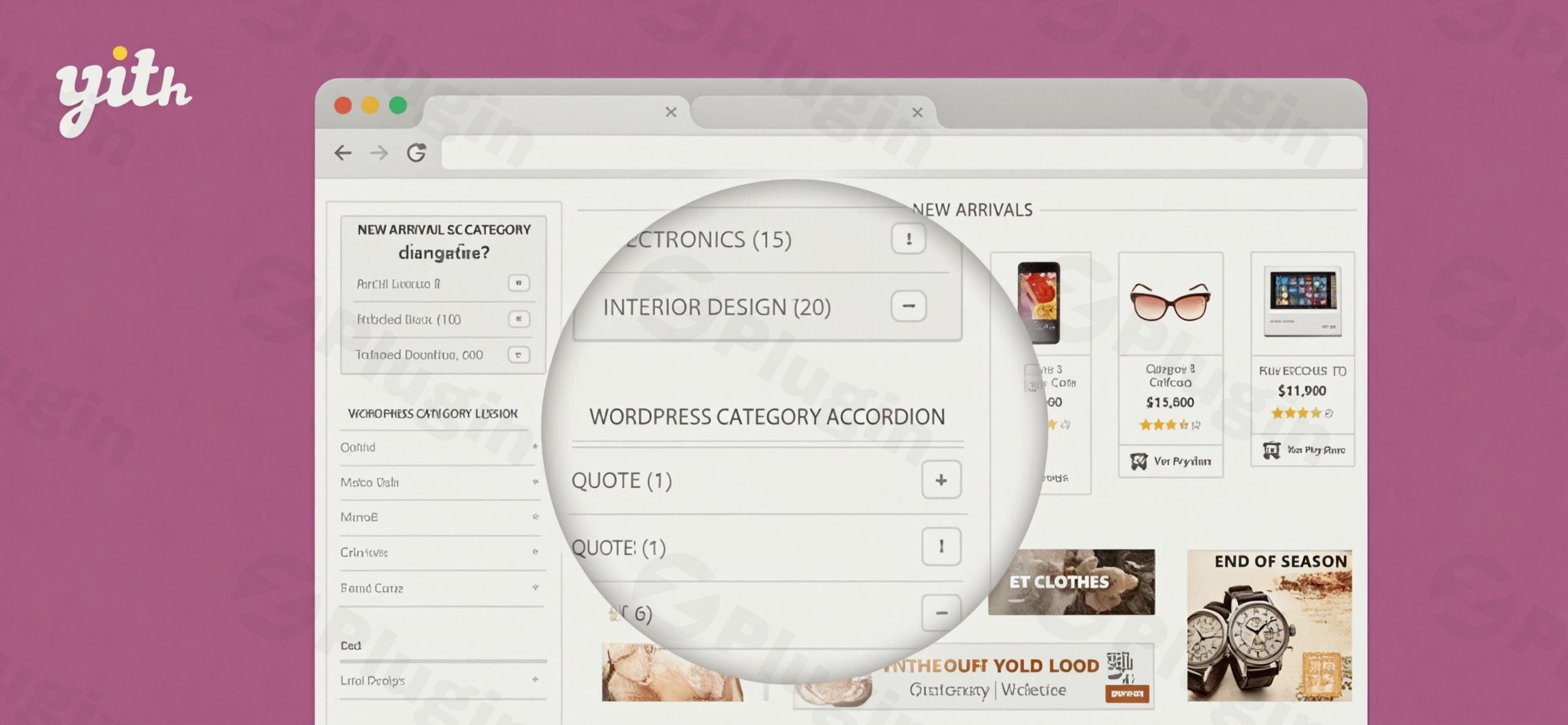
Elevate your online store’s user experience and drive conversions with the YITH WooCommerce Category Accordion plugin. This powerful WordPress product category accordion solution is meticulously designed to revolutionize how customers navigate your product catalog, transforming cluttered sidebars into intuitive, space-saving menus. If your WooCommerce store boasts an extensive range of products and multiple category levels, this WooCommerce Category Accordion plugin is the ultimate tool for enhancing product discoverability and simplifying the shopping journey.At its core, YITH WooCommerce Category Accordion solves the common problem of overwhelming navigation by presenting your product categories and subcategories in a clean, collapsible format. This not only optimizes your site’s layout but also empowers shoppers to effortlessly explore your offerings, leading to longer session times, reduced bounce rates, and ultimately, higher sales.
Key Features That Drive Conversions and Improve UX
The YITH Category Accordion is packed with features designed for both aesthetics and functionality, ensuring your store looks great and performs even better. These YITH WooCommerce Accordion features are engineered to provide a seamless browsing experience.
Smart Space Optimization with Accordion-Style Layout
Say goodbye to endless, scrolling category lists. The plugin displays all categories and subcategories in a dynamic, accordion-style layout. Sections expand and collapse on demand, meaning you can organize WooCommerce categories without cluttering your sidebar or shop pages. This intelligent space management keeps your layout clean while still providing customers full access to your entire product catalog.
Enhanced Product Discovery with Hierarchy Control
Give your customers a crystal-clear overview of your product offerings. The intuitive category hierarchy display allows shoppers to quickly navigate to their desired products. You have precise control over how many levels of subcategories to display, and the option to show only parent categories or include their subcategories. Furthermore, you can exclude specific categories or tags and automatically hide empty categories YITH Accordion to maintain a polished, relevant display. This makes it easier to enhance WooCommerce product discovery for all your visitors.
Customizable Display Options and Design & Styles
Tailor the accordion to perfectly match your store’s aesthetic and branding. YITH WooCommerce Category Accordion offers extensive customization:
- Six distinct accordion panel designs to choose from.
- Granular control over colors, typography, borders, spacing, and icon styles to ensure seamless integration with your existing WordPress theme.
- Configurable interactive behavior: choose to open accordions on click or mouseover.
- Set a default state (initially open or closed) when the page loads, giving you complete control over the initial user experience.
- Option to display product count in WooCommerce accordion for each category, giving shoppers an immediate sense of product volume.
Mobile-Friendly Navigation and Responsive Design
In today’s mobile-first world, a responsive design is non-negotiable. This WooCommerce collapsible categories solution works flawlessly across all devices – desktops, tablets, and smartphones. The YITH WooCommerce Category Accordion responsive design ensures a consistent, user-friendly browsing experience for every customer, preventing any YITH WooCommerce Category Accordion responsive design issues that might frustrate mobile shoppers.
Flexible Content & Placement
Beyond standard categories, the plugin allows for flexible content display, including both WooCommerce product categories/tags and standard WordPress categories/tags. You can utilize a widget to place the accordion in any widgetized area, such as your sidebar, or use a simple shortcode to embed it anywhere on a page or post. This flexibility is key to integrating the accordion menu for WooCommerce products exactly where you need it.
Technical Excellence You Can Trust
Built with WordPress coding standards, YITH WooCommerce Category Accordion is a lightweight plugin designed for optimal performance. It demonstrates minimal impact on memory usage and is tested for compatibility with the latest WordPress and WooCommerce versions. Its AJAX-ready functionality ensures smooth and fast category toggling, contributing to a fluid user experience. The plugin also supports custom taxonomies, product tags, is translation-ready, and WPML compatible, making it suitable for global e-commerce operations.
Installation & Setup: How to Set Up YITH WooCommerce Category Accordion
Getting started with the YITH WooCommerce Category Accordion is a straightforward process, even for non-developers. Here’s a step-by-step guide to integrate this powerful navigation tool into your store.
- Purchase and Download: First, acquire the YITH WooCommerce Category Accordion plugin from a reputable source like ZeroPlugin.com, which ensures genuine GPL licensing and regular, secure updates. You’ll receive a
.zipfile. - Upload the Plugin:
- Log in to your WordPress admin dashboard.
- Navigate to Plugins > Add New.
- Click on the “Upload Plugin” button at the top of the page.
- Click “Choose File” and select the
.zipfile you downloaded. - Click “Install Now”.
- Activate the Plugin: Once installed, WordPress will prompt you to activate the plugin. Click “Activate Plugin”.
- Access Plugin Settings: After activation, you’ll typically find the YITH Category Accordion settings under YITH > Category Accordion in your WordPress dashboard, or sometimes directly under Appearance > Customize or Appearance > Widgets for placement.
- Configure Your Accordion:
- Placement: To add accordion menu to WooCommerce sidebar, go to Appearance > Widgets. Drag and drop the “YITH WooCommerce Category Accordion” widget into your desired sidebar area.
- Shortcode Usage: For placement anywhere else on a page or post, refer to the YITH WooCommerce Category Accordion shortcode usage documentation for the exact shortcode, which usually looks something like
[yith_wc_category_accordion]. - Customization: Dive into the plugin settings to customize YITH WooCommerce Category Accordion styles. Here you can:
- Choose your preferred accordion design.
- Set colors, typography, and icon styles.
- Configure category display options (e.g., show product counts, hide empty categories).
- Define the default open/closed state.
- Control category hierarchy and sorting.
- Save Changes and Test: After configuring your settings, save them and visit your website to see the WordPress product category accordion in action. Test its functionality on different devices to ensure responsiveness.
Practical Usage & Best Practices for Enhanced Navigation
The YITH WooCommerce Category Accordion isn’t just a pretty feature; it’s a strategic tool for improving your store’s performance. Here’s how marketers, store owners, and content creators can leverage it effectively:
- Optimize for Large Product Catalogs: If your store sells hundreds or thousands of products across many categories and subcategories, this plugin is ideal. By presenting a collapsible product categories WooCommerce structure, you prevent overwhelming users with long lists, making navigation manageable and enjoyable.
- Streamline Sidebar Navigation: Use the accordion in your shop page sidebars to present categories without consuming excessive screen real estate. This is particularly crucial for improving the e-commerce sidebar navigation experience, especially on smaller screens.
- Highlight Key Categories: Strategically configure the default open state for your most important or popular categories. This draws immediate attention to high-value products or promotions, guiding users to popular sections of your store right away.
- Improve Mobile UX for Shopping: Mobile shoppers often face challenges with complex navigation. The touch-friendly and space-saving accordion design ensures a superior experience for users browsing on smartphones and tablets, leading to better engagement and reduced mobile bounce rates. It ensures YITH WooCommerce Category Accordion is mobile-friendly.
- A/B Test Display Options: Experiment with different accordion styles, icon positions, and default open/closed states. Monitor your analytics to see which configurations lead to higher engagement, longer time on site, and improved conversion rates. This data-driven approach will help you find the best WooCommerce category navigation plugin setup for your unique audience.
FAQ & Troubleshooting
Here are answers to common questions about the YITH WooCommerce Category Accordion plugin to help you make the most of it.
What is YITH WooCommerce Category Accordion?
YITH WooCommerce Category Accordion is a premium WordPress plugin designed to enhance WooCommerce store navigation. It organizes product categories, subcategories, and even standard WordPress categories/tags into a collapsible, interactive accordion menu, significantly improving user experience and product discoverability.
How do I set up YITH WooCommerce Category Accordion?
To set up YITH WooCommerce Category Accordion, install and activate the plugin via your WordPress dashboard (Plugins > Add New > Upload Plugin). Once activated, you can configure its settings under YITH > Category Accordion or by adding its dedicated widget to your sidebars via Appearance > Widgets. You can also use a shortcode for placement on pages or posts.
Can YITH WooCommerce Category Accordion show subcategories?
Yes, YITH WooCommerce Category Accordion is specifically designed to show subcategories. You can define how many levels of subcategories are displayed and choose whether to show only parent categories or include their nested children, providing full control over your product hierarchy.
Is YITH WooCommerce Category Accordion mobile-friendly?
Absolutely. YITH WooCommerce Category Accordion is mobile-friendly and features a responsive design. This ensures that your collapsible category menus function and look great across all devices, including desktops, tablets, and smartphones, providing a consistent and optimal browsing experience for all your shoppers.
How to customize YITH Category Accordion appearance?
You can customize YITH Category Accordion appearance extensively through its settings panel. Options include choosing from six different accordion panel designs, setting custom colors, typography, borders, spacing, and the style/position of open/close icons. You can also configure interactive behaviors like open on click/mouseover and default open/closed states.
Does YITH WooCommerce Category Accordion improve SEO?
While YITH WooCommerce Category Accordion doesn’t directly provide SEO features like meta tag management, it contributes to better SEO indirectly. By significantly improving user experience (UX) through organized navigation, it can lead to longer session times, lower bounce rates, and better internal linking, all of which are positive signals for search engine algorithms. An improved UX encourages deeper exploration of your site, which is beneficial for overall visibility.
Boost Your Store’s Usability Today
The YITH WooCommerce Category Accordion is more than just a navigation tool; it’s an investment in your store’s user experience and conversion rates. By opting for this WooCommerce Category Accordion plugin, you are choosing a solution trusted by thousands of store owners for its reliability, comprehensive features, and seamless integration with WooCommerce.Stop losing sales to confusing or cluttered navigation. Implement YITH WooCommerce Category Accordion today and observe how improved category browsing translates into longer session times, lower bounce rates, and higher conversion metrics. It is perfect for stores with extensive product ranges and multiple category levels seeking to optimize their customer’s journey and provide an intuitive way for shoppers to explore product offerings. Take control of your store’s navigation and provide your customers with the best possible shopping experience.
I. Download Limits & Account Benefits
- Free Downloads: Each email address receives 3 downloads per day for free products
- Upgrade Benefits: Purchase any paid product to increase your daily download limit by 3 for each paid product
- No Account Required: You can download immediately by receiving the download link via email
- Account Recommended: Create an account for easier access to your order history and direct update downloads
II. Understanding GPL vs Official Versions
Important: The products available on WPPick are GPL-licensed versions, which differ from official developer versions. Before purchasing, please read our comprehensive guide: Understanding GPL & Official Differences at WPPick
Key Points:
- GPL versions may not include premium support from original developers
- Updates may be delayed compared to official releases
- Some premium features might have limitations
- Always consider your specific needs and support requirements
III. Support & Assistance
We’re here to help through multiple channels:
- Email Support: Direct email assistance for all inquiries
- Live Chat: Real-time support during business hours
- Comprehensive Documentation: Detailed guides and tutorials
IV. Order Tracking
Access your complete purchase history and download links anytime: Order History
V. Account Access
New to WPPick? Login or Create Account to manage your downloads and orders efficiently.
VI. Refund Protection
We stand behind our products with a clear refund policy. Review our terms: Refund Policy
VII. Privacy & Security
Your data security is our priority. Learn how we protect your information: Privacy Policy
VII. Terms of Service
Understanding our service terms ensures a smooth experience: Terms of Use
Quick Tips for Best Experience
- Verify Compatibility: Check plugin/theme compatibility with your WordPress version
- Backup First: Always backup your site before installing new plugins or themes
- Test Environment: Consider testing on a staging site first
- Stay Updated: Regularly check for updates in your account dashboard
- Read Documentation: Review any included documentation for optimal setup
Need Help?
If you have questions about downloads, licensing, or need technical assistance, don’t hesitate to contact our support team. We’re committed to ensuring you have the best possible experience with WPPick products.
Ready to get started? Your download adventure begins with just one click!
- Support for WooCommerce 10.5
- Update: YITH plugin framework
- Support for WooCommerce 10.1
- YITH plugin framework update