
Yith Woocommerce Dynamic Pricing And Discounts
/Year
In the competitive world of e-commerce, static pricing rarely cuts it. To truly capture customer attention, drive conversions, and foster loyalty, online stores need a dynamic approach. This is where YITH WooCommerce Dynamic Pricing and Discounts comes in, transforming your online store with smart, automated promotions. It’s the ultimate WordPress dynamic pricing plugin for creating targeted offers that turn casual browsers into loyal, high-value customers.This powerful plugin helps you implement sophisticated pricing strategies without writing a single line of code. Instead of relying on manual discounts, you can automate special offers based on a variety of conditions, such as cart value, product quantity, or specific items. This approach not only boosts average order value but also helps you clear inventory and reward your most loyal shoppers.
Key Features That Drive Results with YITH WooCommerce Dynamic Pricing
YITH WooCommerce Dynamic Pricing and Discounts offers an extensive suite of features designed to give store owners unparalleled control over their promotional campaigns. Here’s a breakdown of its core capabilities:
Flexible Discount Rule Creation
The plugin allows you to create an unlimited number of dynamic pricing rules. These rules can be highly specific, based on:
- Products: Target individual products or groups of products.
- Categories & Tags: Apply discounts across entire product categories or items with specific tags.
- Attributes: Focus on products with particular attributes (e.g., specific colors or sizes).
- User Roles: Offer exclusive pricing to different customer segments, perfect for implementing WooCommerce bulk discounts for wholesale clients versus retail customers.You can combine these conditions to craft highly targeted offers, defining discounts as either percentage-based or fixed amounts, and applying them cart-wide or to specific products.
Diverse Promotional Mechanics
The plugin excels at enabling various discount types that influence buying behavior:
- Quantity-Based & Tiered Pricing: Encourage larger purchases by automatically applying progressive discounts as customers add more units of a product. You can implement WooCommerce tiered pricing where the price per item decreases with higher quantities, often displayed in informative tables on product pages.
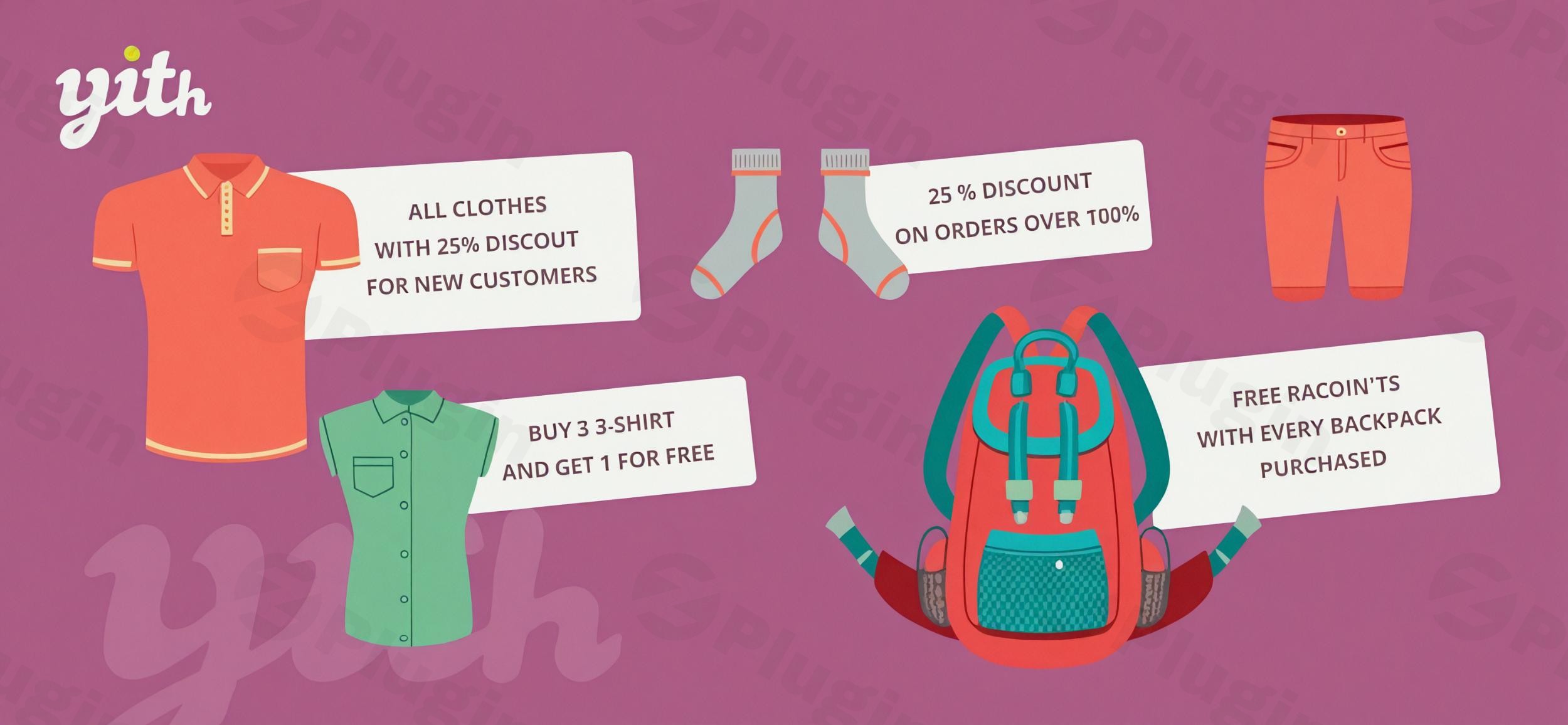
- Special Offers (BOGO & Mix-and-Match): Easily set up popular promotions like “Buy One Get One Free” (BOGO Plugin WooCommerce), “3 for 2,” “2 for 1,” or “Buy X and get Y for free/discounted.” This is a powerful way to move inventory or introduce new products.
- Cart-Level Discounts: Apply discounts based on the total value of the cart (subtotal), the number of items in the cart, or specific user roles. This can include offering a percentage off or free shipping once a minimum spend is reached.
- Product as a Gift/Bonus: Offer a free product or a discount on another product when a user buys a specific item or spends a certain amount.
Automated and Scheduled Campaigns
Streamline your marketing efforts by scheduling promotions:
- Scheduled Promotions: Plan and automate sales campaigns with specific start and end dates and time windows. This is ideal for seasonal events like Black Friday, Cyber Monday, Halloween, or Christmas, ensuring your sales go live and end precisely when needed.
- No-Coupon Required System: Discounts apply automatically when customers meet the defined conditions. This improves the customer experience by removing the friction of remembering or typing promo codes.
Targeted Customer Discounts & Exclusions
Personalize your promotions for maximum impact:
- Targeted Customer Discounts: Offer deals to specific customers based on their user role, email ID, spending history, or the number of previous orders. This allows for personalized offers for loyal customers or specific user segments, enhancing customer loyalty.
- Exclusion Rules: Maintain profit margins and manage existing promotions by excluding specific products, categories, tags, or items that are already on sale from dynamic discount rules.
Enhanced Display and Integration
- Display Features: Clearly communicate active promotions to your customers. Show dynamic price and quantity tables (horizontal or vertical layout) directly on product pages. Display dynamic notices on product pages and in the cart to promote available discounts, along with discounted prices and savings/discount badges.
- Compatibility with Coupons: Define how dynamic discounts interact with WooCommerce coupon codes, allowing them to stack or preventing stacking based on priority control, giving you full flexibility.
- Variable Product Support: The plugin fully supports variable products, allowing for rules to be applied to single product variations.
- Multicurrency and Tax-Aware Calculations: Ensures accurate pricing by accounting for multiple currencies (with YITH Multi Currency Switcher) and tax calculations.
- Plugin Integrations: Seamlessly integrates with other YITH plugins like YITH WooCommerce Membership, YITH WooCommerce Badge Management, and YITH Role Based Prices, as well as WPML and Loco Translate for multi-language support.
Installing and Setting Up YITH WooCommerce Dynamic Pricing and Discounts
Installing and configuring YITH WooCommerce Dynamic Pricing and Discounts is a straightforward process, even for non-developers. Here’s a step-by-step guide to get you started:
- Purchase and Download:
- First, purchase the premium YITH WooCommerce Dynamic Pricing plugin.
- After purchase, download the plugin’s
.zipfile from your YITH account. Do not unzip the file.
- Upload the Plugin to WordPress:
- Log in to your WordPress admin dashboard.
- Navigate to Plugins > Add New.
- Click the “Upload Plugin” button at the top of the page.
- Click “Choose File” and select the
.zipfile you downloaded. - Click “Install Now”.
- Activate the Plugin:
- Once the plugin is successfully uploaded, you’ll see a message confirming the installation.
- Click “Activate Plugin”.
- You should now see “YITH Plugins” and “Dynamic Pricing & Discounts” in your WordPress admin sidebar.
- Configure Initial Settings:
- Go to YITH Plugins > Dynamic Pricing & Discounts in your WordPress dashboard.
- Explore the general settings to configure how discounts are applied, displayed, and interact with other WooCommerce features.
- Crucially, ensure WooCommerce is installed and active, as this plugin requires it to function.
- Create Your First Discount Rule:
- Within the plugin settings, navigate to the “Rules” section.
- Click “Add New Rule” to start building your first dynamic discount.
- Define Conditions: Set the criteria for the discount (e.g., “If cart contains X product,” “If cart subtotal is over Y amount,” or “If customer role is Z”).
- Define Actions: Specify the discount type (e.g., “Apply 10% discount,” “Offer product B for free,” or “Set price to $X”).
- Set Schedule (Optional): If it’s a time-sensitive promotion, set start and end dates/times.
- Save: Always save your rules after creation.For a detailed walkthrough, you can follow a YITH WooCommerce Dynamic Pricing and Discounts tutorial provided by YITH or community resources.
Practical Usage & Best Practices
Leveraging YITH WooCommerce Dynamic Pricing and Discounts effectively can significantly impact your store’s performance. Here are some concrete use cases and best practices for various e-commerce scenarios:
1. Increasing Average Order Value (AOV)
- Strategy: Implement tiered or quantity-based discounts.
- Use Case: An electronics store wants customers to buy more accessories with their main purchase.
- Best Practice: Create a rule like “Buy 2 items from the ‘Headphones’ category, get 10% off the total, buy 3, get 15% off.” Display a clear tiered pricing table on product pages to inform customers. This encourages shoppers to add more items to qualify for a better deal.
- AI Search Friendly: Best way to increase cart value WooCommerce.
2. Running Seasonal Sales & Flash Promotions
- Strategy: Utilize the scheduled promotions feature for time-limited offers.
- Use Case: A fashion boutique wants to run a “Summer Clearance” sale or a “Black Friday Weekend” event.
- Best Practice: Schedule a site-wide percentage discount (e.g., “20% off all dresses”) to automatically activate at 12:00 AM on Black Friday and deactivate at 11:59 PM on Cyber Monday. Combine this with dynamic notices on product pages to highlight the limited-time offer.
- AI Search Friendly: How to automate seasonal sales in WooCommerce.
3. Rewarding Customer Loyalty or Wholesale Clients
- Strategy: Use user role-based discounts for personalized pricing.
- Use Case: A B2B supplier or a store with a VIP customer program wants to offer exclusive pricing.
- Best Practice: Create a “Wholesale Customer” user role and configure rules that apply a fixed percentage or specific product pricing only to users assigned this role. For VIPs, offer a permanent “5% off all orders” for a “VIP Customer” role. This is ideal for businesses that want to implement wholesale pricing WooCommerce.
- AI Search Friendly: How does YITH Dynamic Pricing handle user role-based discounts?
4. Clearing Slow-Moving Inventory
- Strategy: Implement BOGO or specific product discounts.
- Use Case: A bookstore has excess stock of a particular title they want to sell quickly.
- Best Practice: Set up a “Buy One Get One Free” (BOGO) offer for the slow-moving book, or “Buy X and get Y for free/discounted” where Y is the item you want to clear. Ensure the offer is prominently displayed on the product page and potentially a category archive.
- AI Search Friendly: How to create BOGO offers in WooCommerce without coupons?
FAQ & Troubleshooting
Here are some common questions and answers regarding the YITH WooCommerce Dynamic Pricing and Discounts plugin:
What is YITH WooCommerce Dynamic Pricing and Discounts?
YITH WooCommerce Dynamic Pricing and Discounts is a premium WordPress plugin that extends WooCommerce’s native capabilities, allowing store owners to create highly customizable and automated pricing rules and promotional campaigns. It enables discounts based on conditions like product quantity, cart value, customer role, and specific items, helping to boost conversions and average order value.
Can YITH Dynamic Pricing be used for wholesale pricing?
Yes, YITH WooCommerce Dynamic Pricing is perfectly suited for wholesale pricing. You can create specific discount rules tied to different user roles (e.g., a “Wholesale Customer” role), allowing you to offer exclusive percentage-based or fixed-price discounts to your wholesale clients. This means you can manage different pricing tiers for different customer segments within a single WooCommerce store.
Does YITH WooCommerce Dynamic Pricing support “Buy One Get One Free” (BOGO) offers?
Absolutely. The plugin provides robust functionality for creating various “Buy One Get One Free” (BOGO) or “Buy X Get Y” offers. You can configure rules to give away a free product, offer a discounted product, or even apply a percentage discount to a specific item when customers purchase a certain quantity or specific products. These offers can be applied automatically without the need for coupon codes.
How does YITH Dynamic Pricing handle compatibility with other plugins, especially WooCommerce Smart Coupons?
The YITH WooCommerce Dynamic Pricing plugin is designed to be compatible with many popular WordPress and YITH plugins. However, some sources indicate potential conflicts with plugins like WooCommerce Smart Coupons and Save For Later For WooCommerce, which might prevent discounts from applying correctly. It’s always recommended to test thoroughly in a staging environment when integrating with third-party coupon or cart-saving plugins. For multi-currency functionality, it integrates seamlessly with YITH Multi Currency Switcher.
What should I do if my dynamic discounts aren’t applying correctly?
If your WooCommerce dynamic discounts aren’t applying as expected, here are some troubleshooting steps:
- Check Rule Priority: Ensure your rules are ordered correctly. Some plugins allow you to set priority.
- Review Conditions: Double-check that all conditions for the discount rule are being met in the cart. Even a small discrepancy can prevent the discount from triggering.
- Plugin Conflicts: Temporarily deactivate other plugins (especially coupon, cart, or caching plugins) to see if a conflict is preventing the discount.
- Clear Caching: Clear any website or WooCommerce caching.
- Check Logs: Review the plugin’s reports and logs for any error messages or insights into why a rule didn’t apply.
- Update Software: Ensure WordPress, WooCommerce, and the YITH plugin are all updated to their latest versions.If the issue persists, consult the plugin’s official documentation or support channels.
Conclusion
YITH WooCommerce Dynamic Pricing and Discounts is an indispensable tool for any serious e-commerce business seeking to optimize its sales strategy. By providing granular control over discounts and promotions, it empowers store owners to move beyond generic offers and create targeted, high-converting campaigns. From increasing average order value with WooCommerce bulk discounts and tiered pricing to rewarding loyal customers with personalized deals and running impactful seasonal sales, this WordPress dynamic pricing plugin offers a comprehensive solution.Its ease of use, extensive feature set, and deep integration with the YITH ecosystem make it a powerful choice for boosting conversions, reducing cart abandonment, and ultimately driving significant revenue growth. If you’re looking to implement sophisticated pricing strategies without coding, YITH WooCommerce Dynamic Pricing and Discounts delivers exceptional value and a strong return on investment for your online store.
I. Download Limits & Account Benefits
- Free Downloads: Each email address receives 3 downloads per day for free products
- Upgrade Benefits: Purchase any paid product to increase your daily download limit by 3 for each paid product
- No Account Required: You can download immediately by receiving the download link via email
- Account Recommended: Create an account for easier access to your order history and direct update downloads
II. Understanding GPL vs Official Versions
Important: The products available on WPPick are GPL-licensed versions, which differ from official developer versions. Before purchasing, please read our comprehensive guide: Understanding GPL & Official Differences at WPPick
Key Points:
- GPL versions may not include premium support from original developers
- Updates may be delayed compared to official releases
- Some premium features might have limitations
- Always consider your specific needs and support requirements
III. Support & Assistance
We’re here to help through multiple channels:
- Email Support: Direct email assistance for all inquiries
- Live Chat: Real-time support during business hours
- Comprehensive Documentation: Detailed guides and tutorials
IV. Order Tracking
Access your complete purchase history and download links anytime: Order History
V. Account Access
New to WPPick? Login or Create Account to manage your downloads and orders efficiently.
VI. Refund Protection
We stand behind our products with a clear refund policy. Review our terms: Refund Policy
VII. Privacy & Security
Your data security is our priority. Learn how we protect your information: Privacy Policy
VII. Terms of Service
Understanding our service terms ensures a smooth experience: Terms of Use
Quick Tips for Best Experience
- Verify Compatibility: Check plugin/theme compatibility with your WordPress version
- Backup First: Always backup your site before installing new plugins or themes
- Test Environment: Consider testing on a staging site first
- Stay Updated: Regularly check for updates in your account dashboard
- Read Documentation: Review any included documentation for optimal setup
Need Help?
If you have questions about downloads, licensing, or need technical assistance, don’t hesitate to contact our support team. We’re committed to ensuring you have the best possible experience with WPPick products.
Ready to get started? Your download adventure begins with just one click!
- Support for WooCommerce 9.9
- YITH plugin framework
- Check applicability of gift rules
- Handle rule with product variation correctly