
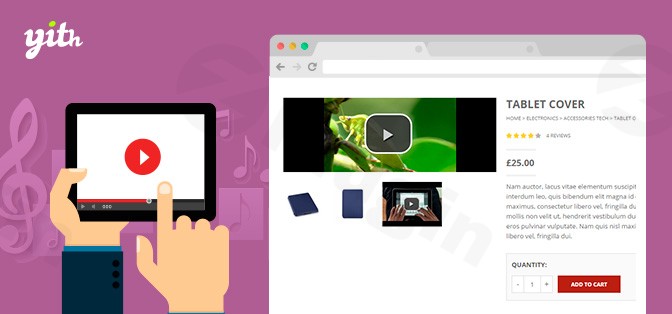
Yith Woocommerce Featured Audio & Video Content
/Year
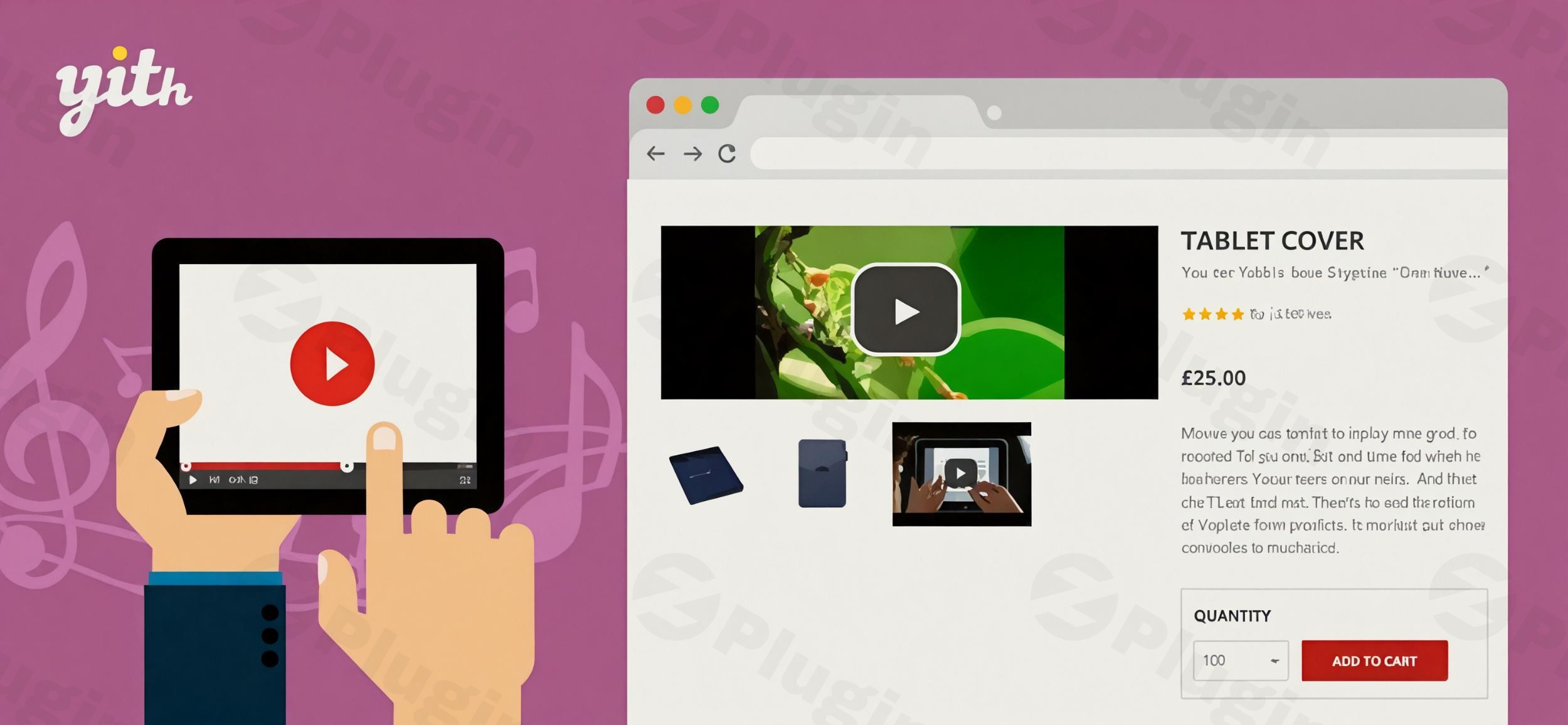
In today’s visually-driven online marketplace, static product images often fall short. To truly capture customer attention and drive sales, especially for digital products like music, video games, software, or online courses, dynamic multimedia content is essential. This is where YITH WooCommerce Featured Audio & Video Content comes in, transforming your WooCommerce product pages by allowing you to replace or augment standard featured images with engaging audio and video previews. This powerful WooCommerce product video plugin empowers store owners to create a richer, more interactive shopping experience that significantly boosts engagement and conversions.
Key Features: Unleashing Multimedia Potential for Your Products
The YITH WooCommerce Featured Audio & Video Content plugin offers a robust suite of features designed to make your product presentations more compelling and informative.
Seamless Multimedia Integration
Forget plain images. This plugin allows you to effortlessly attach audio or video files to your products. You can either replace the traditional featured image with a dynamic player or embed multimedia content directly within your existing product gallery, providing customers with an immersive preview experience. This is crucial for showcasing products that benefit from demonstration or auditory samples.
Broad Media Format and Platform Support
No matter where your media lives, YITH WooCommerce Featured Audio & Video Content has you covered. It supports:
- Video: MP4, WebM, OGG files for self-hosting, plus seamless embedding from popular platforms like YouTube and Vimeo. You can also use remote URLs.
- Audio: Standard MP3 and WAV files, alongside direct integration with SoundCloud for tracks and playlists.This wide compatibility ensures you can easily add audio to WooCommerce products or integrate video from your preferred sources.
Customizable Player Controls for Enhanced User Experience
Take full command over how your media is presented. The plugin provides extensive control over video playback options:
- Autoplay, Loop, Mute: Set videos to play automatically, loop continuously, or start muted for a less intrusive experience.
- Prevent Stopping: Ideal for product demos you want customers to see in full.
- Style and Aspect Ratio: Customize the look and feel of the video control bar to match your store’s branding. This allows for a truly branded WooCommerce video player customization.
Dynamic Multimedia Product Galleries
Go beyond single featured videos. The plugin allows you to combine photos, videos, and audio files within a single product gallery. This creates a rich, interactive viewing experience where customers can toggle between different media types, getting a comprehensive overview of your product. This is an excellent way to enhance your WooCommerce product gallery video experience.
Tailored Content for Variable Products
For stores selling products with multiple variations (e.g., different colors, sizes, or models), the plugin offers a significant advantage: the ability to assign different audio or video content to specific product variations. This means each variant can have its own unique multimedia presentation, allowing for a highly tailored and informative display, perfect for a WooCommerce variable product video gallery.
Flexible Display Options
Control where and how your multimedia content appears:
- Featured Image Replacement: Directly substitute the main product image.
- Dedicated Gallery: Place media within its own section.
- Modal (Popup) Window: Offer an on-demand, enlarged viewing experience.
- Sidebar Slider: Integrate media into a sidebar for persistent visibility.
Performance Optimization and SEO Benefits
The plugin is built with performance in mind, including lazy loading to ensure faster product page load times, which is crucial for user experience and SEO. Furthermore, it incorporates SEO-friendly markup and schema-ready media presentation to help search engines understand your content better, potentially improving your search engine visibility and attracting more organic traffic.
Multilanguage and Compatibility Ready
For global stores, the plugin is fully compatible with WPML, enabling easy translation of your product pages into multiple languages. This can further improve SEO reach. It also integrates smoothly with other YITH plugins like YITH WooCommerce Product Gallery and Image Zoom, as well as popular third-party themes like Flatsome.
Installation & Setup: Get Your Multimedia Live in Minutes
Installing and setting up YITH WooCommerce Featured Audio & Video Content is a straightforward process, even for non-developers. Here’s a step-by-step guide:
How to Install YITH WooCommerce Featured Audio & Video Content:
- Purchase and Download: First, purchase the plugin from ZeroPlugin.com or the official YITH website. You’ll receive a downloadable .zip file.
- Upload to WordPress:
- Log in to your WordPress admin dashboard.
- Navigate to Plugins > Add New.
- Click on the “Upload Plugin” button at the top of the page.
- Click “Choose File”, select the .zip file you downloaded, and then click “Install Now”.
- Activate the Plugin: Once the plugin is uploaded, WordPress will prompt you to activate it. Click “Activate Plugin”.
- Configure Settings: After activation, you’ll find a new menu item, usually under YITH > Featured Audio & Video Content or similar. Click on it to access the plugin’s settings. Here you can configure global options for player controls, display types, and general media handling.
- Add Media to Products:
- Go to Products > All Products in your WordPress dashboard.
- Edit an existing product or create a new one.
- Within the product editing screen, you will find new options (often within the “Product Data” metabox or a dedicated “YITH Featured Audio & Video” section) to upload or embed audio and video files.
- For external videos (YouTube/Vimeo) or SoundCloud audio, you’ll typically paste the URL. For self-hosted files, you’ll use the WordPress media library.
- Save your product.Your product pages are now enhanced with dynamic audio and video content!
Practical Usage & Best Practices
Leveraging YITH WooCommerce Featured Audio & Video Content effectively can transform your online store. Here are some concrete use cases and best practices:
- Showcasing Digital Products (Music, Courses, Software): This plugin is ideal for digital goods. For a music album, create an audio playlist of sample tracks. For an online course, embed a video trailer demonstrating the course content and instructor. Software products can benefit from screen-capture videos showing features in action, replacing static screenshots entirely.
- Product Demos for Physical Goods: While primarily aimed at digital content, physical products can greatly benefit. For a complex gadget, use a featured video to demonstrate its assembly, features, or unique selling points in action. This helps customers understand the product better than mere images or text, reducing returns and boosting sales. This makes it the best WooCommerce plugin for product demos with video.
- Enhancing Variable Products: If you sell a t-shirt in various colors, you could assign a short video to each color showing a model wearing that specific variant. For a configurable product like a custom PC, use distinct videos for different component upgrades to highlight their impact.
- Before/After Comparisons: For products like skincare, home decor, or renovation materials, you can create short videos demonstrating “before and after” effects, providing compelling visual proof of efficacy.
- Testimonials and User-Generated Content: Integrate short video testimonials from satisfied customers directly into relevant product pages to build trust and social proof.Best Practices:
- Quality over Quantity: Use high-quality, professional audio and video. Blurry videos or poor audio can detract from the product.
- Keep it Concise: Most online shoppers have short attention spans. Keep product videos brief and to the point, typically under 2-3 minutes. Audio samples should be compelling snippets.
- Optimize for Mobile: Ensure your videos and audio players are responsive and load quickly on mobile devices. The plugin’s lazy loading helps with this.
- Descriptive Thumbnails/Poster Images: Use custom thumbnails that clearly represent the video content and entice users to click play.
FAQ & Troubleshooting
Here are answers to common questions about the YITH WooCommerce Featured Audio & Video Content plugin:
What is YITH WooCommerce Featured Audio & Video Content?
YITH WooCommerce Featured Audio & Video Content is a premium WordPress plugin designed to enhance WooCommerce product pages. It allows store owners to embed audio and video files—from platforms like YouTube, Vimeo, SoundCloud, or self-hosted media—directly into product galleries, replacing or complementing traditional featured images. Its primary goal is to boost customer engagement, provide richer product information, and ultimately increase conversion rates, particularly for digital products or those requiring visual demonstration.
How to add YouTube video as featured image in WooCommerce?
To add YouTube video as featured image in WooCommerce using this plugin:
- Install and activate the YITH WooCommerce Featured Audio & Video Content plugin.
- Edit the specific WooCommerce product where you want to add the video.
- Locate the plugin’s dedicated metabox or settings area on the product editing screen (often labelled “YITH Featured Audio & Video” or similar).
- Select the option to add a video from an external source (e.g., YouTube).
- Paste the YouTube video URL into the designated field.
- Configure any desired playback options (autoplay, loop, mute) and display settings (replace featured image, add to gallery).
- Update or publish the product to see the YouTube video as your new featured media.
Can I embed SoundCloud in WooCommerce product pages?
Yes, you can absolutely embed SoundCloud in WooCommerce product pages with the YITH WooCommerce Featured Audio & Video Content plugin. The plugin offers direct integration with SoundCloud. Simply navigate to the product editing screen, access the plugin’s media settings, and choose the option to embed SoundCloud audio. You’ll then paste the SoundCloud track or playlist URL into the provided field, and the plugin will display a functional SoundCloud player on your product page.
Is YITH WooCommerce Featured Audio & Video Content compatible with Elementor?
While direct explicit compatibility with every single theme or page builder like Elementor isn’t guaranteed due to the vast WordPress ecosystem, YITH plugins are generally developed to adhere to WordPress and WooCommerce coding standards. This typically ensures broad compatibility. The plugin is known to work seamlessly with themes developed according to these guidelines, including the YITH Proteo theme and third-party themes like Flatsome. If you encounter any display issues with Elementor or another page builder, it’s often due to CSS or JavaScript conflicts, which can usually be resolved with minor adjustments or by contacting YITH support.
YITH WooCommerce Featured Audio & Video Content autoplay not working – what should I do?
If YITH WooCommerce Featured Audio & Video Content autoplay not working, consider these common troubleshooting steps:
- Browser Policies: Most modern web browsers (Chrome, Firefox, Safari) have strict autoplay policies that prevent videos from autoplaying with sound without user interaction. Muting the video (an option within the plugin settings) often allows autoplay to function.
- Plugin Conflicts: Deactivate other plugins one by one to check for conflicts, especially those related to media, galleries, or JavaScript optimization.
- Theme Conflicts: Some themes might have JavaScript that interferes with the plugin’s media players. Check if the issue persists when temporarily switching to a default WordPress theme (like Twenty Twenty-Four).
- Plugin Settings: Double-check the plugin’s settings for the specific product and global settings to ensure autoplay is indeed enabled.
- Cache: Clear any caching plugins or server-side caches you are using.If the issue persists, consult the extensive YITH documentation or contact YITH support for dedicated assistance.
Conclusion: Transform Your Product Story with Multimedia
The YITH WooCommerce Featured Audio & Video Content plugin is an indispensable tool for any WooCommerce store owner looking to stand out in a crowded digital landscape. By replacing or enhancing static product images with dynamic audio and video, you’re not just adding media; you’re creating a more engaging, informative, and persuasive shopping experience. This leads to higher customer trust, reduced uncertainty, and ultimately, a significant boost in your conversion rates and overall ROI.Whether you’re selling digital downloads, intricate physical products, or online courses, this powerful WooCommerce product video plugin provides the flexibility and features you need to tell your product’s story in a way that truly resonates with modern shoppers. Upgrade your store today and give your customers the rich, interactive experience they deserve.
I. Download Limits & Account Benefits
- Free Downloads: Each email address receives 3 downloads per day for free products
- Upgrade Benefits: Purchase any paid product to increase your daily download limit by 3 for each paid product
- No Account Required: You can download immediately by receiving the download link via email
- Account Recommended: Create an account for easier access to your order history and direct update downloads
II. Understanding GPL vs Official Versions
Important: The products available on WPPick are GPL-licensed versions, which differ from official developer versions. Before purchasing, please read our comprehensive guide: Understanding GPL & Official Differences at WPPick
Key Points:
- GPL versions may not include premium support from original developers
- Updates may be delayed compared to official releases
- Some premium features might have limitations
- Always consider your specific needs and support requirements
III. Support & Assistance
We’re here to help through multiple channels:
- Email Support: Direct email assistance for all inquiries
- Live Chat: Real-time support during business hours
- Comprehensive Documentation: Detailed guides and tutorials
IV. Order Tracking
Access your complete purchase history and download links anytime: Order History
V. Account Access
New to WPPick? Login or Create Account to manage your downloads and orders efficiently.
VI. Refund Protection
We stand behind our products with a clear refund policy. Review our terms: Refund Policy
VII. Privacy & Security
Your data security is our priority. Learn how we protect your information: Privacy Policy
VII. Terms of Service
Understanding our service terms ensures a smooth experience: Terms of Use
Quick Tips for Best Experience
- Verify Compatibility: Check plugin/theme compatibility with your WordPress version
- Backup First: Always backup your site before installing new plugins or themes
- Test Environment: Consider testing on a staging site first
- Stay Updated: Regularly check for updates in your account dashboard
- Read Documentation: Review any included documentation for optimal setup
Need Help?
If you have questions about downloads, licensing, or need technical assistance, don’t hesitate to contact our support team. We’re committed to ensuring you have the best possible experience with WPPick products.
Ready to get started? Your download adventure begins with just one click!
- Support for WooCommerce 10.0
- YITH plugin framework
- Support for WooCommerce 9.9
- YITH plugin framework
- Support for WordPress 6.8
- YITH plugin framework