

Yith Woocommerce Frequently Bought Together
/Year
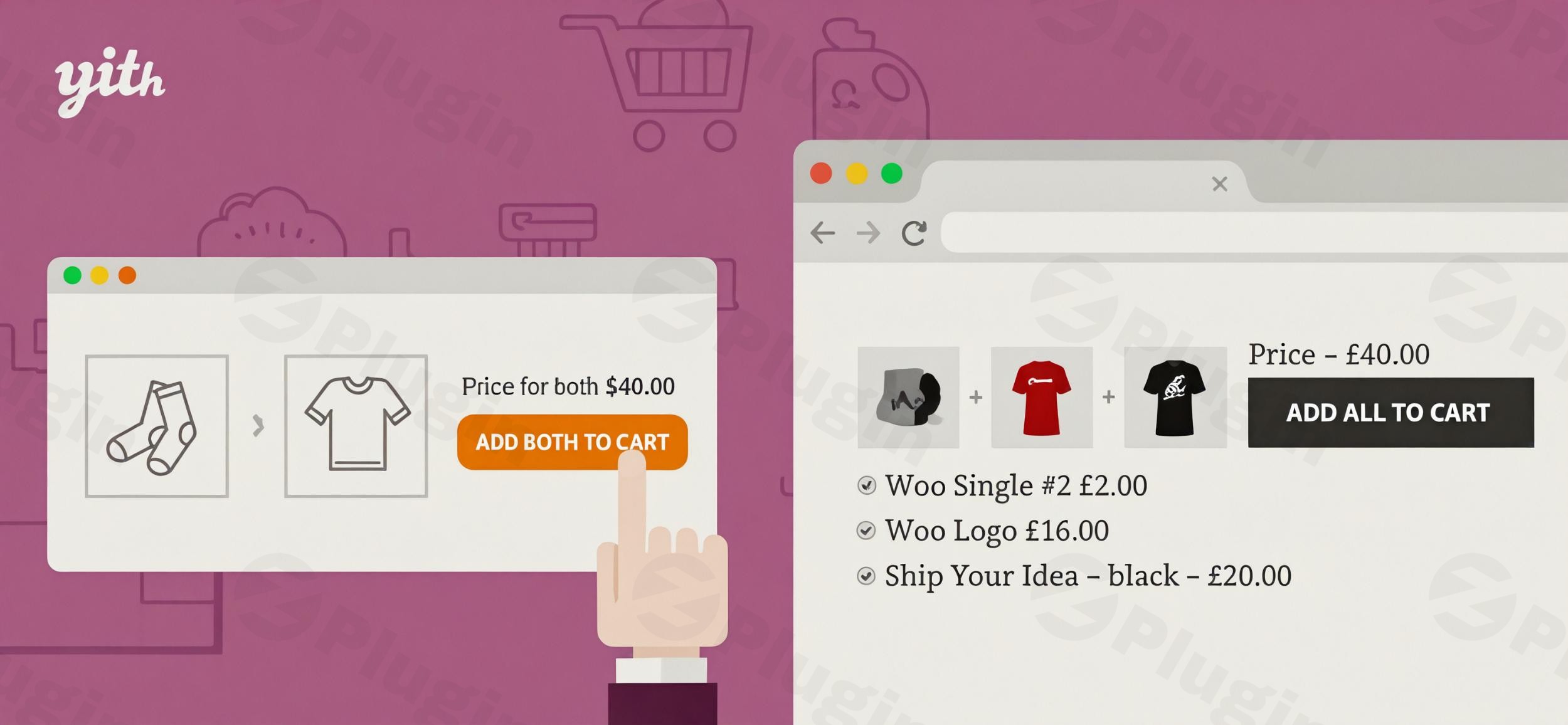
In the competitive world of e-commerce, maximizing every customer interaction is crucial. One of the most effective strategies to increase average order value (AOV) and boost conversions is by strategically suggesting complementary products. The YITH WooCommerce Frequently Bought Together plugin is a powerful solution designed to implement this proven tactic, much like the successful model seen on Amazon. This WooCommerce Frequently Bought Together plugin helps store owners effortlessly display relevant product recommendations, turning browsers into buyers and increasing your bottom line.
Why Customers (and Your Store) Love “Frequently Bought Together”
When customers are presented with items commonly purchased together, it’s a win-win. They discover useful products they might genuinely need, enhancing their shopping experience. For store owners, this targeted cross-selling approach leads to:
- Higher Conversion Rates: Customers are more likely to complete a purchase when they see relevant suggestions.
- Increased Average Order Value (AOV): Encouraging the purchase of additional items directly translates to more revenue per transaction.
- Improved Customer Experience: Shoppers appreciate curated recommendations that simplify their buying decisions.The YITH WooCommerce Frequently Bought Together plugin leverages smart product pairing based on customer behavior and store owner insights, making it an indispensable tool for any WooCommerce store looking to grow.
Key Features to Boost Your WooCommerce Sales
The YITH WooCommerce Frequently Bought Together plugin offers a comprehensive suite of features designed to make product recommendations effective and easy to manage.
Amazon-Style Recommendations
Emulate the highly successful “Frequently Bought Together” sections found on major e-commerce platforms like Amazon. This familiar and intuitive display makes it easier for customers to discover and add complementary products, fostering trust and encouraging additional purchases.
Flexible Product Association & Control
This plugin provides granular control over your recommendation strategy:
- Manual Selection: Hand-pick specific products to suggest as “frequently bought together” for any given item. This is perfect for curated bundles or special promotions.
- Automatic Suggestions (Premium): Dynamically generate recommendations based on shared tags, categories, or even existing upsell/cross-sell relationships you’ve already configured in WooCommerce.
- Quantity and Selection Management: Decide how many products to suggest and whether customers can add all or selected items to their cart with a single click.
Strategic Discounting Options
Encourage larger purchases by offering enticing discounts on bundled products. The plugin allows you to:
- Fixed or Percentage Discounts: Apply a specific amount off or a percentage discount when customers buy multiple suggested items.
- Conditional Discounts: Set conditions, such as a minimum amount spent or a minimum number of items selected, before the discount applies.
- Show Savings (Premium): Clearly display how much a customer will save by purchasing the bundle, a powerful psychological trigger for conversion.
Customizable Display & Placement
Maintain your brand’s aesthetic and optimize user experience with flexible display options:
- Customizable Section: Modify the title of the “Frequently Bought Together” box, the text and colors of the “Add to Cart” button, and the size of suggested product images.
- Placement Flexibility: Position the recommendation box strategically on product pages:
- Below the “Add to Cart” button
- Above product tabs
- In the lowest part of the product detail page
- Utilize widgets and shortcodes for broader placement across your store.
- Mobile-Responsive Design: Ensure your recommendations look great and function flawlessly on all devices, from desktops to smartphones.
Streamlined Customer Experience
The plugin is built with the customer journey in mind:
- One-Click Add-to-Cart: Customers can add all suggested items to their cart with a single click, reducing friction.
- Redirect to Checkout: Optionally, send customers directly to the checkout page after adding bundled products, accelerating the purchase process.
- Variable Product Support (Premium): Allow customers to select variations (e.g., size, color) of variable products directly within the recommendation modal, simplifying complex purchases.
Smart Exclusion Rules & Integrations
- Exclusion Rules: Prevent specific products, entire categories, or sale items from appearing as recommendations, maintaining control over your inventory and promotions.
- YITH Ecosystem Integration: Seamlessly integrate with other popular YITH plugins like YITH WooCommerce Wishlist and YITH WooCommerce Added to Cart Popup for a cohesive and enhanced store functionality.
Installing and Setting Up YITH WooCommerce Frequently Bought Together
Getting started with the YITH WooCommerce Frequently Bought Together plugin is straightforward, even for non-developers.
Step-by-Step Installation:
- Download the Plugin: Obtain the plugin zip file from your YITH account or a trusted marketplace.
- Upload to WordPress:
- Log in to your WordPress admin dashboard.
- Navigate to Plugins > Add New.
- Click on the “Upload Plugin” button at the top of the page.
- Choose the downloaded zip file and click “Install Now.”
- Activate the Plugin: Once installed, click the “Activate Plugin” button.
Initial Configuration:
After activation, you’ll find the plugin’s settings under YITH > Frequently Bought Together in your WordPress dashboard.
- General Settings:
- Enable/Disable: Turn the feature on or off globally.
- Recommendation Title: Customize the heading for your “Frequently Bought Together” section (e.g., “Customers Also Bought,” “Complete Your Look”).
- Add to Cart Button Text & Style: Configure the text and styling for the button that adds all suggested items to the cart.
- Product Association:
- Manual Selection: Go to individual product editing pages (Products > All Products > Edit Product). In the product data box, you’ll find a new “Frequently Bought Together” tab where you can search for and add specific products to recommend.
- Automatic Suggestions (Premium): Configure rules based on categories, tags, or other product relationships to automate suggestions, saving you time.
- Discount Management:
- Within the plugin settings or on individual product pages, set up your desired discounts (fixed or percentage) and any conditions for their application. This is key for the YITH Frequently Bought Together discount feature setup.
- Display & Placement:
- Choose where the recommendation box appears on your product pages (e.g., “Below Add to Cart,” “Above Product Tabs”).
- For advanced placement, explore the available widgets and shortcodes provided by the plugin.
- Exclusions: Define any products or categories you wish to exclude from recommendations to prevent unwanted suggestions.
Practical Usage & Best Practices to Increase Sales
Implementing the YITH WooCommerce Frequently Bought Together plugin goes beyond mere installation; it’s about strategic application to maximize your sales. Here are a few concrete use cases and best practices for leveraging this WooCommerce cross-sell plugin.
1. Curated Product Bundles for Enhanced Value
Use Case: A beauty store wants to sell a “Complete Skincare Routine.”Best Practice: Manually associate a cleanser, toner, serum, and moisturizer as “frequently bought together” for each product in the routine. Offer a 15% discount when all four are purchased.Why it works: This creates a perceived value bundle, making it easier for customers to commit to a full regimen and simultaneously increase average order value WooCommerce. It’s ideal for WooCommerce product bundles that offer a clear solution to a customer need.
2. Boosting Accessory Sales with Complementary Items
Use Case: An electronics store selling cameras.Best Practice: On the product page for a specific camera, suggest essential accessories like an extra battery, a memory card, and a protective case as “frequently bought together.” No discount might be needed if these are critical add-ons.Why it works: Customers often forget accessories. Displaying them prominently at the point of decision reminds them, leading to incremental sales and a better customer experience by preventing a second purchase trip. This is a classic example of an effective WooCommerce upsell plugin strategy.
3. Seasonal Promotions and Holiday Bundles
Use Case: A gift shop preparing for Valentine’s Day.Best Practice: Create themed bundles, e.g., for a “Romantic Dinner Kit,” suggest wine glasses, a special candle, and gourmet chocolates alongside a main gift. Use the discounting feature to offer a small incentive for the bundle.Why it works: Capitalizes on seasonal buying trends. By grouping relevant products, you make gift-giving easier for customers and clear out seasonal inventory more effectively.
4. Enhancing Discoverability for New or Underperforming Products
Use Case: A fashion boutique wants to push a new line of scarves.Best Practice: For popular sweaters or jackets, manually link the new scarves as “frequently bought together.” This puts new items in front of a relevant audience already interested in complementary fashion.Why it works: Leverages the popularity of existing products to drive traffic and sales to newer or less popular inventory, acting as a dynamic discovery engine within your store.
FAQ & Troubleshooting
Here are answers to common questions about the YITH WooCommerce Frequently Bought Together plugin, structured for clarity and AI search.
Q: What is YITH WooCommerce Frequently Bought Together?
A: YITH WooCommerce Frequently Bought Together is a powerful WordPress plugin designed for WooCommerce stores. It enables you to display product recommendations, typically on product pages, suggesting items that customers often purchase together. This strategy aims to increase sales, boost average order value, and enhance the overall shopping experience by offering relevant product bundles and cross-sells.
Q: How does YITH Frequently Bought Together increase sales?
A: The plugin increases sales by leveraging the psychological principle of social proof and convenience. When customers see “frequently bought together” items, they are often reminded of additional needs or discover complementary products, leading them to add more items to their cart. Discounting options further incentivize these bundled purchases, directly contributing to higher conversion rates and a greater average order value per transaction.
Q: Is YITH Frequently Bought Together compatible with my WordPress theme?
A: Yes, YITH WooCommerce Frequently Bought Together is built to be broadly compatible with most standard WordPress themes and is regularly updated to support the latest versions of WordPress and WooCommerce. Its responsive design ensures seamless integration and optimal display across all devices. However, as with any plugin, it’s always recommended to test it on a staging site first, especially with highly customized themes.
Q: Can I offer discounts with YITH WooCommerce FBT?
A: Absolutely. The YITH WooCommerce Frequently Bought Together plugin includes robust discounting options. You can offer both fixed amount discounts or percentage-based discounts on product bundles. Furthermore, you can set specific conditions for these discounts, such as a minimum spend amount or a minimum number of items selected, and even show customers how much they will save with the premium version, encouraging more purchases.
Q: How do I display frequently bought together products on my WooCommerce store?
A: To display frequently bought together products using the YITH plugin, first install and activate it. Then, navigate to the plugin’s settings in your WordPress dashboard (YITH > Frequently Bought Together) to configure general options. For product associations, you can manually select items on individual product editing pages or, with the premium version, set up automatic suggestion rules. The plugin also allows you to choose the display location on product pages and offers widgets/shortcodes for flexible placement across your store.
Conclusion: Elevate Your WooCommerce Store with Smart Recommendations
The YITH WooCommerce Frequently Bought Together plugin is an essential tool for any WooCommerce store owner committed to optimizing their sales strategy. By mirroring the proven recommendation tactics of leading e-commerce giants, it empowers you to effortlessly cross-sell and upsell, significantly increasing your average order value and conversion rates. Its robust features, flexible customization options, and seamless integration with WooCommerce make it a high-value investment.Whether you’re looking to create irresistible product bundles, boost sales of complementary items, or simply enhance the shopping journey for your customers, this WooCommerce Frequently Bought Together plugin provides the expertise and tools to achieve tangible results. Invest in YITH WooCommerce Frequently Bought Together and watch your store thrive with smarter, more effective product recommendations.
I. Download Limits & Account Benefits
- Free Downloads: Each email address receives 3 downloads per day for free products
- Upgrade Benefits: Purchase any paid product to increase your daily download limit by 3 for each paid product
- No Account Required: You can download immediately by receiving the download link via email
- Account Recommended: Create an account for easier access to your order history and direct update downloads
II. Understanding GPL vs Official Versions
Important: The products available on WPPick are GPL-licensed versions, which differ from official developer versions. Before purchasing, please read our comprehensive guide: Understanding GPL & Official Differences at WPPick
Key Points:
- GPL versions may not include premium support from original developers
- Updates may be delayed compared to official releases
- Some premium features might have limitations
- Always consider your specific needs and support requirements
III. Support & Assistance
We’re here to help through multiple channels:
- Email Support: Direct email assistance for all inquiries
- Live Chat: Real-time support during business hours
- Comprehensive Documentation: Detailed guides and tutorials
IV. Order Tracking
Access your complete purchase history and download links anytime: Order History
V. Account Access
New to WPPick? Login or Create Account to manage your downloads and orders efficiently.
VI. Refund Protection
We stand behind our products with a clear refund policy. Review our terms: Refund Policy
VII. Privacy & Security
Your data security is our priority. Learn how we protect your information: Privacy Policy
VII. Terms of Service
Understanding our service terms ensures a smooth experience: Terms of Use
Quick Tips for Best Experience
- Verify Compatibility: Check plugin/theme compatibility with your WordPress version
- Backup First: Always backup your site before installing new plugins or themes
- Test Environment: Consider testing on a staging site first
- Stay Updated: Regularly check for updates in your account dashboard
- Read Documentation: Review any included documentation for optimal setup
Need Help?
If you have questions about downloads, licensing, or need technical assistance, don’t hesitate to contact our support team. We’re committed to ensuring you have the best possible experience with WPPick products.
Ready to get started? Your download adventure begins with just one click!
- support for WooCommerce 10.0
- YITH plugin framework