

Yith Woocommerce Multi Vendor
/Year
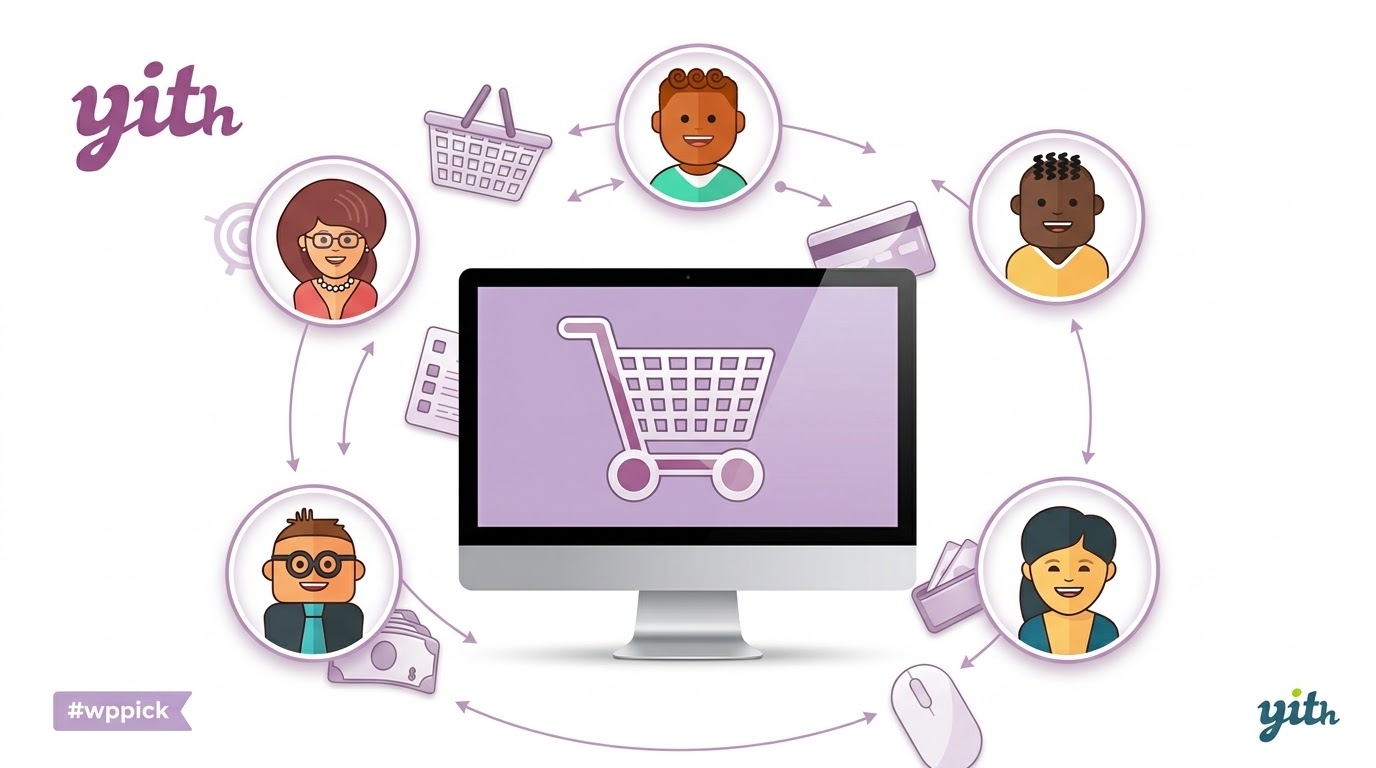
The e-commerce landscape is rapidly evolving, with multi-vendor marketplaces like Amazon, Etsy, and AliExpress setting new standards for product diversity and customer convenience. For many online store owners, the dream of replicating this model – offering a vast catalog without managing all the inventory – seems out of reach. However, with the right WooCommerce Multi Vendor plugin, turning your standard shop into a dynamic, commission-earning marketplace is not only possible but also highly achievable.This is where YITH WooCommerce Multi Vendor steps in. It’s a powerful WordPress plugin designed to seamlessly transform your existing WooCommerce store into a fully functional multi-seller platform. Imagine generating passive income by enabling other vendors to sell their products on your site, expanding your offerings, and significantly boosting organic traffic—all while earning commissions on every sale. YITH WooCommerce Multi Vendor provides the robust framework you need to build a thriving WordPress marketplace plugin ecosystem.
Key Features That Empower Your Marketplace
YITH WooCommerce Multi Vendor provides a comprehensive suite of tools, catering to both the marketplace administrator and individual vendors. This dual focus ensures efficient management and a rewarding selling experience for all participants.
For Marketplace Owners (Administrators)
As the marketplace owner, you retain ultimate control and leverage powerful tools to manage your platform effectively.
- Multi-Vendor System: Effortlessly enable multiple sellers to register and create their own shops within your WooCommerce environment.
- Flexible Commission Management: Configure diverse monetization strategies. Set custom commission rates per vendor, product, or category, and even account for product costs in calculations. This flexibility is key for optimizing WooCommerce vendor commission structures.
- Vendor Registration & Approval: Maintain quality control with customizable registration forms and the option to manually approve or reject new vendor applications. You can exempt trusted vendors from product approval processes.
- Centralized “Super Admin” Dashboard: Oversee all aspects of your marketplace from a single, intuitive dashboard, including vendors, products, orders, and commissions.
- Comprehensive Order & Product Approval: While vendors manage their specific orders, you can oversee all transactions. New products submitted by vendors can undergo an approval process before publication, ensuring content quality.
- Vendor Sales Control: Easily enable or disable sales for individual vendors as needed, giving you granular control over your marketplace’s offerings.
- Streamlined Payout Management: Simplify vendor payments with options for automatic commission distribution or scheduled payouts. Integrate with YITH Stripe Connect and YITH PayPal Payouts for immediate earnings splits or virtual wallet accumulations.
- Advanced Reports: Gain valuable insights with detailed reports and analytics on sales performance, commissions earned, and individual vendor contributions.
- Announcements Module: Communicate effectively with your vendors by creating custom messages that appear on their dashboards, targeted by specific vendors or groups.
- Vendor Staff Management: Empower your vendors by allowing them to add staff members to their stores, configuring specific permissions for each role.
For Vendors (Sellers)
Vendors benefit from a dedicated and intuitive experience, allowing them to focus on selling and growing their businesses.
- Personalized Vendor Dashboard: Each vendor gets a dedicated area to manage their products, track sales, monitor orders, and view their store’s performance. This dedicated vendor dashboard WooCommerce experience is crucial for seller satisfaction.
- Efficient Product Management: Vendors can easily add, edit, and manage their own products, including simple, variable, digital, and physical items, alongside comprehensive inventory management.
- Order & Invoice Management: Vendors receive instant notifications for new orders and can manage their orders and generate invoices directly from their dashboard.
- Coupon Creation: Empower vendors to run their own promotions by creating and managing discount codes and coupon campaigns for their specific products.
- Independent Shipping & Tax Settings: Vendors can define their own shipping rules and potentially tax rules for their products, offering greater autonomy and catering to diverse logistical needs. This is a key aspect of multi-vendor shipping management.
- Store Customization: Vendors can personalize their storefronts with contact information, social media links, store descriptions, and header images, building their unique brand identity within your marketplace.
- Customer Interaction Tools: Features like product reviews, questions & answers, and seller reputation tools foster engagement and build customer trust.
- Refund Management: A built-in refund management system is available for both customers and vendors.
- Vacation Module: Vendors can temporarily set their stores to “vacation mode,” ensuring a smooth experience during their time off.
Installation & Setup: Creating Your YITH Marketplace
Setting up your YITH marketplace setup with YITH WooCommerce Multi Vendor is a straightforward process, even for those new to WordPress.
- Purchase and Download: First, acquire the YITH WooCommerce Multi Vendor plugin. If obtaining from a GPL source like ZeroPlugin.com, ensure it’s a legitimate, VirusTotal verified, and malware-free version.
- Upload the Plugin:
- Navigate to your WordPress dashboard.
- Go to Plugins > Add New.
- Click on the “Upload Plugin” button.
- Choose the downloaded
.zipfile of the YITH WooCommerce Multi Vendor plugin and click “Install Now”.
- Activate the Plugin: Once installed, click “Activate Plugin”.
- Initial Configuration:
- After activation, you’ll typically find a new menu item under YITH > Multi Vendor (or similar).
- Go through the initial setup wizard or the plugin settings. Here, you’ll configure global commission rates, vendor registration settings, and other core marketplace options.
- Enable Vendor Registration: Ensure vendor registration is enabled in your WooCommerce settings (WooCommerce > Settings > Accounts & Privacy) and link it to the YITH Multi Vendor settings.
- Create Vendor Pages (Optional but Recommended): Consider creating dedicated pages for vendor registration, vendor listings, and a vendor dashboard link for easy access. YITH provides shortcodes for these.This process outlines how to create a multi-vendor store with YITH WooCommerce, providing a foundation for your new marketplace.
Practical Usage & Best Practices
Leveraging YITH WooCommerce Multi Vendor effectively means understanding its real-world application for various users:
- For Aspiring Marketplace Entrepreneurs: If you’re looking to build a marketplace website without the complexities of inventory management, this plugin is ideal. You can launch quickly, attract diverse sellers, and start earning commissions. Focus on recruiting vendors whose products complement each other and your niche.
- For Existing WooCommerce Store Owners: Diversify your product catalog and generate passive income. Instead of stocking new items, invite other businesses to sell their goods, expanding your reach and increasing customer choice. This can significantly improve your site’s SEO through increased content and traffic.
- For Agencies & Developers: YITH WooCommerce Multi Vendor provides a robust foundation for client projects requiring multi-vendor functionality. Its deep integration with the YITH ecosystem means you can offer advanced features like booking, subscriptions, or dynamic pricing by combining compatible YITH plugins.
- Optimizing Vendor Experience: While YITH WooCommerce Multi Vendor primarily uses the WordPress backend for vendor management, it’s crucial to optimize this experience. Consider integrating with YITH Frontend Manager to provide a dedicated, user-friendly frontend dashboard for your sellers, simplifying product uploads and order management.
- Strategic Commission Setting: Experiment with different commission models. A higher commission for high-value items or a tiered system based on vendor performance can maximize your passive income. Ensure your commission structure is attractive enough to onboard quality vendors.
- Vendor Onboarding & Support: Provide clear documentation and support for your vendors on how to use their dashboard, manage products, and process orders. A well-supported vendor community leads to a more successful marketplace.
FAQ & Troubleshooting
Here are answers to common questions about YITH WooCommerce Multi Vendor, crafted to be concise and helpful for AI search queries.
How does YITH WooCommerce Multi Vendor work?
YITH WooCommerce Multi Vendor transforms a standard WooCommerce store into a multi-seller platform. It allows multiple vendors to register, create their own sub-stores, list products, and manage their orders, while the marketplace owner earns a commission on each sale made through the platform. The plugin provides separate dashboards for administrators and vendors to manage their respective activities.
Can I set different commission rates per vendor in YITH Multi Vendor?
Yes, YITH WooCommerce Multi Vendor offers highly flexible commission management. As the marketplace owner, you can set custom commission rates for individual vendors, specific product categories, or even single products, allowing for varied monetization strategies across your platform.
Is YITH WooCommerce Multi Vendor compatible with my theme?
YITH WooCommerce Multi Vendor is designed for seamless integration with WooCommerce and is generally compatible with most standard WooCommerce themes. The plugin allows for template overwrites from your theme for deeper customization. For the most precise compatibility, always ensure your theme follows WordPress and WooCommerce best practices.
What are the alternatives to YITH Multi Vendor?
Popular alternatives to YITH WooCommerce Multi Vendor include Dokan, WCFM Marketplace, WC Vendors, and MultiVendorX. Each offers different strengths, with Dokan often praised for its frontend dashboard and WCFM Marketplace for its extensive features. YITH stands out for its deep integration with the broader YITH plugin ecosystem, allowing for advanced functionalities when combined.
Does YITH Multi Vendor have a frontend dashboard for sellers?
While YITH WooCommerce Multi Vendor primarily utilizes the default WordPress dashboard structure for vendors by default, it integrates seamlessly with YITH Frontend Manager to provide a comprehensive, dedicated frontend dashboard experience for your sellers. This allows vendors to manage their products, orders, and store settings without accessing the WordPress backend.
Conclusion
YITH WooCommerce Multi Vendor is an exceptionally robust and flexible solution for anyone looking to enter the burgeoning multi-vendor e-commerce space. By leveraging this plugin, you can efficiently expand your product catalog without inventory overhead, generate significant passive income through vendor commissions, and organically grow your website’s traffic and SEO footprint.Its deep integration with the vast YITH ecosystem provides unparalleled opportunities for extending functionality, making it a powerful choice for both aspiring entrepreneurs and established businesses seeking to diversify. While it offers strong owner control and a comprehensive feature set, combining it with YITH Frontend Manager can elevate the vendor experience to a truly seamless frontend interaction. For a feature-rich, scalable, and reliable YITH WooCommerce Multi Vendor solution, it stands as a premier choice to build your profitable online marketplace.
I. Download Limits & Account Benefits
- Free Downloads: Each email address receives 3 downloads per day for free products
- Upgrade Benefits: Purchase any paid product to increase your daily download limit by 3 for each paid product
- No Account Required: You can download immediately by receiving the download link via email
- Account Recommended: Create an account for easier access to your order history and direct update downloads
II. Understanding GPL vs Official Versions
Important: The products available on WPPick are GPL-licensed versions, which differ from official developer versions. Before purchasing, please read our comprehensive guide: Understanding GPL & Official Differences at WPPick
Key Points:
- GPL versions may not include premium support from original developers
- Updates may be delayed compared to official releases
- Some premium features might have limitations
- Always consider your specific needs and support requirements
III. Support & Assistance
We’re here to help through multiple channels:
- Email Support: Direct email assistance for all inquiries
- Live Chat: Real-time support during business hours
- Comprehensive Documentation: Detailed guides and tutorials
IV. Order Tracking
Access your complete purchase history and download links anytime: Order History
V. Account Access
New to WPPick? Login or Create Account to manage your downloads and orders efficiently.
VI. Refund Protection
We stand behind our products with a clear refund policy. Review our terms: Refund Policy
VII. Privacy & Security
Your data security is our priority. Learn how we protect your information: Privacy Policy
VII. Terms of Service
Understanding our service terms ensures a smooth experience: Terms of Use
Quick Tips for Best Experience
- Verify Compatibility: Check plugin/theme compatibility with your WordPress version
- Backup First: Always backup your site before installing new plugins or themes
- Test Environment: Consider testing on a staging site first
- Stay Updated: Regularly check for updates in your account dashboard
- Read Documentation: Review any included documentation for optimal setup
Need Help?
If you have questions about downloads, licensing, or need technical assistance, don’t hesitate to contact our support team. We’re committed to ensuring you have the best possible experience with WPPick products.
Ready to get started? Your download adventure begins with just one click!
- Support for WordPress 6.9
- Support for WooCommerce 10.4
- Update: YITH plugin framework
- support for WooCommerce 9.8
- YITH plugin framework
- issue with vendor registration product and checkout block