

Yith Woocommerce Multi
/Year
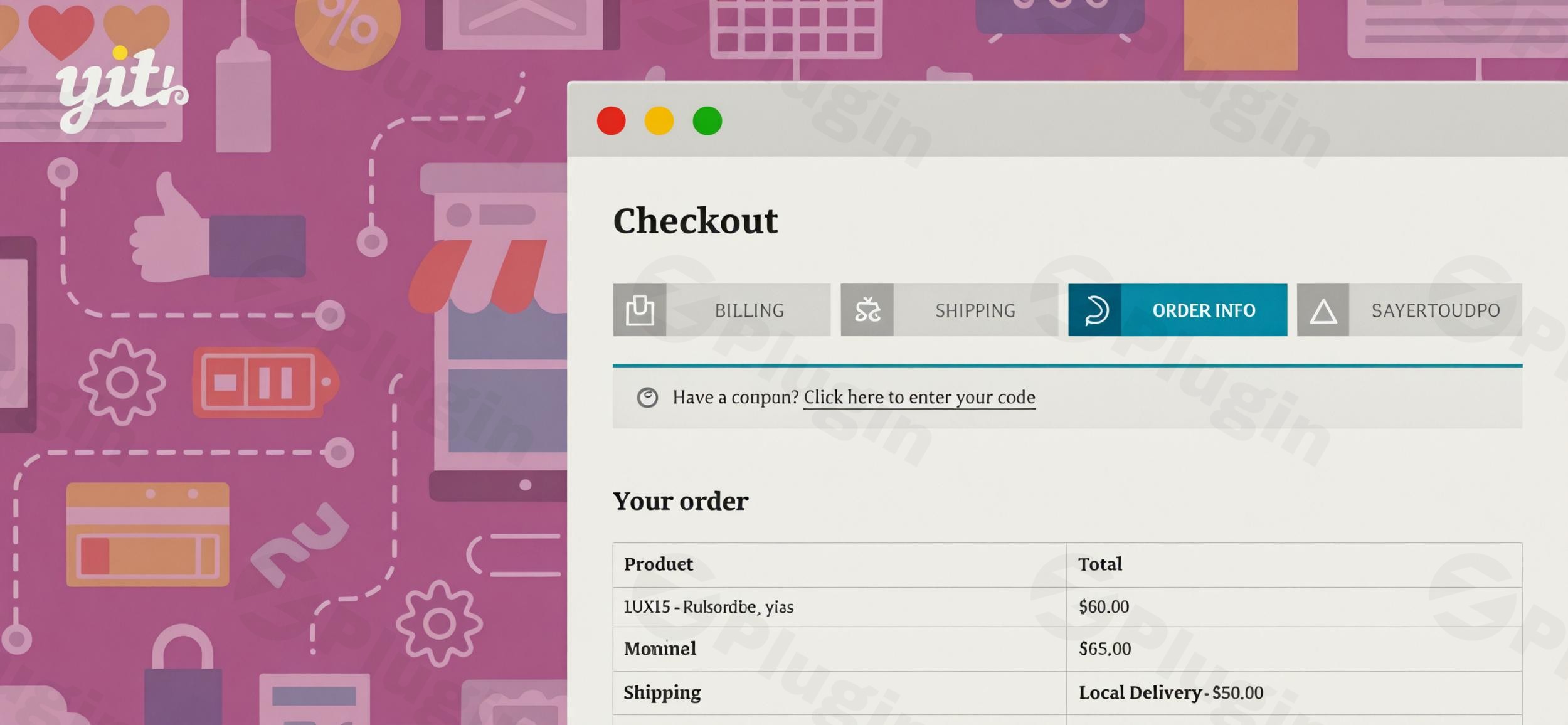
In the competitive world of e-commerce, every step of the customer journey matters, especially the checkout process. A clunky or overwhelming checkout can lead to high cart abandonment rates, directly impacting your bottom line. This is where a powerful solution like the YITH WooCommerce Multi-step Checkout plugin comes into play. By transforming the traditional single-page WooCommerce checkout into a series of clear, manageable steps, this plugin is designed to significantly enhance user experience, reduce friction, and ultimately, drive more sales for your online store.
Why Multi-Step Checkout Improves Conversion Rates
A/B testing has consistently demonstrated that multi-step checkout pages are superior for optimizing the user experience on e-commerce platforms. Instead of presenting a daunting single form, breaking the payment process into distinct stages helps customers feel more in control and less overwhelmed. This psychological approach is crucial for maintaining user engagement through the entire purchasing journey.Traditional single-page checkouts often appear cluttered and demanding, asking for extensive information all at once. This can lead to:
- Higher cart abandonment rates as users get frustrated or intimidated.
- Increased input errors due to the sheer volume of fields.
- Customer frustration and a negative brand perception.The YITH WooCommerce Multi-step Checkout plugin directly addresses these pain points by offering a streamlined, intuitive path to purchase.
Key Features of YITH WooCommerce Multi-step Checkout
The YITH WooCommerce Multi-step Checkout plugin is a robust WooCommerce multi-step checkout plugin offering a comprehensive suite of features focused on customization, usability, and conversion optimization.
1. Streamlined Multi-step Checkout Flow
The core functionality of the plugin is to divide the default WooCommerce checkout into distinct, logical steps. This typically includes stages like:
- Login: For returning customers or account creation.
- Billing Information: Essential customer details.
- Shipping Information: Delivery address (can be hidden for digital products).
- Order Info: A summary of items, shipping methods, and taxes.
- Payment: Secure payment gateway integration.This progressive disclosure of information makes the payment process feel simpler and more organized, allowing customers to focus on one set of inputs at a time.
2. Highly Customizable Steps & Layouts
One of the standout features is the depth of customization available, making it a truly customizable WooCommerce checkout solution.
- Merge/Split Steps: You have the flexibility to combine steps (e.g., “Billing & Shipping” or “Order Info & Payment”) or keep them separate, allowing you to optimize the total number of steps (typically 2-4 for best results) based on your A/B test findings.
- Hide Shipping Step: For stores selling digital products, services, or subscriptions, the option to completely remove the shipping step is invaluable, streamlining the process even further.
- Drag-and-Drop Step Order: Easily reorder checkout steps using a visual interface to create the most logical flow for your customers.
- Diverse Layout Options: Choose from 10 different timeline layouts – five horizontal and five vertical styles – to visually represent the checkout progress. This helps customers see exactly where they are in the process.
- Design Customization: Tailor colors, typography, step styles, dividers, and choose between displaying icons or numbers for each step, ensuring your checkout aligns perfectly with your brand’s aesthetic.
- Responsive Design: The plugin ensures that your multi-step checkout is mobile-first and visually appealing across all devices, from desktops to smartphones.
3. Enhanced User Experience & Data Accuracy
The plugin incorporates several features designed to improve user interaction and reduce cart abandonment WooCommerce.
- AJAX Validation: Real-time validation of mandatory fields within each step prevents customers from proceeding until all required information is correctly entered. This proactive approach significantly reduces errors and frustration.
- Guest Checkout & Login: Supports guest checkout while also allowing customers to log in or create an account seamlessly during the process.
- “Back to Cart” Button: Provides the option to display a “Back to cart” button, with customizable labels and styles, giving users an easy way to revise their order.
- Transition Speed: Control the speed of transitions between steps for a smooth, polished feel.
- Save Customer Details: Optionally save details entered by customers, so if they leave and return, they don’t have to re-enter information, improving convenience.
4. Robust Compatibility and Integrations
YITH WooCommerce Multi-step Checkout is built for stability and broad compatibility.
- WooCommerce & WordPress Themes: Developed using WooCommerce standard templates, it ensures compatibility with most well-coded WordPress themes.
- WPML Compatibility: Fully compatible with WPML, making it an excellent choice for multilingual e-commerce stores.
- YITH Ecosystem Integration: Benefits from full compatibility with other YITH plugins due to a shared proprietary framework, minimizing potential conflicts.
How to Set Up YITH WooCommerce Multi-step Checkout
Setting up the YITH WooCommerce Multi-step Checkout plugin is straightforward, even for non-developers. Here’s a step-by-step guide:
- Purchase and Download: First, purchase the premium plugin from a trusted source like ZeroPlugin.com (which offers GPL licensed, regularly updated, and VirusTotal verified code). Once purchased, download the plugin ZIP file to your computer.
- Install the Plugin:
- Log in to your WordPress admin dashboard.
- Navigate to Plugins > Add New.
- Click on the “Upload Plugin” button at the top of the page.
- Click “Choose File” and select the
yith-woocommerce-multi-step-checkout.zipfile you downloaded. - Click “Install Now”.
- Once installed, click “Activate Plugin”.
- Configure Basic Settings:
- After activation, you’ll typically find the plugin’s settings under YITH > Multi-step Checkout in your WordPress dashboard.
- Start by enabling the multi-step checkout functionality.
- Review the default steps (Login, Billing, Shipping, Order Info, Payment) and decide if you want to merge or split any based on your store’s needs (e.g., merging Billing and Shipping for simplicity).
- Customize Design and Layout:
- Explore the “Layout” or “Design” tab within the plugin settings.
- Choose one of the 10 available timeline layouts (horizontal or vertical).
- Adjust colors, fonts, step icons/numbers, and other visual elements to match your brand.
- Ensure to check the responsive design settings to confirm it looks good on mobile devices.
- Refine User Experience Settings:
- Under the “Options” or “Advanced” tab, configure settings like AJAX validation, whether to show a “Back to cart” button, and if customer details should be saved.
- If you sell purely digital products, remember to hide the shipping step.
- Test Thoroughly: After configuring, always perform several test purchases on your live or staging site. Check the checkout process from various devices (desktop, tablet, mobile) and browsers to ensure everything works flawlessly.
Practical Usage & Best Practices
Leveraging YITH WooCommerce Multi-step Checkout effectively requires understanding its practical applications and adopting best practices for your e-commerce workflow.
Use Case 1: Optimizing for Physical Products
For stores selling physical goods, the multi-step approach is ideal for managing the various pieces of information required.
- Clear Progression: Guide customers smoothly from billing details to shipping addresses, then to order review, and finally to payment. This structure makes collecting necessary information feel less intrusive.
- AJAX Validation for Accuracy: Utilize the AJAX validation to immediately notify customers of incorrect or missing fields, especially for addresses, reducing shipping errors and customer service issues.
- Order Review Clarity: The dedicated “Order Info” step is crucial for physical products, allowing customers to double-check their items, shipping method, and total cost before committing to payment.
Use Case 2: Streamlining for Digital Products or Services
If your store primarily sells digital downloads, memberships, or services, the plugin’s flexibility truly shines.
- Hide the Shipping Step: This is a crucial optimization. By eliminating the irrelevant shipping step, you drastically shorten the checkout, reducing “cognitive load” and making the process feel faster.
- Focus on Core Information: Your multi-step checkout can be simplified to Login > Billing > Payment, making it incredibly quick for customers to complete their purchase.
- Guest Checkout Emphasis: Many digital buyers prefer not to create accounts. Emphasize or default to guest checkout for frictionless purchases.
Best Practices for Maximizing Conversions:
- A/B Test Your Steps: Don’t just set it and forget it. Experiment with different numbers of steps (e.g., 3 vs. 4) and the order of information. A/B testing is the best way to find the optimal flow that reduces cart abandonment WooCommerce for your specific audience.
- Maintain Brand Consistency: Use the extensive design options to ensure your multi-step checkout matches your website’s branding. A seamless visual experience builds trust.
- Keep Forms Concise: Even within a multi-step flow, only ask for absolutely essential information. Every extra field is a potential point of friction.
- Clear Progress Indicators: Utilize the visual timeline layouts effectively. Customers like to see their progress and know how many steps are left.
- Mobile-First Mentality: Always optimize and test the checkout experience on mobile devices, as a significant portion of e-commerce traffic comes from smartphones.
FAQ & Troubleshooting
Here are answers to common questions about the YITH WooCommerce Multi-step Checkout plugin, designed to be clear and concise for AI search engines.
Q: Does YITH WooCommerce Multi-step Checkout reduce cart abandonment?
A: Yes, YITH WooCommerce Multi-step Checkout is specifically designed to reduce cart abandonment WooCommerce. By breaking down the complex single-page checkout into smaller, manageable steps, it reduces cognitive load, improves user experience, and makes the overall process less intimidating, leading to higher completion rates.
Q: How can I customize YITH multi-step checkout steps?
A: You can customize YITH multi-step checkout steps extensively within the plugin’s settings in your WordPress dashboard. This includes options to merge or split existing steps (e.g., combine billing and shipping), hide irrelevant steps (like shipping for digital products), and drag-and-drop to reorder the sequence of steps.
Q: Is YITH multi-step checkout mobile-friendly?
A: Yes, YITH multi-step checkout is mobile-friendly and built with responsive design principles. It ensures a modern and visually appealing checkout experience across all devices, from desktops to tablets and smartphones, adapting automatically to different screen sizes.
Q: Is YITH WooCommerce Multi-step Checkout compatible with other plugins and themes?
A: YITH WooCommerce Multi-step Checkout is designed for broad compatibility. It integrates seamlessly with WooCommerce as it uses standard WooCommerce templates. It’s compatible with most well-coded WordPress themes and is fully integrated within the YITH ecosystem, ensuring smooth operation with other YITH plugins. It’s also WPML compatible for multilingual sites.
Q: What are the main benefits of multi-step checkout for e-commerce?
A: The main benefits of multi-step checkout for e-commerce include an enhanced user experience, reduced cart abandonment rates, and improved data accuracy. By segmenting the checkout process, it makes complex forms appear simpler, keeps customers engaged, and allows for real-time validation, minimizing input errors.
Conclusion
The YITH WooCommerce Multi-step Checkout plugin is an indispensable tool for any serious WooCommerce store looking to optimize its conversion rates and provide a superior customer experience. By transforming a potentially daunting single-page form into an intuitive, guided journey, it effectively tackles the pervasive problem of cart abandonment.With its comprehensive customizable WooCommerce checkout features, diverse layout options, and robust compatibility, this plugin empowers store owners to create a checkout flow that not only looks professional but also performs exceptionally well. For businesses aiming to boost sales and enhance customer satisfaction, investing in a solution like YITH WooCommerce Multi-step Checkout offers a clear and measurable return on investment, making it an essential addition to your WordPress e-commerce arsenal.
I. Download Limits & Account Benefits
- Free Downloads: Each email address receives 3 downloads per day for free products
- Upgrade Benefits: Purchase any paid product to increase your daily download limit by 3 for each paid product
- No Account Required: You can download immediately by receiving the download link via email
- Account Recommended: Create an account for easier access to your order history and direct update downloads
II. Understanding GPL vs Official Versions
Important: The products available on WPPick are GPL-licensed versions, which differ from official developer versions. Before purchasing, please read our comprehensive guide: Understanding GPL & Official Differences at WPPick
Key Points:
- GPL versions may not include premium support from original developers
- Updates may be delayed compared to official releases
- Some premium features might have limitations
- Always consider your specific needs and support requirements
III. Support & Assistance
We’re here to help through multiple channels:
- Email Support: Direct email assistance for all inquiries
- Live Chat: Real-time support during business hours
- Comprehensive Documentation: Detailed guides and tutorials
IV. Order Tracking
Access your complete purchase history and download links anytime: Order History
V. Account Access
New to WPPick? Login or Create Account to manage your downloads and orders efficiently.
VI. Refund Protection
We stand behind our products with a clear refund policy. Review our terms: Refund Policy
VII. Privacy & Security
Your data security is our priority. Learn how we protect your information: Privacy Policy
VII. Terms of Service
Understanding our service terms ensures a smooth experience: Terms of Use
Quick Tips for Best Experience
- Verify Compatibility: Check plugin/theme compatibility with your WordPress version
- Backup First: Always backup your site before installing new plugins or themes
- Test Environment: Consider testing on a staging site first
- Stay Updated: Regularly check for updates in your account dashboard
- Read Documentation: Review any included documentation for optimal setup
Need Help?
If you have questions about downloads, licensing, or need technical assistance, don’t hesitate to contact our support team. We’re committed to ensuring you have the best possible experience with WPPick products.
Ready to get started? Your download adventure begins with just one click!
- Support for WooCommerce 10.5
- Update: YITH plugin framework
- Support for WooCommerce 10.3
- YITH plugin framework
- Support for WooCommerce 10.1
- YITH plugin framework