

Yith Woocommerce Popup
/Year
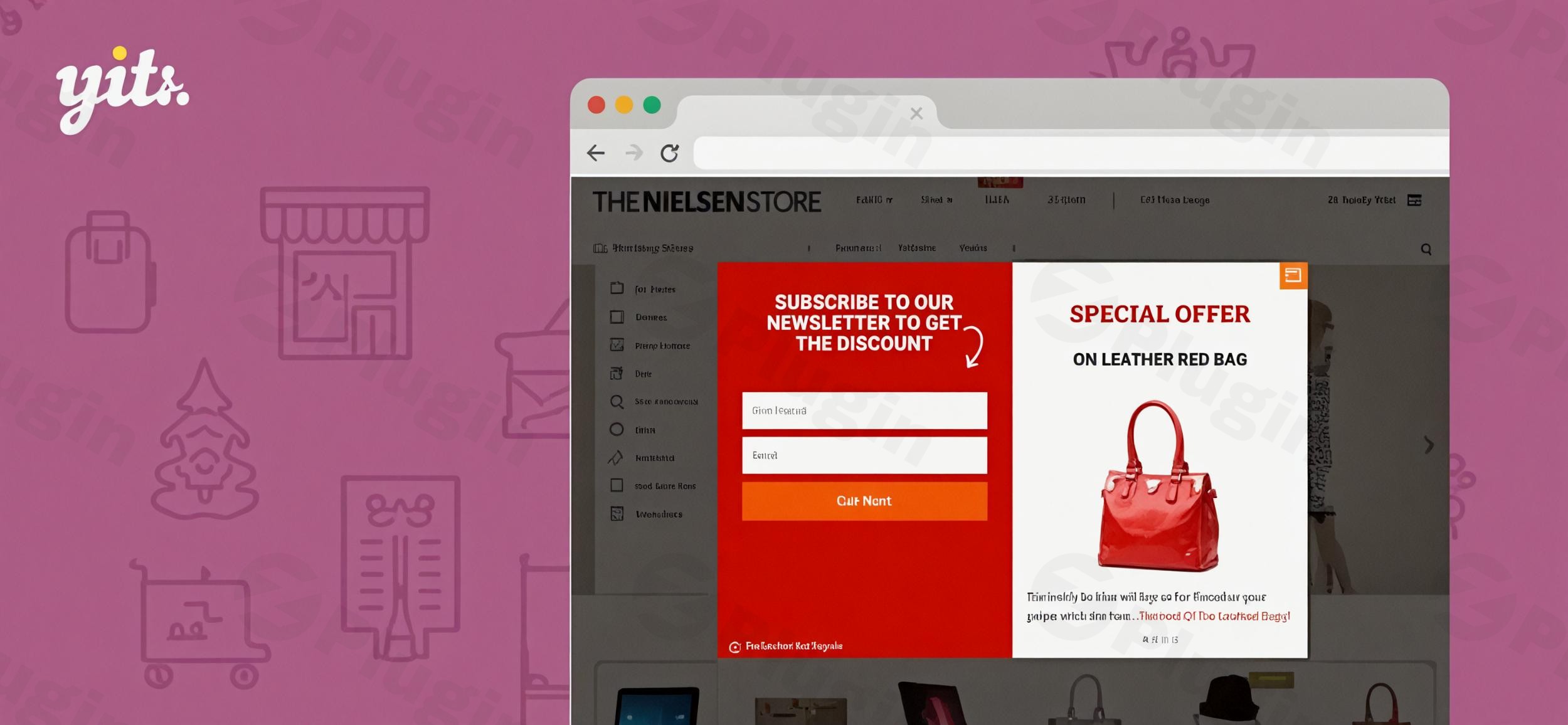
In the competitive world of eCommerce, capturing a visitor’s attention before they leave your site is the difference between a bounce and a sale. YITH WooCommerce Popup is a powerful WooCommerce popup plugin designed to help store owners bridge that gap. By using strategically timed overlays, you can promote special offers, build your email marketing list, and reduce cart abandonment without disrupting the user experience.
Whether you are a small business owner or managing a high-traffic agency site, this plugin offers the flexibility to turn passive visitors into active customers through highly customizable and behavior-driven popups.
Key Features of YITH WooCommerce Popup
The YITH WooCommerce Popup plugin goes beyond basic banners. It provides a robust suite of tools designed to drive specific business outcomes. Here is a breakdown of its core capabilities and how they benefit your store.
1. Versatile Content Options
You aren’t limited to just text. You can display:
- Newsletter Signup Forms: Directly integrate with your mailing list to grow your audience.
- WooCommerce Products: Highlight specific items, random products, or products from a particular category to drive targeted sales.
- Custom Forms & Social Media: Use the popup for surveys or to increase your social media following.
- Announcements: Perfect for site-wide notices like holiday shipping deadlines or flash sales.
2. Intelligent Display Triggers
Timing is everything. This YITH popup allows you to trigger overlays based on:
- Page Load or Delay: Show the popup immediately or after the user has spent a few seconds on the page.
- User Action: Trigger based on specific interactions.
- Exit Intent: The YITH WooCommerce Popup exit intent popup feature detects when a user is about to close the tab or move the cursor away, giving you one last chance to offer a discount code or incentive.
3. Advanced Customization & Targeting
To ensure your popups look native to your brand, the plugin includes:
- Design Templates: Choose from pre-made layouts or customize colors, typography, and animations (fade, slide, zoom).
- Granular Targeting: Assign different popups to different pages. For example, show a “10% off” popup on product pages but a “Join our Newsletter” popup on your blog.
- Device Control: Choose to show or hide popups on mobile devices to ensure a smooth mobile shopping experience.
* GDPR Compliance: Includes a “Hide popup” checkbox and is fully compliant with modern privacy regulations.
Technical Specifications & Compatibility
Before installing, ensure your environment meets these requirements for optimal performance:
- WordPress Version: 6.7 or higher (tested up to 6.9.1).
- WooCommerce Version: 3.4.0 RC1 or later (supports HPOS).
- PHP Version: 7.4 or higher (PHP 8.1 supported).
* Theme Compatibility: Works seamlessly with the YITH Proteo theme, Storefront, and most standard-compliant WordPress themes.
How to Set Up a Popup in WooCommerce Using YITH
Setting up your first popup is straightforward and does not require coding knowledge. Follow these steps to get started:
- Installation: Download the plugin from your YITH account. Go to your WordPress Dashboard > Plugins > Add New > Upload Plugin. Choose the zip file and click Install Now, then Activate.
- Create a New Popup: Navigate to YITH > Popup in your sidebar. Click “Add Popup.”
- Choose Your Template: Select a layout that matches your goal (e.g., newsletter signup or product highlight).
- Configure Display Settings:
- Select the Trigger (e.g., “On page load” or “Exit Intent”).
- Choose the Position (Center, Bottom Right, etc.).
- Set the Targeting rules (e.g., “Show only on the Shop page”).
- Customize Style: Use the styling tab to adjust colors and fonts to match your site’s branding.
6. Publish: Click Publish. Your popup is now live and ready to engage customers.
Practical Usage & Best Practices
To get the most ROI from your WooCommerce promotion popup, consider these real-world workflows:
Use Case 1: Reducing Cart Abandonment
Use the YITH WooCommerce Popup exit intent trigger on the Checkout or Cart page. When a user tries to leave, trigger a popup offering a “limited-time 5% discount” to encourage them to complete the purchase.
Use Case 2: Building a High-Quality Email List
Create a WooCommerce email popup that offers a lead magnet, such as a “Free Styling Guide PDF” or a “First Purchase Coupon.” By offering immediate value, you increase the likelihood of visitors sharing their email addresses.
Use Case 3: Flash Sale Awareness
If you are running a 24-hour sale, set a site-wide popup that appears after a 5-second delay. This ensures every visitor is aware of the promotion without being immediately blocked the moment the page loads.
Pro Tip: Always use the “Hide popup” checkbox option. This allows returning visitors to opt-out of seeing the same message repeatedly, which preserves your site’s usability and prevents “popup fatigue.”
FAQ & Troubleshooting
What is YITH WooCommerce Popup?
YITH WooCommerce Popup is a specialized WordPress plugin that allows you to create and manage modal windows (popups) on your WooCommerce store. It is used for lead generation, promoting products, and displaying important announcements to your visitors.
Can YITH WooCommerce Popup display product details?
Yes. The plugin allows you to pull WooCommerce product data directly into the popup. You can choose to show specific products, random selections, or items from a specific category, complete with “Add to Cart” functionality in some configurations.
Is the plugin compatible with Gutenberg and Elementor?
Yes, the plugin is designed to work with the standard WordPress editor (Gutenberg) and is compatible with major page builders like Elementor. It focuses on the “overlay” layer, meaning it sits on top of your page content regardless of how the page was built.
How do I add a newsletter popup to WooCommerce with YITH?
Inside the popup editor, you can select the “Newsletter” content type. This allows you to integrate a signup form that connects to your email marketing service. You can then trigger this to appear on the homepage or blog posts.
Final Verdict
The YITH WooCommerce Popup is a top-tier choice for any merchant looking for a reliable, best WooCommerce popup plugin. While generic popup plugins exist, YITH’s deep integration with the WooCommerce ecosystem—allowing you to showcase products and handle eCommerce-specific triggers—gives it a significant edge. It is an essential tool for store owners who want to maximize their conversion rates while maintaining a professional, GDPR-compliant presence. For more WordPress tips and plugin reviews, visit wppick.com.
I. Download Limits & Account Benefits
- Free Downloads: Each email address receives 3 downloads per day for free products
- Upgrade Benefits: Purchase any paid product to increase your daily download limit by 3 for each paid product
- No Account Required: You can download immediately by receiving the download link via email
- Account Recommended: Create an account for easier access to your order history and direct update downloads
II. Understanding GPL vs Official Versions
Important: The products available on WPPick are GPL-licensed versions, which differ from official developer versions. Before purchasing, please read our comprehensive guide: Understanding GPL & Official Differences at WPPick
Key Points:
- GPL versions may not include premium support from original developers
- Updates may be delayed compared to official releases
- Some premium features might have limitations
- Always consider your specific needs and support requirements
III. Support & Assistance
We’re here to help through multiple channels:
- Email Support: Direct email assistance for all inquiries
- Live Chat: Real-time support during business hours
- Comprehensive Documentation: Detailed guides and tutorials
IV. Order Tracking
Access your complete purchase history and download links anytime: Order History
V. Account Access
New to WPPick? Login or Create Account to manage your downloads and orders efficiently.
VI. Refund Protection
We stand behind our products with a clear refund policy. Review our terms: Refund Policy
VII. Privacy & Security
Your data security is our priority. Learn how we protect your information: Privacy Policy
VII. Terms of Service
Understanding our service terms ensures a smooth experience: Terms of Use
Quick Tips for Best Experience
- Verify Compatibility: Check plugin/theme compatibility with your WordPress version
- Backup First: Always backup your site before installing new plugins or themes
- Test Environment: Consider testing on a staging site first
- Stay Updated: Regularly check for updates in your account dashboard
- Read Documentation: Review any included documentation for optimal setup
Need Help?
If you have questions about downloads, licensing, or need technical assistance, don’t hesitate to contact our support team. We’re committed to ensuring you have the best possible experience with WPPick products.
Ready to get started? Your download adventure begins with just one click!
- Support for WooCommerce 10.5.
- YITH plugin framework updated.