

Yith Woocommerce Product Slider Carousel
/Year
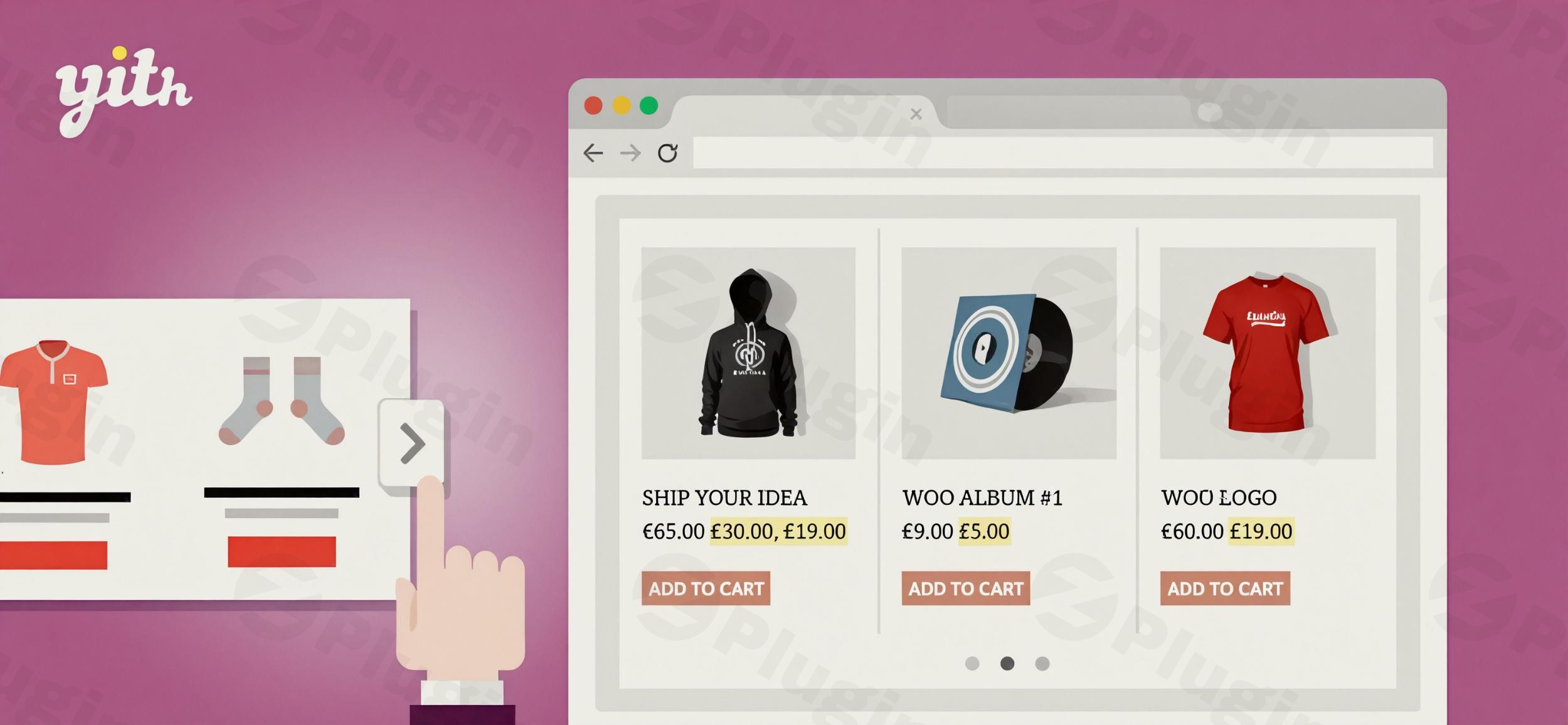
In today’s fast-paced digital marketplace, an engaging and visually appealing online store is crucial for capturing customer attention and driving conversions. The YITH WooCommerce Product Slider Carousel is a powerful and versatile WooCommerce product slider plugin designed to transform how you display your products, making your store more dynamic, interactive, and ultimately, more profitable.Modern shoppers expect to find products easily and experience smooth, intuitive navigation. A professional product slider directly addresses these needs by showcasing multiple products in a compact, organized space. This not only creates visually appealing displays but also significantly improves the user experience, encouraging longer visits and deeper engagement with your product catalog.
Why Your WooCommerce Store Needs a Dynamic Product Slider
The YITH WooCommerce Product Slider Carousel helps you overcome common e-commerce challenges by:
- Maximizing Product Visibility: Display a wide range of products—from bestsellers and new arrivals to on-sale items—without cluttering your page.
- Enhancing User Engagement: Interactive carousels and sliders make browsing fun and intuitive, keeping customers on your site longer.
- Boosting Conversion Rates: Strategically placed sliders can encourage additional purchases by showcasing related products, cross-sells, and urgency-creating offers.
- Optimizing Page Performance: Despite displaying more products, the plugin is built to be lightweight and performance-optimized, ensuring fast loading times.
- Creating a Professional Aesthetic: Elevate your store’s appearance with sleek, customizable product displays that match your brand.
Key Features of the YITH WooCommerce Product Slider Carousel
The YITH WooCommerce Product Slider Carousel offers an extensive suite of features, allowing you to create highly customized and effective product showcases. It’s truly a comprehensive YITH product display plugin for any e-commerce site.
Unlimited, Responsive Product Sliders
With the premium version, you can create an unlimited number of distinct product sliders, each tailored for specific purposes and locations on your site. All sliders are fully responsive product carousel for WooCommerce stores, automatically adapting to look perfect on desktops, tablets, and mobile devices. This ensures a consistent and excellent shopping experience across all screen sizes.
Granular Product Filtering and Display Options
Gain complete control over which products appear in your sliders and how they are presented:
- Advanced Product Selection (Premium): Filter products based on a wide array of criteria, including specific categories, tags, attributes, individual product IDs/SKUs,
WooCommerce best sellers slideroptions, on-sale products, free products, latest additions, most-rated, and “featured” products. This ensures you always highlight the most relevant items. - Layouts & Skins (Premium): Choose from multiple slider layouts, such as carousel and grid slider, and customize their appearance with 13 different color templates to seamlessly integrate with your store’s design.
- Show/Hide Elements: Decide whether to display product prices, “Add to Cart” buttons, customer ratings, and badges within the slider for a clean or action-oriented look.
- Autoplay & Navigation: Implement autoplay functionality with adjustable sliding speeds, endless loop options, and various navigation controls like arrows, dots, and keyboard support for an optimal user experience.
- Animation & Effects: Add subtle entrance and exit animations to products to make your sliders more dynamic and engaging.
- Items per Row: Configure the number of products displayed simultaneously, with breakpoints to optimize for different device resolutions.
Seamless Integration and Compatibility
This plugin is designed for easy use across your WordPress and WooCommerce environment:
- Flexible Integration: Effortlessly embed your product sliders anywhere on your site using shortcodes or dedicated Elementor widgets. You can also display them in widgetized areas like sidebars, expanding your display opportunities.
- Touch & Swipe Support: Enhance the mobile shopping experience with smooth touch gestures and swipe support for mobile users.
- Multilingual Ready: Fully compatible with WPML, making it an excellent choice for international stores requiring translation capabilities.
- YITH Ecosystem Integration: For users of other YITH plugins, this slider integrates smoothly with solutions like YITH WooCommerce Brands Add-on (to filter by brand) and YITH WooCommerce Wishlist (to show/hide wishlist buttons).
Installation and Setup: How to Create a Product Slider in WooCommerce with YITH
Installing and setting up the YITH WooCommerce Product Slider Carousel is a straightforward process, even for non-developers. Here’s a step-by-step guide to get your first slider up and running:
- Purchase and Download: Visit the official YITH website (or ZeroPlugin.com for a GPL licensed version) to purchase and download the plugin ZIP file.
- Upload to WordPress:
- Log in to your WordPress admin dashboard.
- Navigate to Plugins > Add New.
- Click on the “Upload Plugin” button at the top of the page.
- Click “Choose File”, select the downloaded
yith-woocommerce-product-slider-carousel.zipfile, and click “Install Now”.
- Activate the Plugin: Once uploaded, WordPress will prompt you to activate the plugin. Click “Activate Plugin”.
- Configure Your First Slider:
- After activation, you’ll find a new menu item, typically under YITH > Product Slider Carousel (or a similar path, depending on your YITH plugin stack).
- Click “Add New Slider” to begin creating your first product carousel.
- Give your slider a descriptive title.
- Select Product Filtering Options: Choose how you want to select products (e.g., “Best Sellers,” “On Sale,” “Specific Categories,” “Featured Products”). This is where you leverage features like creating a
WooCommerce best sellers slider. - Customize Display: Adjust settings for layout, skin, elements to show/hide (price, add to cart), autoplay, navigation, and the number of items per row.
- Save Your Slider.
- Integrate into Your Pages:
- After saving, the plugin will provide a shortcode (e.g.,
[yith_wc_product_slider id="X"]). Copy this shortcode. - For Classic Editor/Gutenberg: Paste the shortcode directly into any page, post, or text widget.
- For Elementor: Drag and drop the YITH Product Slider Carousel widget onto your page and select your created slider.
- For Widget Areas: Go to Appearance > Widgets and drag the YITH Product Slider Carousel widget into your desired sidebar or footer area, then select your slider.
- After saving, the plugin will provide a shortcode (e.g.,
- Preview and Publish: Preview your page to ensure the slider looks and functions as intended, then publish your changes!
Practical Usage and Best Practices for Boosting Sales
The YITH WooCommerce Product Slider Carousel is more than just a visual enhancement; it’s a strategic tool for sales growth. Here’s how to integrate it into your workflow for maximum impact:
- Homepage Hero Slider: Feature your latest arrivals, top-selling products, or seasonal promotions prominently on your homepage. This is ideal for quickly grabbing attention and guiding visitors to key offerings.
- Product Page Cross-Sells and Upsells: On individual product pages, create sliders that showcase “Related Products,” “Customers Who Bought This Also Bought,” or “Frequently Bought Together.” This encourages additional purchases and increases average order value.
- Category Page Highlights: Within specific product categories, use a
responsive product carousel for WooCommerceto highlight bestsellers within that category, products currently on sale, or new additions, making browsing more efficient and inspiring. - Limited-Time Offers & Urgency: Create sliders specifically for flash sales or expiring deals. Displaying a countdown alongside these products can create a powerful sense of urgency, driving immediate purchases.
- Customer Testimonial Products: If you have products with high ratings, create a slider featuring these “Most Rated” items. This leverages social proof to build trust and encourage conversions.
- Brand-Specific Showcases: If you sell products from multiple brands (especially with YITH WooCommerce Brands Add-on), create dedicated sliders for each brand to give them dedicated visibility.By strategically placing these dynamic product displays, you create a more engaging shopping journey that naturally guides customers towards purchases.
FAQ & Troubleshooting
Here are answers to common questions about the YITH WooCommerce Product Slider Carousel plugin:
Is YITH WooCommerce Product Slider Carousel free?
The YITH WooCommerce Product Slider Carousel comes in both a free and a premium (paid) version. The free version offers basic product slider functionality, while the premium version unlocks advanced features such as unlimited sliders, extensive product filtering options, multiple layouts and skins, advanced navigation controls, and comprehensive support. Most of the powerful customization and conversion-boosting features are available in the premium version.
How do I customize YITH product slider autoplay speed?
To customize the autoplay speed of your YITH product slider, navigate to the individual slider’s settings within your WordPress dashboard (typically under YITH > Product Slider Carousel and then edit your specific slider). Look for options related to “Autoplay,” “Autoplay Speed,” or “Slide Duration.” You will be able to set the delay between slides, usually in milliseconds.
Does YITH product carousel support WPML for multilingual stores?
Yes, the YITH WooCommerce Product Slider Carousel is fully compatible with WPML (WordPress Multilingual Plugin), making it translation-ready. This means you can create and display product sliders in multiple languages, ensuring a consistent and localized experience for your international customers.
What are the compatibility requirements for the YITH WooCommerce Product Slider Carousel plugin?
The YITH WooCommerce Product Slider Carousel requires WordPress 6.7 and WooCommerce 10.2 as a minimum. It is compatible up to WordPress 6.9.x and WooCommerce 10.4.x. The minimum required PHP version is 7.0. It is also generally compatible with popular third-party themes like Avada, Divi, Flatsome, Storefront, and themes developed according to WordPress and WooCommerce guidelines. Always ensure your WordPress, WooCommerce, and PHP versions meet these requirements for optimal performance and security.
What should I do if my YITH product slider isn’t displaying correctly?
If your YITH product slider isn’t displaying correctly, first check your shortcode or Elementor widget settings to ensure you’ve selected the correct slider. Verify that the products you intend to display exist and meet any filtering criteria you’ve set. Also, clear any caching plugins you might be using and check for theme or plugin conflicts by temporarily deactivating other plugins one by one. For persistent issues, consult the YITH documentation or contact their support.
Conclusion
The YITH WooCommerce Product Slider Carousel is an indispensable WooCommerce product slider plugin for any online store looking to elevate its product presentation, enhance user experience, and significantly boost sales. With its robust features, flexible customization options, and seamless integration capabilities, it provides an all-in-one solution for creating dynamic and engaging product displays.From highlighting bestsellers to cross-selling related items, this plugin empowers store owners to strategically showcase their products, capture attention, and drive higher conversion rates. Choosing the YITH WooCommerce Product Slider Carousel means investing in a professional, performance-optimized, and conversion-focused tool backed by a reputable developer, ensuring your e-commerce site stands out in a competitive landscape.
I. Download Limits & Account Benefits
- Free Downloads: Each email address receives 3 downloads per day for free products
- Upgrade Benefits: Purchase any paid product to increase your daily download limit by 3 for each paid product
- No Account Required: You can download immediately by receiving the download link via email
- Account Recommended: Create an account for easier access to your order history and direct update downloads
II. Understanding GPL vs Official Versions
Important: The products available on WPPick are GPL-licensed versions, which differ from official developer versions. Before purchasing, please read our comprehensive guide: Understanding GPL & Official Differences at WPPick
Key Points:
- GPL versions may not include premium support from original developers
- Updates may be delayed compared to official releases
- Some premium features might have limitations
- Always consider your specific needs and support requirements
III. Support & Assistance
We’re here to help through multiple channels:
- Email Support: Direct email assistance for all inquiries
- Live Chat: Real-time support during business hours
- Comprehensive Documentation: Detailed guides and tutorials
IV. Order Tracking
Access your complete purchase history and download links anytime: Order History
V. Account Access
New to WPPick? Login or Create Account to manage your downloads and orders efficiently.
VI. Refund Protection
We stand behind our products with a clear refund policy. Review our terms: Refund Policy
VII. Privacy & Security
Your data security is our priority. Learn how we protect your information: Privacy Policy
VII. Terms of Service
Understanding our service terms ensures a smooth experience: Terms of Use
Quick Tips for Best Experience
- Verify Compatibility: Check plugin/theme compatibility with your WordPress version
- Backup First: Always backup your site before installing new plugins or themes
- Test Environment: Consider testing on a staging site first
- Stay Updated: Regularly check for updates in your account dashboard
- Read Documentation: Review any included documentation for optimal setup
Need Help?
If you have questions about downloads, licensing, or need technical assistance, don’t hesitate to contact our support team. We’re committed to ensuring you have the best possible experience with WPPick products.
Ready to get started? Your download adventure begins with just one click!
- Support for WooCommerce 10.0
- YITH plugin framework
- Support for WooCommerce 9.9
- YITH plugin framework