

Yith Woocommerce Recently Viewed Products
/Year
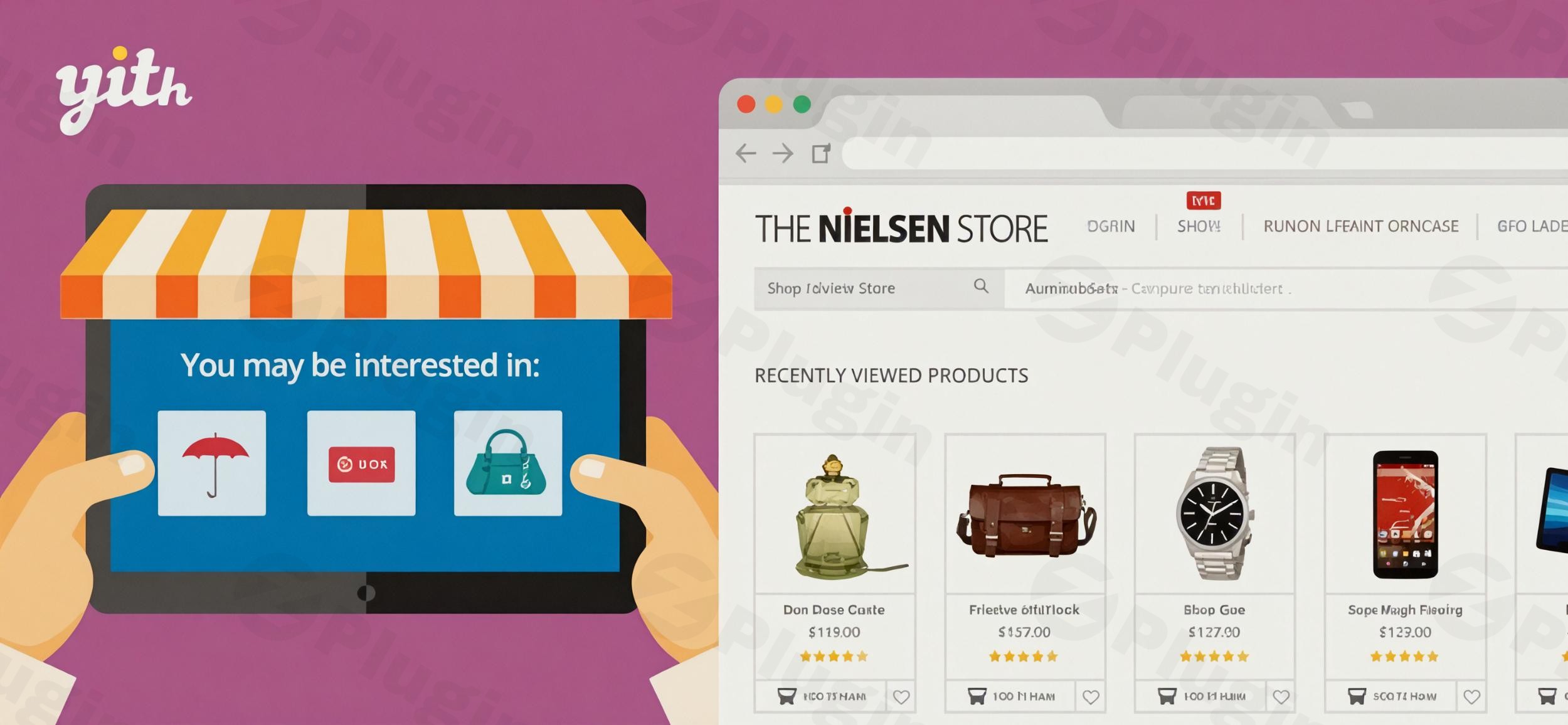
In the fast-paced world of e-commerce, capturing a customer’s attention is only half the battle; keeping it is where the real challenge lies. Often, a shopper browses multiple items and navigates away, only to struggle to find that one specific product they liked. The YITH WooCommerce Recently Viewed Products plugin solves this friction point by creating a seamless path for users to return to items they have already shown interest in.As a premier WooCommerce recently viewed products plugin, this tool acts as a “silent salesman,” reminding shoppers of their history and significantly reducing the time it takes to move from browsing to checkout. By optimizing the user experience (UX) and leveraging psychological triggers like familiarity, store owners can see a measurable increase in engagement and sales.
Key Features of the YITH Recently Viewed Products Plugin
The YITH WooCommerce Recently Viewed Products plugin goes far beyond a simple list of links. It is a comprehensive marketing suite designed to personalize the shopping journey.
1. Dynamic Product Displays
You can showcase recently viewed items anywhere on your site using shortcodes or widgets. Whether you prefer a clean product grid or a space-saving carousel, the display is fully customizable. You can set limits on the number of products shown and even filter the list to only display items that are currently in stock.
2. Cross-Device Tracking for Registered Users
One of the most powerful features is the ability to track history for both guests and registered users. For logged-in customers, the data is saved to their account. This means if they browse products on their mobile phone during a commute, those same items will appear in the “Recently Viewed” section when they log in from their desktop later.
3. Automated Marketing and “Win-Back” Emails
Unlike basic alternatives, YITH allows you to send automated emails to users who have viewed products but haven’t purchased. To increase the likelihood of a sale, you can automatically attach discount coupons or special offers to these reminders, creating a powerful incentive for the customer to return.
4. Smart Suggestions and “Most Viewed” Sections
To further encourage exploration, the plugin can:
- Suggest Similar Products: Use tags and categories to show items related to what the customer just viewed.
- Display Popular Items: Feature a “Most Viewed Products” section to leverage social proof and highlight trending items.
5. Intelligent Exclusions
To keep the user interface clean and relevant, the plugin can automatically exclude purchased products from the recently viewed list. This ensures you aren’t wasting valuable screen real estate showing customers items they already own.
How to Add a Recently Viewed Products Section in WooCommerce
Setting up the plugin is straightforward and requires no coding knowledge. Follow this YITH WooCommerce Recently Viewed Products setup guide to get started.
- Install the Plugin: Download the plugin from the YITH repository or your account dashboard. In your WordPress admin, go to Plugins > Add New > Upload Plugin and select the ZIP file.
- Activate: Click “Activate” once the upload is complete.
- Configure General Settings: Navigate to YITH > Recently Viewed Products. Here, you can enable tracking for guests, set the cookie expiration period (GDPR compliant), and decide whether to show the history to all users.
- Choose Your Display Style: Under the “Display” tab, select your preferred layout (Grid or Slider). You can customize the number of columns and the total number of products to show.
- Place the Section:
- Widgets: Go to Appearance > Widgets and drag the “YITH Recently Viewed Products” widget to your sidebar or footer.
- Shortcodes: Use the provided shortcodes to embed the section directly into custom pages or blog posts.
6. Set Up Email Automations (Premium): If you are using the premium version, configure the “Emails” tab to design your reminder templates and set the triggers for automated coupons.
Practical Usage & Best Practices
To get the most out of your WooCommerce recently viewed products implementation, consider these real-world strategies:
- The “Reminder” Strategy for Bloggers: If you run a high-traffic blog that links to products, place the “Recently Viewed” widget in the sidebar. This ensures that as readers move from one article to another, the products they clicked on stay top-of-mind.
- The Checkout Recovery Workflow: Place a small carousel of recently viewed items at the bottom of the Cart page. Sometimes a customer might swap an item in their cart for something they viewed earlier, preventing a total bounce.
- Leverage Similar Product Suggestions: Use the “Similar Products” feature on individual product pages. This is the best way to increase average order value (AOV) by showing customers alternatives or complementary items within the same category.
* Ideal for High-Inventory Stores: If your store has hundreds of SKUs, this plugin is essential. It prevents the “paradox of choice” by helping users keep track of their favorites in a sea of options.
FAQ & Troubleshooting
What are the features of YITH WooCommerce Recently Viewed Products?
The plugin includes features such as customizable product carousels/grids, guest and registered user tracking, automated reminder emails with coupons, “Most Viewed” product sections, and the ability to suggest similar items based on categories and tags.
How to increase WooCommerce sales with recently viewed products?
By displaying recently viewed items, you reduce the “search effort” for customers. Additionally, the premium version’s ability to send automated emails with discount codes directly targets users with high purchase intent, significantly boosting conversion rates.
Is the YITH WooCommerce Recently Viewed Products plugin free?
YITH typically offers a core version with essential features and a Premium version that includes advanced marketing tools like automated emails, similar product suggestions, and integration with other YITH plugins. Check wppick.com for the latest pricing and version updates.
Is the plugin compatible with Page Builders like Divi or Elementor?
Yes, the plugin is designed to be compatible with major WordPress themes and builders, including Divi, Flatsome, Proteo, and Unero. It also integrates seamlessly with other YITH tools like Quick View and Compare.
How do I update the plugin without losing my settings?
You can update the plugin directly through the WordPress “Plugins” menu. As long as you have an active license, your settings and configurations are stored in the WordPress database and will remain intact after the update.
Final Verdict
The YITH WooCommerce Recently Viewed Products plugin is a must-have for any serious e-commerce store owner looking to professionalize their site’s UX. It effectively solves the problem of “lost products” while providing powerful marketing automation that traditional lists lack.By implementing this WooCommerce recently viewed products plugin, you provide a personalized shopping experience that mimics the high-end features found on sites like Amazon. For stores with diverse inventories or high traffic, the return on investment (ROI) is clear: higher engagement, lower bounce rates, and a more streamlined path to purchase.
I. Download Limits & Account Benefits
- Free Downloads: Each email address receives 3 downloads per day for free products
- Upgrade Benefits: Purchase any paid product to increase your daily download limit by 3 for each paid product
- No Account Required: You can download immediately by receiving the download link via email
- Account Recommended: Create an account for easier access to your order history and direct update downloads
II. Understanding GPL vs Official Versions
Important: The products available on WPPick are GPL-licensed versions, which differ from official developer versions. Before purchasing, please read our comprehensive guide: Understanding GPL & Official Differences at WPPick
Key Points:
- GPL versions may not include premium support from original developers
- Updates may be delayed compared to official releases
- Some premium features might have limitations
- Always consider your specific needs and support requirements
III. Support & Assistance
We’re here to help through multiple channels:
- Email Support: Direct email assistance for all inquiries
- Live Chat: Real-time support during business hours
- Comprehensive Documentation: Detailed guides and tutorials
IV. Order Tracking
Access your complete purchase history and download links anytime: Order History
V. Account Access
New to WPPick? Login or Create Account to manage your downloads and orders efficiently.
VI. Refund Protection
We stand behind our products with a clear refund policy. Review our terms: Refund Policy
VII. Privacy & Security
Your data security is our priority. Learn how we protect your information: Privacy Policy
VII. Terms of Service
Understanding our service terms ensures a smooth experience: Terms of Use
Quick Tips for Best Experience
- Verify Compatibility: Check plugin/theme compatibility with your WordPress version
- Backup First: Always backup your site before installing new plugins or themes
- Test Environment: Consider testing on a staging site first
- Stay Updated: Regularly check for updates in your account dashboard
- Read Documentation: Review any included documentation for optimal setup
Need Help?
If you have questions about downloads, licensing, or need technical assistance, don’t hesitate to contact our support team. We’re committed to ensuring you have the best possible experience with WPPick products.
Ready to get started? Your download adventure begins with just one click!
- Support for WordPress 6.5
- Support for WooCommerce 8.7
- Update: YITH plugin framework