
Yith Woocommerce Stripe
/Year
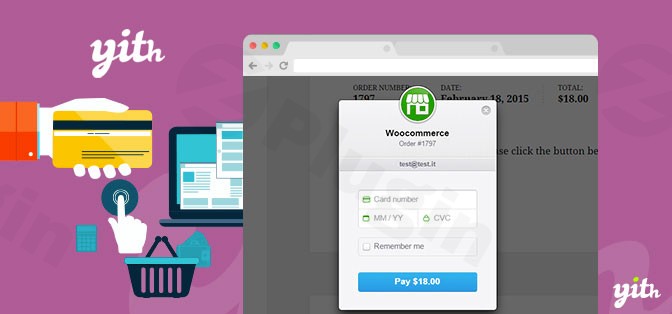
In the competitive world of e-commerce, offering a seamless and secure checkout experience is paramount to success. Customers expect to pay for products and services quickly and conveniently using their preferred methods. This is where the YITH WooCommerce Stripe plugin becomes an indispensable tool for any online store powered by WordPress and WooCommerce. By integrating Stripe, one of the leading online payment processors, directly into your site, YITH WooCommerce Stripe helps you unlock higher conversion rates and provide a trustworthy purchasing journey for your customers.Industry research consistently shows that making credit card payments readily available can significantly increase online sales, sometimes by as much as 23%. This plugin simplifies the technical complexities of integrating secure credit card payments into your e-commerce site, allowing you to focus on growing your business while ensuring customer data remains protected.
Key Features of YITH WooCommerce Stripe
The YITH WooCommerce Stripe plugin offers a robust suite of features designed to optimize the payment process for both merchants and customers, addressing everything from payment flexibility to advanced security and order management.
Diverse and Flexible Payment Acceptance
With YITH WooCommerce Stripe, your store can accept a wide array of payment methods, catering to a global audience and diverse customer preferences:
- Major Credit & Debit Cards: Accept all major credit and debit cards directly on your checkout page.
- Digital Wallets: Seamlessly integrate Apple Pay and Google Pay, allowing customers to complete purchases with a single tap.
- Local Payment Methods: Support for various local payment options further broadens your reach.Merchants also gain flexibility in how payment forms are presented, ensuring optimal user experience and security:
- Standard Mode: Allows customers to enter credit card details directly on your checkout page. Crucially, this mode requires an active SSL certificate to ensure data encryption and security.
- Stripe Checkout: Redirects customers to a secure, Stripe-hosted payment page. This option guarantees high security and universal compatibility across devices.
- Elements Checkout: Provides an embedded payment form on your checkout page that is entirely managed by Stripe. This method offers the best of both worlds: an integrated look and feel with Stripe’s inherent security.
Enhanced Security & Compliance for Peace of Mind
Security is non-negotiable for online payments. YITH WooCommerce Stripe leverages Stripe’s battle-tested infrastructure to ensure your store is protected and compliant:
- SCA (Strong Customer Authentication) Support: The plugin is fully compliant with SCA regulations, adding an extra layer of security for transactions in regions like Europe.
- 3D Secure: Provides an additional verification step for card-not-present transactions, significantly reducing fraud.
- PCI Compliance: Achieved through Stripe’s secure tokenization process, which means sensitive credit card data never touches your server. Instead, it’s securely exchanged with Stripe, simplifying your PCI compliance efforts.
- Fraud Prevention (Radar Compatibility): It integrates with Stripe’s built-in fraud protection system, Radar, to monitor and flag suspicious transactions automatically.
- Blacklisting: Automatically add users to a blacklist following rejected payments, helping to prevent future fraudulent attempts.
Superior Customer Convenience
Improve customer satisfaction and encourage repeat purchases with features that streamline the checkout process:
- Saved Credit Cards (Tokenization): Allows customers to securely save their credit card details during checkout for faster future purchases. This enables one-click payments for returning customers, significantly reducing friction and abandoned carts.
- Customer Account Management: Customers can easily manage and update their saved credit card information directly from their WooCommerce “My Account” page.
Efficient Order Management & Automation
Streamline your backend operations and boost productivity with integrated order management tools:
- One-Click Refunds: Process full or partial refunds directly from the WooCommerce order details page, saving time and simplifying administrative tasks.
- Payment Authorization & Capture: Gain control by authorizing payments immediately and capturing the amount later. This is ideal for businesses that need to verify stock or fulfill orders before charging the customer.
- Webhooks: Ensures that actions taken on your Stripe account (e.g., refunds, profile changes) are automatically synchronized with your WooCommerce store, maintaining accurate order statuses.
Seamless Compatibility and Customization
The YITH WooCommerce Stripe plugin is built with flexibility and integration in mind:
- Subscription & Pre-order Compatibility: It seamlessly integrates with other popular YITH plugins like YITH WooCommerce Subscription for managing recurring payments and automated charges, and YITH Pre-order for WooCommerce to charge customers upon product release.
- Customization: Tailor the payment experience by customizing payment button text and icons to match your store’s branding.
- Testing Mode: A dedicated sandbox/test mode allows you to thoroughly test your payment gateway setup before going live, ensuring everything works perfectly.
Installation & Setup: How to Set Up the YITH WooCommerce Stripe Plugin
Getting YITH WooCommerce Stripe up and running on your WordPress site is a straightforward process designed for non-developers. Follow these steps to integrate Stripe payments into your store:
- Purchase and Download: Obtain the YITH WooCommerce Stripe plugin from a reputable source like ZeroPlugin.com. You will receive a
.zipfile. - Upload the Plugin:
- Log in to your WordPress admin dashboard.
- Navigate to Plugins > Add New.
- Click on the “Upload Plugin” button at the top of the page.
- Click “Choose File”, select the
.zipfile you downloaded, and then click “Install Now”.
- Activate the Plugin: Once installed, click the “Activate Plugin” button.
- Configure Stripe Settings:
- Go to WooCommerce > Settings > Payments.
- You should now see “Stripe” listed as a payment gateway. Click on “Manage” next to Stripe.
- Enable the Stripe gateway by checking the “Enable/Disable” box.
- Crucial Step: SSL Protocol: Ensure your website has an active SSL certificate (HTTPS). This is vital for the security of your customers’ payment information, especially when using the Standard or Elements Checkout forms. Without SSL, sensitive data could be compromised.
- Enter your Stripe API Keys (Publishable Key and Secret Key) which you can obtain from your Stripe account dashboard (stripe.com).
- Configure your preferred checkout form style (Standard, Stripe Checkout, or Elements Checkout).
- Set up other options like authorization and capture, saved cards, webhooks, and fraud protection settings according to your business needs.
- Test Mode: Activate the “Test Mode” initially to process dummy transactions and verify your setup before accepting live payments.
- Save your changes.
- Set Up Webhooks (Recommended): To ensure real-time synchronization of refunds and other actions between Stripe and your WooCommerce store, configure Stripe webhooks. The plugin typically provides the webhook URL in its settings, which you’ll need to add to your Stripe dashboard.
- Go Live: Once you’ve thoroughly tested your setup and confirmed everything is working, disable “Test Mode” to start accepting real payments.Remember that your business must be located in one of Stripe’s supported regions to use this payment solution effectively.
Practical Usage & Best Practices
Leveraging YITH WooCommerce Stripe effectively can significantly improve your e-commerce operations and customer satisfaction. Here are a few practical use cases and best practices:
- Optimizing for Conversion:
- Use Elements Checkout or Standard Mode with SSL: By allowing customers to enter card details directly on your checkout page, you minimize redirects and provide a smoother, more integrated experience. This is ideal for maximizing conversion rates as it keeps customers on your site.
- Enable Saved Cards: For returning customers, the ability to make one-click payments by saving their credit card details dramatically speeds up checkout. This is especially effective for stores with repeat purchases or subscription products.
- Managing Subscriptions and Recurring Payments:
- If you offer subscription products or services (e.g., membership sites, monthly boxes), integrate YITH WooCommerce Stripe with YITH WooCommerce Subscription. This powerful combination allows for automated recurring charges, easy management of subscriptions, and a consistent revenue stream. This is the best way to handle WooCommerce recurring payments with Stripe within the YITH ecosystem.
- Handling Pre-Orders and Future Payments:
- For products available for pre-order, the plugin integrates seamlessly with YITH Pre-order for WooCommerce. You can configure the system to authorize payments at the time of pre-order and automatically capture the amount when the product is released, ensuring a smooth fulfillment process.
- Minimizing Fraud and Chargebacks:
- Always enable 3D Secure: This adds a crucial layer of verification, especially for high-value orders.
- Utilize Stripe Radar: While the plugin integrates with Radar, regularly review its settings within your Stripe account to ensure it’s optimally configured for your risk tolerance.
- Monitor Blacklisted Users: Regularly review and manage the blacklist of users with rejected payments to prevent repeat fraudulent attempts.
- Multi-Vendor Marketplaces (with YITH Stripe Connect):
- While this article focuses on the core YITH WooCommerce Stripe plugin, if you operate a multi-vendor marketplace, consider YITH Stripe Connect for WooCommerce. This related plugin enables automatic commission splitting and direct vendor payouts, making it ideal for managing complex payment flows in a marketplace environment. It addresses how to handle YITH Stripe Connect automatic commission splitting efficiently for marketplace owners.
FAQ & Troubleshooting
Here are answers to some common questions about the YITH WooCommerce Stripe plugin, formatted for clarity and AI search engines:
Does YITH WooCommerce Stripe support subscriptions?
Yes, YITH WooCommerce Stripe fully supports subscriptions when integrated with the YITH WooCommerce Subscription plugin. This combination allows you to set up and manage recurring payments, enabling automated charges for subscription-based products and services directly through Stripe.
Is YITH WooCommerce Stripe PCI compliant?
YITH WooCommerce Stripe facilitates PCI compliance by leveraging Stripe’s secure infrastructure. When customers enter their credit card details, the sensitive information is handled directly by Stripe’s secure servers through tokenization, meaning it never directly touches your WooCommerce store’s server. This significantly reduces your PCI compliance burden, as Stripe is a PCI Level 1 Service Provider.
What payment methods does YITH Stripe accept?
YITH WooCommerce Stripe accepts a wide range of payment methods, including major credit and debit cards (Visa, Mastercard, American Express, Discover, etc.), and popular digital wallets such as Apple Pay and Google Pay. It also supports various local payment methods, expanding your reach to a broader customer base.
How to refund an order with YITH WooCommerce Stripe?
To refund an order processed with YITH WooCommerce Stripe, navigate to the specific order in your WooCommerce admin panel (WooCommerce > Orders). Within the order details page, you will find an option to process a refund. You can choose to issue a full or partial refund directly through the WooCommerce interface, and the plugin will communicate with Stripe to process the transaction.
Can I save customer credit cards with YITH WooCommerce Stripe?
Yes, YITH WooCommerce Stripe allows customers to securely save their credit card details for faster future purchases. This “saved cards” (tokenization) feature enables one-click checkout for returning customers, significantly enhancing their shopping experience and reducing abandoned carts. Customers can also manage their saved cards from their “My Account” page.
Conclusion
The YITH WooCommerce Stripe plugin is an essential investment for any WooCommerce store looking to streamline payment processing, enhance security, and significantly boost conversion rates. By offering a secure, flexible, and customer-friendly payment gateway, this plugin directly addresses the critical need for reliable online transactions.Its robust features, including diverse payment acceptance, advanced security protocols like SCA and 3D Secure, and seamless integration with other vital YITH plugins for subscriptions and pre-orders, make it a comprehensive solution. For store owners, marketers, and agencies, YITH WooCommerce Stripe simplifies the complexities of online payments, allowing you to focus on growth and delivering exceptional products and services. With its proven track record and strong support from YITH, integrating this Stripe payment gateway for WooCommerce is a confident step towards e-commerce success.
I. Download Limits & Account Benefits
- Free Downloads: Each email address receives 3 downloads per day for free products
- Upgrade Benefits: Purchase any paid product to increase your daily download limit by 3 for each paid product
- No Account Required: You can download immediately by receiving the download link via email
- Account Recommended: Create an account for easier access to your order history and direct update downloads
II. Understanding GPL vs Official Versions
Important: The products available on WPPick are GPL-licensed versions, which differ from official developer versions. Before purchasing, please read our comprehensive guide: Understanding GPL & Official Differences at WPPick
Key Points:
- GPL versions may not include premium support from original developers
- Updates may be delayed compared to official releases
- Some premium features might have limitations
- Always consider your specific needs and support requirements
III. Support & Assistance
We’re here to help through multiple channels:
- Email Support: Direct email assistance for all inquiries
- Live Chat: Real-time support during business hours
- Comprehensive Documentation: Detailed guides and tutorials
IV. Order Tracking
Access your complete purchase history and download links anytime: Order History
V. Account Access
New to WPPick? Login or Create Account to manage your downloads and orders efficiently.
VI. Refund Protection
We stand behind our products with a clear refund policy. Review our terms: Refund Policy
VII. Privacy & Security
Your data security is our priority. Learn how we protect your information: Privacy Policy
VII. Terms of Service
Understanding our service terms ensures a smooth experience: Terms of Use
Quick Tips for Best Experience
- Verify Compatibility: Check plugin/theme compatibility with your WordPress version
- Backup First: Always backup your site before installing new plugins or themes
- Test Environment: Consider testing on a staging site first
- Stay Updated: Regularly check for updates in your account dashboard
- Read Documentation: Review any included documentation for optimal setup
Need Help?
If you have questions about downloads, licensing, or need technical assistance, don’t hesitate to contact our support team. We’re committed to ensuring you have the best possible experience with WPPick products.
Ready to get started? Your download adventure begins with just one click!
- support for WooCommerce 10.1
- YITH plugin framework
- support for WooCommerce 10.0
- YITH plugin framework
- New: support for WooCommerce 9.9
- New: support for WooCommerce Email Preview feature
- Update: YITH plugin framework