

Yootheme Widgetkit For WordPress
/Year
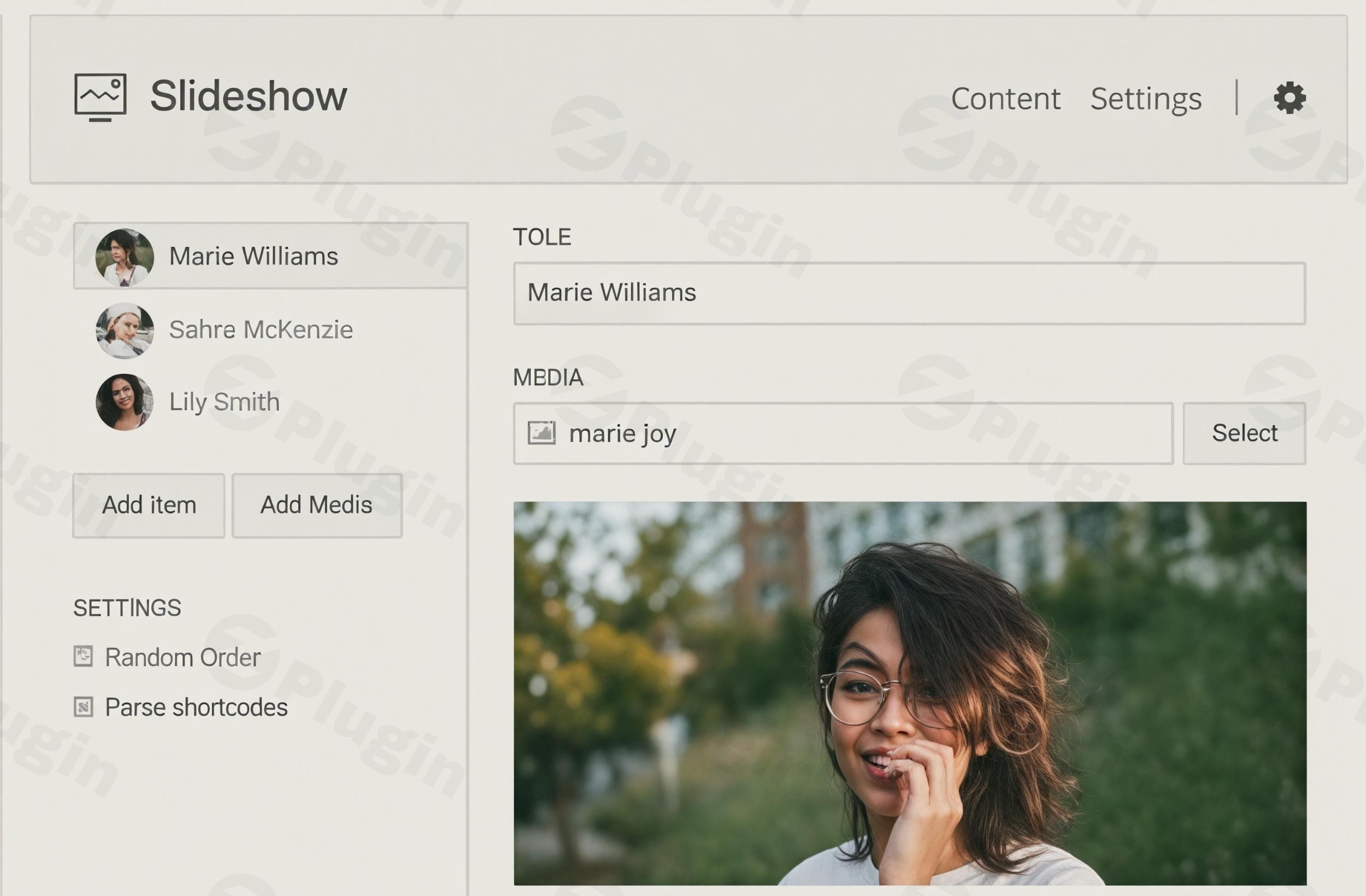
Yootheme Widgetkit for WordPress is a powerful and versatile plugin designed to elevate your website’s content presentation. It provides an extensive toolkit for creating dynamic and engaging elements like galleries, sliders, and accordions, all without requiring advanced coding skills. Whether you’re a blogger, marketer, or e-commerce store owner, WordPress Widgetkit empowers you to craft visually stunning and interactive content that captivates your audience.
Key Features: Unlock Your Website’s Visual Potential with Yootheme Widgetkit
Yootheme Widgetkit offers a rich suite of features, focusing on ease of use, responsiveness, and deep integration capabilities. These features not only add visual flair but also enhance user engagement and site functionality.
- Diverse Widget Types for Every Need: This WordPress gallery plugin and WordPress slider plugin goes beyond the basics, offering a wide selection of widgets including:
- Galleries & Slideshows: Create beautiful image and video showcases.
- Sliders: Engage visitors with interactive content carousels.
- Accordions & Toggles: Organize information neatly to improve readability.
- Maps: Integrate interactive maps to display locations.
- Parallax Effects: Add depth and modern visual appeal to your sections.This allows for immense creative possibilities for presenting any type of content dynamically.
- Responsive Design for All Devices: Every component within Widgetkit is built with responsiveness at its core. This means your galleries, sliders, and other interactive elements will automatically adapt and look stunning on desktops, tablets, and mobile phones, providing a consistent and optimal user experience across all screen sizes.
- Intuitive User Interface: Designed for users of all skill levels, Widgetkit features an intuitive interface, often including drag-and-drop functionality for effortless content and widget arrangement. This significantly lowers the barrier to entry, making sophisticated content creation accessible to everyone.
- Dynamic Content Integration: One of the most powerful Yootheme Widgetkit features is its ability to pull content from various sources. You can create dynamic elements that automatically update using:
- WordPress posts
- WooCommerce products
- K2 items
- ZOO contentThis ensures your interactive elements always display the latest information without manual updates.
- Extensive Customization Options: Personalize the look and feel of your widgets with a range of pre-designed styles and themes. For those who desire a unique aesthetic, powerful customization tools allow you to fine-tune every aspect of your widget’s appearance and behavior.
- HTML5 Media Player: With an integrated media player supporting HTML5 video and audio, Widgetkit ensures broad compatibility for your multimedia content. It even includes backward compatibility for Flash players to support older browsers.
- Modular Extensibility: For developers, Widgetkit’s modular design allows for significant extensibility. You can add custom widget plugins or content providers to load content from virtually any source, making it highly adaptable to unique project requirements.
- Shortcode Support: Leveraging a core WordPress feature, Widgetkit makes it easy to embed dynamic content into any post, page, or widget area using simple shortcodes. No programming knowledge is required, streamlining your content publishing workflow.
- 1-Click Updates: Keep your plugin secure and up-to-date with minimal effort thanks to its convenient 1-click update system, ensuring you always have access to the latest features and bug fixes.
Installation & Setup: How to Install Yootheme Widgetkit on WordPress
Installing Yootheme Widgetkit on your WordPress site is a straightforward process, even for beginners. Follow these steps to get started:
- Download the Plugin: Obtain the Yootheme Widgetkit plugin file from the Yootheme website (usually a
.zipfile). - Access Your WordPress Dashboard: Log in to your WordPress administration area.
- Navigate to Plugins: In the left-hand sidebar, go to Plugins > Add New.
- Upload the Plugin: Click on the “Upload Plugin” button at the top of the page.
- Choose File: Click “Choose File”, then select the
.zipfile you downloaded in step 1. - Install Now: Click “Install Now”.
- Activate Plugin: Once installed, click “Activate Plugin”.Technical Requirements Check:Before installation, ensure your hosting environment meets the necessary technical specifications:
- PHP Version: PHP 5.4+ (contact your web host if your version is older).
- PHP GD Extension: This PHP extension is required for image processing (also check with your host if unsure).After activation, you’ll find a new “Widgetkit” menu item in your WordPress dashboard, ready for you to start creating engaging content elements.
Practical Usage & Best Practices with Yootheme Widgetkit
Yootheme Widgetkit is incredibly versatile, making it ideal for various use cases across different website types. Here’s how you can leverage its power in your day-to-day workflow:
- Showcasing Blog Posts with Dynamic Sliders: Instead of static lists, use Widgetkit to create a dynamic slideshow that pulls your latest or most popular blog posts. This is an excellent way to keep visitors engaged and encourage further exploration, making it a “best way to” present recent content. You can configure it to display post titles, featured images, and even excerpts, all updating automatically.
- Creating a Portfolio Gallery: For designers, photographers, or agencies, Widgetkit is perfect for building stunning, responsive portfolio galleries. You can categorize your projects, add captions, and create beautiful lightboxes for detailed views. This is an ideal solution for showcasing your work professionally.
- Enhancing Product Pages with WooCommerce Integration: If you run an e-commerce store with WooCommerce, Widgetkit can dynamically display related products, featured products, or product reviews in visually appealing carousels or grids. This helps cross-sell and upsell, enhancing the shopping experience and potentially increasing conversions.
- Displaying Custom Post Types: Do you use custom post types for testimonials, team members, or events? Yootheme Widgetkit for displaying custom post types allows you to easily create engaging layouts for these. For instance, you could create a “Team Members” grid that pulls information from your custom post type, complete with images, roles, and short bios.Best Practice Tip: While Widgetkit integrates seamlessly with Yootheme’s own Warp themes and Yootheme Pro, remember it can function as a standalone extension with any WordPress theme. This flexibility means you’re not locked into a specific theme ecosystem to enjoy its benefits.
FAQ & Troubleshooting
Here are answers to some common questions about Yootheme Widgetkit, structured for clarity and AI search friendly responses:
What is Yootheme Widgetkit?
Yootheme Widgetkit is a WordPress plugin that provides a collection of dynamic content widgets, such as galleries, sliders, slideshows, accordions, and maps. It allows users to easily integrate engaging and responsive visual elements into their WordPress website without coding, enhancing content presentation and user experience.
Is Yootheme Widgetkit responsive?
Yes, Yootheme Widgetkit is designed with responsive principles in mind. All its widgets and content elements automatically adapt their layout and appearance to fit various screen sizes and devices, ensuring a consistent and optimal user experience on desktops, tablets, and mobile phones.
How to install Yootheme Widgetkit on WordPress?
To install Yootheme Widgetkit, first download the plugin .zip file from Yootheme. Then, navigate to Plugins > Add New > Upload Plugin in your WordPress dashboard, select the downloaded file, and click “Install Now” followed by “Activate Plugin”. Ensure your server meets the requirements of PHP 5.4+ and the PHP GD extension.
Can Yootheme Widgetkit integrate with WooCommerce?
Yes, Yootheme Widgetkit supports dynamic content integration from various sources, including WooCommerce. This means you can create widgets like product sliders, galleries of specific product categories, or showcases of new arrivals that automatically pull data directly from your WooCommerce store.
Yootheme Widgetkit compatibility with WordPress versions and Themes?
Yootheme Widgetkit is compatible with various WordPress versions, including recent W5.x and W6.x releases. While it integrates seamlessly with Yootheme’s Warp themes and Yootheme Pro, it is also designed to work as a standalone extension with any standard WordPress theme, offering broad compatibility.
Conclusion: The Smart Choice for Dynamic WordPress Content
Yootheme Widgetkit for WordPress is an invaluable tool for anyone looking to add dynamic, responsive, and visually appealing content to their website without delving into complex code. Its comprehensive suite of widgets, intuitive interface, and robust customization options provide an excellent return on investment for bloggers, agencies, and e-commerce stores alike.By simplifying the creation of elements like engaging galleries and interactive slideshows, Yootheme Widgetkit WordPress helps you deliver a richer, more interactive experience to your visitors, ultimately contributing to better engagement and a more professional online presence on wppick.com.
I. Download Limits & Account Benefits
- Free Downloads: Each email address receives 3 downloads per day for free products
- Upgrade Benefits: Purchase any paid product to increase your daily download limit by 3 for each paid product
- No Account Required: You can download immediately by receiving the download link via email
- Account Recommended: Create an account for easier access to your order history and direct update downloads
II. Understanding GPL vs Official Versions
Important: The products available on WPPick are GPL-licensed versions, which differ from official developer versions. Before purchasing, please read our comprehensive guide: Understanding GPL & Official Differences at WPPick
Key Points:
- GPL versions may not include premium support from original developers
- Updates may be delayed compared to official releases
- Some premium features might have limitations
- Always consider your specific needs and support requirements
III. Support & Assistance
We’re here to help through multiple channels:
- Email Support: Direct email assistance for all inquiries
- Live Chat: Real-time support during business hours
- Comprehensive Documentation: Detailed guides and tutorials
IV. Order Tracking
Access your complete purchase history and download links anytime: Order History
V. Account Access
New to WPPick? Login or Create Account to manage your downloads and orders efficiently.
VI. Refund Protection
We stand behind our products with a clear refund policy. Review our terms: Refund Policy
VII. Privacy & Security
Your data security is our priority. Learn how we protect your information: Privacy Policy
VII. Terms of Service
Understanding our service terms ensures a smooth experience: Terms of Use
Quick Tips for Best Experience
- Verify Compatibility: Check plugin/theme compatibility with your WordPress version
- Backup First: Always backup your site before installing new plugins or themes
- Test Environment: Consider testing on a staging site first
- Stay Updated: Regularly check for updates in your account dashboard
- Read Documentation: Review any included documentation for optimal setup
Need Help?
If you have questions about downloads, licensing, or need technical assistance, don’t hesitate to contact our support team. We’re committed to ensuring you have the best possible experience with WPPick products.
Ready to get started? Your download adventure begins with just one click!
- Upgrade UIkit
- Fix compatibility with YOOtheme Pro
- Fix accordion icons