
Agribusiness – Agriculture Business Consulting WordPress Theme
/Year
Transform Your Agricultural Business with a Professional Online Presence
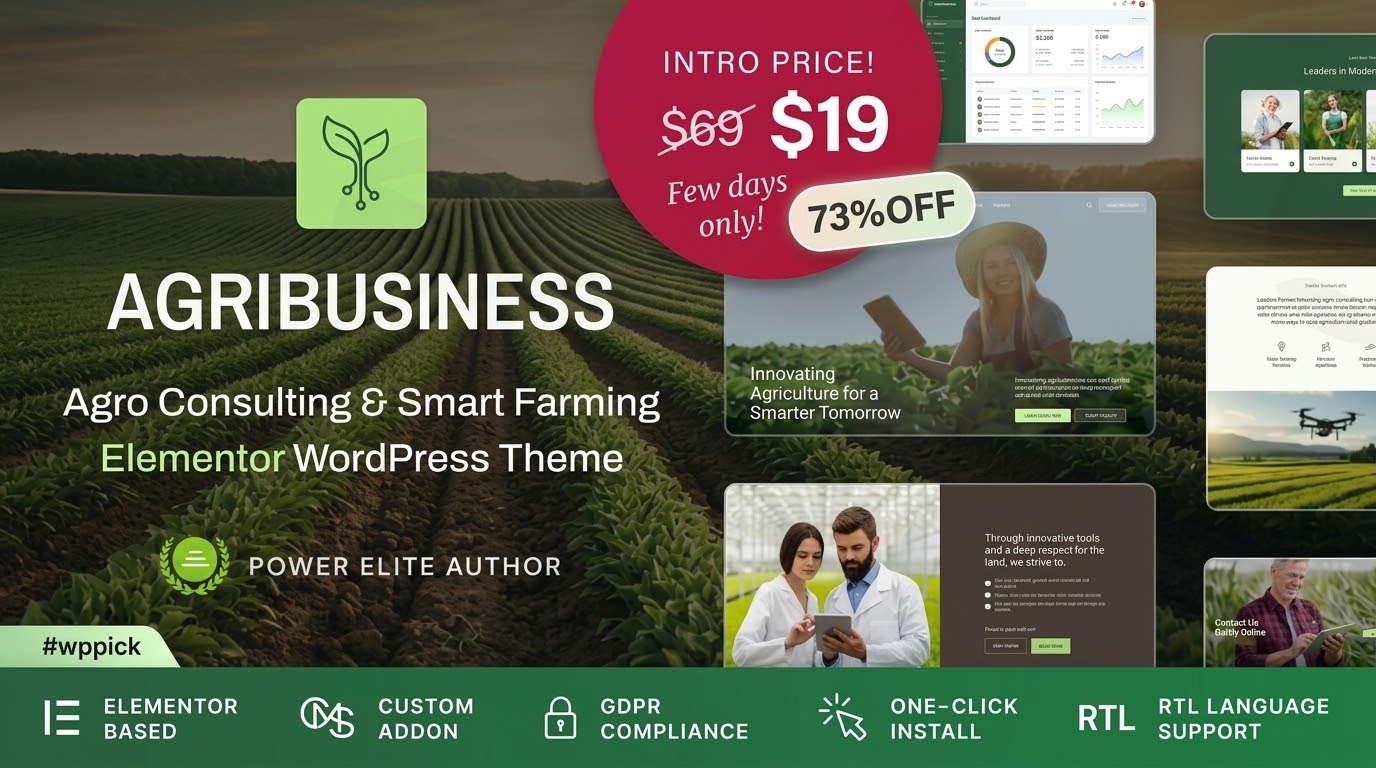
The Agribusiness WordPress theme is a cutting-edge solution specifically crafted for modern agricultural enterprises, farming consultants, and agritech innovators. If you’re looking to establish a credible digital footprint that reflects your expertise in sustainable farming, crop management, farm advisory services, or agricultural technology, this theme provides a robust and visually appealing foundation. Developed by cmsmasters and available via ZeroPlugin.com, Agribusiness is designed to help professionals in the agriculture sector showcase their services, team, and products with ease and sophistication.This theme combines a clean, professional design with powerful functionality, making it an ideal choice for a wide array of WordPress users, from independent consultants to large cooperative farming organizations and online agricultural product stores. Its focus on modern farming aesthetics helps build trust with commercial clients and clearly communicates your commitment to the industry.
Key Features: Design, Layout & Performance
The Agribusiness theme is packed with features designed to provide both aesthetic appeal and practical functionality for the agricultural sector.
Design & Layout Options
The theme boasts customizable layouts and various layout options to suit diverse needs, ensuring your website stands out. A key highlight is the Smart System: Header & Footer Builder, which gives you advanced control to create unique and functional header and footer designs. This ensures consistent branding and intuitive navigation across your site. While specific layout types like full-width or boxed are implied through customization, the emphasis is on flexibility to craft any content arrangement. The theme also includes a “Smart System: Templates!” indicating the availability of prebuilt templates or starter sites, complete with demo images, to jumpstart your website creation.
Customization Capabilities
Personalizing your Agribusiness theme is streamlined with its intelligent systems. The Smart System: Global Colors & Fonts allows for cohesive color management and centralized control over typography, ensuring your brand identity is consistent throughout your site. Beyond global styles, the theme’s deep integration with Elementor, coupled with a custom premium Elementor addon featuring over 70 widgets, provides extensive control over spacing, containers, sections, and backgrounds. This drag-and-drop capability empowers users to create virtually any design layout without needing to write a single line of code.
Performance & SEO Features
The Agribusiness theme is built with modern web standards, ensuring excellent performance. It is explicitly described as “SEO Optimized” and “Optimized for Fast Loading,” incorporating best practices for search engine visibility. This means cleaner code and a structure that search engines can easily crawl and index, helping your agricultural business rank higher. Furthermore, its Responsive Design ensures your website looks perfect and functions flawlessly across all devices, from desktop computers in the farm office to mobile phones used in the field. Cross-browser compatibility is also implied, making sure your site delivers a consistent experience across popular browsers like Chrome, Firefox, and Opera.
Specialized Content Organization
To effectively showcase the unique aspects of agricultural consulting and services, the Agribusiness theme includes specialized content types:
- Profiles Post Types: Easily showcase your team of agronomists, consultants, and specialists with dedicated profile pages, building trust and expertise.
- Service Presentation Post Types: Highlight your agricultural consulting services, crop management solutions, or sustainable farming practices with specialized pages designed for clear presentation.
E-Commerce Ready
For agricultural businesses looking to sell products, equipment, or even consultation packages online, the Agribusiness theme offers full WooCommerce integration. This makes it an excellent WooCommerce agriculture store theme, allowing you to set up a robust online shop with ease, managing inventory, processing payments, and connecting with customers directly.
Installation & Demo Import
Getting your Agribusiness website up and running is designed to be a straightforward process, even for those new to WordPress.
- Install & Activate the Theme:
- Log in to your WordPress dashboard.
- Navigate to
Appearance > Themes. - Click “Add New” and then “Upload Theme.”
- Choose the
agribusiness.zipfile (which you would download after purchase) and click “Install Now.” - Once installed, click “Activate.”
- Install Required Companion Plugins:
- Upon activation, the theme will typically prompt you to install any necessary plugins. For Agribusiness, this will include the custom premium Elementor addon and potentially Slider Revolution, alongside other recommended plugins for full functionality. Follow the on-screen instructions to install and activate all required plugins.
- Use the Theme’s One-Click Demo Import:
- The Agribusiness theme features “Smart System: Templates!” which implies a streamlined process for importing demo content. Look for an option like
Appearance > Import Demo Data,Theme Options > Demo Import, or a similar menu item provided by the theme or a bundled plugin. - Select the demo you wish to import (if multiple are available) and initiate the import process.
- The Agribusiness theme features “Smart System: Templates!” which implies a streamlined process for importing demo content. Look for an option like
- What to Expect During/After Demo Import:
- The demo import will populate your site with pages, posts, sample images (as seen in the theme demo), menus, and widgets. This provides a fantastic starting point, allowing you to simply replace the demo content with your own.
- Common Pitfalls: Large demo imports can sometimes require increased server memory or longer execution times. If your import fails or times out, you might need to contact your hosting provider to temporarily increase PHP limits (like
memory_limit,max_execution_time,post_max_size).
Customization Guide: Branding & Layout
The Agribusiness theme offers substantial flexibility to personalize your website and match your unique brand identity.
- WordPress Customizer & Global Styles: Leverage the Smart System: Global Colors & Fonts to manage your site’s visual identity efficiently. You can access these options typically through the WordPress Customizer (
Appearance > Customize) or a dedicated theme options panel. Here, you can define your brand’s color palette, choose appropriate fonts (likely including Google Fonts for extensive choices), and set global styles that apply across your entire website. - Logos and Site Identity: Easily upload your company logo and favicon through the Customizer.
- Header and Footer Layouts: Utilize the powerful Smart System: Header & Footer Builder to design custom layouts for these critical areas. This builder provides drag-and-drop tools to arrange elements like navigation menus, social media icons, contact information, and calls to action, ensuring they align with your brand’s aesthetic and functional needs.
- Elementor for Page Building: With its deep integration with Elementor and the custom premium addon (70+ unique widgets), customizing individual page layouts is incredibly intuitive. Drag and drop elements, adjust spacing, backgrounds, and content to create unique sections and pages for your services, team profiles, or blog posts. This makes building an agriculture website with WordPress accessible to users without coding knowledge.
- Setting Up Homepage and Blog Page: Designate your static homepage and blog archive page (
Settings > Reading) and then customize their layouts using Elementor or the theme’s built-in options. - Menus: Create and manage your navigation menus (
Appearance > Menus) to guide visitors through your services, team, and contact information. - Child Theme Included: For advanced customizations or ensuring safe updates, the theme mentions “Child Theme Included.” Using a child theme is best practice, as it allows you to make modifications without altering the core theme files, thus preserving your changes when the main theme is updated.
FAQ & Troubleshooting
Here are answers to some common questions about the Agribusiness WordPress theme:
Is the Agribusiness theme compatible with Elementor?
Yes, the Agribusiness theme boasts strong and full compatibility with Elementor. It even comes with a custom premium Elementor addon featuring over 70 unique widgets specifically designed to enhance your agricultural website, alongside compatibility with 50+ basic Elementor widgets. This makes it an excellent Elementor agriculture theme.
Does the Agribusiness theme support WooCommerce for online stores?
Absolutely. The Agribusiness theme offers full WooCommerce integration, allowing you to easily set up an online shop. You can use it to sell agricultural products, farm equipment, seeds, fertilizers, or even consultation packages directly from your website, making it a powerful WooCommerce agriculture store theme.
Does the Agribusiness theme support child themes?
Yes, the Agribusiness theme includes a child theme. Using a child theme is highly recommended for any customizations you wish to make to your site’s code or styles, as it ensures your modifications are preserved when the parent theme receives updates.
What should I do if the Agribusiness theme demo import fails?
If your Agribusiness theme demo import fails or looks different from the demo site, it’s often due to server resource limitations. You can try:
- Increasing PHP Limits: Contact your hosting provider to increase
memory_limit(e.g., to 256M or 512M),max_execution_time(e.g., to 300 or 600), andpost_max_size(e.g., to 64M). - Checking Server Requirements: Ensure your hosting environment meets the recommended WordPress and PHP versions (generally PHP 7.4 or higher for optimal performance).
- Deactivating Other Plugins: Temporarily deactivate other plugins during the import process to avoid conflicts.If issues persist, consult the theme’s official documentation or contact cmsmasters support.
How does the Agribusiness theme enhance SEO for agricultural businesses?
The Agribusiness theme is specifically developed to be “SEO Optimized” and follows “best practices for search engine optimization.” This includes clean code, structured headings, and a responsive design that Google favors. Its focus on specialized content organization with custom post types for “Profiles” and “Services” also helps create well-structured, keyword-rich content relevant to agriculture business consulting WordPress theme searches.
Conclusion
The Agribusiness WordPress theme is a highly specialized and robust solution for anyone in the agricultural sector seeking a powerful and professional online presence. Its clean design and modern aesthetics instantly convey trust and expertise, crucial for businesses in farming, agritech, and consulting.With its deep integration with Elementor, including a custom premium addon, and the intuitive “Smart System” for global styles and header/footer building, the theme offers exceptional design flexibility. Whether you’re showcasing your team of agronomists, detailing your sustainable farming services, or selling farm products via WooCommerce, Agribusiness provides the tools you need.Optimized for fast loading and SEO-ready, this theme ensures your website performs well in traditional search and is well-structured for AI search engines. It’s an ideal choice for agriculture business consulting WordPress theme users, smart farming WordPress theme providers, and anyone needing a dedicated, high-converting website for their agricultural enterprise. If you’re a freelancer, agency, or business owner in the agricultural sector looking for a specialized, feature-rich WordPress site without extensive coding, Agribusiness is a compelling option that delivers both functionality and a refined aesthetic.
I. Download Limits & Account Benefits
- Free Downloads: Each email address receives 3 downloads per day for free products
- Upgrade Benefits: Purchase any paid product to increase your daily download limit by 3 for each paid product
- No Account Required: You can download immediately by receiving the download link via email
- Account Recommended: Create an account for easier access to your order history and direct update downloads
II. Understanding GPL vs Official Versions
Important: The products available on WPPick are GPL-licensed versions, which differ from official developer versions. Before purchasing, please read our comprehensive guide: Understanding GPL & Official Differences at WPPick
Key Points:
- GPL versions may not include premium support from original developers
- Updates may be delayed compared to official releases
- Some premium features might have limitations
- Always consider your specific needs and support requirements
III. Support & Assistance
We’re here to help through multiple channels:
- Email Support: Direct email assistance for all inquiries
- Live Chat: Real-time support during business hours
- Comprehensive Documentation: Detailed guides and tutorials
IV. Order Tracking
Access your complete purchase history and download links anytime: Order History
V. Account Access
New to WPPick? Login or Create Account to manage your downloads and orders efficiently.
VI. Refund Protection
We stand behind our products with a clear refund policy. Review our terms: Refund Policy
VII. Privacy & Security
Your data security is our priority. Learn how we protect your information: Privacy Policy
VII. Terms of Service
Understanding our service terms ensures a smooth experience: Terms of Use
Quick Tips for Best Experience
- Verify Compatibility: Check plugin/theme compatibility with your WordPress version
- Backup First: Always backup your site before installing new plugins or themes
- Test Environment: Consider testing on a staging site first
- Stay Updated: Regularly check for updates in your account dashboard
- Read Documentation: Review any included documentation for optimal setup
Need Help?
If you have questions about downloads, licensing, or need technical assistance, don’t hesitate to contact our support team. We’re committed to ensuring you have the best possible experience with WPPick products.
Ready to get started? Your download adventure begins with just one click!