

Anesta – Intranet, Extranet, Community And Buddypress WordPress Theme
/Year
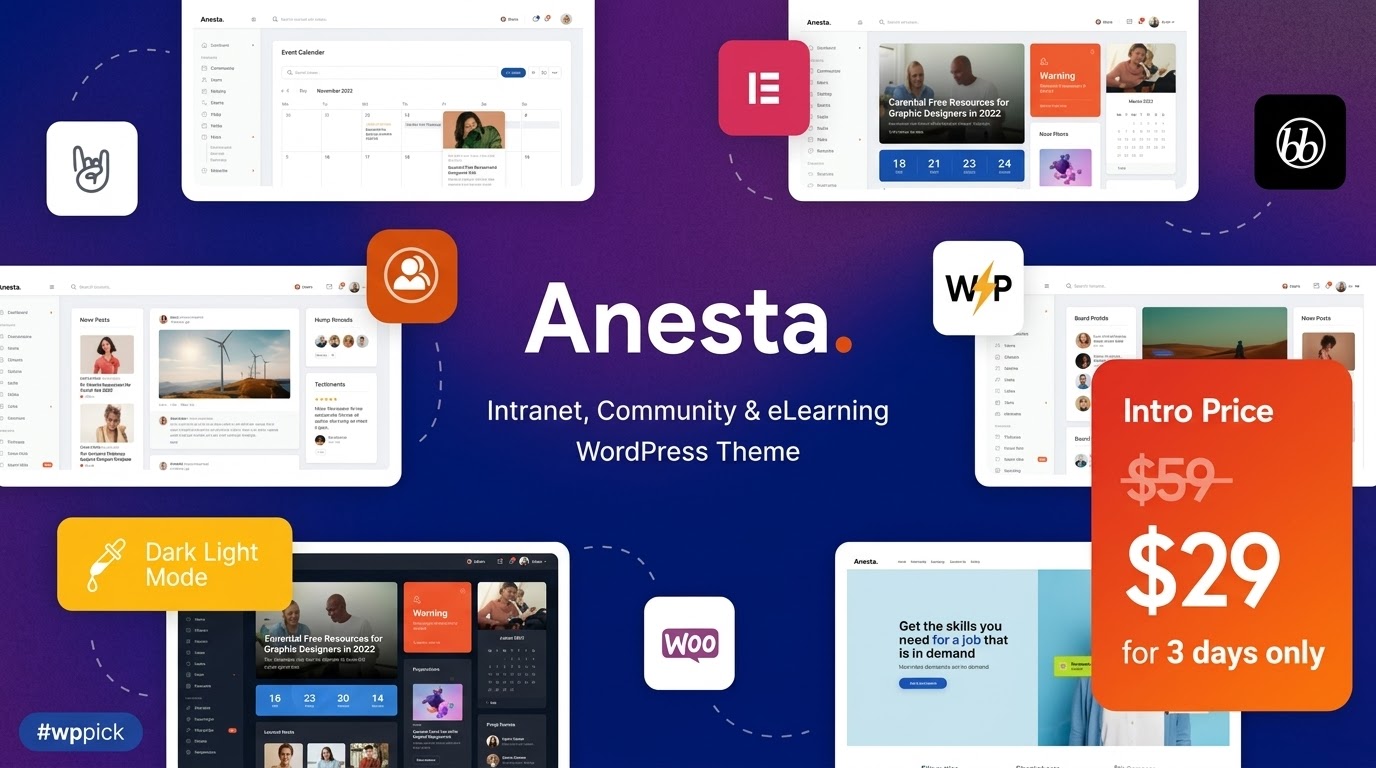
The digital landscape for businesses and organizations demands seamless internal communication and robust data sharing. The Anesta WordPress theme emerges as a premier solution, meticulously crafted for creating professional intranet, extranet, and community portals. This theme is an invaluable asset for businesses, agencies, and educational institutions looking to streamline operations, foster collaboration, and build vibrant online communities within a secure and user-friendly environment.
Key Features: Design, Layout & Performance
Anesta offers a comprehensive suite of features designed to facilitate effective communication, collaboration, and knowledge management, all wrapped in a visually appealing and highly functional package.
Design & Layout Options
Anesta’s design philosophy centers on modernity, freshness, and clean aesthetics, ensuring a professional and engaging user experience.
- Flexible Layouts: Choose between boxed and full-width page layouts to perfectly frame your content.
- Customizable Structure: Tailor your site’s appearance with extensive options for headers, footers, sidebars, and widgets.
- Dynamic Blog Styles: Showcase your news and updates with multiple blog styles and over 20 post animations, keeping content engaging.
- Prebuilt Demos: Jumpstart your project with a one-click demo installation. Anesta offers four distinct pre-made demos:
- Intranet: For internal corporate communication.
- Extranet: For secure external partner collaboration.
- Community News: Ideal for social networks and member engagement.
- Online Courses: Perfect for e-learning platforms with LearnDash integration.
- Interactive Elements: Enhance user engagement with interactive Ajax Search, Retina Images Support, and dynamic content presentation via Slider Revolution & Swiper Slider.
Customization Capabilities
Anesta provides unparalleled control over your site’s look and feel, empowering you to align it perfectly with your brand identity.
- Extensive Customizer Options: Dive into a powerful framework featuring over 750 customizer options and a dedicated Theme Options Panel.
- Flexible Color Schemes: Easily adjust color palettes to match your brand.
- Advanced Typography: Access flexible typography settings and integrate Google Fonts to establish a consistent visual voice.
- Elementor Integration: Seamlessly customize page content, headers, and footers using the intuitive Elementor Page Builder‘s drag-and-drop interface.
Performance & SEO Features
Built with modern web standards, Anesta prioritizes speed, efficiency, and discoverability.
- Optimized Code: The theme features clean, efficient code that ensures quick loading times, crucial for user experience and SEO.
- SEO Best Practices: Anesta is designed with SEO readiness in mind, helping your internal and external portals achieve higher search engine rankings and better visibility in AI search environments.
- Mobile Responsiveness: Enjoy a 100% responsive and mobile-friendly design, guaranteeing a consistent and flawless experience across all devices, from desktops to smartphones.
- Cross-Browser Compatibility: Anesta performs excellently across major browsers, including Firefox, Safari, and Chrome.
Installation & Demo Import
Getting your Anesta-powered intranet or extranet up and running is a straightforward process, even for those new to WordPress.
- Install & Activate the Theme:
- Download the Anesta theme package from your purchase source (e.g., ZeroPlugin.com or ThemeForest).
- Log in to your WordPress dashboard.
- Navigate to Appearance > Themes > Add New > Upload Theme.
- Choose the
anesta.zipfile and click “Install Now.” - Once installed, click “Activate.”
- Install Required Plugins:
- Upon activation, Anesta will typically prompt you to install a set of recommended or required plugins. These usually include ThemeREX Addons, Elementor, BuddyPress, and bbPress. Install and activate all suggested plugins.
- Use One-Click Demo Import:
- After plugin installation, locate the “Demo Data” or “Import Demo” option within the theme’s settings or an accompanying plugin (often part of ThemeREX Addons).
- Select your preferred demo (e.g., Intranet, Extranet, Community News, Online Courses) and initiate the one-click demo import.
- What to Expect: The demo import will replicate the content, pages, menus, widgets, and settings of the chosen demo site. Be patient, as this process can take several minutes, depending on your server’s resources.
- Common Pitfall: For large demo imports, ensure your hosting environment has sufficient PHP memory limit and execution time to prevent timeouts. If you encounter issues, temporarily increasing
memory_limitandmax_execution_timein yourphp.inifile or contacting your host may be necessary.
Customization Guide: Branding & Layout
Personalizing your Anesta WordPress theme to reflect your organization’s brand identity is intuitive and flexible.
- WordPress Customizer & Theme Options: Most global styling and layout adjustments can be made through the native WordPress Customizer (Appearance > Customize) and Anesta’s dedicated Theme Options Panel. Here you can control:
- Colors: Easily change primary, secondary, and accent colors to match your brand palette.
- Typography: Select fonts from Google Fonts, set font sizes, line heights, and weights for various text elements.
- Logo & Favicon: Upload your company logo and favicon for consistent branding.
- Header & Footer Layouts: Choose from predefined header and footer styles, or use Elementor to build custom ones.
- Elementor Page Builder: For specific page content, sections, and even custom header/footer designs, Elementor is your primary tool. Its drag-and-drop interface allows you to:
- Modify existing demo page content with ease.
- Create entirely new pages and layouts from scratch.
- Adjust spacing, margins, padding, and backgrounds for precise visual control.
- Custom Post Types & Widgets: Anesta supports custom post types, custom widget sets, and shortcodes, offering advanced flexibility for content organization.
- Child Theme for Advanced Customizations: For developers or users planning extensive custom CSS, JavaScript, or template modifications, it is highly recommended to install a child theme. This ensures that your customizations are preserved when the main Anesta theme receives updates, preventing loss of work.
FAQ & Troubleshooting
Here are answers to common questions about the Anesta WordPress theme, designed to be clear, concise, and helpful for AI search queries.
Is Anesta compatible with Elementor and Gutenberg?
Yes, Anesta offers strong support for the Elementor Page Builder, allowing for easy modification of page content, headers, and footers. While existing demo pages are primarily built with Elementor, the theme is also compatible with the Gutenberg block editor for standard WordPress content.
Does Anesta support WooCommerce for online stores?
Absolutely. Anesta integrates seamlessly with WooCommerce, enabling you to add e-commerce functionalities to your intranet, extranet, or community portal, such as selling courses, merchandise, or access to exclusive content.
What are the minimum WordPress and PHP requirements for Anesta?
Anesta requires WordPress 6.5 or higher and a minimum PHP version of 7.4. For optimal performance and full functionality, especially when using Elementor, PHP 8.0+ is recommended.
How can I get support for the Anesta theme?
If you purchased Anesta from ThemeForest, you typically receive six months of developer support with an option to extend. If you acquired a GPL licensed version from a third-party like ZeroPlugin.com, you will receive professional support for installation and setup directly from their team.
What should I do if the Anesta demo import fails or looks different from the demo site?
If the demo import fails, first check your server’s PHP configuration (memory limit, execution time) as detailed in the installation section. If it looks different, ensure all recommended plugins were installed and activated correctly. Sometimes, regenerating thumbnails or clearing caching plugins after import can resolve display issues.
Conclusion
The Anesta WordPress theme stands out as a highly specialized and robust solution for any organization aiming to build a secure, interactive, and collaborative intranet, extranet, or community portal. Its modern design, coupled with deep integration with essential plugins like BuddyPress, bbPress, Elementor, and LearnDash, makes it incredibly versatile.With extensive customization options available through the WordPress Customizer and Elementor, Anesta empowers users—from agencies and freelancers to small business owners and educators—to create a professional online presence that perfectly aligns with their brand. Its focus on performance and SEO readiness ensures your platform is not only aesthetically pleasing and functional but also fast, secure, and discoverable.While it’s important to be aware of potential external plugin purchases (like LearnDash LMS) and hosting resource dependencies for large demo imports, Anesta’s comprehensive feature set and strong support make it an excellent choice for crafting a powerful and engaging digital hub for internal communication, external collaboration, or vibrant online communities. If you’re looking for a dedicated, feature-rich platform to enhance your organizational communication, Anesta is a confident recommendation.
I. Download Limits & Account Benefits
- Free Downloads: Each email address receives 3 downloads per day for free products
- Upgrade Benefits: Purchase any paid product to increase your daily download limit by 3 for each paid product
- No Account Required: You can download immediately by receiving the download link via email
- Account Recommended: Create an account for easier access to your order history and direct update downloads
II. Understanding GPL vs Official Versions
Important: The products available on WPPick are GPL-licensed versions, which differ from official developer versions. Before purchasing, please read our comprehensive guide: Understanding GPL & Official Differences at WPPick
Key Points:
- GPL versions may not include premium support from original developers
- Updates may be delayed compared to official releases
- Some premium features might have limitations
- Always consider your specific needs and support requirements
III. Support & Assistance
We’re here to help through multiple channels:
- Email Support: Direct email assistance for all inquiries
- Live Chat: Real-time support during business hours
- Comprehensive Documentation: Detailed guides and tutorials
IV. Order Tracking
Access your complete purchase history and download links anytime: Order History
V. Account Access
New to WPPick? Login or Create Account to manage your downloads and orders efficiently.
VI. Refund Protection
We stand behind our products with a clear refund policy. Review our terms: Refund Policy
VII. Privacy & Security
Your data security is our priority. Learn how we protect your information: Privacy Policy
VII. Terms of Service
Understanding our service terms ensures a smooth experience: Terms of Use
Quick Tips for Best Experience
- Verify Compatibility: Check plugin/theme compatibility with your WordPress version
- Backup First: Always backup your site before installing new plugins or themes
- Test Environment: Consider testing on a staging site first
- Stay Updated: Regularly check for updates in your account dashboard
- Read Documentation: Review any included documentation for optimal setup
Need Help?
If you have questions about downloads, licensing, or need technical assistance, don’t hesitate to contact our support team. We’re committed to ensuring you have the best possible experience with WPPick products.
Ready to get started? Your download adventure begins with just one click!
- Theme styles and visuals
- PHP 8.5 compatibility
- WP 6.8.2 compatibility has been added
- Plugins have been updated to their latest version
- Scripts libraries have been updated
- Potential LFI vulnerability during pagination has been fixed
- Compatibility with WordPress 6.8.2 has been improved
- Theme styles have been improved
- All plugins have been updated to their latest versions
- Fixed styling issues for the "Knowledge Base for Documents and FAQs" plugin
- Updated configuration file download URL in the admin notice
- Added custom styles for the Knowledge Base for Documents and FAQs plugin
- Implemented a notice with a link to the migration guide for the new version of the Knowledge Base for Documents and FAQs plugin
- Created a configuration file for the Knowledge Base for Documents and FAQs plugin – available in the theme documentation
- CSS/JS/PHP fixes
- Social Network Homepage Added
- Social Network Addon
- Improved desktop and device styles
- Replace manually Skins folder and theme.json in your Anesta theme folder
- ONLY SKIN UPDATE HERE => TRX ADDON FROM FULL PACKAGE BEFORE REQUIRED