
Aoki – Creative Design Agency Theme
/Year
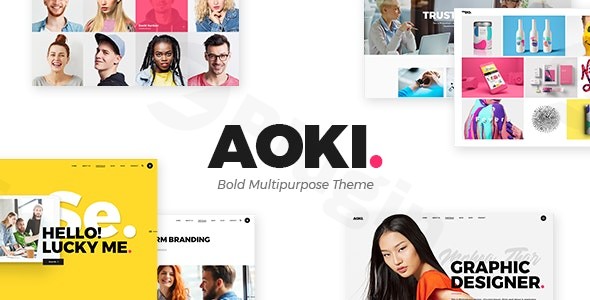
The digital landscape for creative professionals demands a compelling online presence, and the Aoki WordPress theme steps up to the challenge. Designed specifically for creative agencies, web developers, design studios, and freelance artists, Aoki is a premium solution for showcasing portfolios, projects, and services with flair. It combines a visually striking design philosophy with robust functionality, making it an excellent choice for anyone looking to impress clients without needing extensive coding knowledge.
Key Features: Design, Layout & Performance
Aoki is built to make your creative work shine, offering a powerful collection of design elements and features tailored for the visual industries.
Design & Layout Options
At its core, Aoki provides an impressive array of options to present your portfolio. You’ll find 20+ professionally designed portfolio elements, supporting various layouts such as masonry portfolio, carousel portfolio, and gallery styles. With 15 distinct homepages and multiple inner pages, you have a wealth of pre-designed content to kickstart your site. The theme also includes full-screen menus and sections, alongside unique interactive links and special effects like video sliders and intro section effects, ensuring your content truly “pops.” The overall aesthetic is bold, modern, and perfectly suited for a creative business looking to stand out.
Customization Capabilities
Customizing Aoki to match your brand identity is straightforward thanks to its powerful admin interface. This means you can tailor the theme without writing a single line of code. Key customization features include:
- Color Schemes: Choose from several pre-picked color schemes or create your own custom palettes to perfectly align with your brand.
- Typography: Advanced typography options, with support for Google Fonts, allow you to control every aspect of your site’s text.
- Dynamic Visuals: Animated background typography, parallax effects, and scroll animations add a dynamic and modern touch to your website, enhancing the user experience.
- Global Styles: The comprehensive admin interface suggests extensive control over global styles, ensuring a consistent look and feel across your site.
Performance & SEO Features
In today’s fast-paced digital world, performance and SEO readiness are paramount. Aoki addresses these needs through:
- Responsive Design: The theme is fully responsive and retina-ready, guaranteeing that your website looks stunning and performs flawlessly on any device, from desktops to smartphones and tablets. This is crucial for reaching a wider audience and providing a consistent user experience.
- Optimized Code: Aoki utilizes modern web technologies like HTML5, CSS3, LESS, and jQuery. It supports compression of JavaScript and CSS, which helps to speed up website loading times. While specific speed scores aren’t provided, these features indicate a commitment to performance optimization.
- SEO-Friendly Structure: A clean and well-structured code base, combined with its modern design, lays a solid foundation for search engine optimization.
Installation & Demo Import
Getting started with your Aoki Creative Design Agency Theme is a streamlined process, designed to get your site up and running quickly.
- Install & Activate the Theme: After downloading Aoki, navigate to your WordPress Dashboard > Appearance > Themes > Add New > Upload Theme. Choose the theme’s zip file, install, and then activate it.
- Install Required Plugins: Aoki comes bundled with essential premium plugins like WPBakery Page Builder (a powerful drag-and-drop page builder) and Slider Revolution (for creating dynamic sliders). It is also fully compatible with Contact Form 7. After theme activation, you’ll typically see a notice prompting you to install these recommended plugins. Install and activate them as instructed.
- One-Click Demo Import: To replicate the stunning demo sites you see, Aoki offers a one-click demo content import feature. This feature imports pre-designed layouts, pages, and placeholder content, making it incredibly easy to set up your website quickly. Look for this option within your WordPress dashboard, often under an “Aoki Options” or “Import Demo Data” menu item.
- Post-Import Expectations: After the demo import, your site will largely resemble the chosen demo. You’ll find pre-configured menus, widgets, and pages. You will then replace the placeholder content and images with your own. Be aware that importing large demos might require sufficient server memory and execution time. If you encounter issues, increasing your PHP memory limit or execution time in your hosting settings can often help.
Customization Guide: Branding & Layout
Personalizing your Aoki website to truly reflect your brand is made simple by its user-friendly tools and integration with WPBakery Page Builder.To begin customizing, access the Powerful Admin Interface—this is your central hub for theme options. Here, you can easily:
- Change Colors: Modify global color schemes or fine-tune individual element colors to match your brand’s palette.
- Adjust Typography: Select desired fonts, sizes, and styles for headings, body text, and other elements.
- Upload Your Logo: Easily upload your brand logo for various header layouts.
- Configure Header/Footer Layouts: While not explicitly a “builder,” the comprehensive options allow significant control over the appearance and functionality of your header (including the Fullscreen Menu) and footer areas.
- Set Up Homepage and Blog Page: Designate your static homepage and blog posts page through WordPress Settings > Reading.
- Manage Menus: Create and assign navigation menus via Appearance > Menus.The integration with the WPBakery Page Builder is a game-changer for layout customization. You can visually drag and drop elements, arrange sections, and design unique page layouts without touching any code. This intuitive experience empowers you to build creative and complex page structures with ease, reinforcing why Aoki is a modern design WordPress theme for agencies.
FAQ & Troubleshooting
Here are some common questions and answers regarding the Aoki WordPress theme to help you get the most out of it.
Is Aoki compatible with Elementor / WPBakery / Gutenberg?
Aoki comes fully integrated with and bundles the WPBakery Page Builder plugin, offering robust drag-and-drop functionality for page creation. While not explicitly mentioned as “Gutenberg compatible” (WordPress’s native Block Editor), most modern themes are designed to work harmoniously with it for standard content editing. It is not designed for Elementor, as WPBakery is its primary page builder.
Does Aoki support WooCommerce for online stores?
Yes, Aoki offers full compatibility with WooCommerce, allowing you to set up and manage an online store directly within your website. This makes it a great choice for WooCommerce creative agency theme needs, enabling you to sell products, services, or merchandise alongside your portfolio.
Does Aoki Creative Design Agency Theme support child themes?
Yes, using a child theme is a standard WordPress best practice and is fully supported by Aoki. A child theme allows you to safely make customizations without affecting the parent theme’s core files, ensuring your changes are not lost during theme updates.
How can I update the Aoki theme without losing my customizations?
To update the Aoki theme safely, it is highly recommended to use a child theme for any custom CSS, functions, or template modifications. When an update is available, you can simply update the parent Aoki theme, and your customizations within the child theme will remain intact. Always back up your website before performing any major updates.
What should I do if the demo import fails or looks different from the demo site?
If your demo import fails or doesn’t look as expected, ensure all required plugins (WPBakery, Slider Revolution, Contact Form 7) are installed and activated. Check your server’s PHP configuration for sufficient memory limits (memory_limit), execution time (max_execution_time), and input variables (max_input_vars), as large demo imports can be resource-intensive. Contacting your hosting provider or the theme’s support can also provide specific guidance.
Conclusion
The Aoki Creative Design Agency Theme stands out as an exceptional choice for creative agencies, design studios, web developers, and freelancers seeking a powerful and visually stunning online presence. Its focus on WordPress portfolio theme capabilities, extensive layout options, and intuitive customization through a powerful admin interface and WPBakery Page Builder makes it incredibly user-friendly.From its responsive design and performance-conscious features to its full WooCommerce compatibility, Aoki provides a comprehensive toolkit for building a professional and engaging website. If your goal is to showcase creative work with impact, attract new clients, and manage an online store with minimal coding effort, Aoki offers a balanced blend of aesthetic appeal, functional depth, and ease of use, making it a stellar option for your next creative project.
I. Download Limits & Account Benefits
- Free Downloads: Each email address receives 3 downloads per day for free products
- Upgrade Benefits: Purchase any paid product to increase your daily download limit by 3 for each paid product
- No Account Required: You can download immediately by receiving the download link via email
- Account Recommended: Create an account for easier access to your order history and direct update downloads
II. Understanding GPL vs Official Versions
Important: The products available on WPPick are GPL-licensed versions, which differ from official developer versions. Before purchasing, please read our comprehensive guide: Understanding GPL & Official Differences at WPPick
Key Points:
- GPL versions may not include premium support from original developers
- Updates may be delayed compared to official releases
- Some premium features might have limitations
- Always consider your specific needs and support requirements
III. Support & Assistance
We’re here to help through multiple channels:
- Email Support: Direct email assistance for all inquiries
- Live Chat: Real-time support during business hours
- Comprehensive Documentation: Detailed guides and tutorials
IV. Order Tracking
Access your complete purchase history and download links anytime: Order History
V. Account Access
New to WPPick? Login or Create Account to manage your downloads and orders efficiently.
VI. Refund Protection
We stand behind our products with a clear refund policy. Review our terms: Refund Policy
VII. Privacy & Security
Your data security is our priority. Learn how we protect your information: Privacy Policy
VII. Terms of Service
Understanding our service terms ensures a smooth experience: Terms of Use
Quick Tips for Best Experience
- Verify Compatibility: Check plugin/theme compatibility with your WordPress version
- Backup First: Always backup your site before installing new plugins or themes
- Test Environment: Consider testing on a staging site first
- Stay Updated: Regularly check for updates in your account dashboard
- Read Documentation: Review any included documentation for optimal setup
Need Help?
If you have questions about downloads, licensing, or need technical assistance, don’t hesitate to contact our support team. We’re committed to ensuring you have the best possible experience with WPPick products.
Ready to get started? Your download adventure begins with just one click!
- Added PHP 8.2 compatibility
- Added WordPress 6.7 compatibility
- Added WooCommerce 9.7 compatibility
- Added support for Filter By Price block
- Added support for core/search block
- Added readme.txt file
- Added Requires and Tested up tags
- Added wp_body_open wordpress function
- Added qodef_core_get_countdown_years_range helper function
- Added aoki_filter_woo_quantity_input_type filter hook
- Added Disable Google Fonts option and functionality
- Added Social Share Icons Type global option
- Updated Select Core plugin to 1.4
- Updated WPBakery page builder to 8.3.1
- Updated Revolution Slider plugin to 6.7.31
- Updated font awesome to 6.5.2
- Fixed Select Image Gallery Widget Space Between Items option
- Fixed Select Image Gallery Carousel Type
- Fixed shop page sorting drop down style
- Fixed various escaping for translation purposes
- Fixed Qode newsletter Contact Form 7 form submit button style
- Fixed custom widget areas delete functionality
- Fixed Google Maps deprecated addDomListener
- Fixed Google Maps deprecated google.maps.Marker
- Fixed Social Share Shortcode icon_type option
- Fixed Aoki Welcome Page ( create_welcome_page function )
- Fixed Simple Line icons @font-face css
- Fixed WooCommerce Login form show password button
- Fixed clients grid shortcode not showing image alt text
- Fixed team list and team member shortcodes not showing image alt texts
- Removed Select Twitter Feed Plugin due to Twitter API changes
- Removed Select Instagram Feed Plugin due to Instagram API changes
- Included Custom Twitter Feeds plugin from WordPress repository
- Included Instagram Feed plugin from WordPress repository
- Improved Google Maps API Loading
- Improved getSocialNetworkShareLink method
- Set appropriate font awesome share icons to match theme style
- Prevent Select Woocommerce Dropdown Cart from loading on cart page