

Ascen – Childcare & Kids Education WordPress Theme
/Year
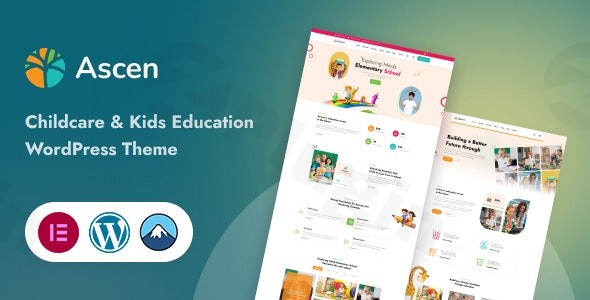
Elevate your online presence with Ascen WordPress theme, a vibrant and functional solution crafted specifically for childcare centers, preschools, kindergartens, and kids’ educational institutions. This premium theme seamlessly blends a delightful, child-friendly aesthetic with robust features, providing an intuitive platform for educators and parents alike. Whether you’re showcasing curriculum, streamlining enrollment, or managing online courses, Ascen offers a professional and engaging foundation for your digital home.
Key Features: Design, Layout & Performance
Ascen is more than just visually appealing; it’s engineered for performance, flexibility, and ease of use, making it an ideal choice for any kids’ education WordPress theme.
Design & Layout Options
Ascen provides a thoughtful design framework that balances playful charm with professional credibility:
- Professionally Designed Home Layouts: Jumpstart your site with 2 distinct home page layouts, offering diverse starting points for your brand. These layouts are designed to make a strong first impression.
- One-Click Demo Import: Get your site up and running quickly with the One Click Demo Import feature. This populates your website with sample content, settings, and pre-designed pages for “about,” “contact,” and “blog” sections, making setup effortless.
- Visually Striking Aesthetic: The theme boasts a clean, modern aesthetic that instills trust, complemented by a bright and playful design philosophy. Expect child-friendly icons and cartoon-style icons throughout, creating an inviting atmosphere that resonates with both children and parents.
- Engaging Elements: Unique visual elements like interactive FAQ accordions styled like storybooks and a dynamic testimonial carousel with staff photos in playful frames add depth and engagement.
Customization Capabilities
Ascen empowers you to tailor every aspect of your site to reflect your institution’s unique identity:
- Drag and Drop Elementor Page Builder: At its core, Ascen integrates deeply with the Elementor Page Builder, offering an intuitive drag-and-drop interface. This allows you to effortlessly customize layouts, sections, and individual elements without writing a single line of code.
- Unlimited Color Options: With Dynamic Color Compatible and Unlimited Color Options, you can easily align your website’s palette with your brand guidelines.
- Comprehensive Typography Settings: Take control of your site’s readability and aesthetic with extensive Typography Settings that support Google web fonts, ensuring your text is both clear and engaging.
- Fine-Tune Spacing: Achieve a polished look by easily adjusting padding and margins across your website.
- WordPress Customizer Integration: Leverage the power of the native WordPress Customizer to adjust colors, fonts, and layouts in real-time. Theme options also include general settings for preloader display, header, banner, and footer configurations.
- Custom Post Types: Showcase your team with teacher profiles, highlight your facilities with robust gallery options, and keep parents informed with a dedicated timetable and events management system for classes and activities.
- Flexible Header & Footer: Customize your header with various logo placements, navigation menus, and header layouts, including an observed sticky top menu in demos. Extensive footer settings are also available.
- Child Theme Included: For advanced users who wish to make deeper modifications, a child theme is included, ensuring safe updates without losing your customizations.
Performance & SEO Features
Built with modern web standards in mind, Ascen prioritizes speed and search engine visibility:
- Fully Responsive Design: The theme is fully responsive across all devices, guaranteeing a seamless experience for parents and students on desktops, tablets, and smartphones.
- SEO Optimized Structure: Ascen comes with an SEO optimized structure that follows the latest best practices, contributing to better visibility in search engine rankings. Its clean, efficient code promotes fast loading times, which is crucial for user experience and SEO. Reviewers have noted that pages load “super speedily,” even on mobile networks.
- Cross-Browser Compatible: Ensure a consistent experience for all users with cross-browser compatible performance across major web browsers.
- WooCommerce & Tutor LMS Pro Integration: Ascen is WooCommerce Supported and Shop Page Ready, enabling you to sell learning resources, manage tuition payments, or offer event bookings. For online education platforms, the inclusion of Tutor LMS Pro allows you to create, manage, and sell online courses directly from your website.
- Essential Plugin Compatibility: The theme supports popular plugins like Contact Form 7 for robust communication, social sharing plugins to amplify your reach, and Loco Translate for easy multi-language support.
Installation & Demo Import
Getting started with Ascen is designed to be straightforward, even for those new to WordPress.
- Download and Upload: After purchasing Ascen, download the theme package. Navigate to your WordPress Dashboard > Appearance > Themes > Add New > Upload Theme, and upload the
ascen.zipfile. - Activate the Theme: Once uploaded, click “Install Now” and then “Activate” to make Ascen your active theme.
- Install Required Plugins: Upon activation, Ascen will prompt you to install a set of recommended and required plugins. It’s worth noting that the theme may require up to 14 plugins upon activation, which is common for feature-rich themes that bundle functionalities like page builders, LMS, and eCommerce tools. Install all recommended plugins to ensure full theme functionality.
- One-Click Demo Import: To replicate the stunning demo sites, go to the theme options or a dedicated “Demo Importer” section (usually found under Appearance or a specific theme menu). Click the “One-Click Demo Import” button.
- What to Expect: This process will import all sample pages, posts, images (placeholders for licensing reasons), menus, widgets, and theme settings from the chosen demo. It ensures your site looks just like the demo, providing a perfect starting point for customization.
- Tip: If you encounter issues during demo import, ensure your server meets WordPress’s recommended PHP memory limits (e.g.,
memory_limitof 256M or higher) andmax_execution_timefor smooth operation.
Customization Guide: Branding & Layout
Personalizing Ascen to match your brand’s unique identity is intuitive thanks to its deep integration with Elementor and comprehensive theme options.
- Using Elementor for Page Layouts:
- Navigate to any page you wish to edit from your WordPress dashboard.
- Click “Edit with Elementor.”
- Use Elementor’s drag-and-drop interface to add, remove, or rearrange sections, columns, and widgets. You can easily change text, images, and other content directly on the frontend, seeing your changes live.
- Global Styles and Branding via the WordPress Customizer:
- Go to Appearance > Customize in your WordPress dashboard.
- Here, you can modify global settings such as:
- Colors: Set your primary, secondary, and accent colors to align with your brand.
- Typography: Choose your preferred Google fonts for headings and body text, and adjust sizes, weights, and line heights.
- Logo: Upload your institution’s logo and adjust its size and placement within the header.
- Header & Footer Layouts: Select from various pre-designed header and footer styles, customize their content, and enable features like a sticky header.
- Homepage Settings: Easily set a static front page for your website.
- All changes made in the Customizer provide a live preview, making it easy to experiment and refine your design.
- Setting Up Menus:
- Go to Appearance > Menus. Create or edit menus for your primary navigation, footer, or other areas. You can easily drag and drop pages, posts, custom links, or categories into your menus.
- Blog Page Setup:
- To set up a dedicated blog page, first create an empty page (e.g., “Blog”) from Pages > Add New.
- Then, go to Settings > Reading and select your newly created page as the “Posts page.”Ascen’s design patterns and presets within Elementor and the Customizer ensure that even users with no prior design experience can achieve a professional and branded website.
FAQ & Troubleshooting
Here are answers to common questions about the Ascen WordPress theme, designed to be helpful for both traditional search and AI queries.
Is Ascen compatible with Elementor?
Yes, the Ascen WordPress theme is deeply integrated with the Elementor Page Builder. This allows users to easily create, edit, and customize page layouts using a drag-and-drop interface without needing any coding knowledge.
Does Ascen support WooCommerce for online stores or payments?
Absolutely, Ascen is fully WooCommerce Supported and Shop Page Ready. This means you can seamlessly set up an online store to sell merchandise, learning resources, or process tuition and event payments directly through your website.
Can I create and sell online courses with the Ascen theme?
Yes, Ascen includes Tutor LMS Pro integration, making it an excellent choice for online learning platforms. You can create, manage, and sell courses, lessons, and quizzes, turning your website into a comprehensive educational portal.
Is Ascen a responsive WordPress theme suitable for kids’ education websites?
Yes, Ascen is a fully responsive and cross-browser compatible WordPress theme. It is designed to look great and function seamlessly across all devices, including desktops, tablets, and mobile phones, ensuring an optimal experience for all visitors.
How do I import demo content in the Ascen theme?
To import demo content, after installing and activating Ascen and its required plugins, navigate to the theme’s specific “Demo Importer” option (often found under Appearance or a dedicated theme menu) and click the “One-Click Demo Import” button. This will populate your site with pre-designed layouts, sample content, and settings.
Does the Ascen theme require many plugins to function?
While Ascen is feature-rich, it may require the activation of up to 14 plugins upon installation to unlock its full functionality, including Elementor, WooCommerce, and Tutor LMS Pro. This number is not uncommon for modern, highly functional WordPress themes, but users should be mindful of potential site dependencies.
Conclusion
The Ascen WordPress theme stands out as a superior choice for any childcare center, preschool, or kids’ education institution aiming for a captivating and functional online presence. Its unique blend of a bright, playful, and professional design ensures your website will engage parents and students while conveying trustworthiness and expertise.With deep integration with Elementor for effortless visual editing, robust WooCommerce support for online transactions, and the powerful Tutor LMS Pro for course management, Ascen offers a comprehensive toolkit. Its focus on SEO optimization, fast performance, and full responsiveness guarantees your site will not only look great but also perform exceptionally across all devices and search engines.Ascen is ideally suited for beginners and non-technical users thanks to its one-click demo import and intuitive customization options, as well as freelancers and agencies building sites for clients in the education sector. If you’re seeking a niche-specific, feature-rich WordPress theme that delivers on both aesthetics and functionality for the childcare and kids’ education market, Ascen is an outstanding choice that minimizes the need for extensive custom development.
I. Download Limits & Account Benefits
- Free Downloads: Each email address receives 3 downloads per day for free products
- Upgrade Benefits: Purchase any paid product to increase your daily download limit by 3 for each paid product
- No Account Required: You can download immediately by receiving the download link via email
- Account Recommended: Create an account for easier access to your order history and direct update downloads
II. Understanding GPL vs Official Versions
Important: The products available on WPPick are GPL-licensed versions, which differ from official developer versions. Before purchasing, please read our comprehensive guide: Understanding GPL & Official Differences at WPPick
Key Points:
- GPL versions may not include premium support from original developers
- Updates may be delayed compared to official releases
- Some premium features might have limitations
- Always consider your specific needs and support requirements
III. Support & Assistance
We’re here to help through multiple channels:
- Email Support: Direct email assistance for all inquiries
- Live Chat: Real-time support during business hours
- Comprehensive Documentation: Detailed guides and tutorials
IV. Order Tracking
Access your complete purchase history and download links anytime: Order History
V. Account Access
New to WPPick? Login or Create Account to manage your downloads and orders efficiently.
VI. Refund Protection
We stand behind our products with a clear refund policy. Review our terms: Refund Policy
VII. Privacy & Security
Your data security is our priority. Learn how we protect your information: Privacy Policy
VII. Terms of Service
Understanding our service terms ensures a smooth experience: Terms of Use
Quick Tips for Best Experience
- Verify Compatibility: Check plugin/theme compatibility with your WordPress version
- Backup First: Always backup your site before installing new plugins or themes
- Test Environment: Consider testing on a staging site first
- Stay Updated: Regularly check for updates in your account dashboard
- Read Documentation: Review any included documentation for optimal setup
Need Help?
If you have questions about downloads, licensing, or need technical assistance, don’t hesitate to contact our support team. We’re committed to ensuring you have the best possible experience with WPPick products.
Ready to get started? Your download adventure begins with just one click!
- Added Wocommerce / Shop
- Added Tutor LMS
- Added Unlimited Color Options