
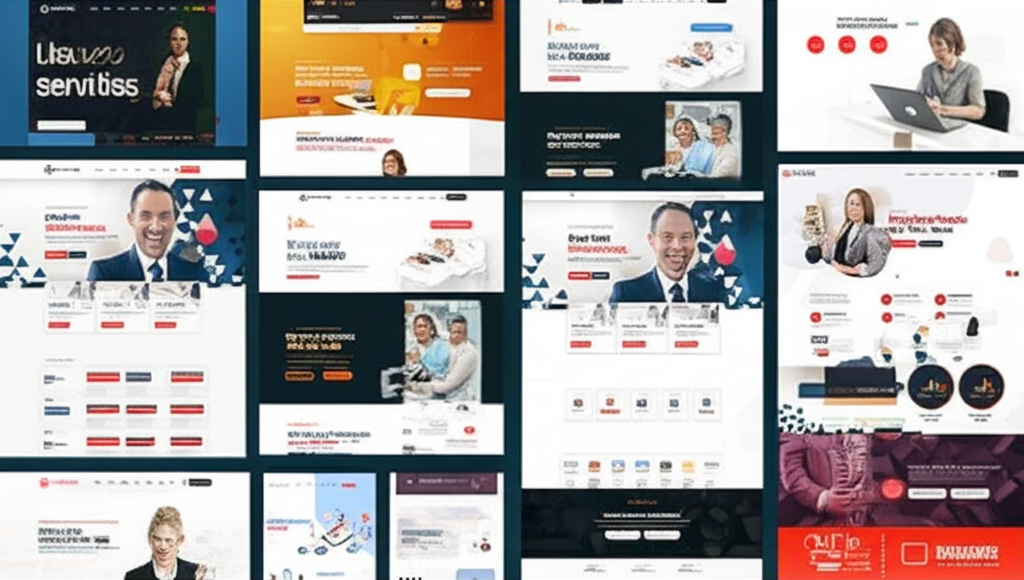
Avantage – Business Consulting WordPress Theme
/Year
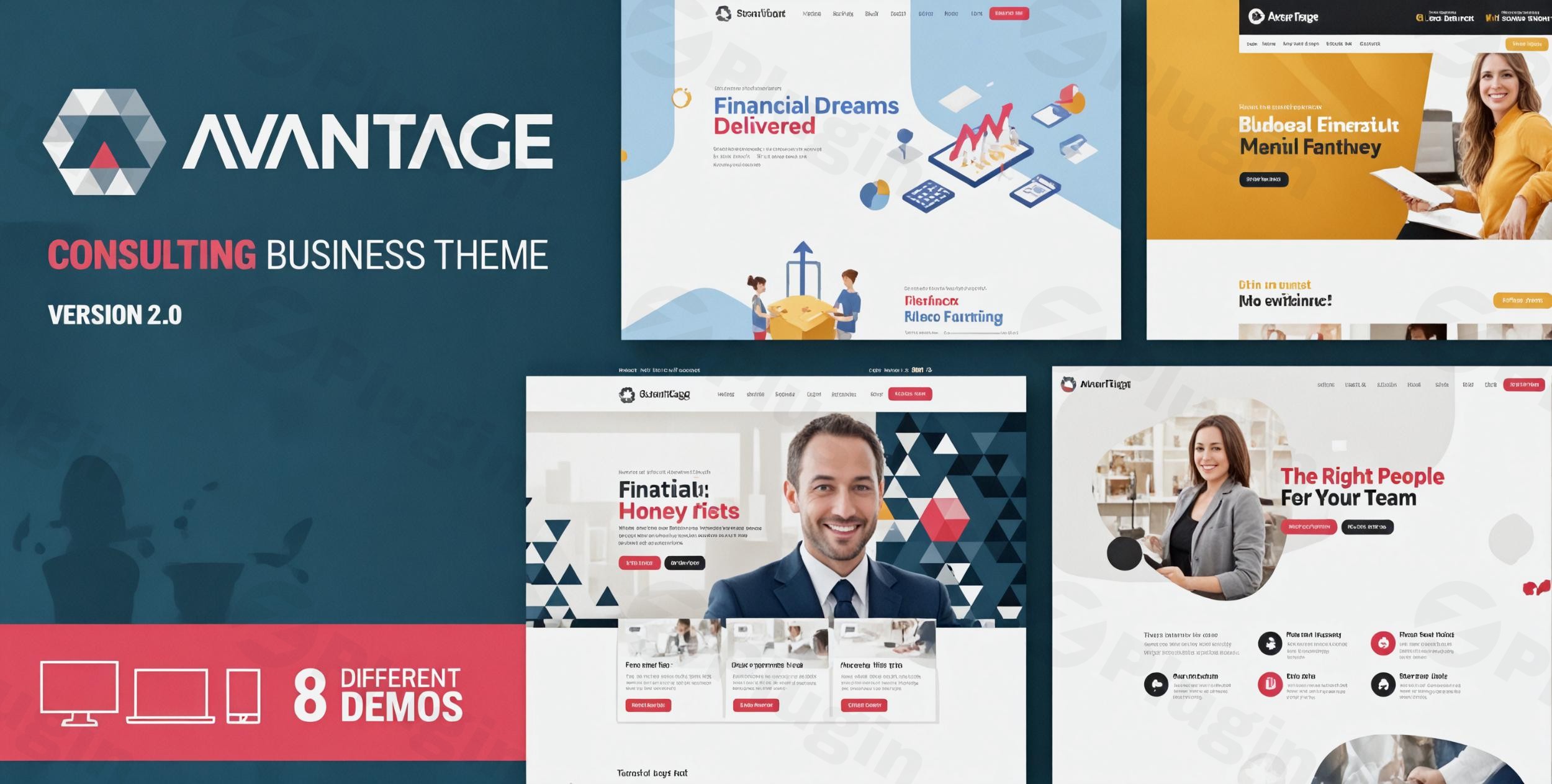
Elevate your consulting firm’s digital presence with Avantage, a sophisticated and multi-purpose WordPress theme meticulously crafted for business consultants, financial advisors, marketing agencies, and professional service providers. Designed to blend professional aesthetics with robust functionality, Avantage is your strategic partner in converting visitors into loyal clients. This comprehensive review and setup guide will walk you through everything you need to know to leverage Avantage for your business.
Key Features: Design, Layout & Performance
Avantage goes beyond basic theming, offering a suite of features engineered for professional impact and seamless user experience.
Design & Layout Options for Professional Branding
Avantage provides unmatched versatility, delivering specialized designs and functional elements tailored for a diverse range of consulting sectors. Whether you’re in financial consulting, marketing advisory, HR services, insurance brokerage, investment consulting, or accounting, its adaptable structure ensures perfect alignment with your specific professional services.
- Layout Variations: The theme supports both full-width and boxed layouts, giving you control over your site’s overall presentation. For blogs, you can choose between standard and column layouts to best showcase your insights.
- Prebuilt Demos & Inner Pages: Kickstart your website with 8 distinct demos designed for various niches, including IT, HR, Business Consulting, Finance, Corporate, and Marketing, even an RTL (Right-to-Left) option. These can be imported with a single click, providing a quick foundation. Beyond demos, Avantage includes a vast number of pre-made inner pages, along with professional “under construction” and 404 error page designs, ensuring a complete and polished site from day one.
- Header & Footer Customization: Avantage includes multiple header styles, some with sticky functionality for improved navigation. It features a unique system for creating custom footer layouts by allowing you to design a static page and designate it as a global footer template, offering unparalleled flexibility. Sidebar options are available for both left and right placements.
- Unique Visual Elements: The theme boasts a modern, sleek, and sophisticated design with a strong focus on professional appeal. Certain demos, like the financial consultant example, creatively integrate colorful illustrations for a distinctive visual style, while maintaining UI consistency across all elements—menus, filters, tabs, and dropdowns—for a polished user experience.
Customization Capabilities for Effortless Branding
Avantage simplifies the customization process, allowing you to tailor every aspect of your website without needing to write a single line of code.
- Native WordPress Customizer: Through the intuitive WordPress Customizer interface, you can effortlessly modify colors, fonts, and layouts with real-time previews, ensuring your website perfectly represents your brand identity.
- Comprehensive Color & Typography Control: Avantage offers full control over your site’s color schemes, letting you customize primary and secondary colors, header colors, buttons, and section backgrounds. For typography, you have extensive choices with support for over 900 Google Fonts, allowing for distinctive and branded text elements across your site.
- Integrated Bold Builder: A core aspect of Avantage’s flexibility is its deep integration with Bold Builder, a proprietary drag-and-drop page builder. This powerful tool provides robust functionality, enabling you to manage spacing, containers, sections, and backgrounds with ease. Bold Builder also offers full clipboard functionality, allowing you to copy and paste content between pages or even different websites, alongside options for time-limited content appearance and visibility based on screen resolutions.
Performance & SEO Features for Optimal Visibility
In today’s competitive digital landscape, a fast and SEO-friendly website is crucial. Avantage is built with technical excellence to ensure your consulting business operates on a stable, secure, and highly visible platform.
- Optimized for Speed: Avantage is optimized for speed and fast loading times, utilizing lightweight coding and built-in performance features. This contributes to a smooth user experience, reduces bounce rates, and supports better search engine rankings.
- Mobile-First Responsive Design: With every consulting client increasingly accessing information on the go, Avantage delivers flawless responsive performance across all devices and screen resolutions. Its Retina-ready design ensures your professional content appears crisp and engaging on high-resolution displays.
- Clean Code & Cross-Browser Compatibility: Built with the latest WordPress standards, Avantage features clean, well-organized code that guarantees optimal performance, security, and easy maintainability. It is thoroughly tested for compatibility with major browsers including Chrome, Firefox, Safari, Opera, Edge, and even IE11. While specific schema support isn’t explicitly detailed, its clean markup and structured headings inherently contribute to strong SEO readiness.
Installation & Demo Import
Getting your Avantage-powered consulting website up and running is a streamlined process designed for efficiency.
- Install & Activate the Theme: After purchasing, download the theme ZIP file. From your WordPress dashboard, navigate to
Appearance > Themes > Add New > Upload Theme, then select your Avantage ZIP file and clickInstall Now. Once installed, clickActivate. - Install Required Plugins: Avantage will prompt you to install its required companion plugins, notably the Bold Builder, Cost Calculator, and Bold Timeline plugins. These are essential for the theme’s full functionality and design capabilities. Follow the on-screen instructions to install and activate them.
- One-Click Demo Import: To replicate the stunning demo sites, go to the theme options or a dedicated demo importer section (usually found under
Appearance > Import Demo Dataor a theme-specific menu item). Choose your preferred demo from the 8 distinct options and initiate the one-click import. - What to Expect: During the import, Avantage will set up pages, posts, menus, widgets, and theme options to match the selected demo. This process may take a few minutes depending on your server’s speed and the size of the demo content. Ensure your server has adequate memory and execution time to prevent timeouts. After a successful import, your site will have a ready-to-customize foundation, complete with placeholder content and layouts.Technical Requirement: To ensure smooth operation, Avantage requires PHP 7.4.X or higher. You can verify your PHP version by navigating to
Tools > Site Healthin your WordPress Admin panel.
Customization Guide: Branding & Layout
Avantage empowers you to personalize your website to perfectly align with your brand identity and operational needs.
- WordPress Customizer for Global Styles: The native WordPress Customizer is your central hub for global theme options. Here, you can easily:
- Change Colors: Define your primary and secondary brand colors, adjust header backgrounds, button styles, and section backgrounds with real-time previews.
- Select Typography: Choose from over 900 Google Fonts to establish a distinctive and readable typography hierarchy across your site.
- Upload Your Logo: Easily upload your brand logo to the header and favicon areas.
- Configure Header & Footer Layouts: Select from multiple header styles and leverage the unique footer system to assign a static page as your custom global footer.
- Designing Pages with Bold Builder: For crafting individual page layouts and content, the integrated Bold Builder is your go-to tool. Its drag-and-drop interface allows you to:
- Build Complex Layouts: Easily add and arrange elements like text blocks, images, service sections, testimonials, case studies, and call-to-action buttons.
- Leverage Pre-made Elements: Utilize the various pre-designed elements and sections to quickly assemble professional-looking pages.
- Advanced Features: The Bold Builder includes powerful features like clipboard functionality to copy/paste content, and options to control element visibility based on screen resolution or even set time limits for content appearance.
- Setting Up Homepage & Blog Page: After demo import, your homepage and blog page will likely be set up. If not, go to
Settings > Readingto designate a static page as your homepage and another page for your blog posts. - Menu Management: Navigate to
Appearance > Menusto customize your primary navigation, footer menus, and any other menu locations offered by the theme. Avantage also supports advanced menu options, including sticky headers. - Child Theme Ready: For advanced customizations without risking theme updates, Avantage is child theme ready. This best practice ensures any custom CSS, JavaScript, or template modifications are preserved when the main theme receives updates.
FAQ & Troubleshooting
Here are answers to some common questions about the Avantage WordPress theme:
Is Avantage compatible with popular page builders like Elementor or WPBakery?
Avantage is deeply integrated with its proprietary Bold Builder, which serves as its primary and fast backend drag-and-drop content editor. While it supports the latest WordPress versions and thus has a level of compatibility with the Block Editor (Gutenberg), its core content creation experience is centered around the Bold Builder. Users preferring Elementor or WPBakery might find the learning curve for Bold Builder different, but it offers powerful functionality.
Does Avantage support WooCommerce for online stores?
Yes, Avantage is fully compatible with WooCommerce. It offers seamless e-commerce integration, complete with custom templates for individual product pages and sales tag designs, allowing businesses to sell services, digital products, or physical goods directly from their consulting website.
Does Avantage support child themes?
Yes, Avantage is child theme ready. This means you can create a child theme to safely make customizations (e.g., custom CSS, template overrides) without losing your changes when the main Avantage theme receives updates. This is a recommended practice for any significant modifications.
What PHP version does Avantage require?
Avantage requires PHP 7.4.X or higher to run successfully on your server. You can check your current PHP version within your WordPress Admin panel by navigating to Tools > Site Health. Ensuring your server meets this requirement is crucial for optimal performance and security.
What types of businesses is Avantage ideal for?
Avantage is ideally suited for a broad range of professional service organizations and consulting businesses. This includes business consulting firms, financial advisory practices, marketing and advertising agencies, HR and IT consulting businesses, insurance brokers, and accounting firms. Its specialized layouts and business optimization tools make it perfect for anyone seeking to establish authority, generate qualified leads, and grow their client base through an exceptional online presentation.
Conclusion
The Avantage Business Consulting WordPress Theme stands out as a robust and elegant solution for any professional service provider aiming for a high-converting, visually appealing, and SEO-optimized online presence. Its sophisticated design flexibility, powered by 8 distinctive demos and extensive customization options, allows for seamless brand representation.With the integrated Bold Builder, even beginners can effortlessly craft compelling pages using its intuitive drag-and-drop interface, while its dedicated support for the WordPress Customizer ensures easy global styling control. Performance and SEO are at its core, offering fast loading times, lightweight code, and a mobile-first responsive design that shines on all devices.Avantage excels for agencies, freelancers, and corporations that prioritize a polished, business-specific aesthetic paired with powerful, integrated business tools like the included Cost Calculator and Bold Timeline plugins. If you’re looking for a WordPress theme that helps you establish credibility, showcase expertise, and effectively convert visitors into clients, Avantage provides a comprehensive, secure, and professional foundation for your digital success.
I. Download Limits & Account Benefits
- Free Downloads: Each email address receives 3 downloads per day for free products
- Upgrade Benefits: Purchase any paid product to increase your daily download limit by 3 for each paid product
- No Account Required: You can download immediately by receiving the download link via email
- Account Recommended: Create an account for easier access to your order history and direct update downloads
II. Understanding GPL vs Official Versions
Important: The products available on WPPick are GPL-licensed versions, which differ from official developer versions. Before purchasing, please read our comprehensive guide: Understanding GPL & Official Differences at WPPick
Key Points:
- GPL versions may not include premium support from original developers
- Updates may be delayed compared to official releases
- Some premium features might have limitations
- Always consider your specific needs and support requirements
III. Support & Assistance
We’re here to help through multiple channels:
- Email Support: Direct email assistance for all inquiries
- Live Chat: Real-time support during business hours
- Comprehensive Documentation: Detailed guides and tutorials
IV. Order Tracking
Access your complete purchase history and download links anytime: Order History
V. Account Access
New to WPPick? Login or Create Account to manage your downloads and orders efficiently.
VI. Refund Protection
We stand behind our products with a clear refund policy. Review our terms: Refund Policy
VII. Privacy & Security
Your data security is our priority. Learn how we protect your information: Privacy Policy
VII. Terms of Service
Understanding our service terms ensures a smooth experience: Terms of Use
Quick Tips for Best Experience
- Verify Compatibility: Check plugin/theme compatibility with your WordPress version
- Backup First: Always backup your site before installing new plugins or themes
- Test Environment: Consider testing on a staging site first
- Stay Updated: Regularly check for updates in your account dashboard
- Read Documentation: Review any included documentation for optimal setup
Need Help?
If you have questions about downloads, licensing, or need technical assistance, don’t hesitate to contact our support team. We’re committed to ensuring you have the best possible experience with WPPick products.
Ready to get started? Your download adventure begins with just one click!
- Minor bug fixes
- Minor bug fixes