

Barta – News & Magazine WordPress Theme
/Year
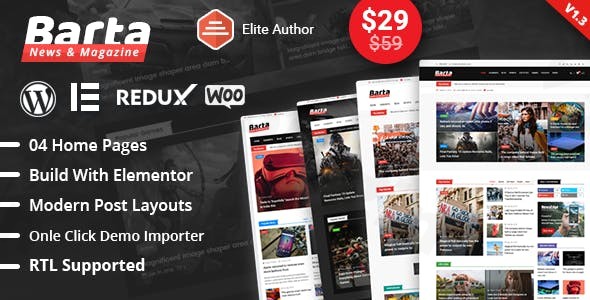
The Barta WordPress theme is a meticulously crafted solution designed specifically for news portals, online magazines, and content-rich websites. With its clean, modern design and intuitive layout, Barta ensures your content takes center stage, providing an exceptional user experience for your readers. It’s an ideal choice for bloggers, content publishers, and anyone looking to establish a professional and dynamic online publication.
Key Features: Design, Layout & Performance
Barta stands out with its array of features tailored to the demands of a modern news and magazine website, offering both visual appeal and robust functionality.
Design & Layout Options
Barta provides extensive layout flexibility to present your content in the most engaging way possible.
- Homepage Layouts: Choose from 7 professionally designed homepage layouts to give your site a distinct look, perfect for showcasing a variety of stories and categories.
- Category Page Styles: With 4 distinct category page styles, you can organize and present content within specific niches effectively, making it easy for readers to browse.
- Post Detail Variations: 3 post detail variations ensure your individual articles are presented beautifully and are optimized for readability.
- Specialized News Features: Barta includes dedicated sections to highlight your latest and most important content:
- News Box: Showcase latest posts in attractive boxed layouts.
- News Grid: Select from 8 grid styles, including video news formats, to display multiple articles.
- News Tab: Display up to 4 categories in stylish tabbed sections, great for organizing diverse content.
- News List: Professionally designed list layouts for easy scanning of headlines.
- News Slider: Highlight trending stories with impactful sliders, drawing reader attention to your best content.
- Header Styles: Personalize your site’s top section with 5 customizable header styles to match your brand’s aesthetic.
- Responsive Design: Built with Bootstrap 4.0, Barta is fully responsive, guaranteeing your website looks stunning and functions perfectly on desktops, tablets, and mobile devices.
Customization Capabilities
Barta empowers you to brand and customize your news site without needing to write a single line of code.
- Elementor Page Builder Integration: Barta is fully compatible with Elementor Page Builder, allowing for intuitive drag-and-drop customization of your layouts. It even comes with 20+ custom Elementor addons featuring 30+ layouts, extending Elementor’s capabilities specifically for news and magazine content.
- Category-Specific Color Schemes: Enhance visual organization with category-specific color schemes, making navigation more intuitive for your audience.
- Typography Options: Integrate Google Web Fonts for extensive typography choices and utilize 350+ Font Awesome icons to add visual flair throughout your site.
- WordPress Customizer: Leverage the native WordPress Customizer for real-time adjustments to global styles, colors, and other theme settings.
Performance & SEO Features
Barta is built with performance and search engine optimization in mind, helping your content reach a wider audience.
- Lazy Loading: The theme includes lazy loading for optimal performance, ensuring images and other media only load when they are in the user’s viewport, improving page speed.
- SEO Optimized Structure: Barta features an SEO optimized structure, helping search engines understand and rank your content more effectively. Its clean markup and structured headings contribute to better visibility.
- W3C Validated Code: With W3C validated HTML5 & CSS3 code, Barta adheres to web standards, indicating high code quality and potentially better performance and compatibility across browsers.
Installation & Demo Import
Setting up your Barta News Magazine theme is designed to be straightforward, allowing you to get your publication online quickly.
- Install & Activate the Theme:
- After purchasing Barta, download the theme package.
- From your WordPress dashboard, navigate to
Appearance > Themes > Add New > Upload Theme. - Upload the Barta theme
.zipfile and clickInstall Now. - Once installed, click
Activate.
- Install Required Companion Plugins:
- Upon activation, Barta will likely prompt you to install any recommended or required plugins (e.g., Elementor, and potentially custom Barta addons). Install and activate these plugins to ensure full theme functionality.
- One-Click Demo Import:
- Barta offers a powerful one-click demo import feature, allowing you to replicate the beautiful demo sites instantly. Look for an option like
Appearance > Import Demo DataorBarta Options > Demo Importin your dashboard. - Select the demo layout you prefer (Barta offers 7 unique homepage layouts) and proceed with the import.
- Barta offers a powerful one-click demo import feature, allowing you to replicate the beautiful demo sites instantly. Look for an option like
- Post-Import Setup:
- After the demo import, your site will largely resemble the chosen demo. You may need to manually assign your homepage (
Settings > Reading) and set up your navigation menus (Appearance > Menus). The demo content will provide a solid foundation for your site’s structure and design. - Important Note: Demo imports, especially those with extensive content, can be resource-intensive. Ensure your hosting environment meets standard WordPress requirements (adequate PHP memory limit, execution time). If an import fails, try increasing these limits or contacting your host.
- After the demo import, your site will largely resemble the chosen demo. You may need to manually assign your homepage (
Customization Guide (Branding & Layout)
Personalizing Barta to reflect your brand’s identity and content strategy is intuitive, especially with its deep Elementor integration.
- Using the WordPress Customizer:
- Navigate to
Appearance > Customizein your WordPress dashboard. Here, you can adjust global settings like site identity (logo, favicon), colors (including category-specific colors), typography (Google Fonts), background images, and more. Changes are visible in real-time.
- Navigate to
- Customizing with Elementor:
- For page-specific layouts and detailed content styling, Elementor is your primary tool. Edit any page by clicking
Edit with Elementor. - Drag and drop Barta’s 20+ custom Elementor addons onto your pages to create unique news boxes, grids, sliders, and tabbed sections. These addons provide extensive options for displaying articles, videos, and ads.
- Modify spacing, columns, and content within Elementor to fine-tune your pages.
- For page-specific layouts and detailed content styling, Elementor is your primary tool. Edit any page by clicking
- Setting Up Header and Footer Layouts:
- Barta offers 5 customizable header styles. These can often be configured via the WordPress Customizer or through theme options. For more advanced header/footer building, Elementor might be used if theme provides dedicated templates.
- The integrated advanced advertisement management system allows you to place ads strategically in header and footer areas, as well as throughout your content.
- Configuring Menus and Homepage:
- Create your navigation menus under
Appearance > Menus. - Assign your desired static front page and posts page under
Settings > Reading. - Barta’s various post display features make it easy to craft an engaging blog or magazine homepage.
- Create your navigation menus under
FAQ & Troubleshooting
Is Barta theme compatible with Elementor and Gutenberg?
Yes, Barta is fully compatible with Elementor Page Builder and deeply integrates with it, offering custom addons. It also supports the Gutenberg block editor for creating and editing content within posts and pages.
Does Barta support WooCommerce for online stores?
While Barta is primarily a news and magazine theme, some sources suggest it has basic WooCommerce compatibility and minor CSS fixes for it. However, full e-commerce integration details are not extensively documented in the primary sources. If you plan to run a full-fledged online store, verify the extent of WooCommerce integration directly with the theme developer or through thorough testing.
Does Barta support child themes?
Like most well-developed WordPress themes, Barta is designed to support child themes. Using a child theme is the recommended practice for making advanced customizations (CSS, functions) to ensure your changes are not overwritten during theme updates.
How can I update the Barta theme without losing my customizations?
To update the Barta theme safely, always use a child theme for any custom code or modifications. For core theme updates, if you purchased from an official source like ThemeForest, you’ll typically receive update notifications in your WordPress dashboard. For GPL versions from resellers, updates might need to be downloaded manually and uploaded via FTP or your host’s file manager, or through their specific update mechanism. Always create a full backup of your website before performing any theme update.
What should I do if the Barta demo import fails or looks different from the demo site?
If the Barta demo import fails, first check your hosting environment’s PHP limits (e.g., memory_limit, max_execution_time). Increasing these often resolves import issues. If the demo looks different, ensure all recommended plugins were installed and activated prior to import, and that you’ve assigned the correct static homepage and menu locations after the import. Clearing your website and browser cache can also help.
Conclusion
The Barta – Premium News & Magazine WordPress Theme is an excellent choice for anyone looking to build a professional, content-focused website. Its strong emphasis on specialized news features, combined with robust design and layout options, makes it perfect for online magazines, news portals, and sophisticated blogs.With Elementor compatibility and a wealth of custom addons, Barta offers unparalleled customization flexibility, making it accessible for both beginners and experienced developers. Its focus on performance with lazy loading and an SEO-optimized structure ensures your content not only looks good but also performs well in search results. If you’re a content publisher prioritizing readability, content presentation, and a modern, responsive design, Barta provides a powerful and visually appealing foundation for your online publication.
I. Download Limits & Account Benefits
- Free Downloads: Each email address receives 3 downloads per day for free products
- Upgrade Benefits: Purchase any paid product to increase your daily download limit by 3 for each paid product
- No Account Required: You can download immediately by receiving the download link via email
- Account Recommended: Create an account for easier access to your order history and direct update downloads
II. Understanding GPL vs Official Versions
Important: The products available on WPPick are GPL-licensed versions, which differ from official developer versions. Before purchasing, please read our comprehensive guide: Understanding GPL & Official Differences at WPPick
Key Points:
- GPL versions may not include premium support from original developers
- Updates may be delayed compared to official releases
- Some premium features might have limitations
- Always consider your specific needs and support requirements
III. Support & Assistance
We’re here to help through multiple channels:
- Email Support: Direct email assistance for all inquiries
- Live Chat: Real-time support during business hours
- Comprehensive Documentation: Detailed guides and tutorials
IV. Order Tracking
Access your complete purchase history and download links anytime: Order History
V. Account Access
New to WPPick? Login or Create Account to manage your downloads and orders efficiently.
VI. Refund Protection
We stand behind our products with a clear refund policy. Review our terms: Refund Policy
VII. Privacy & Security
Your data security is our priority. Learn how we protect your information: Privacy Policy
VII. Terms of Service
Understanding our service terms ensures a smooth experience: Terms of Use
Quick Tips for Best Experience
- Verify Compatibility: Check plugin/theme compatibility with your WordPress version
- Backup First: Always backup your site before installing new plugins or themes
- Test Environment: Consider testing on a staging site first
- Stay Updated: Regularly check for updates in your account dashboard
- Read Documentation: Review any included documentation for optimal setup
Need Help?
If you have questions about downloads, licensing, or need technical assistance, don’t hesitate to contact our support team. We’re committed to ensuring you have the best possible experience with WPPick products.
Ready to get started? Your download adventure begins with just one click!
- Twitter Icon
- Textdomain issue
- WooCommerce Outdated
- Barta Core
- RT Framework