

Beautyspot – WordPress Theme For Beauty Salons
/Year
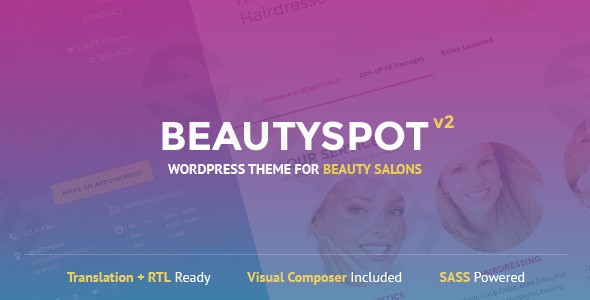
The Beautyspot WordPress theme is a premium solution specifically crafted for beauty salons, spas, hairdressers, wellness centers, and other beauty-related businesses. Designed with elegance and functionality in mind, it provides a stunning, professional online presence that aims to attract more clients and streamline your operations. With its focus on the beauty industry, Beautyspot offers a refreshing blend of aesthetic design and robust features tailored to your unique needs.
Introduction: Your Beauty Business, Beautifully Online
In the competitive world of beauty and wellness, a captivating online presence is non-negotiable. The Beautyspot WordPress theme steps in as your digital storefront, designed for businesses like hair salons, nail studios, and cosmetic clinics. It combines a clean, relaxing aesthetic with a bright and cheery design philosophy to create a welcoming and professional user experience. This theme is ideal for small business owners, freelancers, and agencies looking to build visually appealing and highly functional websites that convert visitors into loyal clients.
Key Features: Design, Layout & Performance
Beautyspot isn’t just about looking good; it’s engineered to perform. This theme integrates sophisticated design elements with powerful functionalities, ensuring your website is both beautiful and highly efficient.
Customizable Design for Your Unique Brand
- Elegant & Responsive Layout: BeautySpot boasts a modern, responsive design that ensures your site looks stunning on any device, from desktops to smartphones. Its Retina-ready graphics provide crisp, high-resolution visuals that enhance your brand’s professional image.
- Custom Color Schemes: Branding is key, and BeautySpot empowers you to create custom color schemes in minutes. Leveraging SASS-powered styling, you can pick main colors directly from the admin panel, allowing for effortless brand alignment. For advanced users, dedicated SCSS files offer granular control over every color element.
- Beautiful Typography: The theme includes custom font customization features, enabling you to select typography that perfectly complements your brand’s aesthetic and enhances readability.
- Specialized Layouts: While offering general flexibility, Beautyspot shines with its “perfect layouts” for services, pricing, and team profiles. These pre-designed sections make it easy to showcase your offerings attractively. The homepage often features sections like a Banner Slider, Services, Blog Feeds, and Testimonials to engage visitors immediately.
Powerful Business & Customization Features
- Redux Framework: Underpinning its extensive customization capabilities is the Redux Framework, providing a robust options panel for managing nearly every aspect of your theme.
- WooCommerce Integration: Ready for eCommerce, Beautyspot seamlessly integrates with WooCommerce. This means you can easily sell beauty products, gift cards, or service packages directly from your website, opening up new revenue streams.
- Online Appointment Booking System: A crucial feature for any beauty business, the theme includes an online appointment booking system. This streamlines scheduling for your clients and staff, making it easier for visitors to book services directly.
- Professional Tools Included: Beyond core features, BeautySpot bundles professional tools like the FontAwesome icon collection for crisp vector icons and MailChimp integration to power your email marketing efforts.
- Modular Post Types: To keep your admin interface “bloat-free,” Beautyspot features modular post types. You can disable unnecessary post types, focusing only on what your business needs, such as dedicated sections for testimonials and services.
- Footer Widgets: The theme provides customizable footer widget areas, where you can adjust background images and column counts to enhance your site’s visual appeal and functionality.
Performance & SEO Readiness
- Lightning-Fast Performance: Beautyspot is designed for speed, promising “lightning-fast performance” and an optimized code structure for maximum efficiency. This is crucial for user experience and SEO rankings.
- Mobile-Friendly Design: Beyond just being responsive, the theme is optimized for mobile devices, ensuring clients on the go have a seamless browsing and booking experience.
- Clean Code Structure: While specific schema or advanced SEO features are not detailed, the emphasis on optimized code and speed contributes to a solid foundation for search engine optimization.
Installation & Demo Import
Getting your Beautyspot theme for beauty salons up and running is a straightforward process, even if you’re new to WordPress.
- Install & Activate the Theme:
- Download the
beautyspot.zipfile from your purchase source (e.g., ZeroPlugin.com). - Navigate to your WordPress dashboard: Appearance > Themes > Add New > Upload Theme.
- Choose the
beautyspot.zipfile and click Install Now. - Once installed, click Activate.
- Download the
- Install Required Companion Plugins:
- Upon activation, Beautyspot will often prompt you to install recommended plugins.
- Essential plugins for full functionality include:
- LSVR BeautySpot Theme Toolkit
- LSVR Slides
- LSVR Elements
- Go to Appearance > Install Plugins (or follow the prompt) and install/activate these.
- Use One-Click Demo Import:
- Beautyspot includes demo content to help you quickly set up a site similar to the live preview.
- Look for a “Demo Import” or “Import Sample Data” option, usually under Appearance or within the theme’s custom options panel (Redux Framework).
- Click to import the demo content.
- What to Expect: This process will populate your site with pages, posts, sample services, and potentially some theme options. Please note that demo images are typically NOT included due to copyright reasons. You’ll need to replace placeholder images with your own high-quality photography.
- Common Pitfalls: For larger demo imports, ensure your server has sufficient memory and reasonable execution limits to prevent timeouts. If the import fails, try increasing
memory_limitandmax_execution_timein yourwp-config.phporphp.inifile.After the import, remember to set your desired static homepage (via Settings > Reading) and configure your main navigation menus (via Appearance > Menus).
Customization Guide: Branding & Layout
The Beautyspot WordPress theme offers flexible customization options to ensure your website truly reflects your brand’s unique identity.
- Using the WordPress Customizer:
- Most global styling and layout options can be found under Appearance > Customize.
- Here, you can easily change header/footer layouts (if specific builders are not used), adjust global color schemes, and fine-tune typography settings.
- Changing Colors & Typography:
- As mentioned, Beautyspot allows you to pick main colors directly from the admin panel for quick branding.
- For more precise control, you can utilize the custom CSS (SCSS) files. This gives you the power to change every color in the theme, ensuring pixel-perfect alignment with your brand palette.
- Custom font settings are also available within the theme options or Customizer to select fonts that match your aesthetic.
- Setting Up Your Homepage and Menus:
- After demo import, you might need to select which page acts as your homepage. Go to Settings > Reading and choose “A static page,” then select your desired page.
- Create and assign your main navigation menus under Appearance > Menus. Beautyspot’s elegant design will display your menu beautifully.
- Leveraging Block Editor (Gutenberg) & Page Builders:
- Gutenberg: Beautyspot is optimized for the native WordPress block editor. You’ll find theme-specific blocks under a “BeautySpot” tab, along with blocks from the LSVR Elements and LSVR Widgets plugins, making page building intuitive with native WordPress tools.
- Elementor & WPBakery: The theme also works with popular page builders like Elementor and WPBakery Page Builder (a bundled version of WPBakery is included). This provides additional flexibility for those who prefer a visual drag-and-drop interface.
- Important Note: Be aware that if your demo content was created using the block editor, those pages might not be fully compatible if you try to edit them later with a third-party page builder. It’s often best to stick to one primary page-building method for consistency.
- Advanced Customization with a Child Theme:
- For more significant code modifications or to ensure your customizations are safe during theme updates, Beautyspot includes and recommends using a child theme. This allows you to override front-end code without directly altering the parent theme files.
FAQ & Troubleshooting
Here are some common questions about the Beautyspot WordPress theme:
Is Beautyspot compatible with Elementor / WPBakery / Gutenberg?
Yes, Beautyspot is highly compatible across multiple page-building platforms. It is optimized for the native WordPress block editor (Gutenberg), offering theme-specific blocks. Additionally, it works seamlessly with both Elementor and WPBakery Page Builder, with a bundled version of WPBakery included for convenience.
Does Beautyspot support WooCommerce for online stores?
Absolutely. Beautyspot is fully WooCommerce ready, enabling beauty salons, spas, and other businesses to set up an online shop and sell beauty products, gift cards, or service packages directly from their website.
Does Beautyspot support child themes?
Yes, a child theme is included with Beautyspot, and its use is highly recommended for advanced customizations. A child theme allows you to make modifications to the theme’s code and styling without affecting the core theme files, ensuring your changes persist through theme updates.
How to customize Beautyspot theme colors?
You can customize Beautyspot’s colors in several ways. For basic changes, you can pick main colors directly from the admin panel or WordPress Customizer. For more detailed control, the theme supports dedicated CSS (SCSS) files, allowing you to modify every color of the theme with precision.
What WordPress and PHP versions does Beautyspot require?
The 3.x version of the Beautyspot theme or newer requires WordPress 5.2 as the minimum supported version. It also states PHP 8 compatibility, indicating it can leverage the latest PHP versions for optimal server performance.
Conclusion
The Beautyspot WordPress theme stands out as a powerful and aesthetically pleasing choice for any business in the beauty and wellness industry. Its combination of elegant design, responsive layouts, and specialized features like online appointment booking and WooCommerce integration makes it a truly comprehensive solution.With flexible customization options driven by the Redux Framework, easy color scheme creation, and compatibility with Gutenberg, Elementor, and WPBakery, Beautyspot offers both ease of use for beginners and depth for experienced developers. Its focus on performance and mobile responsiveness ensures your site is fast and accessible across all devices, contributing positively to your SEO efforts.Whether you’re a beauty salon owner, a freelancer building sites for clients, or an agency seeking a reliable niche theme, Beautyspot provides an excellent foundation. It’s particularly ideal for those seeking a professional, visually stunning, and highly functional website that can attract and retain clients without compromising on speed or design flexibility. Choose Beautyspot to give your beauty business the online presence it deserves.
I. Download Limits & Account Benefits
- Free Downloads: Each email address receives 3 downloads per day for free products
- Upgrade Benefits: Purchase any paid product to increase your daily download limit by 3 for each paid product
- No Account Required: You can download immediately by receiving the download link via email
- Account Recommended: Create an account for easier access to your order history and direct update downloads
II. Understanding GPL vs Official Versions
Important: The products available on WPPick are GPL-licensed versions, which differ from official developer versions. Before purchasing, please read our comprehensive guide: Understanding GPL & Official Differences at WPPick
Key Points:
- GPL versions may not include premium support from original developers
- Updates may be delayed compared to official releases
- Some premium features might have limitations
- Always consider your specific needs and support requirements
III. Support & Assistance
We’re here to help through multiple channels:
- Email Support: Direct email assistance for all inquiries
- Live Chat: Real-time support during business hours
- Comprehensive Documentation: Detailed guides and tutorials
IV. Order Tracking
Access your complete purchase history and download links anytime: Order History
V. Account Access
New to WPPick? Login or Create Account to manage your downloads and orders efficiently.
VI. Refund Protection
We stand behind our products with a clear refund policy. Review our terms: Refund Policy
VII. Privacy & Security
Your data security is our priority. Learn how we protect your information: Privacy Policy
VII. Terms of Service
Understanding our service terms ensures a smooth experience: Terms of Use
Quick Tips for Best Experience
- Verify Compatibility: Check plugin/theme compatibility with your WordPress version
- Backup First: Always backup your site before installing new plugins or themes
- Test Environment: Consider testing on a staging site first
- Stay Updated: Regularly check for updates in your account dashboard
- Read Documentation: Review any included documentation for optimal setup
Need Help?
If you have questions about downloads, licensing, or need technical assistance, don’t hesitate to contact our support team. We’re committed to ensuring you have the best possible experience with WPPick products.
Ready to get started? Your download adventure begins with just one click!
- Updated LSVR Framework to 1.9.4
- Updated WPBakery Page Builder plugin to 8.7.2 (learn how to update it here).
- Changed core files: style.css
- Updated WPBakery Page Builder plugin to 8.5 (learn how to update it https://themeforest.net/item/beautyspot-wordpress-theme-for-beauty-salons/8020062/faqs/32878)