

Belletrist – Blog Theme For WordPress Theme
/Year
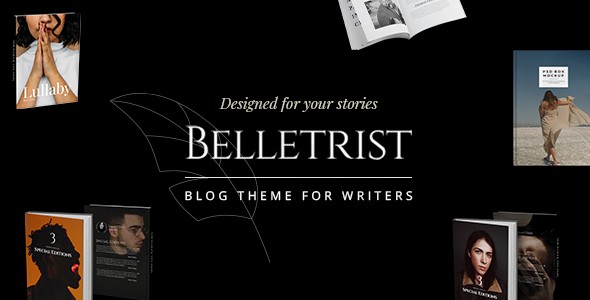
Belletrist is a sophisticated and visually stunning WordPress theme for writers Belletrist, bloggers, and online bookstores, crafted to provide a beautiful and engaging platform for storytelling. Developed by Edge-Themes and showcased by Qode Interactive, this theme emphasizes aesthetic appeal and robust functionality, making it an ideal choice for anyone looking to share narratives, promote books, or run a literary-focused online presence. Its elegant design and powerful features create the perfect environment to connect with your audience and showcase your unique content.
Key Features: Design, Layout & Performance
Belletrist stands out with a comprehensive suite of features designed to cater specifically to content creators who prioritize visual storytelling and user experience. From flexible layouts to essential performance optimizations, this theme offers a refined foundation for your website.
Design & Layout Options
Belletrist provides an extensive array of design and layout options, ensuring your stories are presented beautifully and effectively. You’ll find:
- Multiple Blog Layouts: Explore various blog list and single post variations, allowing you to choose the perfect style to display your articles, from classic lists to modern grids.
- 9 Predesigned Homepages: Get a head start with 9 professionally designed homepages and a variety of practical inner pages, all importable with a single click. These serve as excellent starting points for diverse website styles.
- Flexible Portfolio Layouts: For creative writers, journalists, or artists, the theme offers extensive portfolio list options including Gallery, Masonry, Slider, and Justified Gallery layouts, alongside various single portfolio item designs.
- Responsive and Retina-Ready Design: Belletrist ensures your website looks impeccable on any device, from desktops to smartphones, and delivers crisp visuals on high-resolution (Retina) displays.
- Unique Visual Elements: Enhance user engagement with parallax theme effects, infinite page scroll, scroll animations, typography effects, smooth page transitions, and special hover states.
- Custom Post Formats: Support for Audio, Video, Standard, Gallery, Link, and Quote post formats provides versatility in how you present your content.
Customization Capabilities
Personalizing your Belletrist site is intuitive, thanks to its powerful administrative interface and deep customization options:
- Unlimited Color Options: Tailor your site’s aesthetic with ease using an intuitive color switch and unlimited color options for various elements, including page backgrounds.
- Extensive Typography Control: With over 1,000 font styles available, you have granular control over your website’s textual presentation, allowing you to set default font families and styles globally.
- Global & Local Overrides: While global settings are managed through the “Belletrist Core Options,” many can be overridden on individual pages or shortcode elements, offering precise control over your design.
- Customizable Headers & Footers: Design fully bespoke headers and footers to match your brand, configuring elements like logos, menus, search bars, and side area icons.
Performance & SEO Features
The Belletrist blog theme is built with modern web standards to ensure your site is not only beautiful but also fast and discoverable:
- SEO Optimized: The theme is SEO friendly WordPress blog theme Belletrist, featuring clean markup and a structured heading hierarchy to help your content rank higher in search results.
- Mobile-First and Responsive: Built with a responsive layout, Belletrist ensures optimal viewing and interaction across all devices.
- Gutenberg Optimized: Seamlessly integrate with WordPress’s native block editor, allowing for a smooth content creation experience.
- Performance Settings: Access built-in performance settings via
Appearance > Customize > Belletrist Performanceto disable certain features and optimize your site’s speed. - Code Quality & Security: ZeroPlugin.com ensures you receive Belletrist with a genuine GPL license, regularly updated, thoroughly scanned for security with VirusTotal, and free from malicious code.
Installation & Demo Import
Getting started with Belletrist is a straightforward process, even for those new to WordPress. Follow these steps to set up your site:
- Install & Activate the Theme:
- From your WordPress dashboard, navigate to
Appearance > Themes > Add New. - Click “Upload Theme,” choose the
belletrist.zipfile you downloaded, and click “Install Now.” - Once installed, click “Activate.”
- From your WordPress dashboard, navigate to
- Install Required Plugins:
- After activation, you’ll typically see a notice prompting you to install required plugins. Belletrist requires the “Belletrist Core” plugin to unlock its full functionality, including custom post types for Portfolio and Testimonials, and many theme options.
- Install and activate all recommended plugins, especially the “Belletrist Core” plugin and Elementor Page Builder, for the best experience.
- The theme is also bundled with the premium Slider Revolution plugin, which you should install if you plan to use dynamic content sliders.
- Use One-Click Demo Import:
- Belletrist features a convenient Belletrist demo import guide with a one-click import tool. After installing the necessary plugins, navigate to
Belletrist Options > Import(or a similar location in your dashboard, as exact paths can vary slightly by theme version). - Select the demo you wish to import and click the import button. This will populate your site with pre-designed pages, posts, menus, and widgets, making it look exactly like the chosen demo.
- What to expect: During demo import, your site will be populated with all demo content, including pages, posts, portfolio items, testimonials, menus, and widgets. Depending on your server’s resources and the size of the demo, this process can take a few minutes. Ensure your server has sufficient memory and execution time to prevent timeouts.
- Belletrist features a convenient Belletrist demo import guide with a one-click import tool. After installing the necessary plugins, navigate to
Customization Guide: Branding & Layout
Personalizing your Belletrist site to reflect your unique brand and style is made simple through its powerful options:
- Accessing Theme Options: Most global settings and design choices are found within the “Easy-to-Use Powerful Admin Interface.” Look for a dedicated “Belletrist Options” or
Belletrist Core Optionsmenu in your WordPress dashboard. - Changing Colors & Typography: In the theme options, you’ll find dedicated sections for
TypographyandMain Site Color. Here, you can select from over 1,000 font styles, set default font families, and switch between unlimited color options to define your site’s palette. - Setting Up Header & Footer: Navigate to
Belletrist Core Options > Headerto customize your header layout, including logo upload, menu configuration, search bar display, and side area icons. The theme also allows for fully customizable footers. - Elementor Page Builder Integration: Belletrist offers full compatibility with Elementor. For detailed page layouts, simply open any page or post with Elementor and use its intuitive drag-and-drop interface to build complex sections, add custom shortcodes provided by the theme, and arrange elements visually. This allows for deep customization without touching a single line of code.
- Homepage & Blog Page Setup:
- To set a static homepage, go to
Settings > Readingand choose “A static page” for your homepage and a separate page for your blog posts. - For navigation, create your menus under
Appearance > Menusand assign them to the desired menu locations (e.g., Main Navigation, Footer Menu).
- To set a static homepage, go to
FAQ & Troubleshooting
Here are answers to some common questions about the Belletrist WordPress theme:
Is Belletrist theme Gutenberg ready?
Yes, Belletrist is explicitly “Gutenberg Optimized,” ensuring seamless compatibility with WordPress’s native block editor for content creation and editing.
Is Belletrist compatible with Elementor for page building?
Yes, Belletrist offers full compatibility with Elementor Page Builder, allowing you to use its drag-and-drop interface to create and customize stunning page layouts with ease.
Does Belletrist support WooCommerce for online stores?
Yes, Belletrist is fully compatible with WooCommerce versions 7.x.x and 8.x.x, enabling you to set up and manage an online bookstore or sell other products directly from your website.
How can I customize Belletrist header and footer?
You can customize the Belletrist header and footer through the theme’s administrative interface, specifically under Belletrist Core Options > Header. Here, you can manage elements like the logo, menu, search bar, and side area icon, ensuring your site’s navigation and branding are perfectly aligned.
What should I do if the demo import fails or looks different from the demo site?
If the demo import fails or doesn’t look as expected, first ensure all required plugins (especially “Belletrist Core”) are installed and activated. Check your server’s PHP settings for sufficient memory_limit and max_execution_time. If issues persist, consult the theme’s official documentation or contact support for further assistance.
Conclusion
The Belletrist WordPress theme is an outstanding choice for writers, authors, journalists, and online bookstores seeking an elegant, feature-rich, and high-performing platform. Its exceptional design flexibility, intuitive customization options, and strong focus on visual storytelling make it an ideal solution for crafting a memorable online presence.With robust Elementor compatibility, full WooCommerce support, and essential SEO optimization, Belletrist equips you with all the tools needed to not only publish engaging content but also to reach a wider audience and potentially monetize your literary efforts. Whether you’re a seasoned author looking for a professional portfolio or a budding blogger aiming to create a beautiful reading experience, Belletrist delivers a sophisticated and user-friendly foundation that truly lets your stories shine.
I. Download Limits & Account Benefits
- Free Downloads: Each email address receives 3 downloads per day for free products
- Upgrade Benefits: Purchase any paid product to increase your daily download limit by 3 for each paid product
- No Account Required: You can download immediately by receiving the download link via email
- Account Recommended: Create an account for easier access to your order history and direct update downloads
II. Understanding GPL vs Official Versions
Important: The products available on WPPick are GPL-licensed versions, which differ from official developer versions. Before purchasing, please read our comprehensive guide: Understanding GPL & Official Differences at WPPick
Key Points:
- GPL versions may not include premium support from original developers
- Updates may be delayed compared to official releases
- Some premium features might have limitations
- Always consider your specific needs and support requirements
III. Support & Assistance
We’re here to help through multiple channels:
- Email Support: Direct email assistance for all inquiries
- Live Chat: Real-time support during business hours
- Comprehensive Documentation: Detailed guides and tutorials
IV. Order Tracking
Access your complete purchase history and download links anytime: Order History
V. Account Access
New to WPPick? Login or Create Account to manage your downloads and orders efficiently.
VI. Refund Protection
We stand behind our products with a clear refund policy. Review our terms: Refund Policy
VII. Privacy & Security
Your data security is our priority. Learn how we protect your information: Privacy Policy
VII. Terms of Service
Understanding our service terms ensures a smooth experience: Terms of Use
Quick Tips for Best Experience
- Verify Compatibility: Check plugin/theme compatibility with your WordPress version
- Backup First: Always backup your site before installing new plugins or themes
- Test Environment: Consider testing on a staging site first
- Stay Updated: Regularly check for updates in your account dashboard
- Read Documentation: Review any included documentation for optimal setup
Need Help?
If you have questions about downloads, licensing, or need technical assistance, don’t hesitate to contact our support team. We’re committed to ensuring you have the best possible experience with WPPick products.
Ready to get started? Your download adventure begins with just one click!