

Blacksilver | Photography Theme For WordPress
/Year
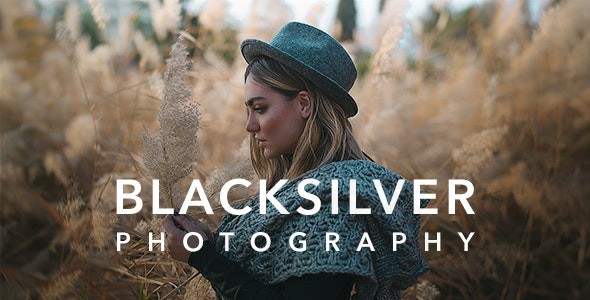
Blacksilver is a premium photography WordPress theme meticulously crafted for professional photographers and creatives seeking an elegant, high-performance platform to showcase their visual artistry. With a strong emphasis on minimalist design and an immersive viewing experience, Blacksilver ensures your photographs remain the undeniable focal point, free from distractions. It’s an ideal solution for anyone needing a visually impactful online presence, from wedding photographers to art directors.
Key Features: Design, Layout & Performance
Blacksilver distinguishes itself with a feature set specifically tailored for the demanding needs of photography websites, blending stunning aesthetics with robust functionality.
Design & Layout Options
This theme provides an extensive array of layout choices to present your work exactly as you envision it. You’ll find diverse portfolio layouts, including popular grid, masonry, and classic styles, alongside flexible 1, 2, 3, 4, or 5-column presentations. Beyond portfolios, Blacksilver offers immersive fullscreen slideshows, dynamic cover photo styles, and dedicated event galleries. Page structures are highly adaptable, supporting left sidebar, right sidebar, fullwidth, and edge-to-edge designs, ensuring your content always looks its best. The design philosophy of Blacksilver is rooted in minimalism, utilizing fullscreen displays and an advanced lightbox functionality that supports touch/swipe navigation, zoom, and smart image preloading for a seamless user experience.
Customization Capabilities
Blacksilver puts powerful customization at your fingertips, primarily through its deep integration with the Elementor Page Builder. This allows for intuitive drag-and-drop customization of virtually every element, from blocks and typography to colors and backgrounds, all with real-time visual feedback. You can easily modify color schemes for overlays and hover icons to match your brand identity, and fine-tune typography with advanced controls for fonts, colors, titles, and descriptions. The theme also provides an intuitive theme options panel and a live customizer for global style adjustments, ensuring a cohesive and branded look across your entire site.
Performance & SEO Features
Designed for image-heavy websites, Blacksilver prioritizes speed and search engine optimization. It incorporates lazy loading technology, a crucial feature for photography sites, which dynamically loads images only as they enter the user’s viewport, significantly improving page speed and user experience. The theme boasts an SEO-optimized structure, supporting essential elements like alt-text for images and clean, semantic markup. Its responsive design with a mobile-first approach ensures that your galleries and content display flawlessly and load quickly across all devices, from desktops to smartphones, contributing to better search rankings and user engagement. Blacksilver is built for fast loading performance with optimized code, making it an excellent choice for a photography portfolio WordPress theme that needs to perform.
Installation & Demo Import
Getting started with Blacksilver on your WordPress site is a straightforward process, even if you’re not a developer.
- Install & Activate the Theme:
- First, download the Blacksilver theme files (usually a
.zipfile). - From your WordPress dashboard, navigate to
Appearance > Themes > Add New > Upload Theme. - Choose the Blacksilver
.zipfile and clickInstall Now. - Once installed, click
Activate.
- First, download the Blacksilver theme files (usually a
- Install Required Companion Plugins:
- Upon activation, Blacksilver will typically recommend installing several plugins. Crucially, it’s built with Elementor Page Builder in mind, so you’ll be prompted to install and activate it. Other recommended plugins might include Slider Revolution (for advanced sliders), WPML (for multilingual sites), and Gravity Forms (for advanced forms). Install these as suggested by the theme.
- Use the One-Click Demo Import (If Applicable):
- Blacksilver includes a variety of pre-designed homepage templates and portfolio presets. To get a head start, look for a “Demo Import” or “Import Sample Data” option, usually found under
Appearanceor a dedicated theme menu item in your dashboard. - Follow the on-screen instructions to import a demo. This will populate your site with content, layouts, and settings similar to the theme’s live demos.
- What to expect: After the demo import, your site will have example pages, posts, menus, and widgets. You’ll then customize these to fit your content. Be aware that importing large demos can sometimes require sufficient server memory and execution time. If you encounter issues, increasing your PHP
memory_limitandmax_execution_timein your server settings might help.
- Blacksilver includes a variety of pre-designed homepage templates and portfolio presets. To get a head start, look for a “Demo Import” or “Import Sample Data” option, usually found under
Customization Guide: Branding & Layout
Personalizing Blacksilver to reflect your unique brand is made simple through its intuitive tools.
- Using Elementor and the WordPress Customizer: Blacksilver leverages the power of Elementor for visual, drag-and-drop customization. For global settings like site identity, basic colors, and typography, you’ll use the native WordPress Customizer (
Appearance > Customize). Elementor then provides granular control over individual page and section layouts. - Changing Colors, Fonts, Logos:
- Logo: Upload your brand logo via the WordPress Customizer.
- Colors & Typography: Both the Customizer and Elementor offer extensive controls. You can easily modify overlay colors, hover effects, and global font styles, viewing all changes with live previews.
- Header & Footer Layouts: While Elementor provides comprehensive control for creating custom headers and footers, Blacksilver is also noted for supporting a vertical menu with a sticky footer, giving you flexible options out of the box. You can modify these elements directly within Elementor or through theme options.
- Setting Up Homepage, Blog Page, and Menus:
- Homepage: After demo import, your homepage will likely be a static page. You can change this or select a new one under
Settings > Readingin WordPress. - Blog Page: Similarly, designate a page for your blog posts here. Blacksilver offers multiple blog post formats.
- Menus: Create and manage your navigation menus under
Appearance > Menus. Blacksilver’s design typically highlights clean and accessible navigation.Blacksilver’s design patterns and presets for portfolios and galleries (e.g., Boxed, Classic, Wide, Spaced, Masonry) offer excellent starting points, making the customization experience highly intuitive even for beginners.
- Homepage: After demo import, your homepage will likely be a static page. You can change this or select a new one under
FAQ & Troubleshooting
Here are answers to some common questions about the Blacksilver WordPress theme:
Is Blacksilver compatible with Elementor and WooCommerce?
Yes, Blacksilver boasts deep integration with Elementor Page Builder for drag-and-drop customization and is fully compatible with Elementor Pro. It is also fully compatible with WooCommerce, allowing you to easily sell prints, digital downloads, or photography services directly from your website, with purchase links often integrated into lightbox views.
Does Blacksilver support client proofing galleries and password protection?
Absolutely. Blacksilver includes an advanced, professional client proofing system with comprehensive client management tools, bulk image selection capabilities, and essential password protection for client galleries. This ensures secure access for your clients to review and select their preferred photographs.
How does Blacksilver handle images for optimal performance?
Blacksilver is designed for speed. It implements lazy loading technology, which means images only load as a user scrolls down the page. This significantly improves page load times, especially for image-heavy photography websites, and enhances the overall user experience.
Can I customize Blacksilver without affecting future updates?
Yes, the developer imaginem supports the use of child themes. This is the recommended method for making custom modifications (like custom CSS/JS) to your theme, as it ensures your changes are preserved when you update the main Blacksilver theme.
What should I do if the demo import fails or looks different from the demo site?
If your demo import fails, first ensure your server meets the recommended PHP memory limit (e.g., 256MB or higher) and execution time settings. Re-importing after clearing your site cache might help. If it looks different, check if all required plugins (especially Elementor and potentially Slider Revolution) were installed and activated correctly, as some demo elements rely on these.
Conclusion
Blacksilver stands out as a powerful and visually stunning premium photography WordPress theme. Its specialized features—from diverse gallery layouts and advanced client proofing to robust WooCommerce integration and lazy loading performance—make it an exceptional choice for anyone in the photography industry.With its deep integration with Elementor, Blacksilver offers incredible design flexibility and intuitive customization, enabling photographers, agencies, and creative professionals to build a high-converting, professional online portfolio with ease. Its commitment to fast loading times and SEO-optimized code ensures your work not only looks spectacular but also reaches a wider audience. If you’re seeking a theme that puts your visuals first, delivers a seamless user experience, and provides the tools needed to manage and sell your work online, Blacksilver is a highly recommended solution for wppick.com users.
I. Download Limits & Account Benefits
- Free Downloads: Each email address receives 3 downloads per day for free products
- Upgrade Benefits: Purchase any paid product to increase your daily download limit by 3 for each paid product
- No Account Required: You can download immediately by receiving the download link via email
- Account Recommended: Create an account for easier access to your order history and direct update downloads
II. Understanding GPL vs Official Versions
Important: The products available on WPPick are GPL-licensed versions, which differ from official developer versions. Before purchasing, please read our comprehensive guide: Understanding GPL & Official Differences at WPPick
Key Points:
- GPL versions may not include premium support from original developers
- Updates may be delayed compared to official releases
- Some premium features might have limitations
- Always consider your specific needs and support requirements
III. Support & Assistance
We’re here to help through multiple channels:
- Email Support: Direct email assistance for all inquiries
- Live Chat: Real-time support during business hours
- Comprehensive Documentation: Detailed guides and tutorials
IV. Order Tracking
Access your complete purchase history and download links anytime: Order History
V. Account Access
New to WPPick? Login or Create Account to manage your downloads and orders efficiently.
VI. Refund Protection
We stand behind our products with a clear refund policy. Review our terms: Refund Policy
VII. Privacy & Security
Your data security is our priority. Learn how we protect your information: Privacy Policy
VII. Terms of Service
Understanding our service terms ensures a smooth experience: Terms of Use
Quick Tips for Best Experience
- Verify Compatibility: Check plugin/theme compatibility with your WordPress version
- Backup First: Always backup your site before installing new plugins or themes
- Test Environment: Consider testing on a staging site first
- Stay Updated: Regularly check for updates in your account dashboard
- Read Documentation: Review any included documentation for optimal setup
Need Help?
If you have questions about downloads, licensing, or need technical assistance, don’t hesitate to contact our support team. We’re committed to ensuring you have the best possible experience with WPPick products.
Ready to get started? Your download adventure begins with just one click!