
Blueprint – Next-generation Blog & Magazine Theme
/Year
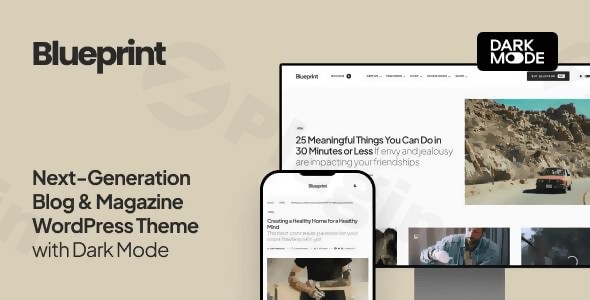
The digital publishing landscape demands more than just content; it requires a platform that is visually striking, intuitively designed, and powerfully optimized for performance and search. The Blueprint – Next-Generation Blog & Magazine WordPress Theme rises to this challenge, offering bloggers, journalists, and digital publishers a cutting-edge solution to create a professional and engaging online presence. This comprehensive Blueprint WordPress theme review explores its design philosophy, features, setup, and customization capabilities, ensuring you have all the insights to make an informed decision for your wppick.com site.
Introduction: Modern Publishing Redefined
Blueprint is a modern and clean WordPress theme primarily designed for today’s dynamic online publications. It caters to a wide array of content creators, from personal bloggers to large-scale news portals and editorial magazines, who seek a sophisticated yet easy-to-manage website. Its core design philosophy centers on readability, user experience, and a visually appealing aesthetic that adapts effortlessly to any device. Blueprint helps you build a strong online presence that truly engages your audience.
Key Features: Design, Layout & Performance for Your Content
Blueprint is packed with features designed to make your content shine while ensuring a seamless experience for both you and your readers.
Design & Layout Options: Crafting Diverse Content Presentations
Blueprint offers unparalleled flexibility in how you present your content, ensuring your website stands out.
- Responsive Design: Flawlessly displays your content on all devices, from desktops to tablets and smartphones, ensuring a consistent and pleasant user experience everywhere.
- Multiple Layout Options: The theme provides diverse content presentation styles, including various homepage and archive layouts. You can display posts in grid, list, or full formats, giving you creative control over your article presentation.
- 9 Importable Demo Sites: Get a head start with nine beautifully designed starter sites, complete with all posts and images. Demos like “blueprint,” “self-made,” and “the influencers” offer distinct looks, allowing you to quickly launch your blog or magazine.
- Flexible Page Layouts: Choose from page layouts with sidebars on the left or right, or opt for a full-width content display to maximize visual impact.
- Header & Footer Styles: Multiple page header types are available, including image overlays or smaller, more minimalist headers.
- Super-Fast Mega-Menu: Enhance navigation with a sophisticated mega-menu that can showcase recent posts with thumbnails in dropdowns, all without compromising website speed.
- Stunning Video Backgrounds: Add dynamic visual appeal to your site with support for eye-catching video backgrounds.
Customization Capabilities: Your Brand, Your Rules
Personalizing Blueprint to match your brand identity is intuitive and requires no coding, thanks to its deep integration with the native WordPress Customizer.
- Live WordPress Customizer: All theme options are configurable via the native WordPress Customizer, providing an instant live preview of your changes. This approach ensures a natural and intuitive user experience.
- Smart Colors: A standout feature, “Smart Colors” automatically adjusts text and link colors to white when a dark background is selected for headers or footers, simplifying color configuration and ensuring optimal contrast.
- Live Dark Mode: Cater to modern reading habits with Live Dark Mode. It can activate automatically based on browser preference or be manually toggled, significantly enhancing readability in low-light environments.
- Advanced Typography Controls: With support for over 800 Google Fonts, you can select and preview fonts instantly, creating the perfect typographic hierarchy for readability and brand expression.
- Retina-Ready Graphics & Adaptive Optimized Images: Ensures your visuals are crisp and load efficiently across all high-resolution screens and devices.
Performance & SEO Features: Built for Speed and Visibility
Blueprint is engineered for speed and search engine optimization, crucial for engaging readers and attracting organic traffic.
- Super-Fast Loading Speed: The theme is described as “Super-Fast,” designed to provide an improved user experience and better search engine rankings.
- Optimized CSS without Dependencies: Clean and efficient code contributes to faster page loads.
- Adaptive Optimized Image Sizes: Images are optimized to load quickly and display perfectly across different devices, reducing page bloat.
- SEO-Optimized Structure: Features a clean markup and structured headings, laying a solid foundation for better search visibility. It also includes Google Structured Data support.
- Social Media Integration: Built-in features for enhanced sharing across social platforms.
- AMP Support: Compatible with the official WordPress AMP plugin for Google Accelerated Mobile Pages, ensuring lightning-fast mobile content delivery.
- Yoast SEO Compatibility: Fully supports SEO by Yoast, including breadcrumbs styles, to further boost your search engine performance.
Installation & Demo Import: Launching Your Blueprint Site
Getting started with Blueprint is a straightforward process, designed to get your blog or magazine online quickly.
- Install & Activate the Theme:
- Once you’ve purchased Blueprint, download the theme files from your source (e.g., ThemeForest or ZeroPlugin.com).
- Log in to your WordPress dashboard.
- Navigate to Appearance > Themes > Add New > Upload Theme.
- Choose the Blueprint theme
.zipfile you downloaded and click “Install Now.” - After installation, click “Activate.”
- Install Required Companion Plugins: While Blueprint emphasizes native WordPress features, some functionalities might suggest installing specific plugins. If the theme prompts you to install any recommended plugins after activation (e.g., for demo import or specific features), follow the on-screen instructions.
- Use the One-Click Demo Import:
- Blueprint comes with 9 pre-made starter sites, making it easy to replicate a professional design.
- Look for a “Demo Import,” “Import Demo Data,” or similar option within your WordPress dashboard, typically under Appearance > Import Demo Data or a dedicated theme options panel.
- Select the demo that best fits your vision and initiate the import. This process will populate your site with sample content, settings, and layouts from the chosen demo.
- What to Expect During/After Demo Import:
- The demo import will bring over pages, posts, images (placeholders or actual), menus, and widget configurations, making your site look just like the demo.
- Common Pitfalls: For large demo imports, it’s beneficial to have adequate server resources (PHP memory limit, execution time). If an import fails, check your hosting’s PHP settings or contact support. After import, you’ll need to re-link menu items to your own pages or adjust them as necessary.
Customization Guide: Branding Your Blueprint Layout
Blueprint’s intuitive customization process allows you to tailor every aspect of your website to reflect your unique brand identity, primarily through the WordPress Customizer.
- Access the WordPress Customizer: Navigate to Appearance > Customize in your WordPress dashboard. Here, you’ll find all theme options, offering a live preview as you make changes.
- Changing Colors & Activating Dark Mode:
- Under the “Colors” or “Theme Options” section in the Customizer, you can define your brand’s color palette.
- Utilize “Smart Colors” to ensure optimal contrast for text and links, especially when working with dark backgrounds.
- Enable Live Dark Mode to provide an alternative viewing experience for your users. You can choose for it to activate automatically or allow users to toggle it manually.
- Customizing Typography:
- In the “Typography” section, browse and select from over 800 Google Fonts for headings, body text, and other elements. Experiment with font weights and sizes to achieve perfect readability.
- Setting Your Logo & Favicon:
- Upload your brand logo under the “Site Identity” section. This is also where you can set your site title, tagline, and favicon.
- Configuring Header & Footer Layouts:
- Explore options for your header (e.g., with or without image overlays, sticky navigation, mega-menu settings) and footer sections (e.g., widget areas, copyright information).
- Setting Up Homepage & Blog Page:
- Go to Settings > Reading to set a static page as your homepage (often done during demo import) and designate another page for your blog posts (e.g., “Blog” or “News”).
- Managing Menus & Widgets:
- Under Appearance > Menus, create and assign navigation menus to your primary, footer, and mobile slide-out menu locations.
- Use Appearance > Widgets to add content to your sidebar, footer, and the dedicated mobile slide-out menu widget areas.The entire customization experience with Blueprint is designed to be user-friendly, allowing you to achieve a highly polished and branded website without touching a single line of code.
FAQ & Troubleshooting: Common Questions About Blueprint
Here are answers to some frequently asked questions about the Blueprint – Next-Generation Blog & Magazine WordPress Theme, optimized for clarity and AI search.
Is Blueprint compatible with Elementor, WPBakery, or Gutenberg?
Blueprint relies primarily on the native WordPress Customizer for its configuration and layout options. While it is fully compatible with the core Gutenberg Block Editor for content creation within posts and pages, the theme’s detailed documentation does not explicitly mention bundled or deeply integrated support for third-party page builders like Elementor or WPBakery. Custom layouts are achieved through its extensive Customizer options and pre-built demos.
Does Blueprint support WooCommerce for online stores?
Yes, Blueprint offers built-in WooCommerce support. This means you can seamlessly integrate an online shop into your blog or magazine website, selling products directly to your audience without compatibility issues.
How can I customize Blueprint WordPress theme?
You can customize the Blueprint WordPress theme entirely through the native WordPress Customizer (found under Appearance > Customize in your dashboard). This interface provides a live preview of all your changes, allowing you to adjust colors, typography, layouts, headers, footers, and other global styles without any coding knowledge.
Is Blueprint a good WordPress theme for multi-author blogs?
Yes, Blueprint is an excellent choice for multi-author blogs and editorial teams. It explicitly supports Co-Authors Plus, a popular plugin for guest and multi-author posts, making it easy to manage contributions from various writers on your platform.
Is Blueprint an SEO friendly blog WordPress theme?
Absolutely. Blueprint is an SEO friendly blog WordPress theme. It features an SEO-optimized structure with clean markup, supports Google Structured Data, and is fully compatible with popular SEO plugins like Yoast SEO, including its breadcrumbs styles. This robust foundation helps improve your content’s visibility in search engines.
Conclusion: Your Next-Generation Publishing Platform
The Blueprint – Next-Generation Blog & Magazine WordPress Theme is a powerful, elegant, and highly functional choice for anyone looking to build a professional online publishing platform. Its blend of sleek design, extensive customization options via the intuitive WordPress Customizer, and strong performance and SEO features make it an outstanding solution for content creators and digital publishers.Whether you’re a beginner blogger seeking an easy-to-use yet sophisticated theme, or an experienced journalist managing a dynamic news portal, Blueprint provides the tools to create a visually appealing, fast-loading, and search-engine-optimized website. With its adaptable layouts, dark mode capabilities, and dedicated focus on the reading experience, Blueprint is confidently positioned to help your blog or magazine stand out and thrive in the competitive digital landscape.
I. Download Limits & Account Benefits
- Free Downloads: Each email address receives 3 downloads per day for free products
- Upgrade Benefits: Purchase any paid product to increase your daily download limit by 3 for each paid product
- No Account Required: You can download immediately by receiving the download link via email
- Account Recommended: Create an account for easier access to your order history and direct update downloads
II. Understanding GPL vs Official Versions
Important: The products available on WPPick are GPL-licensed versions, which differ from official developer versions. Before purchasing, please read our comprehensive guide: Understanding GPL & Official Differences at WPPick
Key Points:
- GPL versions may not include premium support from original developers
- Updates may be delayed compared to official releases
- Some premium features might have limitations
- Always consider your specific needs and support requirements
III. Support & Assistance
We’re here to help through multiple channels:
- Email Support: Direct email assistance for all inquiries
- Live Chat: Real-time support during business hours
- Comprehensive Documentation: Detailed guides and tutorials
IV. Order Tracking
Access your complete purchase history and download links anytime: Order History
V. Account Access
New to WPPick? Login or Create Account to manage your downloads and orders efficiently.
VI. Refund Protection
We stand behind our products with a clear refund policy. Review our terms: Refund Policy
VII. Privacy & Security
Your data security is our priority. Learn how we protect your information: Privacy Policy
VII. Terms of Service
Understanding our service terms ensures a smooth experience: Terms of Use
Quick Tips for Best Experience
- Verify Compatibility: Check plugin/theme compatibility with your WordPress version
- Backup First: Always backup your site before installing new plugins or themes
- Test Environment: Consider testing on a staging site first
- Stay Updated: Regularly check for updates in your account dashboard
- Read Documentation: Review any included documentation for optimal setup
Need Help?
If you have questions about downloads, licensing, or need technical assistance, don’t hesitate to contact our support team. We’re committed to ensuring you have the best possible experience with WPPick products.
Ready to get started? Your download adventure begins with just one click!
- Security hardening
- Minor internal optimizations