

Bookio – Book Store Woocommerce WordPress Theme
/Year
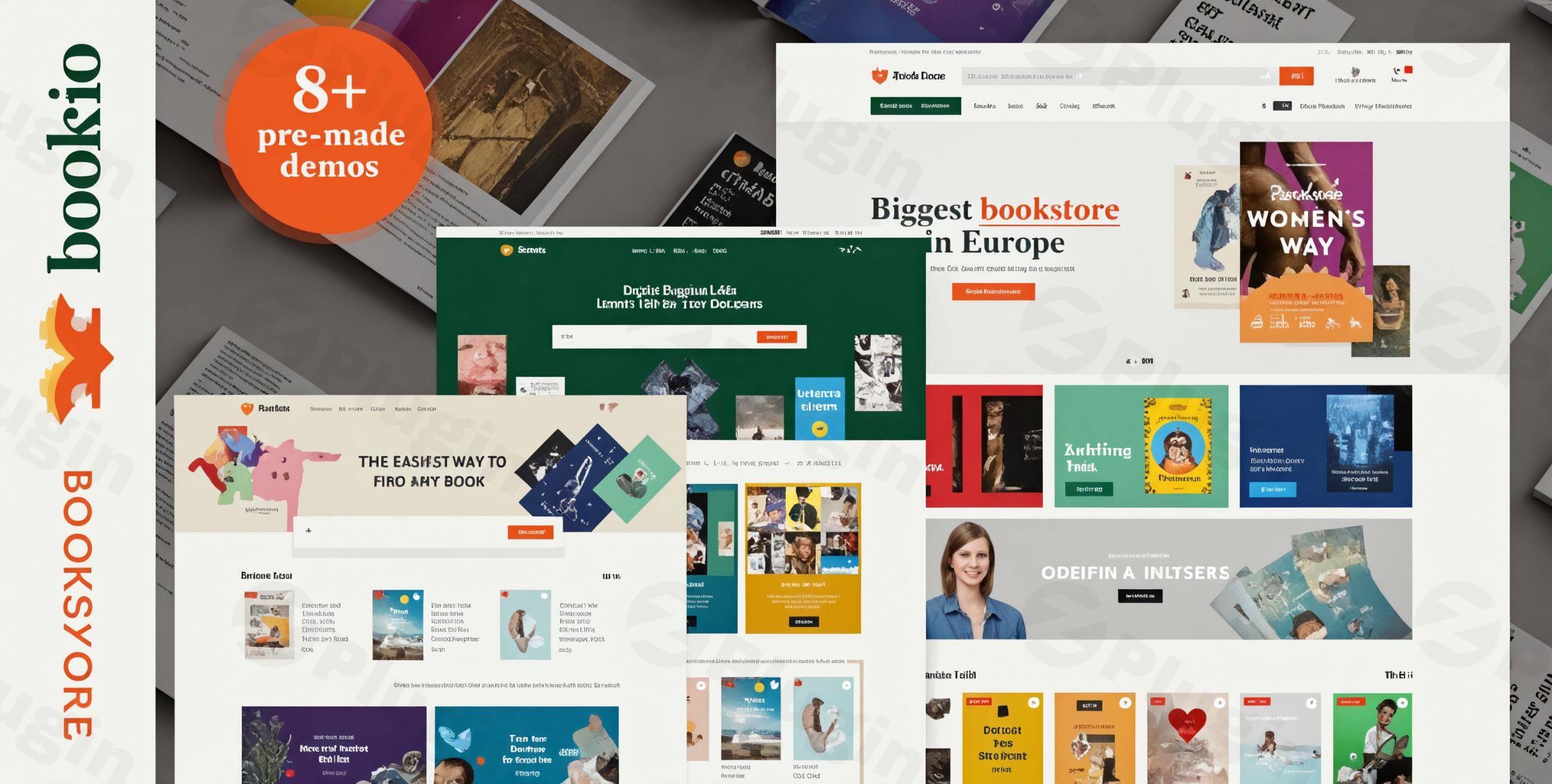
Building an online bookstore demands a specialized platform that beautifully showcases your inventory and provides a seamless shopping experience. The Bookio WordPress theme, developed by Wpbingo, is precisely this solution—a powerful and visually appealing WooCommerce theme crafted exclusively for online book stores, publishing houses, and literary businesses. Designed with the latest Bootstrap framework, Bookio empowers you to transform your digital storefront into a captivating destination for book lovers, whether you’re selling bestsellers, academic texts, or rare editions.
Introduction: Elevate Your Online Book Selling Experience
The digital landscape for books is thriving, and to succeed, your online presence needs to be both elegant and functional. Bookio by Wpbingo is engineered to meet these demands, providing a robust e-commerce platform tailored for the book industry. This Bookio WooCommerce theme is ideal for independent booksellers, large online retailers, publishers, authors, and anyone looking to create a professional online presence for selling books. Its design philosophy emphasizes intuitive navigation, visually striking product displays, and powerful e-commerce functionality to enhance the customer journey from discovery to purchase.
Key Features: Design, Layout & Performance for Bookio
Bookio offers a comprehensive suite of features that combine aesthetic flexibility with robust technical capabilities, all optimized for selling books online.
Design & Layout Options
Bookio empowers you to craft a unique online bookstore with its extensive design and layout options:
- Diverse Homepage Layouts: Choose from over 8 unique homepage layouts to establish the perfect first impression, with promises of more concepts in future updates.
- Flexible Header & Footer Styles: Customize your site’s top and bottom with 8 distinct header styles and 5 unique footer styles, further enhanced by a dedicated Footer Builder for complete control.
- Product Display Views: Present your books in engaging ways with both grid and list views for shop pages, allowing customers to browse based on their preference.
- Engaging Blog Layouts: Share literary news, author interviews, or book reviews using List, Grid, or Masonry layouts for your blog content.
- Unique Visual Elements: Enhance user experience with 12 banner effect supports, product sticky details for important information, full-width product displays, and product variable swatches for attributes like cover type or edition. Expect nice rollover effects for product images, jQuery inner zoom, and elegant animations that bring your store to life.
Customization Capabilities
Tailoring Bookio to your brand is intuitive and comprehensive:
- Unlimited Color Options: Access a full spectrum of colors to align your store with your brand identity.
- Advanced Typography: With support for over 500 Google Fonts and a live preview feature, you can meticulously control your site’s typography for optimal readability and style.
- Powerful Theme Options: Extensive “Powerful Theme Options” provide granular control over the visual presentation, allowing you to fine-tune spacing, containers, sections, and backgrounds.
- Custom 404 Page: Design a custom 404 page to maintain brand consistency even when users encounter broken links.
- Mega Menu Builder: Create sophisticated navigation structures with the Mega Menu Builder, guiding customers effortlessly through your extensive catalog.
Performance & SEO Features
Bookio is engineered for speed and search engine visibility:
- Optimized Performance: The theme is optimized for performance, ensuring fast loading times and a smooth browsing experience, which is crucial for retaining visitors and improving SEO rankings.
- Ajax Loading & Lazy Load: Features like Ajax loading for products and lazy load further enhance speed by loading content dynamically and deferring off-screen images.
- Fully Responsive Design: With a fully responsive design, Bookio looks and functions flawlessly across desktops, tablets, and smartphones, providing a consistent experience for all users. It also includes a friendly menu on mobile devices.
- Cross-Browser Compatibility: Tested across major browsers including IE11, Firefox, Safari, Opera, Chrome, and Edge, ensuring broad accessibility.
- SEO-Optimized: Bookio is built with SEO best practices in mind, featuring clean code and a structure that helps search engines understand and rank your content effectively.
Elementor Page Builder Integration
For effortless design, Bookio integrates deeply with Elementor:
- Drag-and-Drop Building: Customize your bookstore effortlessly with Elementor’s intuitive drag-and-drop functionality, requiring no coding skills.
- Elementor Pro Compatibility: Fully compatible with Elementor Pro, expanding your design possibilities even further.
- Dedicated Shortcodes: Access 24+ shortcodes specifically designed for Elementor, streamlining the creation of unique page elements.
Multi-Vendor Marketplace Ready
Expand your business model with multi-vendor support:
- Seamless Integration: Bookio seamlessly integrates with popular multi-vendor plugins including MultiVendorX, WC Vendors, and Dokan, allowing you to create a thriving book marketplace with multiple sellers.
Advanced Product Display Options
Showcase your book inventory in the best light:
- Beautiful Product Grids & Sliders: Present your collection with attractive product grids, featured book sliders, and category-based organization.
- Highlight Key Products: Use dedicated widgets to easily highlight bestsellers, new releases, and special offers.
Enhanced Search Functionality
Help customers find exactly what they’re looking for with advanced search:
- Smart Filters: Provide customers with powerful search filters by category, price range, availability, condition, and more, making product discovery quick and efficient.
Installation & Demo Import: Getting Started with Bookio
Setting up your Bookio-powered online bookstore is designed to be straightforward, even for those new to WordPress.
1. Install & Activate the Theme
First, you’ll need to install Bookio on your WordPress site:
- Download Bookio: Obtain the theme package from your purchase source (e.g., ThemeForest).
- Upload to WordPress: Log in to your WordPress dashboard, navigate to
Appearance > Themes, click “Add New,” then “Upload Theme.” Choose thebookio.zipfile and click “Install Now.” - Activate: Once installed, click “Activate” to make Bookio your active theme.
2. Install Required Companion Plugins
After activation, Bookio will typically prompt you to install a set of recommended or required plugins essential for its full functionality. These often include:
- WooCommerce: The core e-commerce plugin for your store.
- Elementor: For drag-and-drop page building.
- Revolution Slider: (Included with Bookio, valued at $25) For creating dynamic sliders.
- Other plugins like Contact Form, Jetpack, and WPForms for extended functionality.Follow the on-screen prompts to install and activate these plugins.
3. Use the One-Click Demo Import
To quickly get your site looking like the Bookio demo, utilize the one-click demo import feature:
- Navigate to Demo Import: In your WordPress dashboard, look for a menu item related to Bookio or Wpbingo that contains a “Demo Import” or “Import Demo Data” option.
- Choose a Demo: Select your preferred demo layout from the available options.
- Start Import: Click the “Import” button.
4. What to Expect During/After Demo Import
- The demo import process will populate your site with pre-built pages, posts, sample products, menus, widgets, and theme options settings from the chosen demo.
- Server Resources: For large demo imports, ensure your hosting environment meets WordPress’s recommended PHP memory limits and execution time. If the import seems stuck or incomplete, these are often the culprits.
- After Import: Once complete, your website should closely resemble the chosen Bookio demo. You’ll then need to customize the imported content with your own text, images, and product details. Remember to assign your main menu and set your homepage in
Appearance > MenusandSettings > Readingrespectively.
Customization Guide: Branding & Layout with Bookio
Bookio provides extensive options to personalize your online bookstore and reflect your unique brand identity.
Using Powerful Theme Options & the WordPress Customizer
While specific details on the WordPress Customizer’s direct integration are limited in the provided data, Bookio’s “Powerful Theme Options” panel will be your primary hub for global settings. This typically includes:
- Global Styles: Control your site’s overall look and feel, including colors and background settings.
- Typography: Set default fonts, sizes, and line heights for various elements using the 500+ Google Fonts integrated.
- Logo & Favicon: Upload your brand logo and favicon to establish your visual identity.
Changing Colors, Fonts, and Layouts
- Colors: Within the “Powerful Theme Options” or Elementor’s global settings, you’ll find comprehensive color pickers to define your site’s palette.
- Fonts: Easily switch between Google Fonts for headings, body text, and other elements, with a preview function to see changes in real-time.
- Headers & Footers: Utilize the 8 header styles and 5 footer styles, along with the Footer Builder, to design custom top and bottom sections. The sticky header option can keep your navigation visible as users scroll.
Setting Up Homepage, Blog Page, and Menus
- Homepage: After demo import, your homepage will likely be set. If not, go to
Settings > Readingand select a static page as your homepage. - Blog Page: Similarly, designate a page for your blog posts under
Settings > Reading. - Menus: Navigate to
Appearance > Menusto manage your navigation. Bookio’s Mega Menu Builder offers advanced capabilities for creating expansive and feature-rich menus, essential for a large book catalog.
Intuitive Customization with Elementor
Bookio’s integration with Elementor is central to its customization experience. For page-specific layouts and detailed design:
- Drag-and-Drop Editing: Open any page with Elementor to visually edit sections, columns, and elements.
- Bookio’s Elementor Shortcodes: Leverage the 24+ specialized shortcodes to add book-specific content and WooCommerce elements with ease.
- Live Previews: See your design changes instantly, making the customization process highly intuitive and efficient.
FAQ & Troubleshooting for Bookio
Here are answers to common questions about the Bookio theme, designed to be clear and helpful for quick reference.
Is Bookio compatible with Elementor / WPBakery / Gutenberg?
Bookio is fully compatible with Elementor and Elementor Pro, serving as its primary drag-and-drop page builder for extensive customization. While it integrates deeply with Elementor, the theme is noted as not optimized for the native WordPress Block Editor (Gutenberg). There is no explicit mention of compatibility with WPBakery Page Builder.
Does Bookio support WooCommerce for online stores?
Yes, Bookio is a specialized WooCommerce WordPress theme and offers deep, powerful integration with WooCommerce. It provides robust features for product management, filtering, and sales, making it an ideal platform for any online book store.
Does Bookio support child themes?
Yes, Bookio supports child themes. Using a child theme is highly recommended for any extensive customizations you plan to make. This ensures that your modifications are preserved when you update the main Bookio theme, preventing loss of work and maintaining site stability.
How can I update the Bookio theme without losing my customizations?
To update the Bookio theme without losing your customizations, always use a child theme for any modifications to your theme’s files (PHP, CSS, or JavaScript). When an update is available, you can safely update the parent Bookio theme through your WordPress dashboard, and your custom changes in the child theme will remain intact.
What should I do if the Bookio demo import fails or looks different from the demo site?
If the demo import fails or doesn’t look exactly like the live demo, first check your server requirements. Common issues include low PHP memory limits or short execution times. You can often increase these settings via your hosting control panel or by contacting your host’s support. Also, ensure all required plugins were installed and activated before attempting the import. If problems persist, consult the official Bookio documentation or contact Wpbingo’s premium support for assistance.
Conclusion: Why Bookio is Your Next Bookstore Theme
The Bookio – Premium WooCommerce Book Store WordPress Theme stands out as an exceptional choice for anyone looking to build a professional and high-converting online bookstore. Its specialized focus on the book industry means every feature, from the advanced product displays to the enhanced search functionality, is designed with literary businesses in mind.With its robust Elementor integration, Bookio offers unparalleled design flexibility, allowing even beginners to craft stunning, custom layouts without writing a single line of code. The theme’s multi-vendor marketplace readiness with plugins like Dokan and WC Vendors opens up possibilities for creating thriving online book communities. Furthermore, Bookio’s commitment to performance and SEO optimization, coupled with its fully responsive design, ensures your bookstore delivers a fast, smooth, and accessible experience across all devices.Bookio is an ideal solution for authors, publishers, independent booksellers, and entrepreneurs seeking a dedicated, feature-rich, and visually appealing platform to sell books online. It combines powerful e-commerce functionality with elegant design, making it a confident verdict for anyone serious about elevating their online book selling business.
I. Download Limits & Account Benefits
- Free Downloads: Each email address receives 3 downloads per day for free products
- Upgrade Benefits: Purchase any paid product to increase your daily download limit by 3 for each paid product
- No Account Required: You can download immediately by receiving the download link via email
- Account Recommended: Create an account for easier access to your order history and direct update downloads
II. Understanding GPL vs Official Versions
Important: The products available on WPPick are GPL-licensed versions, which differ from official developer versions. Before purchasing, please read our comprehensive guide: Understanding GPL & Official Differences at WPPick
Key Points:
- GPL versions may not include premium support from original developers
- Updates may be delayed compared to official releases
- Some premium features might have limitations
- Always consider your specific needs and support requirements
III. Support & Assistance
We’re here to help through multiple channels:
- Email Support: Direct email assistance for all inquiries
- Live Chat: Real-time support during business hours
- Comprehensive Documentation: Detailed guides and tutorials
IV. Order Tracking
Access your complete purchase history and download links anytime: Order History
V. Account Access
New to WPPick? Login or Create Account to manage your downloads and orders efficiently.
VI. Refund Protection
We stand behind our products with a clear refund policy. Review our terms: Refund Policy
VII. Privacy & Security
Your data security is our priority. Learn how we protect your information: Privacy Policy
VII. Terms of Service
Understanding our service terms ensures a smooth experience: Terms of Use
Quick Tips for Best Experience
- Verify Compatibility: Check plugin/theme compatibility with your WordPress version
- Backup First: Always backup your site before installing new plugins or themes
- Test Environment: Consider testing on a staging site first
- Stay Updated: Regularly check for updates in your account dashboard
- Read Documentation: Review any included documentation for optimal setup
Need Help?
If you have questions about downloads, licensing, or need technical assistance, don’t hesitate to contact our support team. We’re committed to ensuring you have the best possible experience with WPPick products.
Ready to get started? Your download adventure begins with just one click!