

Borobazar – Daily Needs Woocommerce WordPress Theme
/Year
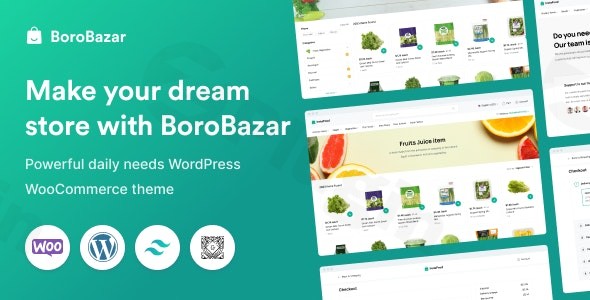
Building a modern online supermarket requires more than just a product grid; it demands speed, mobile precision, and a frictionless user journey. The BoroBazar WordPress theme is a performance-optimized solution specifically crafted for these high-demand niches, including grocery stores, daily essentials, and organic farm produce retailers. Designed with a clean, minimal aesthetic, BoroBazar ensures that your products remain the focal point while providing the robust technical infrastructure needed for a high-converting e-commerce experience.
Performance Meets Aesthetics: Why BoroBazar is a Top Grocery Store WordPress Theme
BoroBazar isn’t just another multipurpose skin; it is a specialized tool built on a modern stack. By utilizing Tailwind CSS, the theme achieves a lightweight footprint that translates to “blazing-fast” loading times—a critical factor for SEO and user retention in the competitive FMCG (Fast-Moving Consumer Goods) space.
1. Modern Design & Layout Options
BoroBazar offers a “flawless mobile design,” prioritizing the mobile-first shopping habits of today’s consumers. Whether you prefer a one-page layout for a niche organic shop or a multi-page structure for a massive supermarket, the theme adapts seamlessly.
- Visual Hierarchy: The UI is designed to reduce cognitive load, using ample whitespace and clear typography to guide users from product discovery to checkout.
- Unlimited Customization: With unlimited sidebars, background options, and diverse header/footer configurations, you can build a site that reflects your brand’s unique identity without touching a line of code.
2. Gutenberg-First Development
While many themes rely on heavy third-party builders, BoroBazar is deeply integrated with the WordPress Block Editor (Gutenberg). It comes packed with over 25 custom Gutenberg blocks, allowing you to drag and drop your way to a professional layout. This approach keeps your site lean, ensuring that your Core Web Vitals remain in the “green zone” for Google’s search rankings.
3. Advanced AJAX Functionality
To compete with industry giants, your store needs to feel “app-like.” BoroBazar includes:
- AJAX Search & Filtering: Customers find products instantly without page refreshes.
* Quick Carting: A streamlined “Add to Cart” process that minimizes friction during bulk grocery shopping.
Technical Specifications & Compatibility
| Feature | Details |
|---|---|
| Page Builder | Primary focus on Gutenberg; includes 25+ custom blocks. |
| WooCommerce | Deep integration with advanced shop features. |
| Multi-vendor Support | Built-in compatibility for Dokan and WCFM. |
| Speed Tech | Built with Tailwind CSS, LazyLoad enabled, and optimized WP Queries. |
| Multilingual | Full WPML support for global or regional stores. |
How to Set Up a Grocery Store Website with WordPress (BoroBazar Guide)
Setting up BoroBazar is straightforward, even for those new to WordPress. Follow these steps to get your daily needs store live:
Step 1: Installation & Activation
After purchasing the theme, upload the borobazar.zip file via Appearance > Themes > Add New in your WordPress dashboard. Once uploaded, click Activate.
Step 2: Run the Setup Wizard
Upon activation, BoroBazar typically launches a setup wizard. This tool will guide you through installing required companion plugins, such as WooCommerce and the BoroBazar Core plugin.
Step 3: One-Click Demo Import
To achieve the look of the professional demos, navigate to the theme’s demo importer. Choose the niche layout that best fits your business (e.g., Grocery, Household, or Organic).
- Note: Ensure your hosting environment has sufficient memory (at least 256MB) to handle the import of images and layouts.
Step 4: Configure WooCommerce
Once the demo is imported, update your store location, tax settings, and payment gateways (like Stripe or PayPal) within the WooCommerce > Settings menu.
Customizing Your BoroBazar Brand Experience
Personalizing your store is handled primarily through the WordPress Customizer and the Gutenberg editor.
- Branding & Typography: Use the advanced typography and color scheme controls to match your brand’s palette. You can change button styles, global font families (Google Fonts), and accent colors globally.
- Header & Footer Builder: BoroBazar features a built-in builder that allows you to rearrange elements like the logo, search bar, and cart icon.
* Mega Menus: For large supermarkets, use the built-in mega menu feature to organize complex categories (e.g., “Dairy,” “Frozen Foods,” “Fresh Produce”) into an easy-to-navigate dropdown.
FAQ: Frequently Asked Questions about BoroBazar
Is BoroBazar compatible with Elementor?
While BoroBazar is optimized for the Gutenberg Block Editor for maximum performance, it is generally compatible with Elementor. However, to maintain the “blazing-fast” speeds the theme is known for, the developer recommends using the 25+ built-in Gutenberg blocks.
Does BoroBazar support multi-vendor marketplaces?
Yes, BoroBazar is a multi-vendor ready theme. It offers built-in support for popular plugins like Dokan and WCFM, making it an excellent choice for creating a grocery marketplace where multiple local vendors can sell their products.
Does it support child themes?
Yes, BoroBazar supports child themes. Using a child theme is highly recommended for developers who wish to make code-level customizations without losing progress when the parent theme is updated.
How does BoroBazar handle mobile shoppers?
BoroBazar uses a mobile-first responsive design philosophy. This means the shopping experience is optimized for touch-screens, with easy-to-tap buttons and a mobile-optimized checkout process, ensuring high conversion rates on smartphones.
Verdict: Is BoroBazar Right for You?
The BoroBazar WordPress theme is an elite choice for anyone launching a daily needs WooCommerce theme project. It strikes a rare balance between high-end design aesthetics and raw technical performance. Best for:
- Startup Entrepreneurs: Who need a professional look quickly via one-click demo imports.
- Grocery & FMCG Owners: Who require specific features like AJAX filtering and quick-carting.
- SEO-Conscious Developers: Who value Tailwind CSS and Core Web Vitals optimization.If you are looking for a bloated, multipurpose theme that tries to do everything, this isn’t it. But if you want a fast, modern, and niche-specific e-commerce engine that converts visitors into customers, BoroBazar is one of the best investments you can make for your WordPress site.Find more WordPress insights and premium theme reviews at wppick.com.
I. Download Limits & Account Benefits
- Free Downloads: Each email address receives 3 downloads per day for free products
- Upgrade Benefits: Purchase any paid product to increase your daily download limit by 3 for each paid product
- No Account Required: You can download immediately by receiving the download link via email
- Account Recommended: Create an account for easier access to your order history and direct update downloads
II. Understanding GPL vs Official Versions
Important: The products available on WPPick are GPL-licensed versions, which differ from official developer versions. Before purchasing, please read our comprehensive guide: Understanding GPL & Official Differences at WPPick
Key Points:
- GPL versions may not include premium support from original developers
- Updates may be delayed compared to official releases
- Some premium features might have limitations
- Always consider your specific needs and support requirements
III. Support & Assistance
We’re here to help through multiple channels:
- Email Support: Direct email assistance for all inquiries
- Live Chat: Real-time support during business hours
- Comprehensive Documentation: Detailed guides and tutorials
IV. Order Tracking
Access your complete purchase history and download links anytime: Order History
V. Account Access
New to WPPick? Login or Create Account to manage your downloads and orders efficiently.
VI. Refund Protection
We stand behind our products with a clear refund policy. Review our terms: Refund Policy
VII. Privacy & Security
Your data security is our priority. Learn how we protect your information: Privacy Policy
VII. Terms of Service
Understanding our service terms ensures a smooth experience: Terms of Use
Quick Tips for Best Experience
- Verify Compatibility: Check plugin/theme compatibility with your WordPress version
- Backup First: Always backup your site before installing new plugins or themes
- Test Environment: Consider testing on a staging site first
- Stay Updated: Regularly check for updates in your account dashboard
- Read Documentation: Review any included documentation for optimal setup
Need Help?
If you have questions about downloads, licensing, or need technical assistance, don’t hesitate to contact our support team. We’re committed to ensuring you have the best possible experience with WPPick products.
Ready to get started? Your download adventure begins with just one click!
- Made the “Expired!” text in the countdown timer fully translatable.
- Added localization support in Scripts.php.
- Updated gs-main.js to use the translated string from the gs_i18n object.
- Added a fallback to “Expired!” when localization data is unavailable.
- Improved extensibility by replacing self:: and direct trait references with static:: in BlockPostData and QueryTrait.
- Ensures proper late static binding.
- Allows overridden methods in child classes to be called correctly.
- Replaced the static call ImageResizer::gsResize() with self::gsResize() inside the ImageResizer trait for correct trait usage.
- Updated WooCommerce templates to ensure better compatibility with recent WooCommerce versions.