

Bowl – Responsive Bowling Center WordPress Theme
/Year
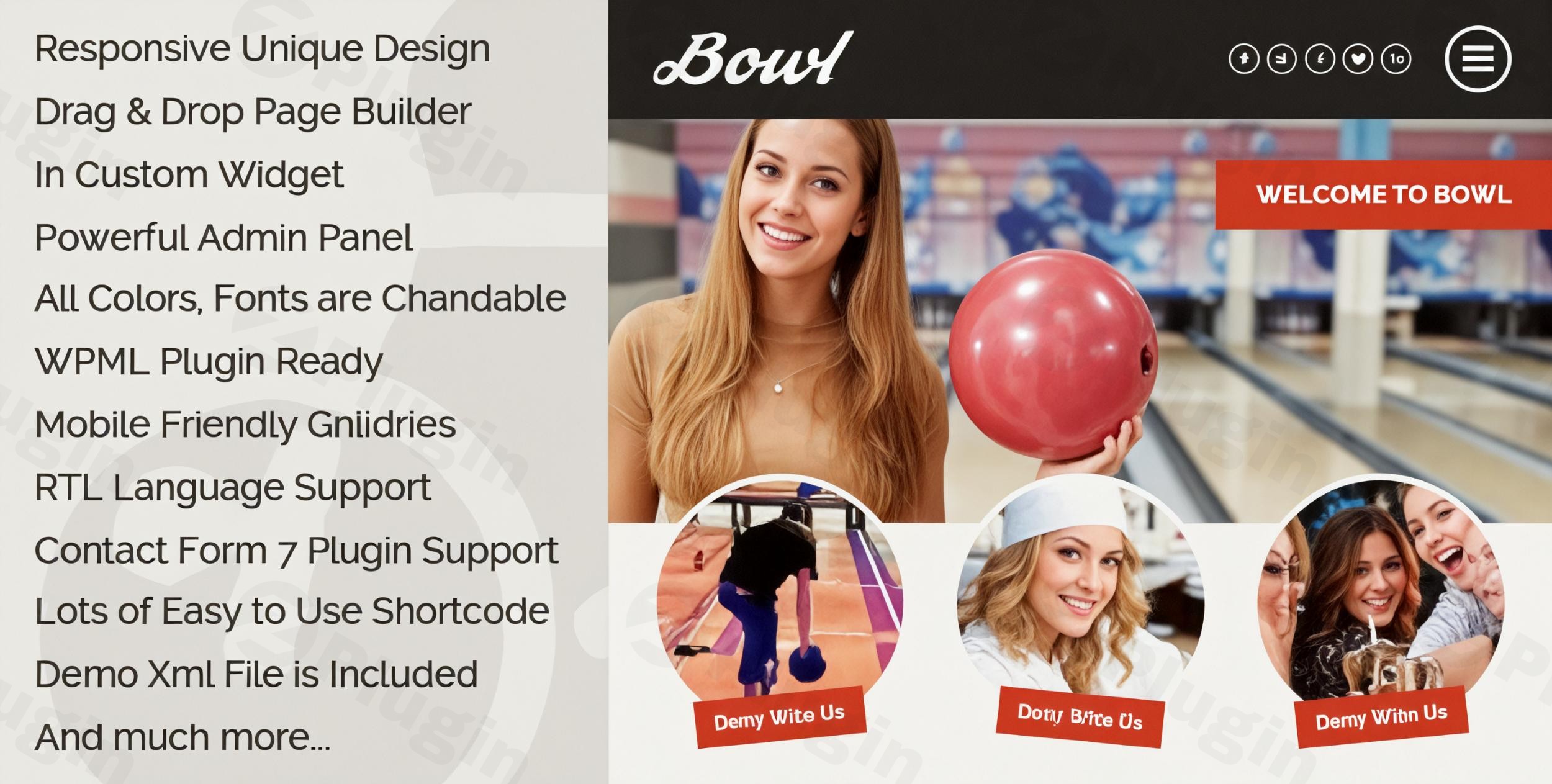
Creating a digital presence for a high-energy entertainment venue requires a balance of vibrant visuals and rock-solid functionality. The Bowl Responsive Bowling Center WordPress Theme is a premium solution specifically engineered to meet the needs of bowling alleys, billiard centers, and multipurpose entertainment hubs. Whether you are managing a local lane or a large-scale sports bar, this theme provides the specialized tools necessary to showcase your facilities, promote leagues, and drive bookings.
1. Overview: Design Philosophy and Target Audience
The Bowl WordPress theme is designed with a “mobile-first” and “fun-first” philosophy. Its aesthetic is modern and energetic, utilizing bold typography and high-impact imagery to reflect the atmosphere of a live entertainment venue. While its primary identity is a bowling center website design, its flexible architecture makes it an excellent choice for:
- Billiard and Pool Halls
- Sports Bars and Grills
- Arcades and Family Entertainment Centers
- Pro-shops and Bowling LeaguesThe theme aims to reduce the technical barrier for business owners by integrating a familiar drag-and-drop interface, allowing for professional results without the need for custom coding.
2. Key Features: Design, Layout, and Performance
Specialized Layout Options
The Bowl theme stands out through its unique visual navigation. It features a distinctive slide-in menu page enhanced with a CSS3 parallax effect, giving the site a premium, modern feel that captures visitor attention immediately.
- Responsive & Retina Ready: The layout adapts fluidly to smartphones, tablets, and desktops, ensuring high-resolution “Retina” displays show off your facility’s photos with crisp detail.
- Unlimited Galleries: Showcase your lanes, cafe menu, or event spaces using touch-friendly image and video galleries that support fullscreen viewing.
Customization Capabilities
One of the core strengths of this theme is its Powerful Theme Settings Panel. Instead of digging through code, you can manage your brand identity directly from the backend:
- Typography: Full integration with Google Fonts allows you to choose professional pairings that match your brand’s voice.
- Color Control: You can customize all primary and secondary colors to align with your venue’s physical decor.
- SiteOrigin Integration: The theme is built to work seamlessly with the SiteOrigin Page Builder, providing a drag-and-drop environment for creating custom page structures.
Performance & SEO Readiness
The Bowl Responsive Bowling Center WordPress Theme is built with clean markup, which is a fundamental requirement for modern SEO.
- Lightweight Foundation: By utilizing optimized CSS3 effects instead of heavy flash or outdated scripts, the theme maintains faster loading times.
- SEO Optimized: The theme structure follows best practices for heading hierarchy and schema support, helping your bowling alley rank higher in local search results.
- Plugin Compatibility: It is fully compatible with WPML (for multilingual sites), Contact Form 7 (for lane inquiries), and Ecwid (for basic e-commerce needs).
3. Installation and Setup Guide
Getting your bowling center online is a straightforward process. Follow these steps to get started:
- Theme Installation: Log in to your WordPress Dashboard. Navigate to Appearance > Themes > Add New > Upload Theme. Select the
bowl.zipfile you downloaded from ThemeForest and click Install Now, then Activate. - Plugin Activation: Upon activation, the theme will prompt you to install required and recommended plugins. This typically includes the SiteOrigin Page Builder and any custom widget bundles.
- Demo Content: To match the professional look of the theme demo, look for the “Import Demo Data” option within the Theme Settings or Tools menu. This will populate your site with sample pages, menus, and widgets.
- Configure Widgets: The theme includes 11 custom widgets specifically designed for the SiteOrigin builder. Use these to add dynamic content like “Recent News,” “Facility Features,” or “Gallery Previews” to your sidebars and homepages.
4. Customization Guide: Personalizing Your Brand
To make the Bowl theme truly yours, use the built-in customization tools to reflect your venue’s unique vibe.
- Global Styling: Use the Theme Settings Panel to upload your logo and set your global brand colors. This ensures consistency across every page.
- Header and Menu: Configure the unique slide-in menu. This is often the first thing users interact with on mobile, so ensure your most important links (Bookings, Pricing, Hours) are prominently placed.
- Building Pages: Use the SiteOrigin drag-and-drop interface to create your “Leagues” or “Events” pages. You can add rows and columns, then drop in the theme’s custom widgets to display content exactly where you want it.
5. FAQ & Troubleshooting
Is the Bowl theme compatible with Elementor?
While the Bowl theme is specifically optimized for the SiteOrigin Page Builder, you can install Elementor to build custom pages. However, the theme’s pre-built custom widgets and demo layouts are designed primarily for SiteOrigin.
Can I use Bowl theme for a billiard center?
Yes! While the branding defaults to bowling, the layout and features (galleries, contact forms, and parallax menus) are perfectly suited for billiard centers, sports bars, and cafes. You simply need to replace the imagery and text to match your specific niche.
Does it support WooCommerce for online stores?
The Bowl theme lists official compatibility with Ecwid for e-commerce. While you can install WooCommerce, the theme may require some custom CSS to style WooCommerce elements perfectly, as it is not listed as the primary e-commerce integration.
How do I update the theme without losing my customizations?
To protect your changes, always use the Theme Settings Panel for styling rather than editing the core theme files. For advanced code changes, it is recommended to use a Child Theme. You can then safely update the parent theme via the WordPress dashboard or Envato Market plugin.
6. Conclusion
The Bowl Responsive Bowling Center WordPress Theme is a highly specialized, visually striking solution for the entertainment industry. Its standout feature—the CSS3 parallax slide-in menu—immediately sets it apart from generic multipurpose themes. Who is this for?
- Small Business Owners: Who want a professional, “done-for-you” look with easy color and font controls.
- Agencies: Looking for a stable, SiteOrigin-based foundation to build niche entertainment sites quickly.
- Venue Managers: Who need a mobile-responsive site that looks great when customers are looking for lane pricing on the go.If you are looking for the best WordPress theme for bowling alleys that balances unique design with ease of use, Bowl is an excellent investment for your digital headquarters. For more WordPress theme reviews and tutorials, visit us at wppick.com.
I. Download Limits & Account Benefits
- Free Downloads: Each email address receives 3 downloads per day for free products
- Upgrade Benefits: Purchase any paid product to increase your daily download limit by 3 for each paid product
- No Account Required: You can download immediately by receiving the download link via email
- Account Recommended: Create an account for easier access to your order history and direct update downloads
II. Understanding GPL vs Official Versions
Important: The products available on WPPick are GPL-licensed versions, which differ from official developer versions. Before purchasing, please read our comprehensive guide: Understanding GPL & Official Differences at WPPick
Key Points:
- GPL versions may not include premium support from original developers
- Updates may be delayed compared to official releases
- Some premium features might have limitations
- Always consider your specific needs and support requirements
III. Support & Assistance
We’re here to help through multiple channels:
- Email Support: Direct email assistance for all inquiries
- Live Chat: Real-time support during business hours
- Comprehensive Documentation: Detailed guides and tutorials
IV. Order Tracking
Access your complete purchase history and download links anytime: Order History
V. Account Access
New to WPPick? Login or Create Account to manage your downloads and orders efficiently.
VI. Refund Protection
We stand behind our products with a clear refund policy. Review our terms: Refund Policy
VII. Privacy & Security
Your data security is our priority. Learn how we protect your information: Privacy Policy
VII. Terms of Service
Understanding our service terms ensures a smooth experience: Terms of Use
Quick Tips for Best Experience
- Verify Compatibility: Check plugin/theme compatibility with your WordPress version
- Backup First: Always backup your site before installing new plugins or themes
- Test Environment: Consider testing on a staging site first
- Stay Updated: Regularly check for updates in your account dashboard
- Read Documentation: Review any included documentation for optimal setup
Need Help?
If you have questions about downloads, licensing, or need technical assistance, don’t hesitate to contact our support team. We’re committed to ensuring you have the best possible experience with WPPick products.
Ready to get started? Your download adventure begins with just one click!
- General bug fixes
- Updated owl carousel
- Removed Flickr widget