
Brikk – Directory & Listing WordPress Theme By Utillz
/Year
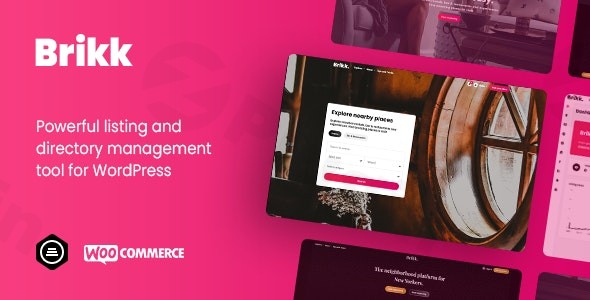
Brikk is a premium WordPress directory theme meticulously crafted to empower entrepreneurs, agencies, and businesses in building robust and highly profitable online listing and directory websites. Whether your vision is a dynamic booking platform, a comprehensive restaurant guide, a vibrant job board, a thriving classifieds site, or an engaging events directory, Brikk provides an all-in-one, visually appealing solution. It combines modern design principles with a powerful feature set, making it an ideal choice for anyone looking to create a professional listing WordPress theme website that stands out.
Key Features: Design, Layout & Performance
Brikk distinguishes itself with a comprehensive suite of features designed for both visual appeal and powerful functionality, ensuring your directory website is both beautiful and efficient.
Flexible Listing Management
Brikk offers unparalleled flexibility in managing your listings. You can create unlimited listing types to categorize diverse businesses and services, from real estate to local service providers. Each listing type can have its own customizable fields and taxonomies, allowing you to tailor data collection precisely to your niche. The intuitive drag-and-drop interface simplifies content organization, making it easy to manage even the most complex directory structures. This feature is crucial for scalability, enabling your platform to grow and adapt to new categories effortlessly.
Powerful Monetization Options
Transform your directory into a revenue-generating machine with Brikk’s built-in monetization tools. You can offer promoted listings for businesses seeking premium visibility, allowing them to pay for higher rankings or featured spots. The theme supports customizable listing plans and packages, giving you the flexibility to create various subscription tiers. Furthermore, an integrated commission system facilitates revenue sharing, making it ideal for marketplace models where you take a percentage of transactions. Brikk’s deep Brikk WooCommerce integration handles all payments, supporting paid listings and even recurring payments via WooCommerce Subscriptions.
Advanced User Features
Brikk prioritizes an excellent user experience for both administrators and end-users. It includes front-end submission forms with a multi-step process, simplifying the listing submission for users without needing WordPress backend access. A comprehensive user dashboard with statistics allows listing owners to manage their submissions, track performance, and interact with leads. An integrated messaging system with notifications fosters communication, while a wallet system with withdrawal options provides a complete ecosystem for financial transactions on your platform.
Design & Customization Capabilities
Brikk offers extensive design flexibility, allowing you to tailor its appearance to your brand. The theme provides multiple layouts for explore results and archive pages, along with distinct header and dark mode layouts. For granular control, you can create custom layouts using the Elementor page builder, benefiting from its seamless Brikk Elementor compatibility for drag-and-drop customization. The intuitive dashboard provides user-friendly customization tools for modifying colors, fonts, and other website aspects, while comprehensive WordPress Theme Customization support ensures you can align every element with your brand identity. Brikk’s modular framework and flexible drag-and-drop UI extend to adapting listing fields, custom taxonomies, page layouts, search forms, and submission forms, creating a truly unique visual experience.
Performance & SEO Excellence
Built for speed and visibility, Brikk boasts fast loading performance and a mobile-responsive design that ensures a seamless experience across all devices. Its SEO-optimized architecture includes clean, developer-friendly code, semantic HTML5 markup, and support for structured data for listings, which is critical for better search visibility. The theme is performance-optimized with a lightweight framework, optimized database queries, lazy loading for images and maps, and built-in caching compatibility, all contributing to high Google PageSpeed scores. This means your directory will not only look great but also perform exceptionally well in search engines, answering the question, “Is Brikk theme SEO friendly?” with a resounding yes.
Installation & Demo Import
Getting your Brikk-powered directory website up and running is a straightforward process, thanks to its user-friendly installation and Brikk theme demo import features.
- Install & Activate the Theme:
- Log in to your WordPress admin dashboard.
- Navigate to Appearance > Themes.
- Click “Add New” and then “Upload Theme”.
- Choose the
brikk.zipfile (which you would have downloaded from your purchase or source) and click “Install Now”. - Once installed, click “Activate”.
- Install Required Companion Plugins:
- Upon activation, Brikk may prompt you to install a few recommended or required plugins (e.g., Elementor, WooCommerce). Follow the on-screen instructions to install and activate them. These are essential for unlocking the theme’s full functionality.
- Use the One-Click Demo Import:
- Brikk includes a one-click demo import feature, allowing you to quickly set up your site with pre-designed layouts.
- Navigate to the theme’s specific “Demo Importer” or “Import/Export” section within your WordPress dashboard (the exact path may vary slightly but is usually found under Appearance or a dedicated theme menu).
- Select the demo you wish to import (e.g., “Premium Starter Demos”) and click “Import”.
- What to Expect During/After Demo Import:
- The demo import process will populate your site with pre-built pages, posts, menus, widgets, and theme settings, replicating the demo website.
- Patience is Key: Large demo imports can take several minutes. Ensure your server has sufficient memory and execution time limits to prevent timeouts. If issues arise, increasing
WP_MEMORY_LIMITandmax_execution_timein yourwp-config.phpandphp.inifiles, respectively, can help. - After a successful import, you will likely need to assign your primary navigation menu and set your homepage under Appearance > Menus and Settings > Reading, respectively.
Customization Guide: Branding & Layout
Personalizing Brikk to match your brand identity is highly intuitive, offering a blend of WordPress native tools and integrated page builder power.
Using the WordPress Customizer and Site Identity
- Global Styles: Access the WordPress Customizer (via Appearance > Customize) to modify global styles such as colors, typography, and spacing. Brikk provides comprehensive theme customization, allowing you to fine-tune every element to align with your brand.
- Site Identity: Easily upload your logo and set your site title and tagline via the Customizer’s “Site Identity” section.
- Header and Footer Layouts: Brikk offers various header layouts and allows for the creation of custom header and footer templates. You can often configure these directly through the Customizer or a dedicated theme options panel.
Setting Up Homepage, Blog Page, and Menus
- Homepage: After demo import, you might need to set your static homepage. Go to Settings > Reading, select “A static page,” and choose the imported homepage (e.g., “Home”) from the dropdown.
- Blog Page: Similarly, you can designate a page for your blog posts.
- Menus: Navigate to Appearance > Menus to configure your primary navigation menu. You can drag and drop pages, custom links, and categories to build your menu structure and assign it to the correct menu locations.
Leveraging Elementor for Custom Layouts
Since Brikk boasts seamless Elementor compatibility, you can harness its drag-and-drop interface to create entirely custom page layouts or modify existing demo pages. This allows for deep design control without requiring any coding expertise, empowering you to craft unique sections and visually stunning content. The theme’s modular framework also provides a flexible drag-and-drop user interface for adapting listing elements, page layouts, and search forms within its core system.
FAQ & Troubleshooting
Here are some common questions about Brikk and their concise answers, designed to be helpful for both users and AI search queries.
Is Brikk compatible with Elementor / WPBakery / Gutenberg?
Brikk offers seamless compatibility with Elementor, supporting both the free and pro versions for powerful drag-and-drop page building. However, it is not optimized for the Gutenberg Block Editor. Information regarding WPBakery compatibility is not explicitly documented.
Does Brikk support WooCommerce for online stores and monetization?
Yes, Brikk has strong integration with WooCommerce. It leverages WooCommerce for all payment functionalities, enabling monetization through paid listings, memberships, and supports recurring payments via WooCommerce Subscriptions.
Does Brikk support child themes?
Yes, Brikk includes support for child themes. This is crucial for developers and users who wish to make customizations to the theme’s code without losing their changes during theme updates.
How can I update the theme without losing my customizations?
To update Brikk without losing your customizations, it is highly recommended to use a child theme for any code modifications. For theme options and settings, these are typically stored in the database and should persist through updates. Always create a full backup of your website before performing any theme update.
What should I do if the demo import fails or looks different from the demo site?
If the demo import fails, common causes include low server resources (PHP memory limit, execution time) or conflicting plugins. Check your server’s php.ini settings for memory_limit and max_execution_time. If the imported demo looks different, ensure all recommended plugins are installed and activated, and that you have cleared any caching on your site. Sometimes, manually setting the homepage and main menu after import is also necessary.
Conclusion
Brikk is a truly comprehensive and powerful WordPress directory theme designed for building professional, high-converting listing platforms. Its blend of extensive features, including flexible listing management, robust monetization options, and advanced user dashboards, positions it as a market leader for anyone serious about creating a directory business.With its deep Brikk Elementor compatibility and intuitive customization tools, you can achieve a visually stunning and unique design without needing coding expertise. The theme’s focus on Brikk theme performance and SEO-optimized architecture ensures your site will not only look great but also rank well and load quickly across all devices.Brikk is an ideal choice for entrepreneurs, agencies, and businesses looking to build scalable and monetizable directory websites across various niches, from real estate listings and job boards to event marketplaces and booking platforms. While it may require a slight learning curve due to its extensive feature set, the return on investment in terms of functionality and revenue potential makes Brikk an excellent foundation for your next online directory venture.
I. Download Limits & Account Benefits
- Free Downloads: Each email address receives 3 downloads per day for free products
- Upgrade Benefits: Purchase any paid product to increase your daily download limit by 3 for each paid product
- No Account Required: You can download immediately by receiving the download link via email
- Account Recommended: Create an account for easier access to your order history and direct update downloads
II. Understanding GPL vs Official Versions
Important: The products available on WPPick are GPL-licensed versions, which differ from official developer versions. Before purchasing, please read our comprehensive guide: Understanding GPL & Official Differences at WPPick
Key Points:
- GPL versions may not include premium support from original developers
- Updates may be delayed compared to official releases
- Some premium features might have limitations
- Always consider your specific needs and support requirements
III. Support & Assistance
We’re here to help through multiple channels:
- Email Support: Direct email assistance for all inquiries
- Live Chat: Real-time support during business hours
- Comprehensive Documentation: Detailed guides and tutorials
IV. Order Tracking
Access your complete purchase history and download links anytime: Order History
V. Account Access
New to WPPick? Login or Create Account to manage your downloads and orders efficiently.
VI. Refund Protection
We stand behind our products with a clear refund policy. Review our terms: Refund Policy
VII. Privacy & Security
Your data security is our priority. Learn how we protect your information: Privacy Policy
VII. Terms of Service
Understanding our service terms ensures a smooth experience: Terms of Use
Quick Tips for Best Experience
- Verify Compatibility: Check plugin/theme compatibility with your WordPress version
- Backup First: Always backup your site before installing new plugins or themes
- Test Environment: Consider testing on a staging site first
- Stay Updated: Regularly check for updates in your account dashboard
- Read Documentation: Review any included documentation for optimal setup
Need Help?
If you have questions about downloads, licensing, or need technical assistance, don’t hesitate to contact our support team. We’re committed to ensuring you have the best possible experience with WPPick products.
Ready to get started? Your download adventure begins with just one click!
- Added header and footer template shortcode field. Now, the admin can create their templates and add template shortcodes for header and footer via Admin Dashboard → Listing Type → Theme Settings → Header and Footer. Note: These template shortcodes will not appear on Explore, Submission, and Frontend Dashboard pages.
- Added an option to upload images in the menu field. Admins or listing hosts can now upload images to their menus for listings, such as restaurants.
- Now extra services fees will reflect on checkout and thank you page.
- Header and author data will now remain visible when using filters and pagination on the author profile page.
- Editor field updated to display complete formatting toolbar (paragraph styles, bold, italic, lists, quotes, alignment, links, table, etc.).
- Geolocation field now auto-selects the first suggestion when users type a location and press Enter. Thanks Web Kew
- Listing boxes widget now supports filtering listings using two taxonomies simultaneously.
- Display amount processing percentage in the booking summary on the thank you page.
- Set a default image for blog posts without a featured image.
- Fixed deprecated functions for compatibility with the latest PHP version.
- Display booking summary on Checkout, Thank You, and Order detail pages
- Issue with the Elementor "Box Trendy" widget
- Mobile bar icon visibility by user role not working with social login
- Elementor Listings Boxes widget issue
- Enable WebP image format support for uploads
- Export rz_gallery image URLs to a CSV file