
Ciyashop – Responsive Multi-purpose Woocommerce WordPress Themes
/Year
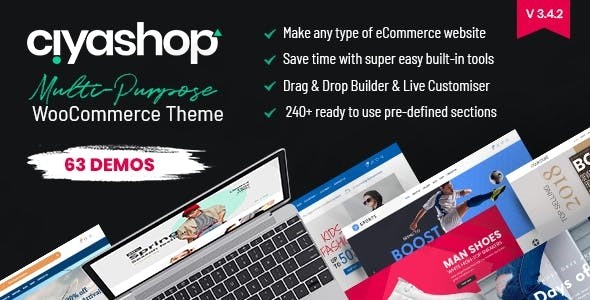
Transforming your vision into a captivating online store requires a powerful yet flexible foundation, and that’s precisely what CiyaShop, a responsive multi-purpose WooCommerce WordPress theme, delivers. Designed for store owners, agencies, and freelancers alike, CiyaShop empowers you to build virtually any type of e-commerce website, from fashion boutiques and electronics stores to furniture shops and jewelry outlets. Its robust features and intuitive design tools make it an ideal choice for creating a visually stunning and highly functional digital storefront that keeps customers engaged.
Key Features: Design, Layout & Performance
CiyaShop is engineered to provide an extraordinary e-commerce experience, combining stunning aesthetics with powerful backend functionality.
Design & Layout Options
At the core of CiyaShop’s appeal is its unparalleled design flexibility. With 50+ complete e-commerce demo sites, each including inner pages, you can kickstart your project with a professionally designed foundation tailored to various niches. This extensive library allows for rapid deployment and provides a strong starting point that can be fully customized. The theme features a fully responsive and retina-ready design, ensuring your store looks impeccable and performs flawlessly on any device, from high-resolution desktops to smartphones and tablets. You also gain significant control over your site’s structure with:
- Unlimited Layout Options: Craft unique page structures.
- Multiple Header Options & Sticky Header: Enhance navigation and branding.
- Custom Inner-Page Header Backgrounds: Personalize with patterns, images, or solid colors.
- 24 Distinct Product Hover Styles: Elevate the shopping experience with dynamic product displays.
Customization Capabilities
CiyaShop puts the power of design firmly in your hands with comprehensive customization tools that don’t require coding expertise.
- CiyaShop Studio: An intuitive responsive page builder featuring drag & drop sections, including over 260 ready-to-use pre-defined sections. This allows for quick page creation and full customization without touching a line of code.
- Live Customizer: Make real-time design adjustments and see your changes instantly.
- Advanced Theme Options Panel: Access over 230 theme options for granular control over every aspect of your site.
- Unlimited Color Options: Align your store’s aesthetics with your brand identity.
- 800+ Google Web Fonts Integration: Full control over typography to create a unique visual voice.
- Custom Banner Creation: Design compelling promotional banners using advanced shortcodes.
Performance & SEO Features
Beyond its visual appeal, CiyaShop is built for speed and optimal search engine visibility.
- Optimized for Speed and Performance: The theme’s code is streamlined for fast website loading times, crucial for user experience and SEO.
- Built on Bootstrap v4.1 Framework: Contributes to quick-loading pages and robust performance.
- SEO Optimized: Crafted with clean markup and structured headings, CiyaShop helps your store rank higher in search results.
- RTL Language Support & Translation Ready: With .po/.mo files, CiyaShop is prepared for global audiences.
Installation & Demo Import
Getting your CiyaShop store up and running is a straightforward process, even for beginners. Here’s a step-by-step guide:
- Install & Activate the Theme:
- After purchasing CiyaShop, download the theme package.
- In your WordPress dashboard, navigate to
Appearance > Themes > Add New > Upload Theme. - Choose the CiyaShop
.zipfile and clickInstall Now. - Once installed, click
Activate.
- Install Required Companion Plugins:
- Upon activation, CiyaShop will likely prompt you to install a set of recommended plugins. These typically include:
- WPBakery Page Builder (formerly Visual Composer): Included ($34 value) for drag-and-drop page creation.
- Slider Revolution Responsive Plugin: Included ($25 value) for creating stunning sliders and carousels.
- WooCommerce: Essential for e-commerce functionality.
- Install and activate all required plugins as prompted by the theme.
- Upon activation, CiyaShop will likely prompt you to install a set of recommended plugins. These typically include:
- Use the Theme’s One-Click Demo Import:
- CiyaShop comes with a powerful one-click demo import feature, allowing you to instantly replicate any of the 50+ pre-built demo sites.
- Look for an option like
CiyaShop > Demo ContentorAppearance > Import Demo Datain your WordPress dashboard. - Select your desired demo from the extensive library.
- Initiate the import process. This will import pages, posts, images, menus, widgets, and theme options from the chosen demo.
- What to Expect During/After Demo Import:
- The demo import process can take several minutes, depending on your server’s speed and the size of the demo content. Be patient and do not navigate away from the page.
- Once complete, your website should closely resemble the chosen demo. You may need to manually set your homepage (
Settings > Reading) and assign your main navigation menu (Appearance > Menus). - Common Pitfall: For large demo imports, ensure your server has sufficient memory (PHP
memory_limit) and increased execution time (PHPmax_execution_time) to prevent timeouts. If the import fails, check your server settings or contact your hosting provider.
Customization Guide: Branding & Layout
Personalizing CiyaShop to reflect your brand identity is intuitive thanks to its deep integration with the WordPress Customizer and powerful bundled page builders.
- WordPress Customizer: Access
Appearance > Customizeto make live changes to your site. This is where you’ll typically adjust:- Colors: Set primary, secondary, and accent colors to match your brand palette.
- Typography: Choose from over 800 Google Fonts for headings, body text, and more, controlling sizes and weights.
- Logo & Favicon: Upload your brand’s logo and site icon.
- Global Styles: Fine-tune overall site aesthetics.
- Header & Footer Layouts: CiyaShop offers a drag-and-drop header builder for creating custom headers from scratch, along with multiple pre-defined header layouts. You can also customize the site footer to include contact information, social links, and other essential elements.
- Page Building with WPBakery & Elementor: CiyaShop integrates seamlessly with WPBakery Page Builder (formerly Visual Composer), which is bundled with the theme. Additionally, it boasts compatibility with Elementor and Elementor Pro. This dual compatibility gives you the flexibility to choose your preferred visual editor to build and customize pages with drag-and-drop ease, utilizing CiyaShop Studio’s 260+ pre-defined sections to quickly construct complex layouts without coding.
- Setting Up Homepage, Blog Page, and Menus: After demo import, you might need to:
- Go to
Settings > Readingto set your chosen demo homepage as your static front page and assign a blog page. - Navigate to
Appearance > Menusto organize your navigation links and assign them to header or footer menu locations.
- Go to
- Advanced Customization with Child Themes: CiyaShop is child theme compatible, allowing you to make extensive code-level customizations without affecting the parent theme files. This ensures your changes are safe during theme updates.
FAQ & Troubleshooting
Here are answers to some common questions about the CiyaShop WordPress theme:
Is CiyaShop compatible with Elementor / WPBakery / Gutenberg?
CiyaShop is highly compatible with popular page builders. It includes and integrates with WPBakery Page Builder (formerly Visual Composer) for drag-and-drop functionality. It is also developed with and compatible with Elementor and Elementor Pro. However, it is explicitly not optimized for the native WordPress Block Editor (Gutenberg).
Does CiyaShop support WooCommerce for online stores?
Yes, CiyaShop is a dedicated WooCommerce WordPress theme and offers seamless integration with WooCommerce. It is designed specifically to help you build and manage feature-rich online stores, including advanced product display options like 360° product views, quick view, and product comparison features.
Does CiyaShop support child themes?
Yes, CiyaShop is fully child theme compatible. Using a child theme is recommended for any customizations you plan to make to the theme’s code, ensuring that your changes are preserved when the main theme receives updates.
How can I update CiyaShop without losing my customizations?
If you’ve made customizations directly to the theme’s core files, they will be overwritten during an update. To safely update CiyaShop and preserve your changes, it is essential to use a child theme for all code modifications. For theme options, settings are typically preserved across updates. Updates for CiyaShop (purchased from ThemeForest) are usually managed through the WordPress dashboard or by manually uploading the new version via FTP.
What should I do if the demo import fails or looks different from the demo site?
If the demo import fails, common causes include low server resources (PHP memory_limit, max_execution_time). Check your hosting environment’s PHP settings and increase them if necessary. If the imported demo looks different, ensure all required and recommended plugins were installed and activated before importing the demo. Also, confirm that your static homepage and menu locations are correctly set after the import. For persistent issues, consult the theme documentation or contact support.
Conclusion
CiyaShop stands out as an exceptional multi-purpose WooCommerce WordPress theme for anyone serious about building a high-converting and visually stunning online store. Its extensive library of 50+ pre-built demos and 260+ design sections within CiyaShop Studio provides an unparalleled starting point, making it incredibly flexible for a wide range of e-commerce niches.The theme’s robust customization options, from unlimited colors and fonts to a drag-and-drop header builder and seamless integration with both WPBakery and Elementor, ensure that you can craft a unique brand identity. Coupled with its strong emphasis on performance, SEO optimization, and mobile responsiveness, CiyaShop offers a solid foundation for sustainable growth.While it’s important to note its lack of Gutenberg optimization, its strengths in WooCommerce integration and page builder flexibility make it an ideal choice for store owners, agencies, and freelancers seeking a feature-rich, high-performance, and visually appealing solution for their e-commerce projects. CiyaShop empowers you to elevate your online store with ease and confidence.
I. Download Limits & Account Benefits
- Free Downloads: Each email address receives 3 downloads per day for free products
- Upgrade Benefits: Purchase any paid product to increase your daily download limit by 3 for each paid product
- No Account Required: You can download immediately by receiving the download link via email
- Account Recommended: Create an account for easier access to your order history and direct update downloads
II. Understanding GPL vs Official Versions
Important: The products available on WPPick are GPL-licensed versions, which differ from official developer versions. Before purchasing, please read our comprehensive guide: Understanding GPL & Official Differences at WPPick
Key Points:
- GPL versions may not include premium support from original developers
- Updates may be delayed compared to official releases
- Some premium features might have limitations
- Always consider your specific needs and support requirements
III. Support & Assistance
We’re here to help through multiple channels:
- Email Support: Direct email assistance for all inquiries
- Live Chat: Real-time support during business hours
- Comprehensive Documentation: Detailed guides and tutorials
IV. Order Tracking
Access your complete purchase history and download links anytime: Order History
V. Account Access
New to WPPick? Login or Create Account to manage your downloads and orders efficiently.
VI. Refund Protection
We stand behind our products with a clear refund policy. Review our terms: Refund Policy
VII. Privacy & Security
Your data security is our priority. Learn how we protect your information: Privacy Policy
VII. Terms of Service
Understanding our service terms ensures a smooth experience: Terms of Use
Quick Tips for Best Experience
- Verify Compatibility: Check plugin/theme compatibility with your WordPress version
- Backup First: Always backup your site before installing new plugins or themes
- Test Environment: Consider testing on a staging site first
- Stay Updated: Regularly check for updates in your account dashboard
- Read Documentation: Review any included documentation for optimal setup
Need Help?
If you have questions about downloads, licensing, or need technical assistance, don’t hesitate to contact our support team. We’re committed to ensuring you have the best possible experience with WPPick products.
Ready to get started? Your download adventure begins with just one click!
- Added new feature “Age Verification”.
- Added theme options to configure the number of columns for related products on the product detail page.
- Updated language files.
- Updated bundled plugins.
- Various Minor code/formatting improvements and fixes.
- Added role-based access control for "Maintenance" and "Coming Soon" mode.
- Fixed outdated WooCommerce templates.
- Fixed login form design issue.
- Fixed issue where "Maintenance/Coming Soon" content was displaying in WP CLI when enabled in Theme Options.
- Fixed sticky footer cart not updating after adding a product to the cart.
- Fixed RTL design issues in header mini cart, offcanvas cart and bottom sticky info.
- Updated language files.
- Updated bundled plugins.
- Various Minor code/formatting improvements and fixes.
- Fixed SQL Injection vulnerability in AJAX handler.
- Updated language files.
- Updated bundled plugins.
- Various Minor code/formatting improvements and fixes.
- Fixed WooCommerce outdated template
- Fixed select dropdown padding issue
- Updated language files
- Updated bundled plugins
- Various Minor code/formatting improvements and fixes