

Creastic – Creative Digital Agency Elementor Template Kit
/Year
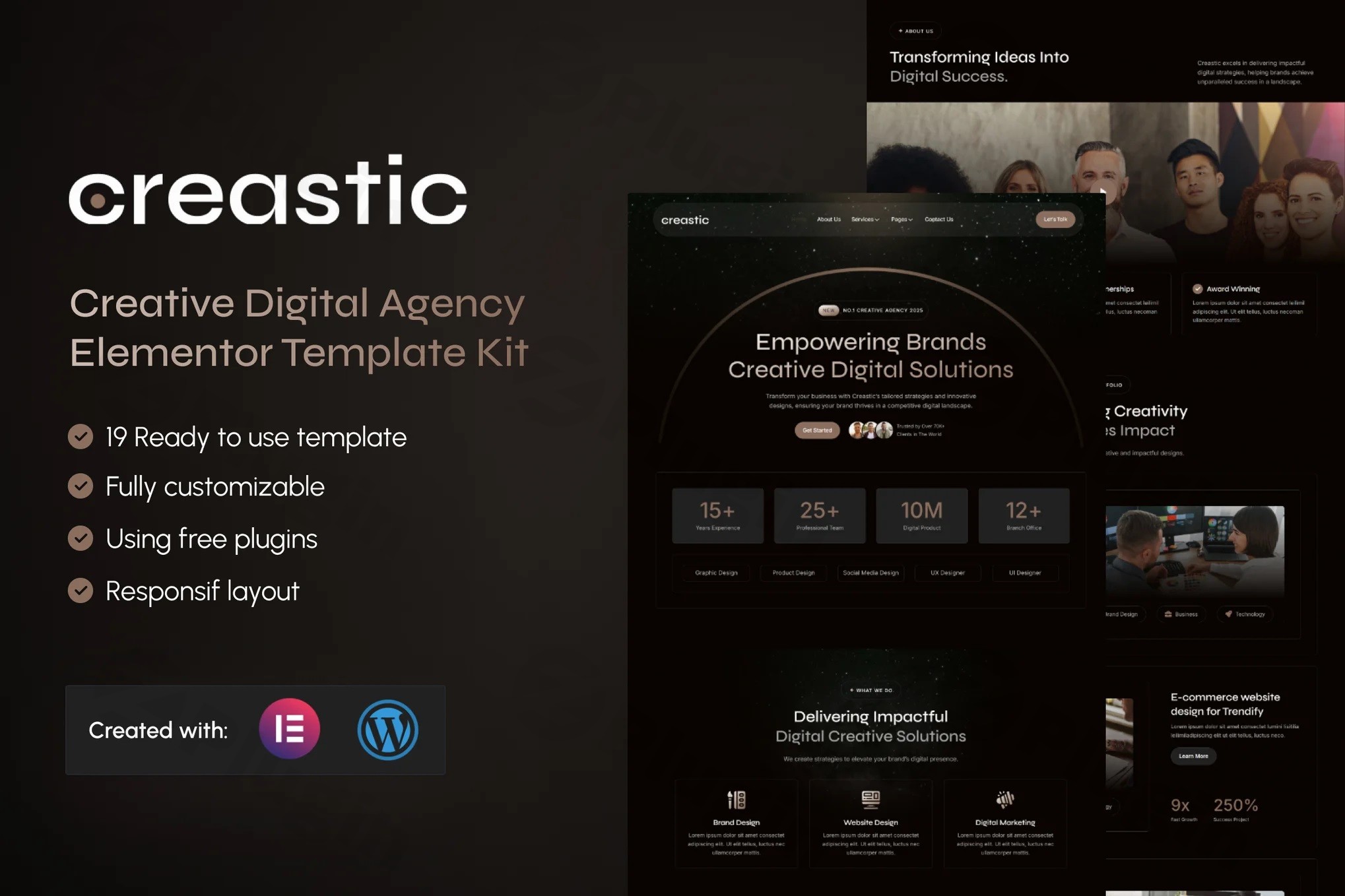
Building a high-end website for a marketing firm or design studio often requires a significant investment in time or expensive “Pro” software. The Creastic Elementor Template Kit changes this dynamic by offering a professional, high-performance solution designed specifically for a creative digital agency. Whether you are a startup or an established firm, Creastic provides the aesthetic and functional foundation needed to showcase services and portfolios without the steep learning curve.
In this guide, we will explore why Creastic is a top-tier creative digital agency Elementor template kit, how to set it up, and the best practices for leveraging its features to grow your agency.
Key Features & Benefits of Creastic
Creastic is more than just a collection of layouts; it is a cohesive design system. It is specifically engineered to work with the free version of Elementor, making it a budget-friendly yet premium-looking Elementor free template kit.
1. 19 Ready-to-Use Templates
Creastic comes packed with a comprehensive suite of 19 templates. This allows you to build an entire website in minutes rather than days. Essential pages include:
- Multiple Homepages: Optimized for conversions and brand storytelling.
- Services & Portfolio: High-impact layouts to showcase your agency’s expertise.
- About, Team, & Pricing: Build trust by introducing your talent and transparent pricing.
- Contact & FAQs: Ready-made sections to handle client inquiries efficiently.
2. No Elementor Pro Required
One of the most significant advantages of this kit is its compatibility with Elementor Free. While many premium kits force you to purchase an Elementor Pro license, Creastic utilizes powerful free add-ons like Elementskit Lite and Gum Elementor Addon to provide advanced functionality at no extra cost.
3. Global Styles & Modern Design System
Consistency is key to authority. Creastic uses a centralized design system. By updating the Global Styles, you can change fonts and colors across all 19 templates simultaneously, ensuring your branding remains pixel-perfect on every page.
4. Fully Responsive & SEO Friendly
In today’s mobile-first world, a responsive Elementor template for digital agency portfolios is non-negotiable. Creastic is fully optimized for speed and responsiveness, ensuring your site looks stunning on iPhones, tablets, and desktops alike. Its clean codebase also provides a solid foundation for your technical SEO strategy.
How to Install Creastic Elementor Template Kit
Setting up Creastic is straightforward, even for non-developers. Follow these steps to get your agency site live:
- Prepare Your Environment: Ensure you have WordPress (v6.x) installed. You must install and activate the Hello Elementor theme for the best compatibility.
- Install the Envato Elements Plugin: Go to Plugins > Add New and search for “Envato Elements.” Install and activate it.
- Upload the Kit:
- Download your Creastic kit file (do not unzip it).
- Navigate to Elements > Installed Kits in your WordPress dashboard.
- Click “Upload Template Kit Zip File” and select your file.
- Install Requirements: A banner will appear stating “Install Requirements.” Click this button to automatically install necessary plugins like MetForm and Elementskit Lite.
- Import Templates: Navigate to the kit you just uploaded and click “Import” on the Global Kit Styles first, followed by the individual pages (Home, About, etc.) you wish to use.
- Configure Forms: For the contact sections, use the MetForm plugin to import the provided form templates to start capturing leads immediately.
Practical Usage & Best Practices
Creastic is the ideal Elementor template kit for creative business websites across various niches. Here is how to maximize its ROI:
- For SEO Agencies: Use the “Services” templates to create dedicated landing pages for “Local SEO,” “Technical Audits,” and “Content Marketing.” The clean layout helps keep bounce rates low.
- For Design Studios: Utilize the high-resolution Portfolio templates. Always use optimized WebP images to maintain the “exceptional optimization” and fast loading times Creastic is known for.
- Lead Generation: Don’t just show your work; ask for the sale. Use the integrated MetForm templates to place “Request a Quote” forms on your pricing and contact pages.
- Stick to the Grid: Creastic is built on a modern design system. When adding your own content, try to follow the existing spacing and alignment to maintain the professional aesthetic.
FAQ & Troubleshooting
Does Creastic Elementor template kit require Elementor Pro?
No, the Creastic Elementor Template Kit is designed to work with the free version of Elementor. It uses free third-party addons (like Elementskit Lite) to provide premium features without the Pro subscription cost.
What should I do if the demo import looks different from the demo site?
If the layout looks “broken,” ensure you have imported the Global Kit Styles first. Also, verify that the “Hello Elementor” theme is active and that all required plugins listed in the “Install Requirements” step are updated and active.
How can I customize the colors and fonts?
You can customize the entire kit through Elementor’s Site Settings. Go to any page edited with Elementor, click the hamburger menu (three lines) in the top left, and select Site Settings. Here, you can change Global Colors and Typography to match your brand.
Is Creastic compatible with WooCommerce?
While Creastic is primarily a WordPress digital agency template focused on services and portfolios, it is built on Elementor. This means you can easily add WooCommerce and design custom shop pages using Elementor’s drag-and-drop interface.
Final Verdict
The Creastic Elementor Template Kit is a top-tier choice for agencies looking to balance professional design with technical efficiency. By removing the requirement for Elementor Pro, it offers incredible value for freelancers and small-to-medium digital firms. Its mobile-responsive architecture and 19-page variety make it a comprehensive “business-in-a-box” solution.
If you need a fast, SEO-friendly, and highly customizable creative digital agency Elementor template kit, Creastic is an investment that will significantly shorten your development timeline.
Ready to build your agency site? Visit wppick.com for more WordPress guides and plugin reviews.
I. Download Limits & Account Benefits
- Free Downloads: Each email address receives 3 downloads per day for free products
- Upgrade Benefits: Purchase any paid product to increase your daily download limit by 3 for each paid product
- No Account Required: You can download immediately by receiving the download link via email
- Account Recommended: Create an account for easier access to your order history and direct update downloads
II. Understanding GPL vs Official Versions
Important: The products available on WPPick are GPL-licensed versions, which differ from official developer versions. Before purchasing, please read our comprehensive guide: Understanding GPL & Official Differences at WPPick
Key Points:
- GPL versions may not include premium support from original developers
- Updates may be delayed compared to official releases
- Some premium features might have limitations
- Always consider your specific needs and support requirements
III. Support & Assistance
We’re here to help through multiple channels:
- Email Support: Direct email assistance for all inquiries
- Live Chat: Real-time support during business hours
- Comprehensive Documentation: Detailed guides and tutorials
IV. Order Tracking
Access your complete purchase history and download links anytime: Order History
V. Account Access
New to WPPick? Login or Create Account to manage your downloads and orders efficiently.
VI. Refund Protection
We stand behind our products with a clear refund policy. Review our terms: Refund Policy
VII. Privacy & Security
Your data security is our priority. Learn how we protect your information: Privacy Policy
VII. Terms of Service
Understanding our service terms ensures a smooth experience: Terms of Use
Quick Tips for Best Experience
- Verify Compatibility: Check plugin/theme compatibility with your WordPress version
- Backup First: Always backup your site before installing new plugins or themes
- Test Environment: Consider testing on a staging site first
- Stay Updated: Regularly check for updates in your account dashboard
- Read Documentation: Review any included documentation for optimal setup
Need Help?
If you have questions about downloads, licensing, or need technical assistance, don’t hesitate to contact our support team. We’re committed to ensuring you have the best possible experience with WPPick products.
Ready to get started? Your download adventure begins with just one click!