
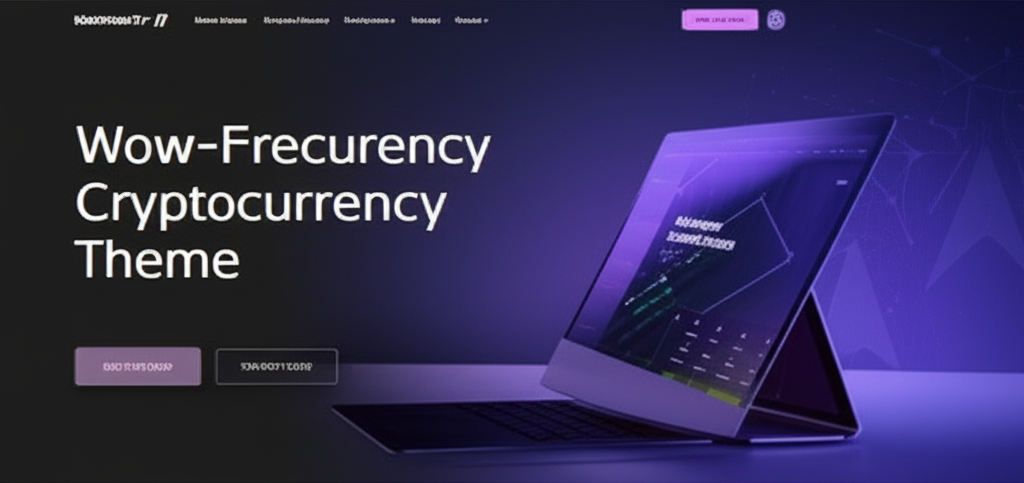
Cryptic – Cryptocurrency WordPress Theme
/Year

Introduction: Elevate Your Crypto Presence with Cryptic
The digital currency revolution demands a specialized online presence, and the Cryptic Cryptocurrency WordPress Theme rises to the challenge. Designed meticulously for cryptocurrency enthusiasts, ICO agencies, blockchain consultants, and NFT marketplaces, Cryptic provides a professional and feature-rich platform. It combines a sleek, modern design with powerful, crypto-specific functionalities, making it the go-to choice for anyone looking to establish authority and trust in the dynamic crypto market. From displaying real-time market data to managing ICO listings, Cryptic ensures your website is both visually striking and highly functional.
Key Features: Design, Layout & Performance
Cryptic is engineered to deliver a cutting-edge web experience tailored for the crypto niche, focusing on both aesthetic appeal and robust functionality.
Design & Layout Options
Cryptic boasts a fully responsive and retina-ready design, ensuring your website looks impeccable on any device, from desktops to smartphones. It offers a variety of multiple homepage variants, including specialized layouts for:
- ICO listings and IEO directories, complete with countdown timers.
- Real-time crypto stats and live tickers.
- Crypto coachers and blockchain homes.The theme provides multiple header and footer variations, allowing for diverse structural layouts and brand alignment. With its collection of stunning pre-designed demos, you can leverage a one-click demo importer to quickly set up a professional foundation. Unique visual elements are integrated throughout, such as customizable candlestick charts and graphs, and ticker bars that enhance professionalism and attract customers by displaying critical market data.
Customization Capabilities
Personalizing your Cryptic website to reflect your brand’s unique identity is incredibly intuitive.
- Color Schemes: Users have complete control to configure all colors, offering multiple color schemes and skins to evoke trust and professionalism.
- Typography: Access to 600+ Google Fonts and the use of font icons (instead of images) ensure crisp typography and superior performance.
- Global Styles: The theme provides global style tokens for type, color, and spacing, ensuring consistency across your site. Advanced theme options are available through a powerful Redux Framework Theme-Options Panel, making extensive customization possible directly from the front-end editor, with no coding skills required. You can also set custom backgrounds per page or post and add engaging page preloaders with multiple animations.
Performance & SEO Features
In the fast-paced crypto world, speed and visibility are paramount. Cryptic is optimized for high-speed performance with lightweight templates, ensuring fast loading times crucial for user experience and SEO. Built with SEO best practices and optimized code, it helps your site rank higher in search engine results. Its mobile-responsive and cross-browser compatible design guarantees accessibility and a consistent experience for all users, regardless of device or browser.
Installation & Demo Import
Setting up your Cryptic WordPress theme is a straightforward process, even for beginners.
- Install & Activate the Theme:
- From your WordPress dashboard, navigate to
Appearance > Themes > Add New > Upload Theme. - Choose the Cryptic theme
.zipfile and clickInstall Now. - Once installed, click
Activate.
- From your WordPress dashboard, navigate to
- Install Required Plugins:
- Upon activation, Cryptic will prompt you to install any necessary companion plugins. One key plugin bundled with Cryptic is the WPBakery Page Builder, which is essential for utilizing the theme’s drag-and-drop customization features. Follow the on-screen instructions to install and activate all recommended plugins.
- One-Click Demo Import:
- To get your site looking like the theme demos quickly, navigate to the
Theme OptionsorAppearancemenu in your WordPress dashboard, where you’ll typically find aDemo ImporterorImport Demo Dataoption. - Select your preferred demo layout (e.g., ICO listing, crypto stats, crypto coacher) and click
Import.
- To get your site looking like the theme demos quickly, navigate to the
- After Demo Import:
- The demo import process will populate your site with pre-designed pages, posts, sample content, menus, and widgets. This might take a few minutes, depending on your server’s resources.
- It’s recommended to set up your primary navigation menus under
Appearance > Menusand verify widget areas underAppearance > Widgetsafter the import to ensure everything is configured as desired.
Customization Guide: Branding & Layout
Cryptic offers extensive flexibility to brand your website and adjust its layout without touching a line of code.You’ll primarily use the Redux Framework Theme-Options Panel (often found under a Theme Options or Cryptic Options menu in your WordPress dashboard) to manage most of your site’s appearance.
- Changing Colors and Typography: Within the Theme Panel, you’ll find dedicated sections for
ColorsandTypography. Here, you can easily select from predefined color schemes or customize individual elements’ colors. For fonts, choose from the extensive library of 600+ Google Fonts to match your brand’s voice. - Uploading Your Logo: Locate the
HeaderorGeneral Settingssection in the Theme Panel to upload your brand’s logo. You can often set separate logos for regular and sticky headers. - Header and Footer Layouts: Cryptic provides various header and footer variants. In the Theme Panel, you can select your preferred layout, customize elements like contact information, social media links, and copyright text, and even design multi-row footers.
- Setting Up Homepage and Blog Page:
- To assign your homepage, go to
Settings > Readingin your WordPress dashboard. Set “Your homepage displays” to a static page, then select your desiredHomepageandPosts page(for your blog archive).
- To assign your homepage, go to
- Menu Configuration: After importing demo content, you’ll typically have demo menus. Navigate to
Appearance > Menusto create or modify menus, assigning them to the available header, footer, or mega menu locations. - Drag-and-Drop Building with WPBakery: Cryptic comes bundled with the WPBakery Page Builder, making page design a visual experience. You can drag and drop elements, utilize the theme’s 30+ custom shortcodes (in addition to WPBakery’s defaults), and build complex layouts with ease. The front-end editor in the Theme Panel ensures you see changes in real-time, fostering an intuitive and efficient design workflow.
FAQ & Troubleshooting
Is Cryptic compatible with Elementor / WPBakery / Gutenberg?
Cryptic comes bundled with the WPBakery Page Builder plugin, offering robust drag-and-drop customization capabilities. It also provides Gutenberg Custom Styling for seamless integration with WordPress’s native block editor, but it does not officially support Elementor.
Does Cryptic support WooCommerce for online stores?
Yes, Cryptic is fully compatible with WooCommerce. This allows you to create a professional online store directly within your website, complete with Bitcoin payment support, catering specifically to the cryptocurrency market.
Does the Cryptic theme support child themes?
Yes, Cryptic supports child themes. A child theme file is provided within the theme pack, which is highly recommended for making any custom modifications to ensure your changes are not lost during theme updates.
How can I update Cryptic without losing my customizations?
To update Cryptic safely, always use a child theme for any custom CSS, functions, or template file overrides. Ensure you have a backup of your site before initiating any updates. Updates for Cryptic are regularly provided, and you can typically update directly from your WordPress dashboard or by replacing the theme files via FTP (using a child theme protects your customizations).
What PHP version does Cryptic require for optimal performance?
While specific PHP version requirements are not explicitly documented, Cryptic is described as “WordPress 5 Ready” and compatible with the “latest version of WordPress.” This implies it requires a modern PHP version, typically PHP 7.4 or higher, with PHP 8.x recommended for optimal performance and security, aligning with current WordPress core requirements.
Conclusion
The Cryptic Cryptocurrency WordPress Theme is a powerful and highly specialized solution for anyone venturing into the blockchain, ICO, NFT, or general cryptocurrency space. Its strong focus on design flexibility, featuring numerous pre-built demos, customizable charts, and live tickers, ensures a professional and engaging user experience. The intuitive WPBakery Page Builder and comprehensive Theme Options Panel make customization accessible for all skill levels.With its high-speed performance, SEO readiness, and crucial integrations like WooCommerce with Bitcoin payment support and Enefti for NFTs, Cryptic stands out as a robust choice. It’s ideal for crypto enthusiasts, startups launching ICOs, blockchain consultants, or anyone needing a dedicated platform to showcase real-time crypto data. For those seeking a visually aware, feature-rich, and reliable foundation for their crypto-centric website, Cryptic offers a confident and compelling verdict.
I. Download Limits & Account Benefits
- Free Downloads: Each email address receives 3 downloads per day for free products
- Upgrade Benefits: Purchase any paid product to increase your daily download limit by 3 for each paid product
- No Account Required: You can download immediately by receiving the download link via email
- Account Recommended: Create an account for easier access to your order history and direct update downloads
II. Understanding GPL vs Official Versions
Important: The products available on WPPick are GPL-licensed versions, which differ from official developer versions. Before purchasing, please read our comprehensive guide: Understanding GPL & Official Differences at WPPick
Key Points:
- GPL versions may not include premium support from original developers
- Updates may be delayed compared to official releases
- Some premium features might have limitations
- Always consider your specific needs and support requirements
III. Support & Assistance
We’re here to help through multiple channels:
- Email Support: Direct email assistance for all inquiries
- Live Chat: Real-time support during business hours
- Comprehensive Documentation: Detailed guides and tutorials
IV. Order Tracking
Access your complete purchase history and download links anytime: Order History
V. Account Access
New to WPPick? Login or Create Account to manage your downloads and orders efficiently.
VI. Refund Protection
We stand behind our products with a clear refund policy. Review our terms: Refund Policy
VII. Privacy & Security
Your data security is our priority. Learn how we protect your information: Privacy Policy
VII. Terms of Service
Understanding our service terms ensures a smooth experience: Terms of Use
Quick Tips for Best Experience
- Verify Compatibility: Check plugin/theme compatibility with your WordPress version
- Backup First: Always backup your site before installing new plugins or themes
- Test Environment: Consider testing on a staging site first
- Stay Updated: Regularly check for updates in your account dashboard
- Read Documentation: Review any included documentation for optimal setup
Need Help?
If you have questions about downloads, licensing, or need technical assistance, don’t hesitate to contact our support team. We’re committed to ensuring you have the best possible experience with WPPick products.
Ready to get started? Your download adventure begins with just one click!
- Updated All bundled plugins are now updated to latest version.
- New Elementor Compatible for Home Blog
- New Elementor Compatible for Home Boxed Layout
- New Elementor Compatible for Home Crypto Wallet
- New Elementor Compatible for Ico Landing Page 2
- New Elementor Compatible for Home Decentralized Coin
- All bundled plugins are now updated to latest version
- Theme documentation - Elementor Available Demos
- Updated License Activator