
Cryptro – Cryptocurrency, Blockchain , Bitcoin & Financial Technology WordPress Theme
/Year
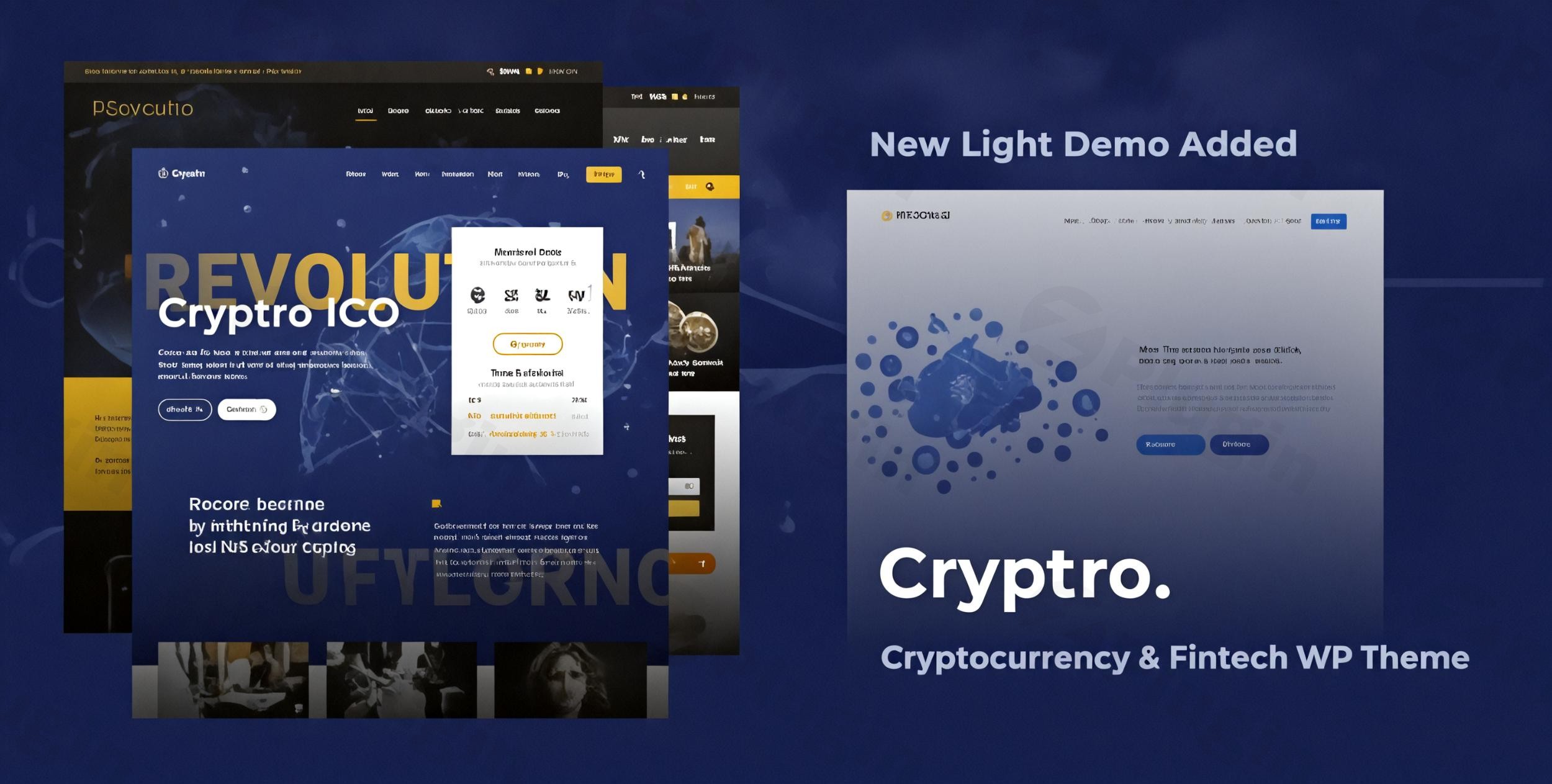
The digital finance world demands a specialized online presence, and the Cryptro WordPress theme rises to the occasion as a powerful, feature-rich solution for Bitcoin, Blockchain, and Cryptocurrency platforms. Designed specifically for ICO agencies, financial technology services, and crypto magazine/blogging sites, Cryptro provides a sleek, modern, and highly functional foundation to establish a professional and trustworthy online presence in this rapidly evolving space.Cryptro, developed by GoodLayers, is engineered to help crypto enthusiasts, investors, innovators, and businesses build stunning and high-converting websites that effectively communicate their value proposition to their target audience. Its design philosophy emphasizes a bold, clean aesthetic combined with intuitive functionality, crucial for building trust and capturing attention in the digital finance sector.
Key Features: Design, Layout & Performance
Cryptro stands out with its comprehensive suite of features tailored for the cryptocurrency and blockchain industry, offering both robust design flexibility and essential performance optimizations.
Design & Layout Options
Cryptro provides extensive control over your site’s visual presentation, ensuring your brand identity shines through.
- Header & Footer Customization: Choose from 19 customizable header layouts and 6 distinct footer layout options to perfectly match your brand’s aesthetic and navigation needs. You can control logo and navigation spacing, and even opt for secondary navigation styles like slide or overlay.
- Fluid & Responsive Design: The theme boasts a 100% fluid responsive design, guaranteeing your website looks impeccable and performs flawlessly across all devices, from desktops to tablets and mobile phones. It also supports full-width and boxed layout choices.
- Content Presentation: Showcase your content effectively with 14 blog layouts, 9 portfolio styles, and 6 gallery options. This versatility is ideal for crypto magazines, portfolio showcases of blockchain projects, or detailed service descriptions for financial technology firms.
- Pre-built Demos for Quick Start: Cryptro accelerates your development process with a variety of pre-built homepage variations and demos. These include specialized options like “ICO Blue (Main Demo),” “ICO Light (One Page),” “Currency Demo,” and “Crypto Magazine Demo,” alongside pre-built inner pages for sections like About, Team, Service, Case Studies, and Blog.
Customization Capabilities
Take full control of your site’s branding and user experience with Cryptro’s advanced customization tools.
- Drag & Drop Page Builder: At its core, Cryptro integrates the 3rd version of GoodLayers’ super powerful drag & drop page builder with a live preview. This intuitive builder allows for seamless content creation and layout adjustments without needing any coding knowledge. Features like background wrapper options and custom skin colors for item wrappers offer granular control.
- Unlimited Color Schemes & Typography: Brand your site effortlessly with unlimited color options and the ability to create custom skin colors for specific sections. Cryptro also supports Google Fonts integration and includes a font uploader for truly custom typography.
- Powerful Admin Panel & Live Customizer: The theme’s powerful admin panel and live customizer provide a wide range of settings, offering complete control over your website’s appearance and functionality. You can customize logo, navigation spaces, blog layouts, and even set custom thumbnail sizes.
Crypto-Specific Functionality
What truly sets Cryptro apart is its deep integration of tools essential for the cryptocurrency niche.
- ICO Countdown Module: Essential for initial coin offering (ICO) campaigns and investment drives.
- Bitcoin Chart & News Widgets: Keep your audience informed with real-time Bitcoin data and the latest crypto news directly on your site.
- Price and Change Labels/Cards: Display critical cryptocurrency price information and daily changes prominently.
- Currency Converter and Currency Table: Provide practical tools for users to convert currencies and view comprehensive crypto asset tables.
- Virtual Coin Widget Integration: Enhance your site’s functionality with real-time data and interactive elements related to virtual coins.
Performance & SEO Features
In the fast-paced digital world, performance and search engine visibility are paramount.
- SEO Optimized Structure: Cryptro is built with an SEO optimized structure to ensure better visibility in traditional search engines and strong performance in AI search results. Its clean markup and structured headings contribute to higher rankings.
- Lightweight & Fast-Loading: The theme is described as “lightweight and fast-loading” and “optimized for performance and security.” It is compatible with cache plugins, helping to ensure a fast user experience crucial for engaging visitors and improving bounce rates.
- Mobile Responsiveness & Cross-Browser Compatibility: Beyond its responsive design, Cryptro is retina-ready for high-resolution displays and has been thoroughly tested for cross-browser compatibility with IE11, Firefox, Safari, Chrome, and Edge, ensuring a consistent experience for all users.
Installation & Demo Import
Setting up your Cryptro cryptocurrency theme is designed to be straightforward, even for beginners. Here’s a step-by-step guide to get your crypto website up and running:
- Install & Activate the Theme:
- Download the Cryptro theme files from your purchase source (e.g., ZeroPlugin.com or ThemeForest).
- Log in to your WordPress dashboard.
- Navigate to
Appearance > Themes > Add New > Upload Theme. - Choose the Cryptro
.zipfile and clickInstall Now. - Once installed, click
Activate.
- Install Required Companion Plugins:
- Upon activation, Cryptro will typically prompt you to install a set of recommended plugins. These often include essential components like the bundled Revolution Slider, iLightBox, and Virtual Coin Widget, which are vital for the theme’s full functionality and aesthetic.
- Follow the on-screen instructions to install and activate all required plugins. These premium plugins, collectively valued at $51, are included for free with your Cryptro purchase.
- Use the One-Click Demo Import:
- Cryptro features a robust one-click demo importer to instantly replicate the stunning layouts seen in the live demos. This is the quickest way to kickstart your website design.
- Look for an option like
GoodLayers Demo ImporterorImport Demo Datawithin your WordPress dashboard, usually underAppearanceor a dedicatedCryptro Optionsmenu. - Select your preferred demo (e.g., “ICO Blue,” “Currency Demo,” or “Crypto Magazine Demo”) and initiate the import.
- Cryptro utilizes a multi-thread images importing technique for faster setup, which helps manage the import process efficiently.
- What to Expect During/After Demo Import:
- The demo import process will populate your site with pages, posts, menus, widgets, and theme options settings, making your site look just like the chosen demo.
- Be patient, as importing a full demo can take several minutes depending on your hosting environment.
- After a successful import, you may need to manually assign your primary menu in
Appearance > Menusand set your homepage inSettings > Reading.Common Pitfalls: For larger demo imports, ensure your server’s PHP memory limit (e.g.,memory_limit), execution time (e.g.,max_execution_time), and upload file size (e.g.,upload_max_filesize) are sufficiently high. If the import fails or times out, these are often the first settings to check with your hosting provider.
Customization Guide: Branding & Layout
The Cryptro theme for financial technology provides a highly flexible and intuitive customization experience, enabling you to tailor every aspect of your website to your brand’s unique identity.
- Leveraging the Powerful Admin Panel and Live Customizer:
- Cryptro’s powerful admin panel (often found under
GoodLayers OptionsorTheme Options) serves as your central hub for global settings. Here, you can control the logo, global color schemes, typography, and default layouts. - For real-time visual feedback, utilize the WordPress Customizer (
Appearance > Customize). This allows you to adjust colors, fonts, and layout options with instant previews, making branding a seamless process.
- Cryptro’s powerful admin panel (often found under
- Changing Colors, Fonts, and Logos:
- Colors: Navigate to the theme options or customizer to access unlimited color schemes. You can set global primary and secondary colors, and even define custom skin colors that can be applied to specific sections or “item wrappers” using the page builder.
- Fonts: Integrate with Google Fonts directly from the theme options, or upload your custom fonts using the font uploader for bespoke typography. This ensures your brand’s voice is consistently represented.
- Logos: Easily upload your brand’s logo for both standard and retina displays within the theme’s general settings. You’ll also find options to control logo and navigation spacing within your chosen header layout.
- Configuring Header & Footer Layouts:
- With 19 distinct header layouts and 6 footer layouts, Cryptro offers extensive design possibilities. Experiment with different styles in the theme options to find the perfect fit.
- You can control elements like secondary navigation styles (slide or overlay) and choose to disable footer/copyright sections on specific pages for ultimate design flexibility.
- Utilizing the Built-in Drag & Drop Page Builder:
- Cryptro’s integrated GoodLayers page builder is your primary tool for crafting unique page layouts. It offers features like background wrapper options to add visual flair to sections and the ability to apply custom skin colors to individual item wrappers, providing a granular level of design control.
- The page builder also supports three view modes (live, preview, block), making it versatile for different stages of the design process.
- Setting Up Homepage, Blog Page, and Menus:
- After demo import, you might need to specify your static homepage and blog posts page under
Settings > Reading. - Navigate to
Appearance > Menusto organize your navigation links. Cryptro’s extensive header options support robust menu capabilities, allowing you to create multi-level menus. - The theme is also widget-friendly, allowing you to create an unlimited number of sidebars and assign them to individual pages or posts, placing widgets in the header, footer, or sidebar areas.
- After demo import, you might need to specify your static homepage and blog posts page under
- Advanced Customization (Child Themes & Custom CSS/JS):
- For developers or users wanting to make deep code modifications, it’s always recommended to use a child theme to preserve your customizations during theme updates.
- Cryptro also includes dedicated boxes for adding custom CSS and JavaScript, with a specific custom CSS box for mobile views, giving you precise control over styling without editing core theme files.
FAQ & Troubleshooting
Here are answers to some common questions about the Cryptro blockchain WordPress theme:
Is Cryptro compatible with Elementor / Gutenberg?
Yes, Cryptro is highly compatible. While it features its own powerful GoodLayers drag-and-drop page builder, it also offers full compatibility with the WordPress Block Editor (Gutenberg) and the popular Elementor page builder, providing flexibility for your content creation workflow.
Does Cryptro support WooCommerce for online stores?
Absolutely. Cryptro is fully integrated with WooCommerce, supporting versions 7.x.x, 8.x.x, and 9.x.x. This makes it an excellent choice for setting up an online store to sell crypto-related products, merchandise, or services directly from your website.
What WordPress and PHP versions does Cryptro require?
Cryptro is compatible with WordPress versions 6.2.x up to 6.8.x. While a specific minimum or recommended PHP version isn’t explicitly documented, it’s generally best practice to use a modern and actively supported PHP version (e.g., PHP 7.4 or 8.x) for optimal performance and security with any premium WordPress theme.
What premium plugins are included with Cryptro?
Cryptro comes bundled with several valuable premium plugins, saving you additional costs. These include Revolution Slider (a powerful responsive slider plugin), iLightBox (a robust lightbox solution), and the Virtual Coin Widget (for displaying cryptocurrency data). These plugins collectively represent a value of $51.
How can I ensure Cryptro performs well for SEO?
Cryptro is built with an SEO-optimized structure, including clean markup and proper heading hierarchy. To further ensure strong SEO performance, keep your content high-quality and relevant, use a reputable caching plugin (which Cryptro is compatible with), optimize your images, and ensure your site is hosted on a fast server. The theme’s mobile responsiveness also contributes positively to SEO.
Conclusion
The Cryptro WordPress theme emerges as a standout choice for anyone looking to build a professional and dynamic website in the cryptocurrency, blockchain, or financial technology sectors. Its blend of specialized crypto functionality, extensive design flexibility, and robust performance optimizations makes it a complete solution.With its 19 header layouts, 6 footer options, and the intuitive GoodLayers drag-and-drop page builder, Cryptro offers unparalleled customization capabilities, allowing brands to perfectly align their online presence with their vision. The inclusion of features like ICO countdowns, live Bitcoin charts, and currency converters provides critical tools for engaging a crypto-savvy audience.For ICO agencies, blockchain project developers, crypto news portals, or financial technology service providers, Cryptro provides a solid, SEO-optimized, and mobile-ready foundation. It’s an ideal choice for businesses and individuals who prioritize a specialized, sleek design combined with powerful, industry-specific features, all without requiring extensive coding knowledge. Cryptro is a confident investment for establishing a strong, authoritative, and trustworthy online presence in the exciting world of digital finance.
I. Download Limits & Account Benefits
- Free Downloads: Each email address receives 3 downloads per day for free products
- Upgrade Benefits: Purchase any paid product to increase your daily download limit by 3 for each paid product
- No Account Required: You can download immediately by receiving the download link via email
- Account Recommended: Create an account for easier access to your order history and direct update downloads
II. Understanding GPL vs Official Versions
Important: The products available on WPPick are GPL-licensed versions, which differ from official developer versions. Before purchasing, please read our comprehensive guide: Understanding GPL & Official Differences at WPPick
Key Points:
- GPL versions may not include premium support from original developers
- Updates may be delayed compared to official releases
- Some premium features might have limitations
- Always consider your specific needs and support requirements
III. Support & Assistance
We’re here to help through multiple channels:
- Email Support: Direct email assistance for all inquiries
- Live Chat: Real-time support during business hours
- Comprehensive Documentation: Detailed guides and tutorials
IV. Order Tracking
Access your complete purchase history and download links anytime: Order History
V. Account Access
New to WPPick? Login or Create Account to manage your downloads and orders efficiently.
VI. Refund Protection
We stand behind our products with a clear refund policy. Review our terms: Refund Policy
VII. Privacy & Security
Your data security is our priority. Learn how we protect your information: Privacy Policy
VII. Terms of Service
Understanding our service terms ensures a smooth experience: Terms of Use
Quick Tips for Best Experience
- Verify Compatibility: Check plugin/theme compatibility with your WordPress version
- Backup First: Always backup your site before installing new plugins or themes
- Test Environment: Consider testing on a staging site first
- Stay Updated: Regularly check for updates in your account dashboard
- Read Documentation: Review any included documentation for optimal setup
Need Help?
If you have questions about downloads, licensing, or need technical assistance, don’t hesitate to contact our support team. We’re committed to ensuring you have the best possible experience with WPPick products.
Ready to get started? Your download adventure begins with just one click!
- fix textdomain warning message
- admin/core/sidebar-generator.php
- admin/installer/theme-landing.php
- include/navigation-menu.php
- update woocommerce template
- woocommerce
- GoodLayers Core plugin, view changelog here: https://support.goodlayers.com/document/