

Def – Cctv & Bodyguard Security WordPress Theme
/Year
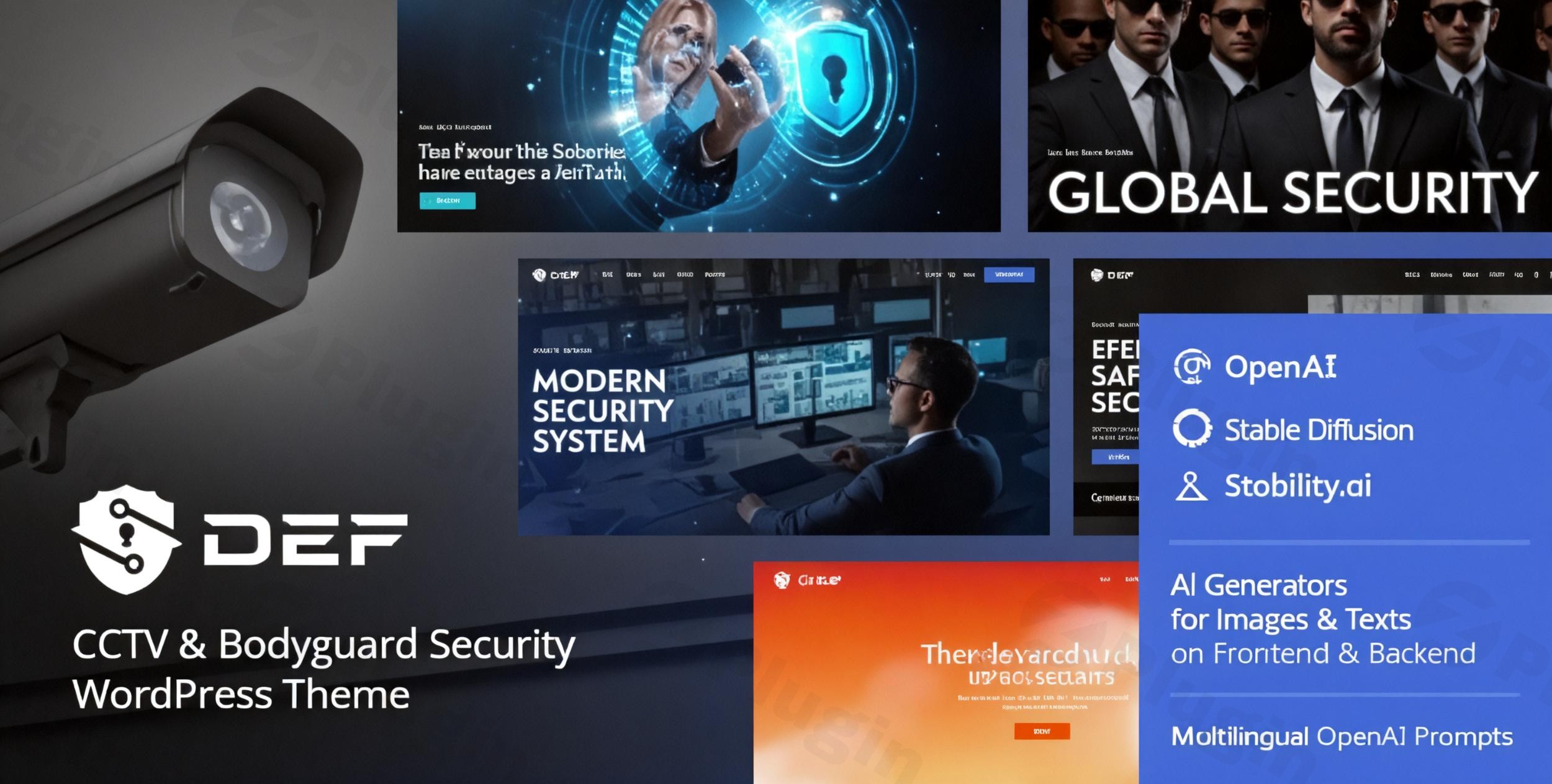
The Def CCTV & Bodyguard Security WordPress Theme is a specialized, high-performance solution designed specifically for businesses where trust and authority are the primary currencies. Whether you are running a CCTV installation service, a private bodyguard agency, or a cybersecurity firm, your website must project a sense of unwavering professionalism. Def achieves this through a bold, minimalist design that prioritizes clarity, mobile responsiveness, and industry-specific functionality.
In this guide, we will explore why this security WordPress theme is a top choice for agencies, how to set it up for success, and how to optimize it for both human visitors and AI search engines.
Key Features: Design, Layout & Performance
Professional Design Philosophy
The Def CCTV & Bodyguard Security WordPress Theme follows a “pure and professional” aesthetic. It utilizes a bold color palette and high-contrast typography to ensure that your services—like surveillance monitoring or executive protection—are easy to read and navigate. The theme is built with a mobile-first approach, ensuring that potential clients can book your services or contact you instantly from any device.
Versatile Layout Options
- Boxed & Full-Width Layouts: Choose between a structured, boxed look for a corporate feel or a modern full-width layout for high-impact visual storytelling.
- Prebuilt Demo Sites: Def includes multiple professional demos that can be imported instantly, saving you dozens of hours in design time.
- Custom Post Types: Effortlessly showcase your “Team” (bodyguards/technicians) and “Services” (CCTV, alarms, patrols) using dedicated post types that maintain a consistent visual rhythm.
Performance & SEO Optimization
In the security industry, speed equals reliability. Def is built with a clean, optimized codebase that minimizes bloat.
- SEO Ready: The theme features schema-aware headings and tidy internal linking structures, making it easier for Google and AI search engines to index your site.
- Retina Ready: All visual elements are crisp on high-resolution screens, maintaining your professional brand image.
Installation & Demo Import
Setting up the Def security WordPress theme is straightforward, even for those without advanced technical skills.
- Install & Activate: Upload the theme folder via your WordPress Dashboard (Appearance > Themes > Add New).
- Plugin Setup: Upon activation, the theme will prompt you to install required plugins, including ThemeREX Addons, Elementor (or WPBakery), and Slider Revolution.
- One-Click Demo Import: Navigate to the theme’s dashboard and select the “One-Click Demo Import” feature. This will pull in all the pages, menus, and widgets seen in the official preview.
- Verification: Once the process is complete, check your homepage. Pro Tip: If the import hangs, ensure your server’s PHP memory limit is set to at least 256M to handle the media files.
Customization Guide: Branding & Layout
The Def CCTV & Bodyguard Security WordPress Theme offers over 750 Customizer options, giving you granular control over your site’s identity.
Visual Identity & Global Styles
Using the native WordPress Customizer, you can instantly swap the primary security blue or tactical black colors to match your corporate branding. The theme supports the full library of Google Fonts, allowing you to choose typography that feels either modern and tech-heavy (for cybersecurity) or solid and dependable (for physical security).
Header & Footer Building
Def integrates seamlessly with Elementor and WPBakery. This means you aren’t stuck with a static header. You can use drag-and-drop tools to place your emergency contact number, “Request a Quote” buttons, and social media links exactly where they will convert best.
WooCommerce Integration
If you plan to sell security hardware or offer pre-paid service packages, Def is fully compatible with WooCommerce. The theme provides styled shop layouts that match the rest of your site, ensuring a seamless user experience from browsing to checkout.
FAQ & Troubleshooting
Is the Def WordPress theme compatible with Elementor?
Yes, Def – CCTV & Bodyguard Security WordPress Theme is fully compatible with both Elementor and WPBakery Page Builder. This allows you to create custom layouts without writing a single line of code.
Does it support WooCommerce for online stores?
Absolutely. Def features full WooCommerce integration, making it an excellent CCTV WordPress theme for companies that want to sell security cameras, DVRs, or alarm systems directly to consumers.
How do I update the theme without losing my customizations?
Def is child-theme compatible. We recommend always using the included child theme for your CSS and functional changes. When an update is released by AncoraThemes, you can update the parent theme safely while your custom settings remain intact.
What should I do if the demo import looks different from the demo site?
This usually happens if the required plugins (like Slider Revolution or ThemeREX Addons) weren’t activated before the import. Ensure all plugins are active and try re-running the importer on a clean installation.
Conclusion: Is Def the Right Choice for You?
The Def CCTV & Bodyguard Security WordPress Theme stands out as a high-value, niche-specific solution. While generic multipurpose themes exist, Def provides the specific design language and custom post types (Services, Team, Testimonials) that security firms need right out of the box.Ideal For:
- Security Agencies looking for a “plug-and-play” professional site.
- CCTV Installers who need to showcase product galleries and technical specs.
- Freelance Developers building sites for private investigators or bodyguard firms on a budget.With its combination of SEO-friendly structure, Elementor compatibility, and affordable pricing, Def is a powerful tool for building a trustworthy online presence in the security sector. For more theme reviews and WordPress tutorials, visit us at wppick.com.
I. Download Limits & Account Benefits
- Free Downloads: Each email address receives 3 downloads per day for free products
- Upgrade Benefits: Purchase any paid product to increase your daily download limit by 3 for each paid product
- No Account Required: You can download immediately by receiving the download link via email
- Account Recommended: Create an account for easier access to your order history and direct update downloads
II. Understanding GPL vs Official Versions
Important: The products available on WPPick are GPL-licensed versions, which differ from official developer versions. Before purchasing, please read our comprehensive guide: Understanding GPL & Official Differences at WPPick
Key Points:
- GPL versions may not include premium support from original developers
- Updates may be delayed compared to official releases
- Some premium features might have limitations
- Always consider your specific needs and support requirements
III. Support & Assistance
We’re here to help through multiple channels:
- Email Support: Direct email assistance for all inquiries
- Live Chat: Real-time support during business hours
- Comprehensive Documentation: Detailed guides and tutorials
IV. Order Tracking
Access your complete purchase history and download links anytime: Order History
V. Account Access
New to WPPick? Login or Create Account to manage your downloads and orders efficiently.
VI. Refund Protection
We stand behind our products with a clear refund policy. Review our terms: Refund Policy
VII. Privacy & Security
Your data security is our priority. Learn how we protect your information: Privacy Policy
VII. Terms of Service
Understanding our service terms ensures a smooth experience: Terms of Use
Quick Tips for Best Experience
- Verify Compatibility: Check plugin/theme compatibility with your WordPress version
- Backup First: Always backup your site before installing new plugins or themes
- Test Environment: Consider testing on a staging site first
- Stay Updated: Regularly check for updates in your account dashboard
- Read Documentation: Review any included documentation for optimal setup
Need Help?
If you have questions about downloads, licensing, or need technical assistance, don’t hesitate to contact our support team. We’re committed to ensuring you have the best possible experience with WPPick products.
Ready to get started? Your download adventure begins with just one click!
- Skin 'default' is updated to the version 1.4.