
Docly – Documentation And Knowledge Base WordPress Theme With Bbpress Helpdesk Forum
/Year
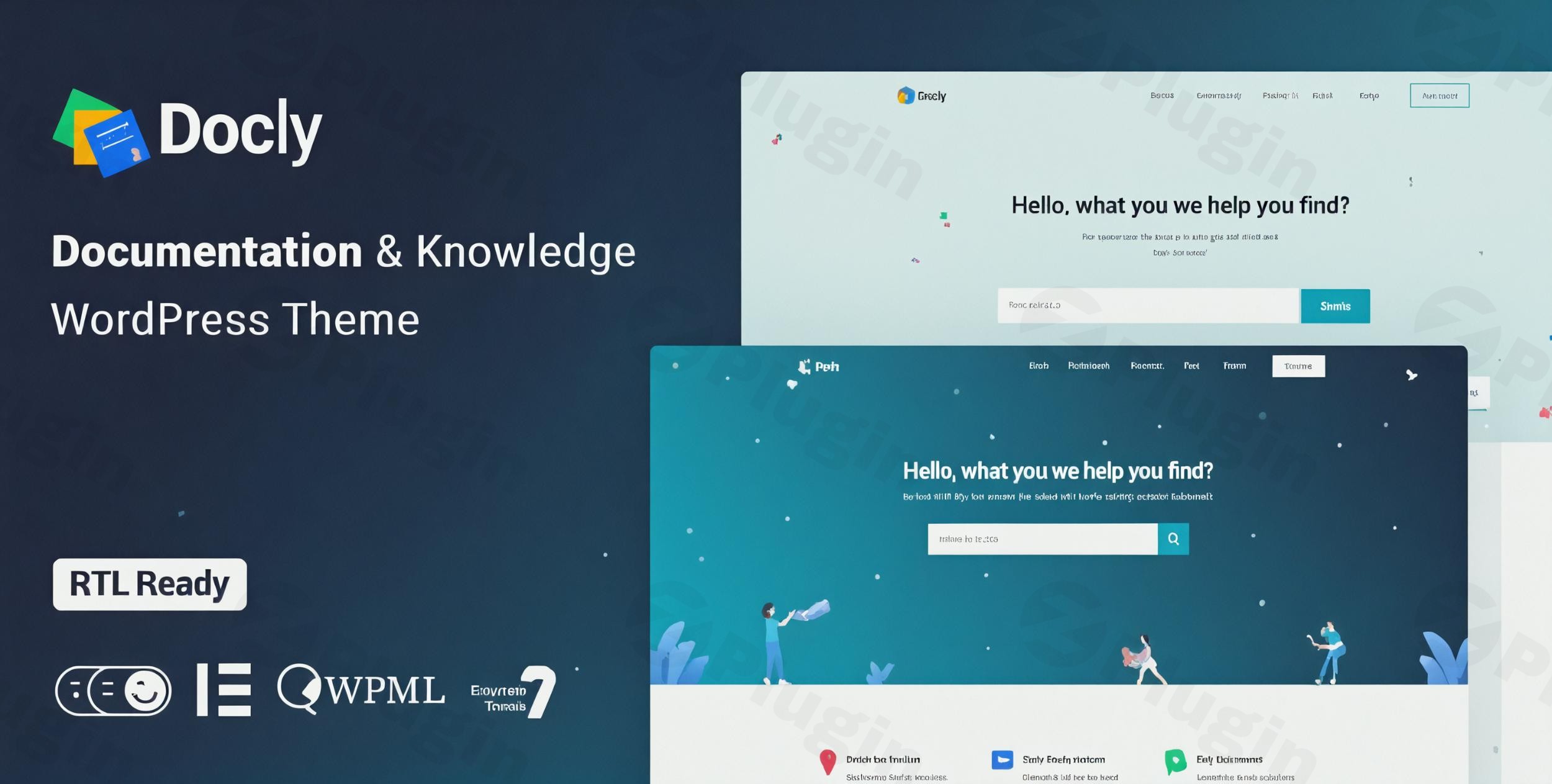
In today’s fast-paced digital landscape, providing clear, accessible, and well-structured documentation is paramount for any product, service, or organization. The Docly WordPress Theme stands out as a premium, high-performance solution expertly crafted for creating comprehensive online documentation, knowledge bases, FAQs, and help desk systems. Developed with a keen eye for user experience and professional design, Docly empowers businesses, SaaS companies, developers, and educational institutions to deliver unparalleled support and information to their users.
Elevate Your Content with Docly’s Design Philosophy
Docly’s core design philosophy revolves around clarity, readability, and user engagement. It’s built to transform complex information into easily digestible content, ensuring that users can quickly find answers and understand your offerings. This premium theme combines a sleek, modern aesthetic with robust functionality, making it an ideal choice for:
- API and Framework Documentation: Presenting technical specifications and usage guides with syntax highlighting.
- Software and Plugin Guides: Offering comprehensive instructions and troubleshooting for digital products.
- Product Manuals: Creating detailed guides for both physical and digital products.
- Help Desks and FAQs: Building efficient support systems that reduce customer service inquiries.
- Online Resource Hubs: Centralizing information for communities, educational platforms, or internal teams.
Professional Design Features for Superior User Experience
Docly is packed with features designed to enhance readability, navigation, and overall user satisfaction, reflecting best practices in web design and content delivery.
- Modern Documentation Layouts: Offers clean, intuitive layouts specifically optimized for guides, tutorials, and knowledge base articles, ensuring a professional and trustworthy presentation of your content.
- Dynamic Readability Controls:
- Dark Mode Switcher: A highly requested feature, dark mode provides a comfortable reading experience in low-light conditions, reducing eye strain and improving accessibility.
- Font Size Switcher: Users can easily adjust text size, catering to individual preferences and ensuring optimal readability for all audiences.
- Efficient Navigation:
- Sticky Sidebar: Keeps essential navigation links visible as users scroll, providing constant access to different documentation sections and enhancing user flow.
- Directory Indicator: A subtle yet effective tool that helps users understand their position within the documentation hierarchy.
- Visually Engaging Content Presentation:
- Over 40 Pre-designed Pages: Kickstart your project with a diverse range of professionally designed pages, offering varied layouts and color backgrounds to match your brand’s aesthetic.
- Rich Visual Elements: Integrate syntax highlighting for code snippets, interactive tabs, accordions, alerts, lightbox galleries, tooltips, and carousels to break up text and present information dynamically.
- File Tree Navigation: Ideal for technical documentation, providing a visual representation of file structures.
- Image Hotspot: Highlight specific areas within images with interactive tooltips, perfect for product diagrams or instructional visuals.
- Page Preview Tooltip: Offers a quick glance at linked content without leaving the current page, streamlining the user journey.
- Interactive & Engaging Content Tools:
- Article Table of Contents: Automatically generates an organized table of contents for each article, allowing users to jump directly to relevant sections.
- Article Feedback System: Empower users to provide feedback on articles, helping you continuously improve your documentation and build trust through responsiveness.
- Conditional Content: Display specific content based on user roles or other criteria, allowing for personalized and targeted information delivery.
Seamless Community Support with bbPress Integration
Building a supportive community around your product or service is crucial for fostering trust and providing comprehensive assistance. Docly integrates seamlessly with bbPress, the popular WordPress forum plugin, allowing you to establish a robust helpdesk forum directly within your documentation site. This integration facilitates peer-to-peer support, reduces the burden on your support team, and creates a valuable resource for users to discuss issues and share insights.
The Technical Backbone: Robustness, Performance & Compatibility
Beyond its elegant design, Docly is engineered for superior technical performance and broad compatibility, adhering to modern web standards to ensure your documentation site is fast, reliable, and accessible.
- Responsive Layout (Bootstrap 4): Built on the renowned Bootstrap 4 framework, Docly guarantees that your documentation will look impeccable and function flawlessly on any device, from desktops to tablets and smartphones.
- Optimized for Performance & SEO: Docly’s code structure is meticulously optimized for speed, aiming for ‘A’ class ratings in performance tests. Furthermore, it’s designed with SEO best practices in mind, helping your valuable documentation rank higher in search engine results and reach a wider audience.
- Gutenberg & Elementor Compatibility: Enjoy unparalleled flexibility in content creation. Docly is fully optimized for the Gutenberg block editor and is compatible with Elementor, one of the most popular drag-and-drop page builders. This allows both technical and non-technical users to design and customize pages with ease, extending its functionality for diverse needs.
- Multilingual Ready (WPML Compatible): Reach a global audience effortlessly. Docly works seamlessly with the WPML plugin, enabling you to create multilingual documentation sites that cater to users worldwide.
- W3C Validated Code: Adhering to CSS3 & HTML5 W3C standards ensures clean, semantic, and future-proof code, contributing to long-term stability and compatibility.
- Cross-Browser Compatibility: Your documentation will render perfectly across all modern web browsers, providing a consistent experience for every user.
- Mailchimp Integration: Facilitate your email marketing efforts by seamlessly integrating with Mailchimp, allowing you to capture leads and communicate updates effectively.
Effortless Customization & Setup
Docly is designed for ease of use, offering extensive customization options without requiring a deep understanding of code.
- Powerful Theme Options Panel: A comprehensive theme options panel provides intuitive controls for customizing virtually every aspect of your site’s appearance and functionality, from colors and typography to layout settings.
- Custom Widgets: Enhance your site’s functionality with a variety of custom widgets tailored for documentation and knowledge base specific needs.
- Flexible Header & Footer Options: Design unique headers and footers that align with your brand identity and provide essential navigation.
- One-Click Demo Import: Get your site up and running quickly with the one-click demo import feature. This allows you to replicate the theme’s stunning demo content instantly, serving as a perfect starting point for your own documentation site.
Setting Up Your Docly-Powered Knowledge Base
- Installation: Upload and activate the Docly theme via your WordPress dashboard.
- Demo Import (Optional but Recommended): Utilize the one-click demo importer to quickly populate your site with pre-designed layouts and content. This provides an excellent foundation.
- Customize with Theme Options: Navigate to the theme options panel to adjust global settings, colors, fonts, and layout preferences to match your brand.
- Content Creation: Start creating your documentation articles using the Gutenberg editor or Elementor. Leverage Docly’s unique blocks and shortcodes for visual elements like syntax highlighting, tabs, and alerts.
- Configure bbPress (if applicable): Set up your support forums through the bbPress integration, customizing categories and access permissions.
- Refine Navigation: Organize your documentation using WordPress menus, ensuring logical structure and easy access to all sections.
Docly: Your Trusted Partner for Information Delivery
The Docly WordPress Theme is more than just a template; it’s a comprehensive platform built to provide an authoritative and trustworthy source of information. Developed by CreativeGigs, a team known for their expertise, Docly consistently receives positive reviews for its robust features, professional design, and reliable customer support. While like any complex software, minor compatibility considerations may arise with specific plugins, the overall consensus highlights Docly’s value as a top-tier documentation solution.By choosing Docly, you’re investing in a premium tool that simplifies website creation, enhances user experience, and significantly improves how you deliver essential information to your audience. It’s the definitive choice for anyone serious about creating professional, engaging, and highly functional documentation and knowledge base websites.
I. Download Limits & Account Benefits
- Free Downloads: Each email address receives 3 downloads per day for free products
- Upgrade Benefits: Purchase any paid product to increase your daily download limit by 3 for each paid product
- No Account Required: You can download immediately by receiving the download link via email
- Account Recommended: Create an account for easier access to your order history and direct update downloads
II. Understanding GPL vs Official Versions
Important: The products available on WPPick are GPL-licensed versions, which differ from official developer versions. Before purchasing, please read our comprehensive guide: Understanding GPL & Official Differences at WPPick
Key Points:
- GPL versions may not include premium support from original developers
- Updates may be delayed compared to official releases
- Some premium features might have limitations
- Always consider your specific needs and support requirements
III. Support & Assistance
We’re here to help through multiple channels:
- Email Support: Direct email assistance for all inquiries
- Live Chat: Real-time support during business hours
- Comprehensive Documentation: Detailed guides and tutorials
IV. Order Tracking
Access your complete purchase history and download links anytime: Order History
V. Account Access
New to WPPick? Login or Create Account to manage your downloads and orders efficiently.
VI. Refund Protection
We stand behind our products with a clear refund policy. Review our terms: Refund Policy
VII. Privacy & Security
Your data security is our priority. Learn how we protect your information: Privacy Policy
VII. Terms of Service
Understanding our service terms ensures a smooth experience: Terms of Use
Quick Tips for Best Experience
- Verify Compatibility: Check plugin/theme compatibility with your WordPress version
- Backup First: Always backup your site before installing new plugins or themes
- Test Environment: Consider testing on a staging site first
- Stay Updated: Regularly check for updates in your account dashboard
- Read Documentation: Review any included documentation for optimal setup
Need Help?
If you have questions about downloads, licensing, or need technical assistance, don’t hesitate to contact our support team. We’re committed to ensuring you have the best possible experience with WPPick products.
Ready to get started? Your download adventure begins with just one click!
- Antimanual plugin added to required plugins list for improved content control
- Codebase refactored by removing forum-related files, scripts, sidebars, and settings
- Introduced Forumax version check with critical admin notice for outdated installations
- Header styling standardized for Forumax pages with user page color overrides
- Forum-related widgets removed from Docly and made available exclusively in Forumax
- SCSS and CSS formatting improved, unused styles removed, and assets regenerated
- Code indentation and formatting standardized for better readability and maintenance
- bbPress integration fully removed from the theme and migrated to Forumax plugin
- bbPress integration refactored by centralizing templates in BBP Core, replacing direct checks with helpers, updating recommendations, and removing bbPress from required plugins
- Move bbp-core templates to Forumax directory
- Jobus plugin integrated for seamless job management functionality
- AJAX-based license verification added with improved first-attempt validation
- Cart page button hover color issue resolved
- Improved overall compatibility and stability across core features
- Minor UI and performance improvements for a smoother experience
- Classic Menu icon color fields added (Icon Color → Hover Color, Sticky Icon Color → Sticky Hover Color)
- Prevented empty search submissions in Docly hero search forms
- Logo display issue
- Breadcrumb padding and shape image positioning
- Hero search form background shape responsiveness
- Deprecated text domain issue
- Footer widget alignment issue
- Box shadow issue on forum profile resolved
- Restored missing dropdown arrow icon in the menu
- Improved reply and topic voting button hooks
- Enhanced forum user profile on mobile screens
- Subscribe widget image upload field issue resolved