Close Menu
  • Themes
  • Plugins
  • Pricing
  • Affiliate Program
X (Twitter) Instagram TikTok
Wordpress Pick
  • Themes
  • Plugins
  • Pricing
  • Affiliate Program
Login / Register
Wordpress Pick
Home » Theme » Education Themes » Education Themes » Educavo – Online Courses & Education WordPress Theme

Educavo – Online Courses & Education WordPress Theme

$4.99
$49

/Year

H
M
S
Educavo: Master online education with ease. Build engaging courses, inspire learners. Try Educavo now!

4.6

Rating summary

0

Reviews

292K+

Active installations

View Official Website
VirusTotal Scan
Checkout Now Added to cart

The digital learning landscape demands websites that are both visually captivating and highly functional. The Educavo WordPress theme steps into this arena as a cutting-edge solution, meticulously crafted for the diverse needs of educational institutions and online course creators. This theme is ideal for universities, colleges, schools, training centers, e-learning platforms, and course hubs seeking to establish a professional and engaging online presence. With its modern design philosophy and robust feature set, Educavo simplifies the process of creating a balanced and interactive educational platform without requiring extensive coding knowledge.

Key Features: Design, Layout & Performance for Education

Educavo is engineered to provide a comprehensive and intuitive experience, focusing on visual appeal, flexible layouts, and technical readiness.

Design & Layout Options

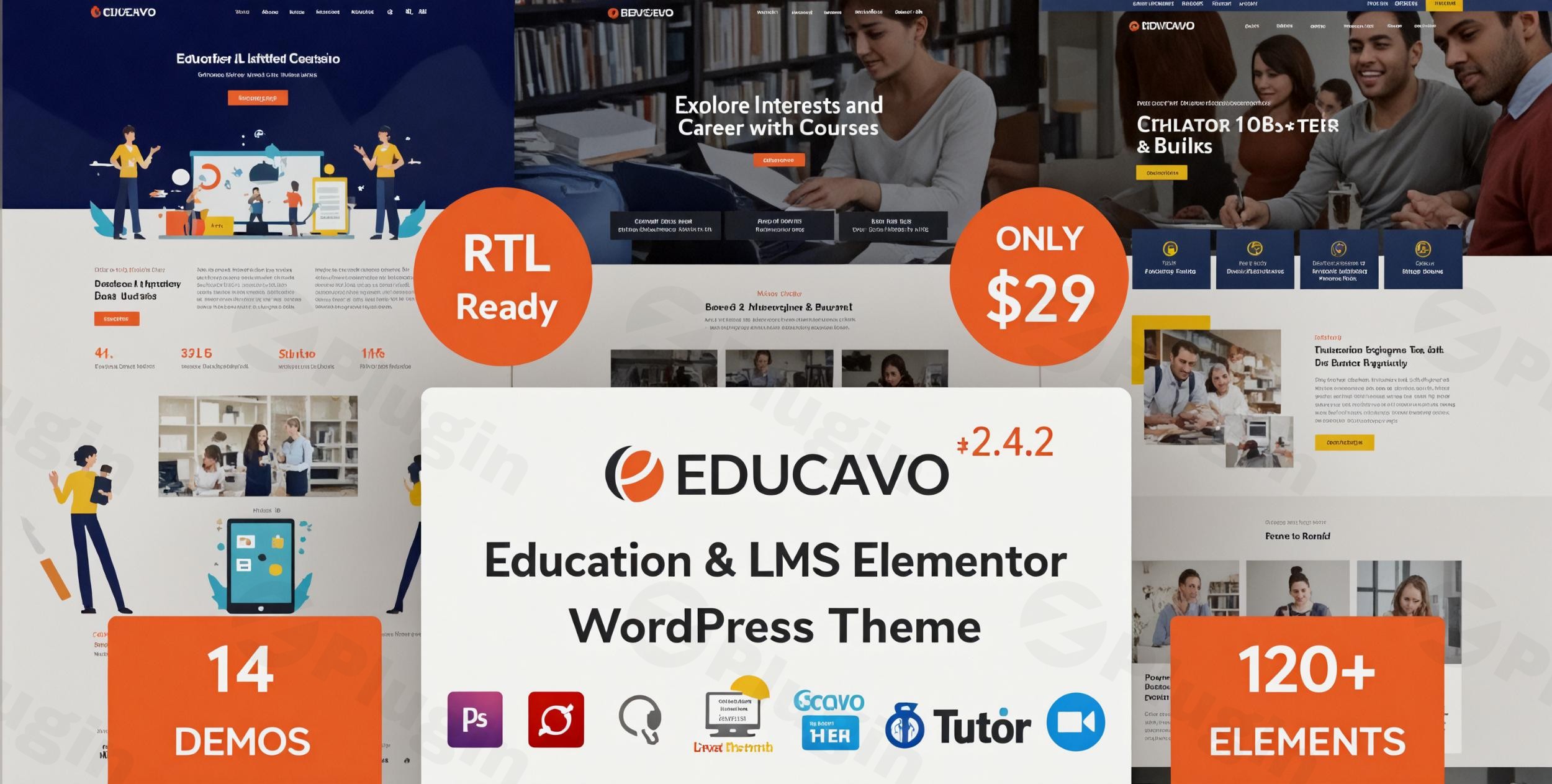
Educavo excels in offering diverse design possibilities tailored for the education sector. It boasts 14 unique homepage designs, ranging from university-focused layouts to kindergarten-specific aesthetics, ensuring a perfect fit for various educational specialties. Complementing these, the theme includes over 85 awesome inner pages, covering essential sections like course pages, teacher profiles, multiple blog layouts, and contact forms. This extensive library of pre-built content significantly accelerates the website development process.The theme’s foundation includes a 100% responsive design, guaranteeing flawless display across all devices—desktops, tablets, and smartphones—and ensuring cross-browser compatibility. Visual impact is further enhanced by the inclusion of Revolution Slider, a premium plugin that allows for the creation of stunning, animated content sliders to highlight courses, events, or key announcements.

Customization Capabilities

At its core, Educavo is built with the powerful Elementor Page Builder, offering a drag-and-drop interface that empowers users to design and customize pages with unparalleled ease. This integration is a game-changer for non-coders, enabling limitless design possibilities. The theme extends its flexibility with 120+ custom elements, providing an extensive library of widgets and modules to enrich functionality and content presentation.Branding is made effortless with unlimited color options, allowing users to precisely match their institutional or course branding. These color options are granular, with individual control for each Elementor addon. Typography is also highly customizable, with comprehensive support for Google Fonts. The theme leverages the Redux Framework for its intuitive theme options panel, providing global control over elements like logos, favicons, header and footer styles, and color schemes.

Performance & SEO Features

Educavo is designed with modern web standards in mind. It is SEO Optimized, explicitly stating integration with Yoast SEO for better search engine visibility, which is crucial for attracting prospective students. The theme is built on the robust Bootstrap 4.x Framework, contributing to fast loading times and a modern aesthetic. While it claims to be “optimized for speed & performance,” it’s worth noting user feedback suggesting that further speed optimization could be beneficial, a common area for refinement in feature-rich themes. Overall, its commitment to mobile-friendliness and clean code provides a strong foundation for performance.

Installation & Demo Import: Your Quick Start Guide

Getting started with Educavo is designed to be straightforward, even for those new to WordPress.

1. Install & Activate the Theme

First, download the Educavo theme package. Then, navigate to your WordPress dashboard:

  • Go to Appearance > Themes > Add New > Upload Theme.
  • Choose the theme’s .zip file from your computer and click Install Now.
  • Once installed, click Activate.

2. Install Required Companion Plugins

Upon activation, Educavo will prompt you to install several recommended and required plugins. It’s crucial to install and activate these for full theme functionality. Key plugins include:

  • Elementor Page Builder (essential for page customization)
  • Revolution Slider (for advanced sliders)
  • LearnPress, Tutor LMS, LearnDash, or LifterLMS (choose your preferred Learning Management System for course functionality)
  • WooCommerce (if you plan to sell courses or products)
  • Contact Form 7 (for contact forms)Ensure your hosting environment meets the theme’s technical requirements: WordPress 4.4 or higher, PHP 5.6 or higher, and MySQL 5 or higher. Adequate server memory and execution time are also recommended for smooth demo import.

3. Use the One-Click Demo Importer

Educavo features a One-Click Demo Importer, a powerful tool to quickly set up your site with pre-designed content, mirroring the live demos.

  • After installing the required plugins, look for a menu item like “Educavo Demos” or “Import Demo Data” under Appearance or in the theme options.
  • Select your desired homepage demo from the 14 available options.
  • Click “Import” and confirm. The process may take a few minutes, depending on your server and the size of the demo content.

4. What to Expect After Demo Import

Once the demo import is complete, your website will have a structure similar to the chosen demo. This typically includes:

  • Pages: All pre-built pages (Home, About, Courses, Contact, etc.) will be imported.
  • Posts: Sample blog posts might be included.
  • Menus: Primary navigation menus are usually set up, but you may need to assign them to their respective locations via Appearance > Menus.
  • Widgets: Sidebar and footer widgets will be populated with demo content, which you can customize via Appearance > Widgets.It’s a good practice to review and replace demo content with your own text and images immediately after import.

Customization Guide: Branding Your Educational Platform

Personalizing Educavo to reflect your brand and specific educational offerings is an intuitive process, largely thanks to its deep integration with Elementor and robust theme options.

Global Styling with the Redux Framework

Educavo utilizes the Redux Framework to provide a powerful and user-friendly theme options panel. Here, you can define your site’s global styles:

  • Logo & Favicon: Easily upload your institution’s logo and favicon.
  • Colors: Access unlimited color options to define your primary, secondary, and accent colors across the entire site.
  • Typography: Customize fonts for headings and body text using a wide selection of Google Fonts.
  • Header & Footer Layouts: Select from various pre-designed header and footer styles and customize their elements. While some users have expressed a desire for a more advanced “header builder,” the existing theme options provide significant control.Navigate to Appearance > Customize or a dedicated Educavo Options panel in your WordPress dashboard to access these settings.

Page-Level Customization with Elementor

For designing individual pages, Elementor Page Builder is your primary tool.

  • When editing a page or post, click the “Edit with Elementor” button.
  • Use the drag-and-drop interface to add, remove, or rearrange sections and elements.
  • Leverage Educavo’s 120+ custom elements (widgets) specifically designed for educational content, such as course listings, teacher profiles, event calendars, and testimonials.
  • Each element offers individual styling options, allowing you to fine-tune colors, fonts, spacing, and backgrounds directly on the front end.

Setting Up Your Site Structure

  • Homepage: Go to Settings > Reading and set your desired imported demo page as your static homepage.
  • Blog Page: Also in Settings > Reading, assign a page to display your latest blog posts.
  • Navigation Menus: Create and manage your navigation menus via Appearance > Menus, assigning them to the available menu locations (e.g., Primary Menu, Footer Menu). Educavo also supports an “Off-canvas Menu” for mobile-friendly navigation.For advanced users or developers, Educavo includes a child theme. This is a critical feature that allows you to make custom code modifications (CSS, PHP, JS) without directly altering the parent theme files. This ensures your customizations are safe from being overwritten during theme updates, maintaining the integrity and future compatibility of your site.

FAQ & Troubleshooting: Common Questions Answered

Here are answers to some frequently asked questions about the Educavo WordPress theme.

Is Educavo compatible with Elementor / Gutenberg / WPBakery?

Educavo is primarily built with and fully compatible with Elementor Page Builder, including support for Elementor Pro features. While it functions alongside the Block Editor (Gutenberg), content creation is predominantly driven by Elementor. Although some documentation mentions WPBakery, Elementor is the highlighted and deeply integrated builder.

Does Educavo support WooCommerce for online stores?

Yes, Educavo is fully compatible with WooCommerce, including the latest versions. This allows you to seamlessly integrate an online store into your educational website, enabling the sale of courses, books, merchandise, or any other educational materials.

Which LMS plugins does Educavo integrate with?

Educavo offers robust and seamless integration with several leading Learning Management System (LMS) plugins, including LearnPress, Tutor LMS, LearnDash, and LifterLMS. This provides comprehensive course management capabilities, allowing you to create, manage, and sell online courses effectively.

How can I update Educavo without losing my customizations?

To update Educavo without losing your customizations, it is essential to use the included child theme. All custom CSS, PHP, or JavaScript modifications should be placed within the child theme’s files. When a new version of the main Educavo theme is released, you can update it safely, as your child theme will preserve all your unique changes.

What should I do if the demo import fails or looks different from the demo site?

If the demo import fails or doesn’t look exactly like the live demo, first check your server requirements (PHP version, memory limit, execution time) to ensure they meet or exceed Educavo’s recommendations. Large demo imports can sometimes time out on less robust hosting. You might also try increasing your WordPress memory limit. If issues persist, refer to the theme documentation or contact RSTheme’s support team for assistance, providing details of your environment and the specific problem.

Conclusion: Is Educavo the Right Choice for Your Educational Platform?

The Educavo WordPress theme stands out as a highly specialized and feature-rich solution for anyone looking to build a professional educational or online course website. Its design flexibility, driven by 14 diverse homepage demos and Elementor Page Builder integration, ensures that you can create a visually stunning site tailored to your specific niche, from universities to kindergartens.Customization is intuitive and extensive, allowing for deep branding through unlimited color options, Google Fonts, and comprehensive theme options via the Redux Framework. While some users might desire a more advanced header builder, the existing controls offer significant versatility. From a technical standpoint, Educavo is SEO optimized with Yoast SEO, mobile-responsive, and boasts excellent compatibility with essential plugins like WooCommerce and a suite of leading LMS platforms (LearnPress, Tutor LMS, LearnDash, LifterLMS), making it a powerful foundation for selling courses and managing learning content.Educavo is an ideal choice for:

  • Educational Organizations: Schools, colleges, and universities that need a professional and engaging online presence.
  • Course Creators & Instructors: Individuals or teams aiming to build robust platforms to offer and sell online courses.
  • Beginners: Users without coding knowledge will appreciate the ease of use provided by Elementor and the one-click demo import.
  • Freelancers & Agencies: Those building educational websites for clients will find the pre-built content and extensive customization options highly efficient.In summary, if you’re seeking a WordPress theme specifically engineered for the education sector, offering deep LMS integration, visual flexibility, and user-friendly customization, Educavo presents a compelling and confident choice to establish or enhance your online learning platform.
4.6 184 votes
Plugin Rating

I. Download Limits & Account Benefits

  • Free Downloads: Each email address receives 3 downloads per day for free products
  • Upgrade Benefits: Purchase any paid product to increase your daily download limit by 3 for each paid product
  • No Account Required: You can download immediately by receiving the download link via email
  • Account Recommended: Create an account for easier access to your order history and direct update downloads

II. Understanding GPL vs Official Versions

Important: The products available on WPPick are GPL-licensed versions, which differ from official developer versions. Before purchasing, please read our comprehensive guide: Understanding GPL & Official Differences at WPPick

Key Points:

  • GPL versions may not include premium support from original developers
  • Updates may be delayed compared to official releases
  • Some premium features might have limitations
  • Always consider your specific needs and support requirements

III. Support & Assistance

We’re here to help through multiple channels:

  • Email Support: Direct email assistance for all inquiries
  • Live Chat: Real-time support during business hours
  • Comprehensive Documentation: Detailed guides and tutorials

IV. Order Tracking

Access your complete purchase history and download links anytime: Order History

V. Account Access

New to WPPick? Login or Create Account to manage your downloads and orders efficiently.

VI. Refund Protection

We stand behind our products with a clear refund policy. Review our terms: Refund Policy

VII. Privacy & Security

Your data security is our priority. Learn how we protect your information: Privacy Policy

VII. Terms of Service

Understanding our service terms ensures a smooth experience: Terms of Use

Quick Tips for Best Experience

  1. Verify Compatibility: Check plugin/theme compatibility with your WordPress version
  2. Backup First: Always backup your site before installing new plugins or themes
  3. Test Environment: Consider testing on a staging site first
  4. Stay Updated: Regularly check for updates in your account dashboard
  5. Read Documentation: Review any included documentation for optimal setup

Need Help?

If you have questions about downloads, licensing, or need technical assistance, don’t hesitate to contact our support team. We’re committed to ensuring you have the best possible experience with WPPick products.


Ready to get started? Your download adventure begins with just one click!

Version: 3.3.6Latest Release
Other
  • Version update released on 1 November 2025
Version: 3.3.3
Compatibility
  • Compatible With WordPress 6.8.x Latest Version
  • Compatible With WooCommece Latest Version
  • Compatible With Elementor Latest Version
New Feature
  • Added: On Educavo Options - Sticky Menu Logo & Sticky Logo Height field added
Other
  • Updated Bundle Plugin: Revolution Slider
Version: 3.3.2
Other
  • Version 3.3.2 released on 14 August 2025
Version: 3.3.1
Compatibility
  • Compatible With WordPress 6.8.x Latest Version
  • Compatible With WooCommece Latest Version
  • Compatible With Elementor Latest Version
  • Updated Bundle Plugin: Revolution Slider
Version: 3.2.6
Compatibility
  • Compatible with WordPress 6.8.x latest version
Compatibility
  • Compatible with WooCommerce latest version
Compatibility
  • Compatible with Elementor latest version
Bug Fix
  • Fixed theme errors in WordPress 6.8.x
Improvement
  • Revolution Slider updated
Version: 3.2.2
Compatibility
  • Compatible With WordPress 6.x.x Latest Version
  • Compatible With WooCommece Latest Version
  • Compatible With Elementor Latest Version
Bug Fix
  • Twitter X icons on header - team details or all over the theme
New Feature
  • Couse Details Sidebar Widget Position for LearnPress Demo
Other
  • Revolution Slider Updated
0 Comments
Inline Feedbacks
View all comments
Educavo - Online Courses & Education Wordpress Theme
Type:
Theme
Version:
3.3.6
Last updated:
Dec 5, 2025
License:
GPL v3
Scanned by:
VirusTotal
Categories:
Education Themes
Tags:
Courses
Education
Lms
Facebook YouTube LinkedIn Telegram
  • Home
  • Order History
  • Return and Refund Policy
  • Terms of Use
  • Privacy Policy
  • About Us

100 Rue Peel, Montréal, QC H3C 0L8, Canada
© WP Pick. All Rights Reserved.

Type above and press Enter to search. Press Esc to cancel.