
Elementra – 100% Elementor WordPress Theme
/Year
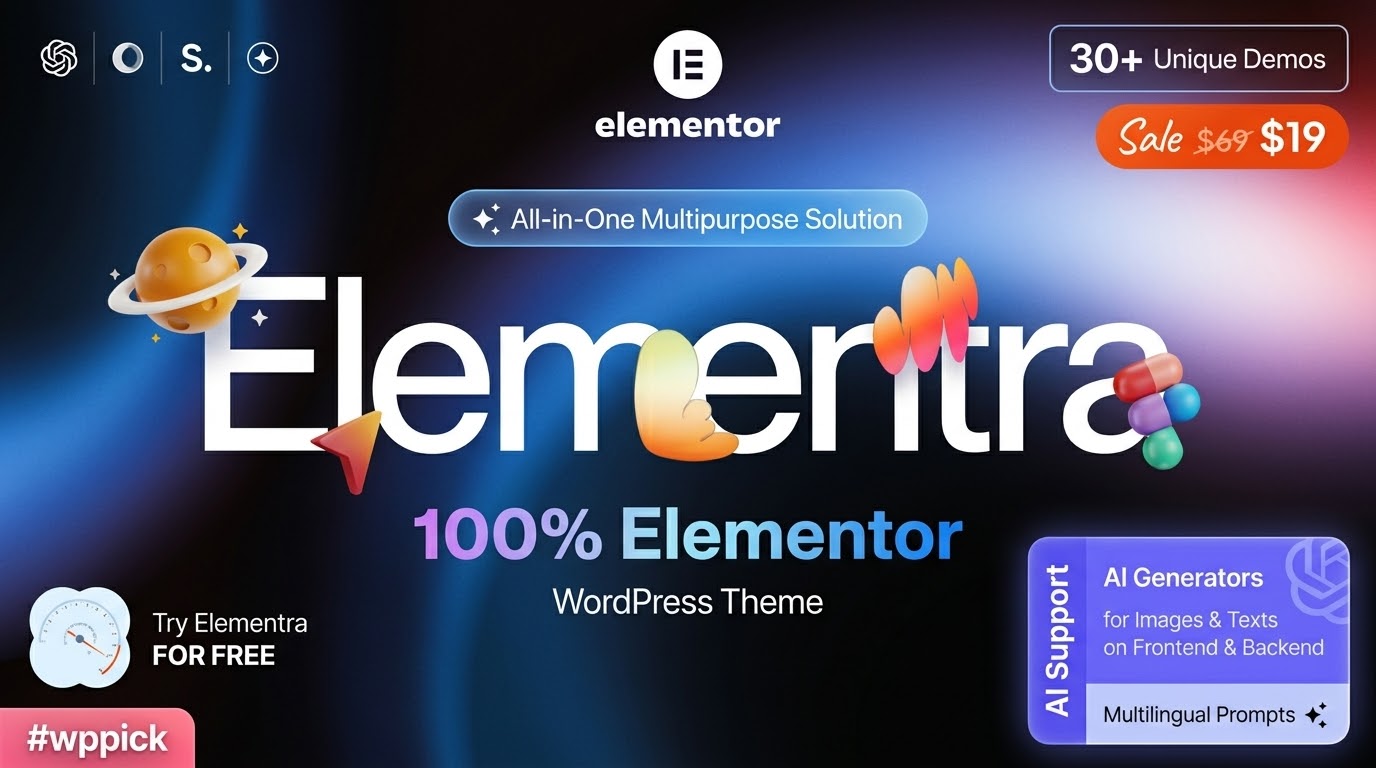
If you are a creator, agency, or business owner looking for a website foundation that prioritizes visual design without the technical bloat, the Elementra WordPress theme is built specifically for you. Unlike traditional themes that lock you into rigid layouts, Elementra acts as a high-performance “blank canvas,” designed to give users absolute power over their site’s aesthetic through deep integration with the Elementor page builder.In this guide, we will explore why this 100% Elementor WordPress theme is a top choice for those who value speed, flexibility, and a streamlined design workflow.
Key Features: Design, Layout & Performance
Elementra is meticulously crafted to bridge the gap between a lightweight starter theme and a premium design powerhouse. It focuses on removing the friction often found in multipurpose themes by offloading design controls to the Elementor ecosystem.
1. Modern Design & Layout Flexibility
Elementra offers a clean, professional aesthetic out of the box. Because it utilizes Elementor Flexbox containers, users can create complex, responsive layouts that align with modern web standards.
- Layout Options: Choose between boxed or full-width layouts for any page or post.
- Blog Styles: It features flexible blog feeds with multiple customizable styles, perfect for content-heavy sites or portfolios.
- Prebuilt Templates: The theme includes a library of pre-designed sections for Home, About, Services, and Case Studies, allowing you to assemble professional pages in minutes.
2. Customization Capabilities
The theme’s design philosophy is “visual-first.” Instead of hunting through a complex WordPress Customizer menu, almost everything is handled within the Elementor interface.
- Global Styles: Manage your brand’s typography (including Google Fonts) and color palettes from a central location to ensure consistency across all subpages.
- Header & Footer Builder: Use the Elementor Theme Builder to create bespoke headers and footers that adapt to different devices.
- Custom Post Types: Elementra supports specialized content types, making it easy to showcase testimonials, team members, or portfolio projects.
3. Industry-Leading Performance & SEO
A major advantage of a lightweight WordPress theme like Elementra is speed. By stripping away redundant code and heavy built-in options panels, Elementra ensures fast loading times.
- Clean Code: Built with HTML5 and CSS3, the markup is lean and search-engine friendly.
- SEO Ready: The theme is compatible with top-tier SEO plugins like Yoast SEO, helping your content rank higher in search engines and AI-driven answer engines.
* Mobile-First: 100% responsive design ensures a seamless user experience on smartphones, tablets, and desktops.
Installation & Demo Import
Setting up Elementra is straightforward, but there is one common pitfall beginners should avoid. Follow these steps for a smooth launch:
- Install & Activate: Upload the
elementra.zipfile via Appearance > Themes > Add New.- Pro Tip: If you see a “Stylesheet is missing” error, ensure you are uploading the actual theme file and not the entire “Unzip Me” package downloaded from the marketplace.
- Install Required Plugins: Upon activation, you will be prompted to install companion plugins, including Elementor and ThemeREX Addons. These are essential for the theme’s core functionality.
- One-Click Demo Import: Navigate to the theme’s import utility. You can choose to import a full starter site or specific blocks. This will automatically set up your menus, widgets, and sample pages to match the demo.
4. Assign Menus: Once the import is complete, go to Appearance > Menus to ensure your primary navigation is assigned to the correct location.
Customization Guide: Branding Your Site
To make Elementra truly yours, you will spend most of your time within the Elementor editor.
- Setting the Logo: Go to the Elementor Site Settings to upload your logo globally. This ensures it appears correctly in both the header and the footer.
- Typography & Colors: Define your “Global Colors” first. By setting these, any pre-designed block you drag into a page will automatically adopt your brand colors.
* Creating the Homepage: Elementra is a multipurpose WordPress theme, meaning you can set any page as your homepage via Settings > Reading. Once set, open it with Elementor to start dragging and dropping sections.
FAQ & Troubleshooting
Is Elementra good for WooCommerce?
Yes, Elementra is fully compatible with WooCommerce. Because it is a 100% Elementor theme, you can use Elementor Pro to design custom product pages and shop archives, providing a unique shopping experience that standard themes cannot match.
Does Elementra support the Gutenberg Block Editor?
Yes, Elementra is Gutenberg Optimized. While it is built to maximize Elementor’s potential, you can still use the native WordPress block editor for standard blog posts or simple pages.
Do I need Elementor Pro to use this theme?
While Elementra works perfectly with the free version of Elementor, having Elementor Pro is highly recommended. Elementor Pro allows you to use the Theme Builder to customize the header, footer, and single post templates that Elementra provides.
How can I update the theme without losing my customizations?
Because Elementra follows WordPress best practices, you can update the theme files without losing settings stored in the database. However, if you have added custom code to the theme files, it is best to use a Child Theme to preserve those changes.
Conclusion
The Elementra WordPress theme stands out as a premier choice for users who want to fully embrace the power of the Elementor ecosystem. Its “blank canvas” approach, combined with ultra-lightweight performance, makes it an ideal foundation for marketing agencies, freelancers, and creative professionals.By removing the bloat of traditional themes and focusing on high-performance SEO and visual flexibility, Elementra allows you to focus on what matters most: building a stunning, fast, and high-converting website. Whether you are launching a simple blog or a complex WooCommerce store, Elementra provides the professional framework needed to succeed in today’s digital landscape.
I. Download Limits & Account Benefits
- Free Downloads: Each email address receives 3 downloads per day for free products
- Upgrade Benefits: Purchase any paid product to increase your daily download limit by 3 for each paid product
- No Account Required: You can download immediately by receiving the download link via email
- Account Recommended: Create an account for easier access to your order history and direct update downloads
II. Understanding GPL vs Official Versions
Important: The products available on WPPick are GPL-licensed versions, which differ from official developer versions. Before purchasing, please read our comprehensive guide: Understanding GPL & Official Differences at WPPick
Key Points:
- GPL versions may not include premium support from original developers
- Updates may be delayed compared to official releases
- Some premium features might have limitations
- Always consider your specific needs and support requirements
III. Support & Assistance
We’re here to help through multiple channels:
- Email Support: Direct email assistance for all inquiries
- Live Chat: Real-time support during business hours
- Comprehensive Documentation: Detailed guides and tutorials
IV. Order Tracking
Access your complete purchase history and download links anytime: Order History
V. Account Access
New to WPPick? Login or Create Account to manage your downloads and orders efficiently.
VI. Refund Protection
We stand behind our products with a clear refund policy. Review our terms: Refund Policy
VII. Privacy & Security
Your data security is our priority. Learn how we protect your information: Privacy Policy
VII. Terms of Service
Understanding our service terms ensures a smooth experience: Terms of Use
Quick Tips for Best Experience
- Verify Compatibility: Check plugin/theme compatibility with your WordPress version
- Backup First: Always backup your site before installing new plugins or themes
- Test Environment: Consider testing on a staging site first
- Stay Updated: Regularly check for updates in your account dashboard
- Read Documentation: Review any included documentation for optimal setup
Need Help?
If you have questions about downloads, licensing, or need technical assistance, don’t hesitate to contact our support team. We’re committed to ensuring you have the best possible experience with WPPick products.
Ready to get started? Your download adventure begins with just one click!
- Fixed a potential Object Injection vulnerability during unserialize of data from scheme_storage and skin options during skin installation/activation.
- Hotspot Widget: Fixed styles to prevent hotspots from overflowing small images (when the image width is smaller than the container).
- Nav Menu Widget: added max-height setting for dropdowns - this enables scrolling inside the dropdown if its content exceeds the specified height.
- Slider Widget: added "slides_min_width" parameter to slider settings for adjusting the minimum width of slides - this determines the maximum number of simultaneously visible slides in responsive mode.
- TrxAddons: added voice input support to the TrxAiAssistant helper chat in the admin panel.
- Layouts Login Widget: added a parameter for configuring the list of items in the user menu.
- AI Helper: added a microphone button to all shortcode generators, allowing users to dictate prompts for content generation by voice.
- AI Helper: added SpeechToText functionality for converting voice to text and populating the associated text field.
- AI Helper: Audio Generator - fix in the upload field name 'upload_voice' when checking file type. The incorrect field name caused a potential vulnerability flagged by WP Scan.
- Nav Menu Widget: fix in the mobile menu panel close script to prevent scrolling to the top of the page when closing the menu.
- Nav Menu Widget: fixed a bug with duplicate IDs for the main menu and its mobile version.
- TrxAddons: fix in api/woocommerce to support non-Latin characters in WooCommerce product category and attribute names.
- TrxAddons: fix in the parallax animation script - a scaled object was jittering on the resize event.
- TrxAddons: Elementor Widgets: optimized database queries in "Posts" and "Woo Products" widgets, and fix for autocomplete terms - taxonomy was not taken into account when searching for terms.
- Fix in xxx_add_to_url() functions to support arrays in URL parameters.
- Minor CSS fixes (The Events Calendar).
- Commented code and style fragments removed.
- Introduced trx_addons_sanitize_slug function to sanitize skin/addon/template slugs and prevent potential LFI vulnerabilities in AJAX requests.
- Added WPML <shortcodes> section in wpml-config.xml with translatable shortcode attributes in TRXAddons.
- Updated compatibility with PHP 8.5 — the (boolean) type cast is no longer supported and has been replaced with (bool).
- Fixed Elementor’s transition: transform interference with scroll/mouse animations in TRXAddons.
- Fixed a WP Customizer error that occurred when changing colors for controls with names like tribe_events[global_settings][title_color].
- Style tweaks for WooCommerce integrations.
- Removed “%” unit from Marquee Widget Vertical Offset (non-functional).
- Renamed “Duration” parameter to “Complexity” in AI Helper Music Generator widget (API change).
- Consolidated multiple jQuery(document).ready() handlers in utils.js and theme-options.js (Code Review).
- Added version check and auto-update before running “Start Setup” in the theme installer. If a newer version is available on the server, it updates automatically (via ThemeREX Updater if not installed) to prevent issues with skin/addon/demo installation.
- Added a “Clear” button to the lc_color_picker (multi-point gradient) in TRXAddons.
- Added new options for Posts Widget Stripe layout — “Hide Content on Mobile” and “Image Over Content on Mobile.”
- Added styling and transition settings for Icon List Widget.
- Added a :before element to NavMenu Widget to preserve hover state when moving from menu item to dropdown.
- Added sonar rounding and Icon Size option for Hotspot Widget type=image.
- Added tag support for Post Meta Widget Custom Meta layout.
- Added an “Angle” option for the Info Box Widget icon hover animation “Rotate.”
- Added Content Overflow control (visible/hidden) for Switcher Widget.
- Added attachment support in AI Helper assistants and new GPT-5 models to the default list.
- Updated AI Helper OpenAI model references and corrected output tokens for GPT-4o.
- Added image-based filtering to the Elementor Templates Blocks tab — select a layout screenshot to find visually similar templates. Includes Accuracy setting and relevance-based sorting.
- Added ability to import pages from other skins under Demo Importer Partial Import tab.
- Removed forced inclusion of the AI Engine plugin from bundled themes.
- Plugin Settings – Added links to documentation and descriptions of custom Elementor settings/widgets
- Stack Sections – Added transition duration control for Zoom, Blur, Opacity effects
- Posts Widget – New "List" layout with image on the left and alignment controls
- Elementor Presets Support – Added ability to save/load custom style presets for widgets, sections, columns, and containers. Stored in /plugins/trx_addons/presets/trx_addons-presets.json
- Default Presets – Added support for default Elementor widget presets in JSON
- Skin Notice – Admin notice now includes "Dismiss" (7 days) and "Never Show Again" options
- Accessibility Improvements – Added role="button" to non-link anchors, converted anchor tags to <span> where appropriate, and added control for for external links
- Accessibility improvements for WP Accessibility Check
- Style tweaks for The Events Calendar and WooCommerce integrations
- Improved sticky row logic to fix jumping and enhance "hide_fixed_rows"
- Fixed full-height rows when header_position: over (should match viewport height)
- Fixed internal anchor scroll behavior to support Elementor Pro popups
- Minor CSS fixes (Give, Event Tickets)
- Fix to support install=false parameter when registering Tutor plugin in TGMPA
- Minor bug fixes and optimization
- TrxAddons: AI Helper - the support API from x.ai (Grok) to generate text and images
- TrxAddons: WPML - translation support for elements like "Background Text" of Elementor Extensions
- TrxAddons: "Audio" widget updated with playlist and optional cover slider
- Support for the Tutor LMS plugin in skins where it is recommended
- SEO attributes now respect the "SEO snippets" option to avoid validation issues
- Confirmed compatibility with WordPress 6.8
- Added theme_filter_page_title_selector filters in JS and PHP to allow replacement of the page title selector in Elementor skins and clones
- Added theme_filter_woocommerce_theme_support filter to customize WooCommerce arguments in Elementor skins and clones
- Added support for the Give plugin in skins where it is recommended (Skin: Charity)
- AI Helper: Added support for the new Stability AI API version (v2beta). Two models from the old API version (v1) are still supported
- AI Helper: Added a suffix with an instance number to form field IDs to prevent duplication and validation issues when multiple copies of the same shortcode are present on a page (no suffix is added to the first instance)
- AI Helper: Replaced the <label> tag with div in the chat title to avoid validation errors caused by nested heading tags
- AI Helper: Added a "Parse annotations" option to toggle the replacement of inline references (e.g., [1], [2]) in assistant responses with a corresponding list of sources below the reply. Enabled by default
- Moved loading of translation domains and theme plugins to priority -1 on the after_setup_theme action
- Minor bug fixes and optimization