

Em4u – Event Tickets WordPress Theme
/Year
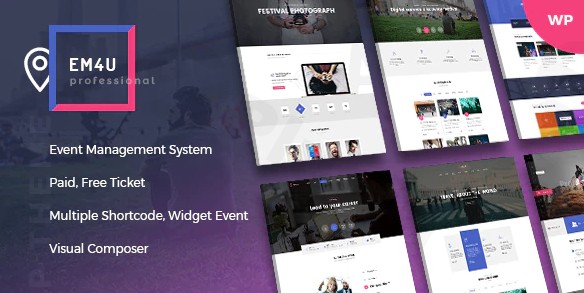
Whether you’re organizing a grand music festival, a crucial business conference, or an intimate workshop, the Event EM4U WordPress Theme provides a robust and visually stunning platform to manage every aspect of your event. Designed specifically for event organizers, agencies, and businesses, EM4U offers a seamless experience for promoting events, selling tickets, and managing attendees with professional ease. This review and setup guide will walk you through its powerful features, guide you through installation, and help you unlock its full potential to create high-converting event websites.
Introduction: Elevate Your Events with EM4U’s Professional Design
The Event EM4U theme is a cutting-edge, responsive WordPress theme meticulously crafted for comprehensive event management and online ticket sales. It’s an ideal choice for anyone looking to create event ticketing WordPress theme or a full-fledged event portal, from corporate conference organizers and educational institutions running seminars to entertainment promoters planning music festivals or sports tournaments. EM4U’s design philosophy centers on clear visual hierarchy, engaging layouts, and user-friendly navigation, ensuring your event details capture attention and drive conversions. With its modern aesthetics and powerful backend, EM4U empowers you to present your events professionally and streamline your entire event lifecycle.
Key Features: Design, Layout & Performance for Stellar Event Websites
EM4U combines aesthetic appeal with robust functionality, making it a standout choice for event-driven websites.
Design & Layout Options: Visually Engaging & Highly Flexible
EM4U offers an impressive array of pre-designed layouts and visual elements to ensure your events make a lasting impression:
- Diverse Homepage Variations: Choose from over 12 unique homepage variations to instantly match the tone and style of your event or agency. These ready-to-use demos simplify the initial setup.
- Comprehensive Event Displays: Showcase your events with 10 event listing styles and 2 detailed event layouts, ensuring all critical information—from schedules and speakers to venue maps and ticket options—is presented clearly and engagingly.
- Flexible Content Layouts: Beyond events, EM4U includes 4 blog styles, 4 speaker list styles, 2 venue list styles, and 3 contact page templates, giving you complete control over your site’s content. You can easily switch between left sidebar, right sidebar, or no sidebar layouts for individual posts and pages, and opt for wide or boxed page designs.
- Dynamic Headers & Footers: With 5 header and 5 footer variations, you can tailor the top and bottom sections of your site. Crucially, EM4U allows you to assign different headers and footers per event, post, or page, offering unmatched branding flexibility.
- Interactive Event Elements: Key visual elements include an interactive Event Calendar for easy date browsing, integrated Google Maps for precise location display, and a powerful Event Schedule feature. The schedule allows for unlimited entries, complete with speaker details, descriptions, times, and titles, perfect for multi-day conferences.
- Mega Menu for Enhanced Navigation: Build visually appealing and highly functional navigation with the built-in Mega Menu, allowing you to incorporate event categories, images, or even videos directly into your menu structure.
Customization Capabilities: Tailor EM4U to Your Brand
EM4U provides extensive customization options to align with your brand identity:
- Color Schemes & Typography: While specific Google Font integrations are not explicitly detailed, the theme offers settings for “Font, Color Theme,” suggesting robust control over your website’s visual palette. It also supports popular icon font libraries like Font-Awesome, Eleganticons, and Flaticon, expanding your design possibilities.
- Page Builder Integration: The theme bundles the powerful WPBakery Page Builder (formerly Visual Composer) for free, providing an intuitive drag-and-drop interface. This allows you fine-grained control over spacing, containers, sections, and backgrounds, enabling you to design custom layouts without touching a line of code.
- Custom Post Types: To streamline event management, EM4U includes dedicated custom post types for Events, Speakers, Venues, Locations, and Sponsors. This structured approach simplifies content organization and ensures consistent presentation across your site.
Performance & SEO Features: Fast, Responsive, and Search-Engine Friendly
EM4U is built with performance and search engine visibility in mind:
- 100% Responsive Design: The theme is fully responsive, guaranteeing an optimal viewing experience across all devices, from desktops and laptops to tablets and smartphones. This mobile-first approach is crucial for today’s diverse audience.
- SEO Optimized: EM4U is designed to be SEO-friendly, helping your events rank higher in search results. Its clean markup and logical content structure contribute to better indexing by search engines like Google and Bing.
- Robust Technical Foundation: Requiring WordPress 4.4+ and PHP 7.x+ (PHP 7.x or 8.x, with 8.1.x recommended), EM4U ensures compatibility with modern server environments. Recommended server settings (
max_execution_time,post_max_size,upload_max_filesize) are provided for optimal performance during operations like demo import.
Installation & Demo Import: Get Your Event Site Online Quickly
Setting up EM4U is a straightforward process, even for those new to WordPress.
Step-by-Step Installation:
- Download the Theme: After purchasing EM4U (e.g., from ThemeForest), you’ll receive a
.zipfile containing the theme. Make sure to download the “Installable WordPress Theme” file, not the full package, if you’re directly uploading. - Upload & Install:
- Log in to your WordPress dashboard.
- Navigate to Appearance > Themes.
- Click “Add New” at the top, then “Upload Theme.”
- Choose the EM4U theme
.zipfile from your computer and click “Install Now.”
- Activate the Theme: Once installed, click the “Activate” link.
- Install Required Plugins: After activation, you’ll typically see a notification prompting you to install required and recommended plugins (e.g., WPBakery Page Builder, Cube Portfolio, Contact Form 7, Mailchimp for WP). Install and activate all of these to ensure full theme functionality.
One-Click Demo Import: Your Site, Ready in Minutes
EM4U comes with a powerful one-click demo import feature, allowing you to replicate any of its over 12 homepage demos with minimal effort. This is essential for quickly setting up a professional-looking site.
- Locate Demo Importer: After activating the theme and its plugins, navigate to the theme’s dedicated options panel or the specific demo import section (often found under Appearance > Import Demo Data or a similar menu item provided by the theme).
- Choose Your Demo: Browse through the available demo layouts and select the one that best suits your event type.
- Start Import: Click the “Import” button. The process may take several minutes depending on your server’s speed and the amount of demo content.
- Post-Import Expectations:
- Content: Your site will be populated with demo pages, posts, events, speakers, and other content, mimicking the chosen demo.
- Menus: Menus will likely be pre-configured. You may need to assign them to your primary navigation locations under Appearance > Menus.
- Widgets: Demo widgets might be imported into your sidebars and footers. Check Appearance > Widgets to customize them.
- Homepage: The demo homepage will usually be set automatically. If not, go to Settings > Reading and set your imported demo homepage as the static front page.Common Pitfalls: For large demo imports, ensure your server meets the recommended PHP settings (e.g.,
max_execution_time = 180,max_input_time = 600,post_max_size = 60M,upload_max_filesize = 60M) to prevent timeouts or incomplete imports. If the demo looks different, verify all required plugins are active and clear any caching.
Customization Guide: Branding & Layout with EM4U
Personalizing your EM4U site to match your brand and event requirements is intuitive thanks to its flexible customization options and integrated page builder.
Leveraging the WordPress Customizer & Theme Options
EM4U typically provides a dedicated theme options panel, often accessible through Appearance > Customize (WordPress Customizer) or a separate menu item in your dashboard. Here, you can control:
- Global Styles: Define your primary and secondary color palettes, general typography (though specific Google Font integration might require WPBakery or custom CSS), and overall site layout preferences (wide vs. boxed).
- Header & Footer Settings: Customize your header and footer layouts, including logo uploads, contact information, social media links, and menu assignments. Remember you can set different headers/footers for specific pages!
- Blog Settings: Control your blog archive layout, post display options, and sidebar configurations.
- General Theme Settings: Adjust performance options, social sharing settings, and other global parameters.
Designing Pages with WPBakery Page Builder
Since EM4U includes WPBakery Page Builder, a significant portion of your page customization will happen here:
- Edit Pages Visually: When editing any page, switch to the “Frontend Editor” or “Backend Editor” in WPBakery.
- Drag-and-Drop Elements: WPBakery allows you to drag and drop pre-built content blocks (elements) onto your page. EM4U extends this with specialized “Shortcode/Element Event” components, allowing you to easily display event listings, schedules, speaker profiles, and venue details wherever you need them.
- Row and Column Management: Structure your content with flexible rows and columns, adjusting widths, margins, padding, and background images or colors to create sophisticated layouts.
- Custom Styling: Each WPBakery element and row offers detailed styling options, giving you granular control over colors, fonts, borders, and animations, enabling you to perfectly match your brand’s visual identity.
Essential Setup: Homepage, Blog Page, and Menus
- Homepage Setup: After demo import, your homepage should be set. If not, go to Settings > Reading, select “A static page,” and choose your desired page for “Homepage” and another for “Posts page” (for your blog).
- Menu Management: Navigate to Appearance > Menus. If not already done by the demo importer, create a new menu, add your desired pages (including event categories or specific events), and assign it to the “Primary Menu” or other available menu locations. Utilize the Mega Menu builder for richer navigation.
- Widget Areas: EM4U supports various widget areas. Go to Appearance > Widgets to add or remove widgets from your sidebars, footer, and specialized “Widget Event” areas, such as the event search widget.
Advanced Customization with Child Themes
EM4U includes a child theme in its package, and its use is highly recommended for advanced customizations. A child theme allows you to make modifications to the theme’s code, CSS, or functions without directly altering the parent theme files. This ensures that your customizations remain intact even when you update the parent EM4U theme, making your site future-proof.
FAQ & Troubleshooting: Common Questions About EM4U
Here are answers to some common questions about the Event EM4U WordPress theme:
Is Em4u compatible with Elementor / WPBakery / Gutenberg?
EM4U is fully compatible with and includes the WPBakery Page Builder plugin for comprehensive drag-and-drop page creation. While it can display content created with the native WordPress Block Editor (Gutenberg), its primary design and layout flexibility are optimized for WPBakery. Specific deep integrations with Elementor are not explicitly detailed.
Does Em4u support WooCommerce for online stores?
Yes, EM4U offers full support for WooCommerce, seamlessly integrating its e-commerce functionalities for selling event tickets. It supports various payment gateways like PayPal, Stripe, and offline payments, making it a robust platform for managing paid events.
Does the Event EM4U WordPress Theme support child themes?
Yes, a child theme is included in the EM4U package, and its use is strongly recommended for any custom code or styling modifications. This ensures your customizations are safe and won’t be overwritten during theme updates.
What are the minimum server requirements for Em4u?
EM4U requires WordPress 4.4 or higher and PHP 7.x or higher (PHP 7.x or 8.x recommended, with 8.1.x for best results). It also recommends specific PHP settings like max_execution_time = 180, max_input_time = 600, post_max_size = 60M, and upload_max_filesize = 60M, along with MySQL 5 or higher.
How do I import demo content in Em4u?
To import demo content, first ensure you have installed and activated the EM4U theme and all its required plugins. Then, navigate to the theme’s dedicated demo import section in your WordPress dashboard (typically under Appearance > Import Demo Data or a similar menu item). Choose your desired demo and click the “Import” button to populate your site with pre-built pages and content.
Conclusion: EM4U – Your Professional Event Management Partner
The Event EM4U WordPress Theme stands out as a powerful, feature-rich, and visually appealing solution for anyone in the event management space. Its extensive design flexibility, robust customization options via WPBakery Page Builder, and integrated event-specific features like QR code ticketing, custom post types, and WooCommerce support make it an unparalleled choice.With its focus on professional event presentation, mobile responsiveness, and SEO optimization, EM4U is ideal for a wide range of users: from professional event organizers and agencies managing multiple clients, to entrepreneurs hosting workshops, businesses running conferences, and individuals planning community meetups. It offers a comprehensive, all-in-one platform that simplifies ticket sales, attendee tracking, and event promotion, allowing you to save time and ensure your events are a resounding success. If you’re looking for a dedicated and integrated event ticketing WordPress theme that combines aesthetics with powerful functionality, EM4U is an excellent investment for your digital presence.
I. Download Limits & Account Benefits
- Free Downloads: Each email address receives 3 downloads per day for free products
- Upgrade Benefits: Purchase any paid product to increase your daily download limit by 3 for each paid product
- No Account Required: You can download immediately by receiving the download link via email
- Account Recommended: Create an account for easier access to your order history and direct update downloads
II. Understanding GPL vs Official Versions
Important: The products available on WPPick are GPL-licensed versions, which differ from official developer versions. Before purchasing, please read our comprehensive guide: Understanding GPL & Official Differences at WPPick
Key Points:
- GPL versions may not include premium support from original developers
- Updates may be delayed compared to official releases
- Some premium features might have limitations
- Always consider your specific needs and support requirements
III. Support & Assistance
We’re here to help through multiple channels:
- Email Support: Direct email assistance for all inquiries
- Live Chat: Real-time support during business hours
- Comprehensive Documentation: Detailed guides and tutorials
IV. Order Tracking
Access your complete purchase history and download links anytime: Order History
V. Account Access
New to WPPick? Login or Create Account to manage your downloads and orders efficiently.
VI. Refund Protection
We stand behind our products with a clear refund policy. Review our terms: Refund Policy
VII. Privacy & Security
Your data security is our priority. Learn how we protect your information: Privacy Policy
VII. Terms of Service
Understanding our service terms ensures a smooth experience: Terms of Use
Quick Tips for Best Experience
- Verify Compatibility: Check plugin/theme compatibility with your WordPress version
- Backup First: Always backup your site before installing new plugins or themes
- Test Environment: Consider testing on a staging site first
- Stay Updated: Regularly check for updates in your account dashboard
- Read Documentation: Review any included documentation for optimal setup
Need Help?
If you have questions about downloads, licensing, or need technical assistance, don’t hesitate to contact our support team. We’re committed to ensuring you have the best possible experience with WPPick products.
Ready to get started? Your download adventure begins with just one click!
- Updated theme to version 1.8.9.
- Updated WooCommerce template within the theme.
- Updated WPBakery Plugin to version 8.7.3.
- Update theme to version 1.8.1
- Update OvaTheme Events Manager plugin version 1.7.3
- Fix security
- Fix google map