

Enzy – Multipurpose Woocommerce WordPress Theme
/Year
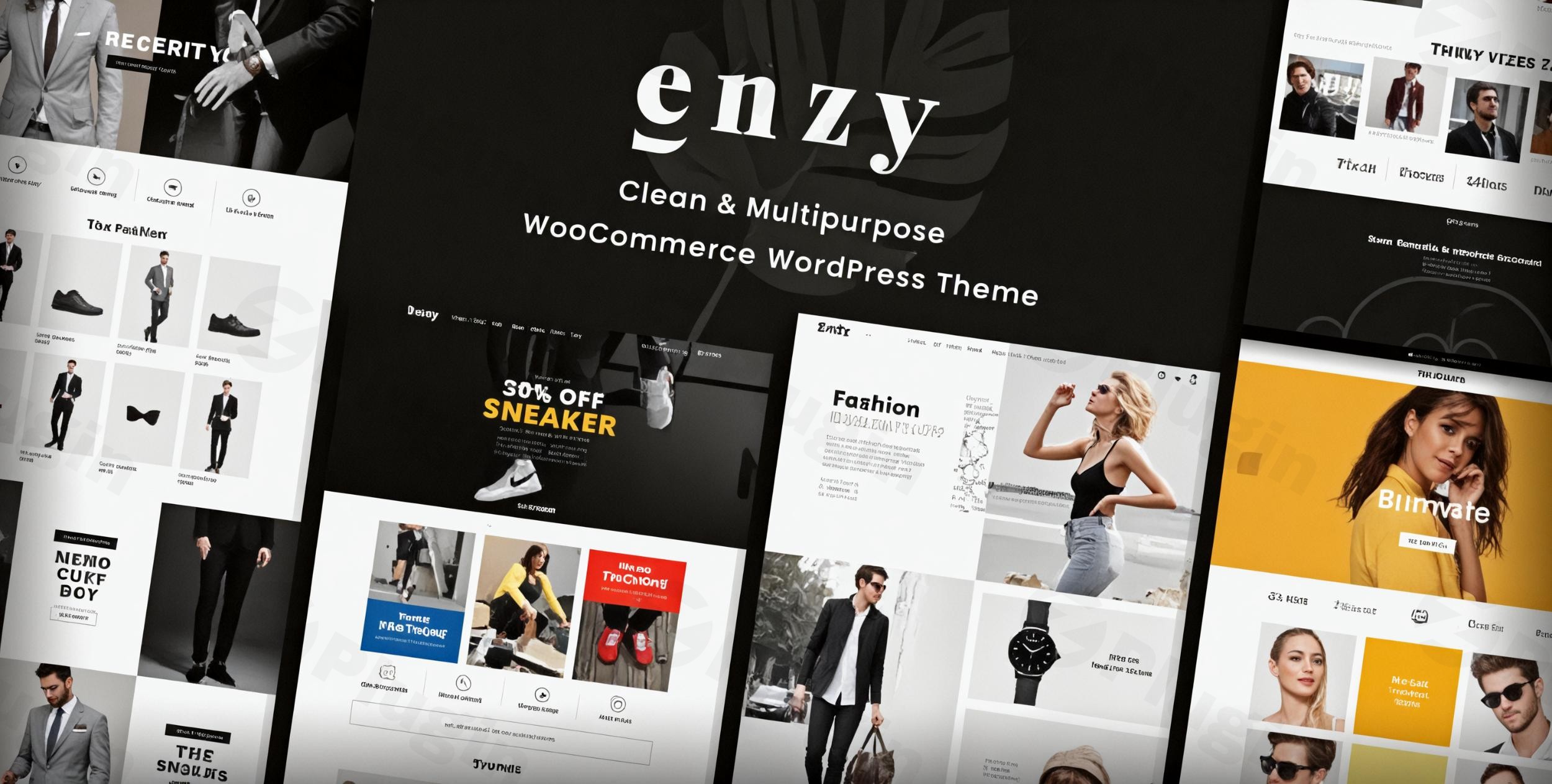
Building a captivating and high-converting online store requires more than just a product catalog; it demands a robust, flexible, and visually appealing foundation. The Enzy Multipurpose WooCommerce WordPress Theme steps up to this challenge, offering a feature-rich solution specifically crafted for modern eCommerce businesses. Whether you’re launching a fashion boutique, an electronics hub, or a bustling online supermarket, Enzy provides the tools and design versatility to create an engaging shopping experience that resonates with your customers.
Introduction: Modern eCommerce Design for Every Niche
Enzy is a premium WooCommerce WordPress theme engineered to empower online retailers across diverse niches. Its design philosophy centers on a sleek, modern interface combined with powerful functionality, ensuring your products are showcased beautifully and your customers enjoy a seamless shopping journey. Developed by ThemeForest Power Elite Author “skygroup,” Enzy is designed for store owners, freelancers, and agencies aiming to build professional, responsive, and highly customizable online stores without needing to delve into complex code. It’s particularly well-suited for fashion, accessories, electronics, and supermarket businesses looking to establish a strong online presence.
Key Features: Design, Layout & Performance
Enzy is packed with features that contribute to a visually stunning and highly functional eCommerce website.
Design & Layout Options
Enzy provides extensive control over your store’s appearance, ensuring it looks impeccable on any device and truly reflects your brand.
- Fully Responsive Design: Your online store will adapt flawlessly to desktops, tablets, and mobile phones, providing an optimal viewing and shopping experience for all users.
- Diverse Homepage & Product Layouts: Kickstart your store with 8+ unique homepages and multiple pre-designed layouts for product pages. This versatility allows you to quickly launch a professional store tailored to specific niches like fashion or electronics, offering varied visual presentations for your merchandise.
- Boxed Layout Option: Beyond the default full-width, Enzy offers a boxed layout for a more contained and focused design aesthetic.
- Advanced Mega Menu Navigation: Enhance user experience with an intuitive and visually impressive mega menu, making it easy for customers to navigate through extensive product categories and find what they need swiftly.
- Unique Visual Elements: Enzy boasts advanced product display options including 3+ product quick view layouts, 4+ product hover styles, 5+ shop filter layouts, and 7+ product details layouts. These elements are designed to enhance product visibility and customer engagement.
Customization Capabilities
Personalizing your Enzy store is intuitive, thanks to its integration with powerful customization tools.
- WPBakery Page Builder: The theme includes the popular WPBakery Page Builder, offering drag-and-drop functionality for effortlessly creating and customizing pages. This means extensive control over layouts, sections, and content without writing a single line of code.
- Slider Revolution: Create captivating and dynamic product displays and promotional banners with the bundled Slider Revolution plugin, adding an extra layer of visual engagement to your site.
- Redux Framework Theme Options Panel: Enzy utilizes a robust Theme Options Panel, built with the Redux Framework, providing comprehensive control over global site settings.
- Unlimited Color Options: Match your brand identity perfectly with unlimited color choices for every element of your store.
- Google Fonts Integration: Access over 896 Google Fonts to precisely define your site’s typography, ensuring readability and a consistent brand voice.
- Control over Spacing, Containers, Sections, and Backgrounds: With WPBakery and the theme options, you have granular control over layout elements, including support for video and parallax backgrounds to add depth and visual interest.
Performance & SEO Features
Enzy is built with modern web standards in mind, prioritizing speed, search engine visibility, and a smooth user experience.
- Lightweight Code & Fast-Loading Pages: Designed with SEO best practices, Enzy aims for lightweight code and optimized asset delivery to ensure fast-loading pages, a crucial factor for both user satisfaction and search engine rankings.
- SEO-Friendly Structure: The theme’s clean markup and structured headings contribute to better crawlability and indexation by search engines.
- Mobile Responsiveness: A fully responsive design ensures your store not only looks great but also performs optimally on all devices, which is a key SEO and user experience factor.
- AJAX-Powered Shopping Experience: Enzy integrates advanced AJAX features, including AJAX search, AJAX cart, single product AJAX add to cart, and shop load more/infinite scroll options. These functionalities enable dynamic content updates without full page reloads, significantly enhancing the speed and fluidity of the shopping process.
Installation & Demo Import
Getting started with your Enzy WordPress theme is a straightforward process, designed to get your online store up and running quickly.
- Install & Activate the Theme:
- First, download the Enzy theme package from your purchase source (e.g., ThemeForest).
- Log in to your WordPress dashboard.
- Navigate to
Appearance > Themes > Add New > Upload Theme. - Choose the
enzy.zipfile from your downloaded package and click “Install Now.” - Once installed, click “Activate.”
- Install Required Companion Plugins:
- Upon activation, Enzy will likely recommend or require the installation of several plugins, including WPBakery Page Builder, Slider Revolution, and of course, WooCommerce.
- Follow the on-screen prompts to install and activate these essential plugins. They are crucial for the theme’s full functionality and to replicate the demo content.
- Use One-Click Demo Import:
- Enzy offers a one-click demo import feature, allowing you to replicate the theme’s stunning pre-designed layouts effortlessly.
- Look for a menu item like
Enzy Demo Import,Theme Options > Demo Importer, or a similar option within your WordPress dashboard (often underAppearanceor a dedicated theme menu). - Select the demo layout that best fits your vision and initiate the import process.
- Tip: For large demo imports, ensure your server has adequate PHP memory limits and execution time. If you encounter issues, temporarily increasing
memory_limitandmax_execution_timein yourphp.inifile can often resolve them.
- What to Expect After Demo Import:
- After a successful import, your site will largely resemble the chosen demo. This includes pre-built pages, sample products, navigation menus, widget content, and theme settings.
- You’ll then need to customize these elements with your own content, images, and branding. Remember to review menus (
Appearance > Menus) and widgets (Appearance > Widgets) to ensure they are set up as desired.
Customization Guide: Branding & Layout
Enzy empowers you to transform its pre-built designs into a unique brand experience. The primary tools for customization are the powerful Theme Options Panel and the integrated WPBakery Page Builder.
- Global Styling with the Theme Options Panel:
- Navigate to the dedicated Enzy Theme Options panel (often found under
Appearanceor a custom menu item). This panel, powered by Redux Framework, is your central hub for global settings. - Here, you can easily tweak unlimited color options across your entire site, ensuring your brand palette is consistently applied.
- Access the extensive Google Fonts library to select and apply typography styles for headings, body text, and other elements.
- Manage advanced header options, including layout variations, logo placement, and activating the sticky header feature for improved navigation. You can also customize the built-in mega menu from here.
- Control overall site layouts, such as switching between full-width and boxed layouts.
- Navigate to the dedicated Enzy Theme Options panel (often found under
- Page-Specific Customization with WPBakery Page Builder:
- For detailed page layouts and content, WPBakery Page Builder is your go-to tool. When editing any page (including the homepage, product pages, or custom landing pages), switch to the WPBakery backend or frontend editor.
- Use its intuitive drag-and-drop interface to add, remove, and rearrange content blocks (elements) such as text blocks, image galleries, product carousels, call-to-action buttons, and more.
- Each element within WPBakery has its own settings, allowing you to fine-tune spacing, backgrounds, animations, and responsiveness.
- Setting Up Your Homepage, Blog, and Menus:
- Homepage: After demo import, your homepage will likely be set. To change it or set a new one, go to
Settings > Readingand select a static page for your homepage. - Blog Page: Similarly, under
Settings > Reading, you can designate a page to display your latest blog posts. - Navigation Menus: Head to
Appearance > Menusto manage your primary navigation, footer menus, and any other menu locations Enzy supports. You can add pages, posts, custom links, and categories to your menus. The Mega Menu functionality can also be configured here or within the Theme Options.Enzy’s combined use of a comprehensive Theme Options panel and the WPBakery Page Builder creates a flexible and intuitive customization experience, making it easy for users of all skill levels to craft a unique and professional online store.
- Homepage: After demo import, your homepage will likely be set. To change it or set a new one, go to
FAQ & Troubleshooting
Here are answers to some common questions about the Enzy Multipurpose WooCommerce WordPress Theme:
Is Enzy compatible with Elementor / WPBakery / Gutenberg?
Enzy is fully integrated with WPBakery Page Builder and includes it as a bundled premium plugin for extensive drag-and-drop customization. While it functions within the WordPress environment, deep, native integration with the WordPress Block Editor (Gutenberg) is not highlighted as its primary page-building method. Enzy does not explicitly feature integration with Elementor, relying on WPBakery for its advanced page design capabilities.
Does Enzy support WooCommerce for online stores?
Yes, Enzy is a dedicated WooCommerce WordPress theme and offers seamless, deep integration with WooCommerce. It includes advanced eCommerce functionalities such as product quick view, AJAX search and cart, single product AJAX add to cart, shop load more/infinite scroll, product filtering by color, color swatches for variable products, and compatibility with multi-vendor solutions like Dokan.
Does Enzy support child themes?
Yes, Enzy supports child themes. It is a standard WordPress practice to use a child theme for any custom modifications (CSS, functions, templates). This ensures that your customizations are safe and will not be overwritten when you update the Enzy parent theme.
How can I update the Enzy theme without losing my customizations?
To update Enzy safely without losing customizations, you should always use a child theme for any custom code or modifications. Updates for Enzy (if purchased from ThemeForest) are typically provided through your ThemeForest account or via a built-in updater within the WordPress dashboard (if configured). If you’ve made direct edits to the parent theme files, those changes will be lost upon update.
How to customize Enzy header?
Enzy provides advanced header options within its Theme Options panel, powered by the Redux Framework. Here you can control header layouts, logo placement, and activate the sticky header feature. Additionally, the built-in mega menu builder is part of these header customization capabilities, allowing for complex and visually rich navigation. Specific header elements can also be fine-tuned using WPBakery Page Builder on pages where the header is editable.
Conclusion
The Enzy Multipurpose WooCommerce WordPress Theme stands out as a robust and versatile solution for anyone looking to build a professional and high-performing online store. Its strength lies in a harmonious blend of modern design flexibility, comprehensive customization options, and a suite of powerful eCommerce features designed to enhance the shopping experience.With WPBakery Page Builder and Slider Revolution bundled, Enzy offers unparalleled control over your site’s layout and visual appeal without requiring coding expertise. Its focus on lightweight code, fast loading speeds, and mobile responsiveness ensures a solid foundation for SEO and a smooth user journey. For store owners, freelancers, and agencies specializing in fashion, electronics, supermarkets, or any product-based business, Enzy provides the tools to create a dynamic, conversion-focused online presence. If you’re seeking a feature-rich, visually appealing, and customizable WooCommerce theme that empowers you to launch and grow your online store efficiently, Enzy is an excellent choice.
I. Download Limits & Account Benefits
- Free Downloads: Each email address receives 3 downloads per day for free products
- Upgrade Benefits: Purchase any paid product to increase your daily download limit by 3 for each paid product
- No Account Required: You can download immediately by receiving the download link via email
- Account Recommended: Create an account for easier access to your order history and direct update downloads
II. Understanding GPL vs Official Versions
Important: The products available on WPPick are GPL-licensed versions, which differ from official developer versions. Before purchasing, please read our comprehensive guide: Understanding GPL & Official Differences at WPPick
Key Points:
- GPL versions may not include premium support from original developers
- Updates may be delayed compared to official releases
- Some premium features might have limitations
- Always consider your specific needs and support requirements
III. Support & Assistance
We’re here to help through multiple channels:
- Email Support: Direct email assistance for all inquiries
- Live Chat: Real-time support during business hours
- Comprehensive Documentation: Detailed guides and tutorials
IV. Order Tracking
Access your complete purchase history and download links anytime: Order History
V. Account Access
New to WPPick? Login or Create Account to manage your downloads and orders efficiently.
VI. Refund Protection
We stand behind our products with a clear refund policy. Review our terms: Refund Policy
VII. Privacy & Security
Your data security is our priority. Learn how we protect your information: Privacy Policy
VII. Terms of Service
Understanding our service terms ensures a smooth experience: Terms of Use
Quick Tips for Best Experience
- Verify Compatibility: Check plugin/theme compatibility with your WordPress version
- Backup First: Always backup your site before installing new plugins or themes
- Test Environment: Consider testing on a staging site first
- Stay Updated: Regularly check for updates in your account dashboard
- Read Documentation: Review any included documentation for optimal setup
Need Help?
If you have questions about downloads, licensing, or need technical assistance, don’t hesitate to contact our support team. We’re committed to ensuring you have the best possible experience with WPPick products.
Ready to get started? Your download adventure begins with just one click!
- Tweak: compatible with WooCommerce 10.3.5
- Update: WPBakery Page Builder 8.7.2
- Update: Slider Revolution 6.7.38
- Tweak: compatible with WordPress 6.8.3
- Tweak: compatible with WooCommerce 10.2.2
- Update: Slider Revolution 6.7.37
- Tweak: compatible with WooCommerce 10.1.2
- Compatible with WordPress 6.8.2
- Compatible with WooCommerce 10.0.4
- Sanitize search string