

Estudiar – College University WordPress
/Year
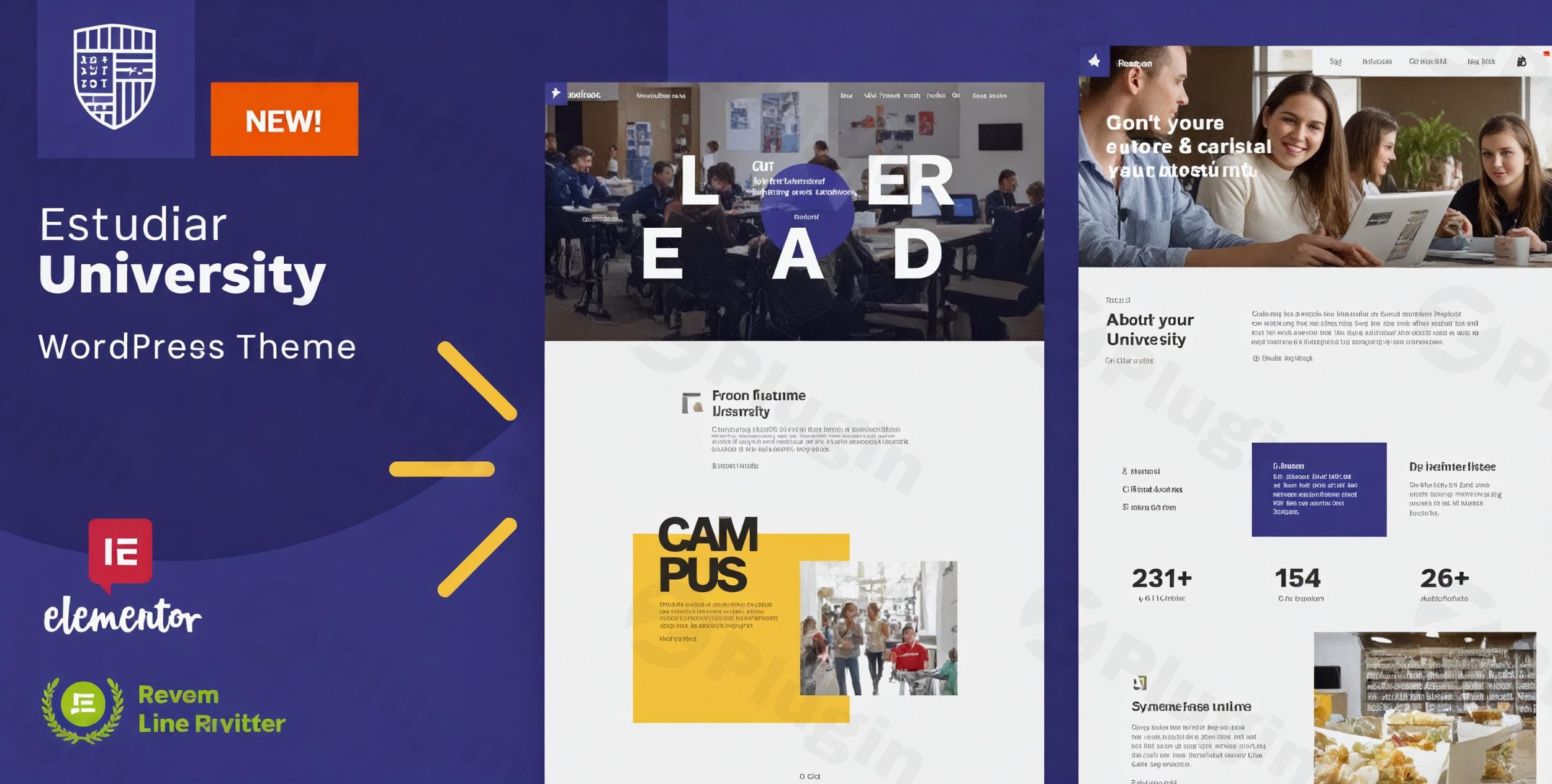
The Estudiar WordPress theme stands out as a purpose-built, premium solution designed specifically for educational institutions. If you’re a college, university, online academy, or any school looking to establish a professional, modern, and highly functional online presence, Estudiar is crafted with your needs in mind. This theme combines an elegant, minimal design aesthetic with robust features, all powered by a deep integration with Elementor, ensuring a seamless and intuitive website building experience for both beginners and experienced developers.
Key Features: Design, Layout & Performance
Estudiar excels by offering a comprehensive suite of features tailored to the academic sector, focusing on both visual appeal and crucial functionality.
Tailored Design & Flexible Layout Options
Estudiar boasts an elegant and modern design philosophy, prioritizing clarity, visual appeal, and ease of navigation—critical for academic websites. Its specialized design ensures a clean, clutter-free browsing experience that effectively showcases institutional information.
- Page Builder Integration: Estudiar is built from the ground up with Elementor front-end builder and is fully compatible with Elementor Pro, which is required for many of its advanced features and demo imports. This means you can design every aspect of your site with a drag-and-drop interface, requiring absolutely no coding skills.
- Academic-Specific Templates: The theme includes a variety of pre-designed templates specifically crafted for educational institutions. These encompass dedicated layouts for:
- Course Management System: Showcase academic programs and individual courses with structured, engaging pages.
- Faculty and Staff Profiles: Present your team with professional, consistent profiles.
- Event Calendar Integration: Manage and display upcoming events like seminars, open days, and lectures effortlessly.
- Admission Guidelines: Clearly outline admission processes and requirements.
- Custom Header and Footer Builder: Leveraging Elementor Pro, Estudiar provides complete control over your website’s headers and footers. This allows for highly customized navigation and branding elements that perfectly align with your institution’s identity, including Mega Menus.
- Unique Visual Assets: A standout feature is the inclusion of $260 worth of premium Getty Images stock photos directly within the theme package, providing high-quality visuals without additional licensing fees.
Intuitive Customization Capabilities
Estudiar leverages Elementor Pro’s Global Styles Panel as its primary theme panel, providing extensive and intuitive control over your site’s aesthetics.
- Global Styling with Elementor Pro: Instead of a separate theme options panel, all global styling—including color schemes, typography (font choices, sizes, styles), spacing, containers, sections, and backgrounds—are managed directly within Elementor Pro’s Global Styles. This unified approach simplifies the customization process, especially for users already familiar with Elementor.
- Branding Control: Easily adjust colors and typography to match your institution’s brand guidelines, ensuring a consistent visual identity across your website.
Performance & SEO Readiness
In the competitive digital landscape, performance and search engine visibility are paramount. Estudiar is built with modern web standards to ensure your academic site performs optimally.
- Optimized for Fast Page Loading: The theme is described as “lightweight” and optimized for fast page loading, contributing to a better user experience and improved search engine rankings.
- Fully Responsive Design: Estudiar ensures your website looks and functions flawlessly across all devices—desktops, laptops, tablets, and smartphones—providing an excellent experience for all visitors.
- SEO Optimized Structure: The theme is built with SEO best practices in mind, featuring a clean, structured markup that helps search engines understand and rank your content effectively.
- Multilingual & RTL Support: Estudiar is WPML ready for creating multilingual websites and includes RTL (right-to-left) language support, accommodating diverse linguistic needs.
Installation & Demo Import
Setting up your Estudiar website is designed to be straightforward, especially with its one-click demo import feature.
- Install & Activate the Theme:
- First, ensure you have a fresh WordPress installation (compatible with WordPress 6.7 or newer).
- From your WordPress dashboard, navigate to
Appearance > Themes > Add New > Upload Theme. - Upload the
estudiar.ziptheme file and clickInstall Now, thenActivate.
- Install Required Plugins:
- Upon activation, Estudiar will prompt you to install necessary plugins. Crucially, Elementor Pro is a required plugin for the theme’s full functionality, including demo import and core customization.
- Install and activate all recommended plugins, including Elementor (free version) and Elementor Pro (which you will need to purchase separately).
- One-Click Demo Content Import:
- Estudiar features a one-click demo content import functionality. Once all required plugins are active, locate the demo importer (usually under
Appearance > Import Demo Dataor a similar menu item). - Select your desired demo layout and initiate the import. This process will replicate the beautiful pre-designed pages, posts, menus, and settings from the demo site.
- Estudiar features a one-click demo content import functionality. Once all required plugins are active, locate the demo importer (usually under
- What to Expect:
- The demo import will populate your site with placeholder content, giving you a strong foundation to build upon. This typically includes a pre-configured homepage, essential academic pages, and navigation menus.
- Pro Tip: For large demo imports, ensure your server’s PHP memory limit (
memory_limit) and maximum execution time (max_execution_time) are sufficiently high to prevent timeouts. - Estudiar also provides 23 HD video tutorials and 100+ detailed documentation articles to guide you through every step of the setup and customization process.
Customization Guide: Branding & Layout
Personalizing your Estudiar website to reflect your institution’s unique brand is intuitive, primarily through its deep integration with Elementor Pro.
- Leveraging Elementor Pro’s Global Styles:
- All fundamental design elements—colors, typography, and site-wide spacing—are managed within the Elementor Pro Global Styles Panel.
- Navigate to
Elementor > Site Settingsto access these global controls. Here, you can define your brand’s primary, secondary, and accent colors, set font families and sizes for headings and body text, and control padding/margins for consistent spacing. - Changes made here will apply site-wide, ensuring visual consistency and speeding up design adjustments.
- Customizing Headers & Footers:
- Since headers and footers are built with Elementor Pro, you have full drag-and-drop control.
- Go to
Templates > Theme Builderin your WordPress dashboard. From there, you can edit existing headers/footers or create new ones using Elementor. - Add your institution’s logo, adjust menu layouts, integrate contact information, and embed social media links with ease.
- Setting Up Your Homepage and Blog:
- After demo import, your homepage will likely be set to a static page. You can customize this page by editing it with Elementor.
- To set up your blog page, create a new WordPress page (e.g., “News” or “Blog”) and then go to
Settings > Readingto assign this page as your “Posts page.” - Estudiar’s integration with Elementor allows you to design custom layouts for blog archives and single posts, giving you creative freedom beyond standard blog formats.
- Menu Management:
- Navigate to
Appearance > Menusto manage your primary and secondary navigation menus. - You can then assign these menus to the respective menu locations within your custom Elementor-built header. For advanced navigation, Elementor Pro also enables the creation of sophisticated Mega Menus.
- Navigate to
- Child Theme Ready: Estudiar is child theme ready, allowing advanced users to make extensive code-based customizations without affecting the parent theme, ensuring your modifications are safe during theme updates.
FAQ & Troubleshooting
Here are answers to common questions about the Estudiar WordPress theme:
Is Estudiar compatible with Elementor / Gutenberg?
Yes, Estudiar is fully integrated with and primarily built for Elementor and Elementor Pro. Elementor Pro is explicitly required for demo content import and utilizing the theme’s full customization capabilities. While it doesn’t explicitly state deep Gutenberg integration, Elementor acts as the main page-building interface, potentially complementing or overriding Gutenberg for complex layouts.
Does Estudiar support WooCommerce for online stores?
Yes, Estudiar offers WooCommerce integration for online payments. It enhances WooCommerce functionality with features like a wishlist, Ajax search, and gift cards, all built with the Elementor Pro WooCommerce builder, making it ideal for selling course materials or merchandise.
Does Estudiar support child themes?
Yes, Estudiar is child theme ready. This is an important feature for developers and institutions who wish to make custom code modifications to the theme without losing their changes when the main theme receives updates.
How can I customize the header and footer in Estudiar?
In Estudiar, both the header and footer are entirely built and customized using Elementor Pro. You can access and edit them via Templates > Theme Builder in your WordPress dashboard, offering complete drag-and-drop control over their design and content.
Is Estudiar good for online courses and learning management systems (LMS)?
While Estudiar includes a course management system and is designed for educational institutions, it’s mentioned in the context of general education theme integrations, suggesting potential compatibility or suitability for LMS functionalities. Its enhanced WooCommerce integration also makes it suitable for selling online courses or related digital products.
Conclusion
The Estudiar – Premium College & University WordPress theme offers an exceptional blend of specialized design, powerful customization, and robust functionality, making it the ideal choice for educational institutions. Its deep integration with Elementor Pro ensures a visually-aware and highly flexible website building experience, even for beginners.With dedicated features like course management, faculty profiles, event calendars, and enhanced WooCommerce integration, Estudiar delivers a comprehensive academic presentation platform. Its focus on performance, SEO, and responsiveness further solidifies its position as a top-tier university website template WordPress users can rely on. While the dependency on Elementor Pro adds an additional cost, the streamlined workflow and extensive design control it provides are invaluable.If you’re an educational institution, freelancer, or agency seeking a modern, professional, and easily customizable solution to showcase academic programs, manage events, and engage with your audience, Estudiar is a confident and excellent choice. It simplifies the complexities of web design, allowing you to focus on what matters most: education.
I. Download Limits & Account Benefits
- Free Downloads: Each email address receives 3 downloads per day for free products
- Upgrade Benefits: Purchase any paid product to increase your daily download limit by 3 for each paid product
- No Account Required: You can download immediately by receiving the download link via email
- Account Recommended: Create an account for easier access to your order history and direct update downloads
II. Understanding GPL vs Official Versions
Important: The products available on WPPick are GPL-licensed versions, which differ from official developer versions. Before purchasing, please read our comprehensive guide: Understanding GPL & Official Differences at WPPick
Key Points:
- GPL versions may not include premium support from original developers
- Updates may be delayed compared to official releases
- Some premium features might have limitations
- Always consider your specific needs and support requirements
III. Support & Assistance
We’re here to help through multiple channels:
- Email Support: Direct email assistance for all inquiries
- Live Chat: Real-time support during business hours
- Comprehensive Documentation: Detailed guides and tutorials
IV. Order Tracking
Access your complete purchase history and download links anytime: Order History
V. Account Access
New to WPPick? Login or Create Account to manage your downloads and orders efficiently.
VI. Refund Protection
We stand behind our products with a clear refund policy. Review our terms: Refund Policy
VII. Privacy & Security
Your data security is our priority. Learn how we protect your information: Privacy Policy
VII. Terms of Service
Understanding our service terms ensures a smooth experience: Terms of Use
Quick Tips for Best Experience
- Verify Compatibility: Check plugin/theme compatibility with your WordPress version
- Backup First: Always backup your site before installing new plugins or themes
- Test Environment: Consider testing on a staging site first
- Stay Updated: Regularly check for updates in your account dashboard
- Read Documentation: Review any included documentation for optimal setup
Need Help?
If you have questions about downloads, licensing, or need technical assistance, don’t hesitate to contact our support team. We’re committed to ensuring you have the best possible experience with WPPick products.
Ready to get started? Your download adventure begins with just one click!
- Gruntfile.js
- package.json
- samples/dependencies.php
- style.css
- utils/grunt/packaging.js
- vamtam/admin/classes/diagnostics.php