

Evntalk – Event Conference WordPress Theme
/Year
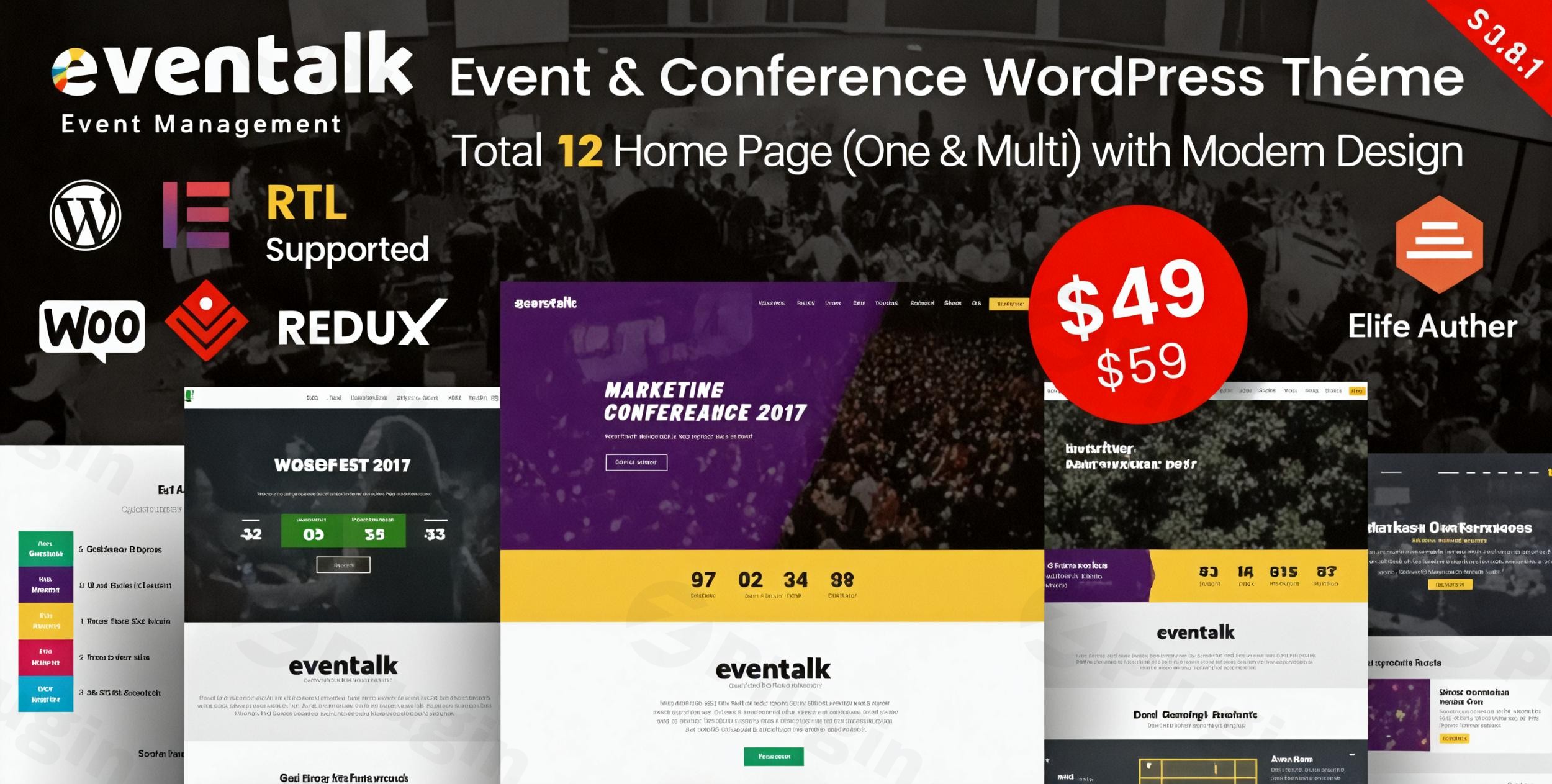
Organizing a successful event requires precision, and your digital presence should be no different. The Evntalk WordPress theme is a specialized, high-performance solution designed specifically for event planners, conference organizers, and professional agencies. Whether you are managing a local meetup or a global tech summit, this event conference WordPress theme provides a modern, clean, and highly functional aesthetic that ensures your attendees find the information they need with ease.
Key Features: Design, Layout & Performance
Evntalk stands out in the crowded marketplace of event themes by offering a purpose-built architecture. Unlike generic multipurpose themes, every element within Evntalk is crafted to serve the event lifecycle—from the initial announcement and speaker reveals to ticket sales and post-event blogging.
Versatile Layout Options
Evntalk offers an impressive array of pre-designed structures to suit any event type:
- 12 Unique Homepage Demos: Choose between multi-page layouts for large-scale conferences or streamlined one-page designs for smaller workshops.
- Specialized Event Schedules: With 6 distinct schedule layouts, you can present complex agendas in a way that is easy for attendees to navigate on mobile or desktop.
- Speaker Profiles: 3 dedicated speaker layouts allow you to highlight your keynote guests with professional flair.
- Header Variations: Through 4 inner header styles, the theme supports over 15 header variations, ensuring your branding remains unique.
Performance & SEO Optimization
In the world of AI search and modern SEO, speed is non-negotiable. Evntalk is built on the Bootstrap 4 framework with clean, valid code. This ensures:
- Fast Loading Times: Minimal bloat leads to better user retention and higher rankings in Google SGE and traditional search.
- Mobile Responsiveness: The theme is fully responsive and “Retina Ready,” meaning it looks crisp on everything from an iPhone to a 4K monitor.
- SEO Readiness: The structured data and heading hierarchy are designed to help search engines understand your event dates, speakers, and location effortlessly.
Installation & Demo Import
Setting up the Evntalk WordPress theme is designed to be a frictionless experience, even for those who aren’t professional developers. By following these steps, you can have a “demo-perfect” site ready in minutes.
- Theme Activation: Upload the
evntalk.zipfile via your WordPress Dashboard (Appearance > Themes > Add New). Once uploaded, click Activate. - Plugin Installation: Upon activation, you will see a prompt to install required plugins. This typically includes Elementor, Redux Framework, and Layer Slider. Ensure all are installed and activated.
- One-Click Demo Import: Navigate to the theme options and locate the One-Click Demo Importer. Choose one of the 12 available demos that best fits your event’s vibe and click Import.
- Configuration: During the import, the theme will automatically set up your menus, widgets, and homepage settings. Technical Tip: Ensure your server’s
memory_limitis set to at least 256M andmax_execution_timeto 300 to avoid any timeouts during the large demo data transfer.
Customization Guide: Branding & Layout
The true power of Evntalk lies in its integration with Elementor, the world’s leading drag-and-drop page builder. This means you can customize every inch of your site without touching a single line of code.
Personalizing Your Brand
- Global Style Controls: Use the powerful Redux Admin Panel to change your primary and secondary colors globally. Whether your brand is a corporate blue or a vibrant festival orange, the changes reflect instantly across all pages.
- Typography: Evntalk supports the full library of Google Fonts, allowing you to match your physical event marketing materials perfectly.
- Header & Footer Builder: Beyond the 15+ variations, you can use the built-in tools to adjust logos, sticky header behaviors, and transparent overlays.
Managing Event-Specific Content
Evntalk uses dedicated post types for event components. This makes it incredibly easy to update a speaker’s bio or change a session time in one place and have it update across your entire website automatically.
FAQ & Troubleshooting
Is Evntalk compatible with Elementor?
Yes, Evntalk is a fully Elementor-compatible event theme. It is built specifically to work with Elementor’s drag-and-drop interface, allowing for real-time visual editing and extensive layout flexibility.
Does Evntalk support WooCommerce for online stores?
Absolutely. Evntalk supports WooCommerce, making it an ideal choice for event organizers who want to sell tickets, merchandise, or digital recordings directly through their website with secure payment gateways.
How can I update the theme without losing my customizations?
Evntalk comes bundled with a Child Theme. By activating the child theme before making any code-level changes, you ensure that your customizations remain intact even when you update the parent theme to the latest version.
What should I do if the demo import fails?
If a demo import fails, it is usually due to server restrictions. Check your PHP settings (Memory Limit and Execution Time). If the problem persists, RadiusTheme provides extensive documentation and a support system for verified purchasers to resolve environment-specific issues.
Conclusion
The Evntalk WordPress theme is a top-tier choice for anyone looking to build a professional, SEO-friendly event website. Its combination of specialized layouts (like event schedules and speaker grids) and the power of the Elementor page builder makes it both accessible for beginners and powerful enough for high-end agencies.With its WooCommerce integration for ticketing and a mobile-first design philosophy, Evntalk ensures your event looks prestigious and functions flawlessly. If you are looking for a theme that balances aesthetic beauty with technical “clean code” performance, Evntalk is a standout investment for your next conference or seminar.Ready to launch your event? Visit wppick.com for more WordPress insights and theme tutorials.
I. Download Limits & Account Benefits
- Free Downloads: Each email address receives 3 downloads per day for free products
- Upgrade Benefits: Purchase any paid product to increase your daily download limit by 3 for each paid product
- No Account Required: You can download immediately by receiving the download link via email
- Account Recommended: Create an account for easier access to your order history and direct update downloads
II. Understanding GPL vs Official Versions
Important: The products available on WPPick are GPL-licensed versions, which differ from official developer versions. Before purchasing, please read our comprehensive guide: Understanding GPL & Official Differences at WPPick
Key Points:
- GPL versions may not include premium support from original developers
- Updates may be delayed compared to official releases
- Some premium features might have limitations
- Always consider your specific needs and support requirements
III. Support & Assistance
We’re here to help through multiple channels:
- Email Support: Direct email assistance for all inquiries
- Live Chat: Real-time support during business hours
- Comprehensive Documentation: Detailed guides and tutorials
IV. Order Tracking
Access your complete purchase history and download links anytime: Order History
V. Account Access
New to WPPick? Login or Create Account to manage your downloads and orders efficiently.
VI. Refund Protection
We stand behind our products with a clear refund policy. Review our terms: Refund Policy
VII. Privacy & Security
Your data security is our priority. Learn how we protect your information: Privacy Policy
VII. Terms of Service
Understanding our service terms ensures a smooth experience: Terms of Use
Quick Tips for Best Experience
- Verify Compatibility: Check plugin/theme compatibility with your WordPress version
- Backup First: Always backup your site before installing new plugins or themes
- Test Environment: Consider testing on a staging site first
- Stay Updated: Regularly check for updates in your account dashboard
- Read Documentation: Review any included documentation for optimal setup
Need Help?
If you have questions about downloads, licensing, or need technical assistance, don’t hesitate to contact our support team. We’re committed to ensuring you have the best possible experience with WPPick products.
Ready to get started? Your download adventure begins with just one click!
- PHP Security Issues
- Eventalk Core
- LayerSlider
- RT Framework