
Ewebot – Seo Marketing & Digital Agency Theme By Gt3themes
/Year
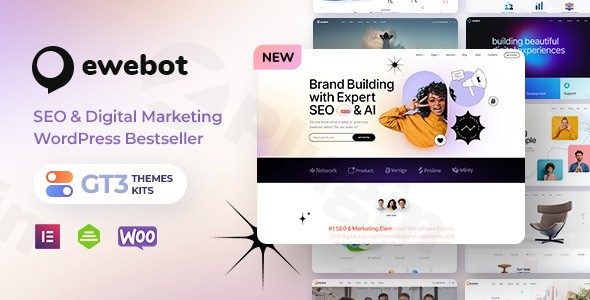
The digital landscape demands a powerful online presence, especially for businesses in SEO and digital marketing. The Ewebot WordPress theme emerges as a meticulously crafted solution, purpose-built for SEO agencies, digital marketing firms, and online marketing consultants. With its clean, modern design and conversion-focused layouts, Ewebot empowers marketing professionals to effectively showcase their services, demonstrate expertise, and generate valuable leads.
Ewebot’s Core: Design, Layout & Unmatched Performance
Ewebot isn’t just a theme; it’s a complete digital marketing solution designed to make your agency stand out. Its aesthetic is sharp and professional, perfectly aligning with the high standards of the digital marketing industry.
Professional Design & Flexible Layout Options
Ewebot’s design philosophy prioritizes clarity and conversion, offering a visually stunning foundation for any digital marketing website.
- Diverse Homepage Variations: The theme includes multiple pre-designed homepage layouts, offering a variety of starting points to match your agency’s unique brand and service focus.
- Comprehensive Content Blocks: Beyond homepages, Ewebot provides numerous content blocks for building unique service pages, detailed portfolio showcases, compelling case studies, and high-converting landing pages. This modular approach, combined with the GT3 Themes Kits, allows for flexible content arrangement.
- Creative Portfolio & Blog Layouts: Showcase your successful campaigns with multiple portfolio gallery layouts and maintain an active, engaging blog with various unique blog layouts, keeping your audience informed and demonstrating thought leadership.
- Service Presentation Features: Dedicated, professionally designed sections allow you to articulate your SEO services, content marketing, social media management, PPC campaigns, and analytics services with precision and impact.
- Cross-Platform Compatibility: The Ewebot theme is Ultra Responsive, ensuring your website looks and functions flawlessly across all devices—mobile, tablet, and desktop—and across various browsers, guaranteeing visual integrity and functionality for every potential client.
Powerful Customization Capabilities with Elementor
Customizing Ewebot to reflect your brand’s unique identity is incredibly intuitive, thanks to its deep integration with the industry-leading page builder.
- Elementor Page Builder Integration: Ewebot is built with Elementor, providing drag-and-drop functionality that allows you to create custom layouts without writing a single line of code. This powerful integration makes page building accessible to everyone, from beginners to seasoned developers.
- GT3 Theme Options Panel: The sophisticated GT3 Theme Options Panel offers comprehensive control over your site’s branding, allowing you to easily manage brand colors, typography (with Google Web Fonts integration), and other global styles to ensure consistency throughout your website.
- WPDaddy Header & Footer Builder: Take full control of your site’s crucial navigation elements with the integrated WPDaddy Header & Footer builder, enabling you to design custom headers and footers that enhance user experience and brand recall.
Performance-Optimized & SEO-Friendly Architecture
For a digital marketing agency, website performance and SEO readiness are paramount. Ewebot delivers on both fronts.
- Engineered for Speed: Ewebot boasts a performance-optimized architecture with clean code and fast loading times, crucial for user experience and search engine rankings. It’s designed to minimize bloat and maximize efficiency.
- SEO-Friendly Structure: The theme’s underlying structure is SEO-friendly, including clean markup and proper heading hierarchy, which helps improve search engine visibility and ensures your marketing messages are discoverable.
Ewebot Installation & One-Click Demo Import
Getting started with the Ewebot theme is a straightforward process, designed to get your digital marketing agency online quickly.
- Download the Theme: After purchasing Ewebot from a trusted source, download the theme package.
- Install & Activate:
- From your WordPress dashboard, navigate to Appearance > Themes.
- Click “Add New” and then “Upload Theme.”
- Choose the Ewebot theme
.zipfile from your computer and click “Install Now.” - Once installed, click “Activate.”
- Install Required Plugins: Upon activation, Ewebot will likely prompt you to install a set of recommended plugins. This typically includes Elementor, Contact Form 7, and potentially GT3-specific plugins. Install and activate all recommended plugins for full theme functionality.
- One-Click Demo Import: Ewebot features a convenient one-click demo import tool.
- Navigate to the theme’s dedicated demo import section (often found under the GT3 Theme Options or an “Import Demo” menu item).
- Select the demo layout you wish to import.
- Click “Import.”
- What to Expect: The demo import will populate your site with pages, posts, sample images (placeholders), menus, and widgets, replicating the professional demo site. Be aware that importing large demos can sometimes take a few minutes and may require sufficient server memory and execution time. If you encounter issues, increasing your PHP
memory_limitandmax_execution_timein yourwp-config.phporphp.inifile can often resolve them.
Ewebot Customization Guide: Branding Your Digital Presence
Once your Ewebot theme is installed and the demo imported, personalizing it to match your agency’s brand is the next exciting step.
- Global Styles via GT3 Theme Options:
- Access the GT3 Theme Options Panel (usually found under Appearance > Theme Options or a dedicated menu item in your dashboard).
- Here, you can define your brand colors, choose from a wide array of Google Web Fonts for headings and body text, and configure global settings for layouts, backgrounds, and more. This central panel ensures consistent branding across your entire site.
- Building with Elementor:
- For page-specific layouts and content, navigate to any page or post and click “Edit with Elementor.”
- Use Elementor’s drag-and-drop interface to add, arrange, and style content blocks. Ewebot’s custom elements and the GT3 Themes Kits (a library of pre-made sections) make it easy to craft unique and engaging layouts.
- Customizing Headers & Footers:
- Leverage the WPDaddy Header & Footer builder to design custom header and footer layouts. This allows you to place your logo, navigation menus, contact information, and social links exactly where you want them, aligning with your brand’s visual hierarchy.
- Setting Up Navigation Menus:
- Go to Appearance > Menus to create and assign your primary navigation, footer menus, and any other custom menus your site requires.
- Configuring Your Homepage & Blog Page:
- To set a static homepage, go to Settings > Reading and choose “A static page” for your homepage display. Select your desired page for the homepage and another for your blog posts (if applicable).
- Logo & Favicon:
- Your logo and favicon can typically be uploaded via the GT3 Theme Options Panel or the WordPress Customizer (Appearance > Customize > Site Identity).Ewebot offers an intuitive customization experience, blending powerful global controls with the granular, visual editing capabilities of Elementor, making it simple to create a truly bespoke website.
FAQ & Troubleshooting for Ewebot
Here are answers to common questions about the Ewebot WordPress theme, designed to be clear and helpful for users.
Is Ewebot compatible with Elementor, Gutenberg, and other major page builders?
Ewebot is primarily built around and fully compatible with the Elementor page builder (including the free version), offering deep integration for drag-and-drop customization. While it’s generally compatible with the core WordPress Block Editor (Gutenberg) for standard content, its advanced layouts and features are best utilized with Elementor. The theme is not explicitly marketed for WPBakery Page Builder compatibility.
Does Ewebot support WooCommerce for online stores?
Yes, Ewebot supports online shop functionalities and is compatible with WooCommerce. This allows digital marketing agencies to sell digital products, courses, or related services directly from their website.
Does Ewebot support child themes?
While not explicitly mentioned in the provided documentation, premium WordPress themes like Ewebot are typically designed to support child themes. Using a child theme is a recommended best practice for making custom code modifications without losing them during theme updates.
How can I update the Ewebot theme without losing my customizations?
To update Ewebot safely, ensure you have an active license or support for automatic updates. If you’ve made direct modifications to the theme files, always use a child theme for your customizations. Before updating, always create a full website backup. Most updates can be performed directly through your WordPress dashboard via Appearance > Themes or using a plugin like Envato Market (if purchased from ThemeForest).
What should I do if the Ewebot demo import fails or looks different from the demo site?
If the Ewebot demo import fails, check your server resources; low PHP memorylimit or maxexecution_time settings are common culprits. Contact your hosting provider to increase these. If the demo looks different, ensure all recommended plugins were installed and activated before importing. Sometimes, image placeholders are used in the demo, and you’ll need to replace them with your own high-quality assets. Refer to the official Ewebot documentation for detailed troubleshooting steps.
Conclusion: Ewebot – The Definitive Theme for Digital Marketing Success
The Ewebot SEO Marketing theme stands out as a robust and visually sophisticated solution for any digital marketing agency, SEO consultant, or online business looking to establish a dominant online presence. Its intuitive Elementor integration, coupled with a comprehensive GT3 Theme Options panel and WPDaddy Header & Footer builder, offers unparalleled flexibility in design and customization.With its focus on performance, SEO readiness, and cross-platform compatibility, Ewebot provides a solid foundation for showcasing services, displaying portfolios, and converting visitors into clients. Whether you’re a freelancer, a growing agency, or an established corporation, Ewebot is an excellent choice for building a high-converting, professionally designed website that resonates with the demands of the digital marketing industry. It’s more than just a theme; it’s a strategic asset for your digital marketing success.
I. Download Limits & Account Benefits
- Free Downloads: Each email address receives 3 downloads per day for free products
- Upgrade Benefits: Purchase any paid product to increase your daily download limit by 3 for each paid product
- No Account Required: You can download immediately by receiving the download link via email
- Account Recommended: Create an account for easier access to your order history and direct update downloads
II. Understanding GPL vs Official Versions
Important: The products available on WPPick are GPL-licensed versions, which differ from official developer versions. Before purchasing, please read our comprehensive guide: Understanding GPL & Official Differences at WPPick
Key Points:
- GPL versions may not include premium support from original developers
- Updates may be delayed compared to official releases
- Some premium features might have limitations
- Always consider your specific needs and support requirements
III. Support & Assistance
We’re here to help through multiple channels:
- Email Support: Direct email assistance for all inquiries
- Live Chat: Real-time support during business hours
- Comprehensive Documentation: Detailed guides and tutorials
IV. Order Tracking
Access your complete purchase history and download links anytime: Order History
V. Account Access
New to WPPick? Login or Create Account to manage your downloads and orders efficiently.
VI. Refund Protection
We stand behind our products with a clear refund policy. Review our terms: Refund Policy
VII. Privacy & Security
Your data security is our priority. Learn how we protect your information: Privacy Policy
VII. Terms of Service
Understanding our service terms ensures a smooth experience: Terms of Use
Quick Tips for Best Experience
- Verify Compatibility: Check plugin/theme compatibility with your WordPress version
- Backup First: Always backup your site before installing new plugins or themes
- Test Environment: Consider testing on a staging site first
- Stay Updated: Regularly check for updates in your account dashboard
- Read Documentation: Review any included documentation for optimal setup
Need Help?
If you have questions about downloads, licensing, or need technical assistance, don’t hesitate to contact our support team. We’re committed to ensuring you have the best possible experience with WPPick products.
Ready to get started? Your download adventure begins with just one click!
- Updated all required plugins.
- Added new technology homepage.
- Improved GT3 theme core.
- Improved demo import tool.
- Fixed minor bugs.
- All required plugins
- WordPress 6.9.1
- GT3 theme core
- WooCommerce issues
- Minor bug fixes
- Updated: All required plugins
- Improved: WordPress 6.9
- Improved: GT3 theme core
- Improved: Elementor widgets
- Fixed: Minor bug fixes
- Updated: All required plugins
- Improved: PHP 8.4
- Improved: GT3 theme core
- Improved: GT3 kits library
- Added: New Elementor widgets
- Fixed: Elementor global colors
- Fixed: Minor bug fixes
- Updated: All required plugins
- Elementor 3.26.0 issue
- Minor bug fixes