
Felan – Freelance Marketplace And Job Board WordPress Theme
/Year
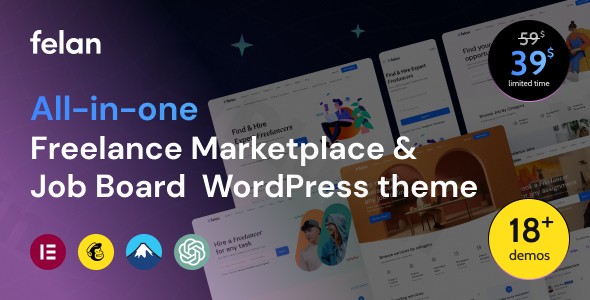
The digital economy thrives on connection, and for businesses and entrepreneurs looking to create robust platforms for professionals, the Felan WordPress theme offers a comprehensive solution. Felan is expertly designed to help you launch powerful freelance marketplace and job board websites, mirroring the functionality of industry giants like Fiverr, Upwork, or Indeed. It’s an all-in-one package for connecting service providers with clients or employers with job seekers, wrapped in a modern, user-friendly design.
Key Features: Design, Layout & Performance for Your Online Platform
Felan stands out with its specialized feature set and thoughtful design, tailored specifically for the dynamic needs of a freelance marketplace or job board. Every element is crafted to enhance user experience and streamline platform management.
Specialized Design & Layout Options
Felan provides an impressive foundation with 16+ predefined homepage layouts, included with the demo content, ensuring you have diverse options to kickstart your site. These layouts cater specifically to either freelance service marketplaces or traditional job boards, allowing you to choose a design that perfectly aligns with your vision. The theme boasts a fully responsive and mobile-friendly design, guaranteeing that your platform looks and functions flawlessly across all devices, from desktops to smartphones.Beyond homepages, Felan offers:
- Various Header Types: Customize your site’s top section with different header styles, including the option for a sticky header to keep navigation accessible as users scroll.
- Mega Menu Support: Enhance navigation for content-rich sites with robust mega menus, providing a visually engaging way to organize extensive categories or links.
- 50+ Pre-built Inner Pages: Accelerate your development with a wealth of ready-to-use inner pages, covering everything from user profiles and service listings to contact forms and about us pages.
Intuitive Customization Capabilities
Branding is crucial, and Felan empowers you with extensive customization options to make your platform truly your own. The theme integrates seamlessly with the Elementor drag-and-drop page builder, making design tweaks and layout adjustments intuitive and code-free.Key customization features include:
- Comprehensive Color Schemes: Easily customize accent and text colors to match your brand identity perfectly.
- Typography Controls: Select from various font families for body and heading fonts, giving you full control over your site’s readability and aesthetic appeal.
- Logo & Branding: Effortlessly upload your logo and adjust branding elements to ensure a consistent visual presence across your entire platform.
- Elementor-Powered Builders: Create and edit custom headers and footers directly within Elementor, offering unparalleled flexibility in structuring your site’s critical areas.
Performance, SEO & Core Functionality
Felan isn’t just about looks; it’s built for performance and growth.
- SEO Best Practices: The theme is designed with SEO best practices in mind, featuring clean code and a structured hierarchy to help improve your search engine rankings and visibility.
- Mobile-First Optimization: Its fully responsive design not only ensures a great user experience on all devices but also contributes positively to SEO, as mobile-friendliness is a key ranking factor.
- Robust Custom Post Types: At its core, Felan provides specialized structures for:
- Freelancer Profiles: Detailed profiles showcasing experience, skills, services, and portfolios.
- Service Listings: Freelancers can list and customize services with pricing, delivery times, images, videos, and skill tags, including package options (basic, standard, premium).
- Project Listings: Employers can post projects, and freelancers can submit proposals.
- Job Listings: Employers can post job vacancies, and job seekers can easily browse and apply.
- Employer Profiles: Dedicated sections for companies to showcase details, projects, and ratings.
- User Dashboards: Comprehensive frontend dashboards for both freelancers and employers to manage profiles, projects, services, jobs, packages, wallets, earnings, and orders.
- Integrated Payment Management: Felan includes secure transaction processing and monetization features with WooCommerce support and admin commission options, allowing you to generate revenue from your platform effectively.
Installation & One-Click Demo Import Guide
Getting your Felan-powered freelance marketplace or job board up and running is a straightforward process, thanks to its user-friendly setup.
Step-by-Step Installation:
- Download the Theme: Obtain the Felan theme files from your purchase source (e.g., ZeroPlugin.com for a genuine GPL license, or ThemeForest if purchased there).
- Upload to WordPress:
- Navigate to Appearance > Themes in your WordPress dashboard.
- Click “Add New” and then “Upload Theme.”
- Choose the
felan.zipfile (or the theme file if it’s within a main download folder, extract the main folder first to find the installable theme zip) and click “Install Now.”
- Activate the Theme: Once installed, click “Activate” to make Felan your active theme.
- Install Required Plugins: Upon activation, Felan will prompt you to install necessary companion plugins, most notably Elementor Page Builder. Install and activate all recommended plugins for full functionality.
One-Click Demo Import:
Felan comes with a powerful one-click demo import feature, allowing you to quickly replicate one of the 16+ stunning homepage layouts and over 50 inner pages from the demo site.
- Access Demo Importer: After activating the theme and required plugins, look for a “Demo Import” or similar option within your WordPress dashboard, often under Appearance or a dedicated theme options panel.
- Choose Your Demo: Browse the available demo layouts and select the one that best suits your marketplace or job board vision.
- Import Content: Click the “Import” button. The system will then import all demo content, including pages, posts, images, widgets, and theme settings.
- Note on Server Requirements: Importing a large demo might require increased PHP time limits or memory limits on your server. If you encounter issues, consider contacting your hosting provider to temporarily increase
max_execution_timeandmemory_limitin yourphp.inifile.
- Note on Server Requirements: Importing a large demo might require increased PHP time limits or memory limits on your server. If you encounter issues, consider contacting your hosting provider to temporarily increase
- Post-Import Setup:
- Menus: Navigate to Appearance > Menus to assign the imported menus to your desired locations (e.g., primary menu, footer menu).
- Homepage: Go to Settings > Reading and set your imported homepage as the “Static Page” for your site’s front page.
- Widgets: Check Appearance > Widgets to ensure all widget areas are configured as expected or customize them further.
Customization Guide: Branding & Layout with Felan
Personalizing your Felan-powered platform to reflect your unique brand is a seamless experience, primarily leveraging the WordPress Customizer and the Elementor Page Builder.
Leveraging the WordPress Customizer
For global settings and branding elements, the WordPress Customizer (Appearance > Customize) is your go-to hub:
- Site Identity: Upload your custom logo, favicon, and set your site title and tagline.
- Colors: Adjust primary accent colors, text colors, and background colors to align with your brand palette.
- Typography: Fine-tune font families, sizes, and weights for headings and body text to establish a clear visual hierarchy.
- Header & Footer Options: While detailed header/footer building is done with Elementor, the Customizer often provides basic toggle options like enabling a top bar or adjusting general layout settings.
Designing Pages with Elementor
Felan’s deep integration with Elementor empowers you to build and customize every page with a visual drag-and-drop interface:
- Page Editing: Navigate to any page (or create a new one) and click “Edit with Elementor.” You can then drag and drop elements, customize sections, and arrange layouts with ease.
- Header & Footer Builder: Use Elementor to create custom header and footer templates. This allows for complex layouts, dynamic content, and precise control over these crucial site areas.
- Section & Container Styling: Elementor provides granular control over spacing, padding, margins, background images, and colors for any section or container on your page, including the search bar.
- Pre-built Blocks & Templates: Beyond the demo import, Elementor often includes its own library of pre-designed blocks and templates that you can insert and customize, further accelerating your design process.
Setting Up Core Pages & Menus
- Homepage Configuration: After demo import, verify your homepage is set correctly under Settings > Reading.
- Blog Page: If you plan to have a blog, create a new page (e.g., “Blog”) and assign it as your “Posts page” under Settings > Reading.
- Navigation Menus: Go to Appearance > Menus to create or modify your site’s navigation. Assign your custom menus to the available menu locations (e.g., “Primary Menu,” “Footer Menu,” “Mega Menu”).The customization experience with Felan is intuitive, especially for those familiar with Elementor. Its robust set of options ensures that you can achieve a unique and professional look without delving into code.
FAQ & Troubleshooting
Here are answers to some common questions about the Felan WordPress theme:
Is Felan theme compatible with Elementor / WPBakery / Gutenberg?
Felan is fully integrated with and built around the Elementor drag-and-drop page builder. It requires Elementor (the free version is compatible) for creating and customizing layouts. While it functions within the WordPress environment, its primary content creation and layout customization tool is Elementor, not WPBakery or being exclusively Gutenberg-native.
Does Felan theme support WooCommerce for online stores?
Yes, Felan supports WooCommerce for payment integration. This allows you to manage secure transactions and enable various payment gateways, making it an excellent choice for monetized freelance marketplaces or job boards.
Does it support child themes?
Yes, Felan is child-theme ready. Using a child theme is highly recommended for any custom modifications to your theme files. This ensures that your customizations are preserved when you update the parent Felan theme, preventing data loss and streamlining updates.
How can I update the theme without losing my customizations?
If you have made customizations directly to the parent theme files, they will be overwritten during an update. To safely update the theme and retain your changes, you should always use a child theme for any custom code or template overrides. Ensure you download updates from your official purchase source for genuine, virus-free files.
What should I do if the demo import fails or looks different from the demo site?
If your Felan demo import fails or doesn’t match the live demo, first check your server’s PHP configuration. Common issues include low max_execution_time or memory_limit. Increasing these values (often requiring host support) can resolve the problem. Also, ensure all required plugins (especially Elementor) are installed and activated before attempting the demo import. If issues persist, consult the theme’s official documentation or contact the developer’s support.
Is Felan theme GDPR compliant?
The provided information does not explicitly state that the Felan theme is “GDPR compliant” out-of-the-box. However, a theme’s role in GDPR compliance is often limited to how it handles data submission forms and cookies. As a responsible website owner, you will still need to implement a privacy policy, obtain user consent for cookies, and ensure any third-party plugins you use (e.g., analytics, contact forms) are also GDPR compliant.
Conclusion: Is Felan the Right Choice for Your Marketplace?
The Felan – Freelance Marketplace and Job Board WordPress Theme is a highly specialized and robust solution for anyone aiming to build a dynamic online platform for connecting professionals. Its comprehensive feature set, intuitive Elementor integration, and focus on both design and functionality make it a standout choice in its niche.With over 16 pre-built homepage layouts and a fully responsive design, Felan offers significant design flexibility out of the box. Customization is made easy through Elementor, allowing for extensive branding control over colors, typography, logos, and critical site sections like headers and footers. Performance-wise, it’s built with SEO best practices and mobile-friendliness in mind, crucial for discoverability and user experience.Felan truly shines for:
- Entrepreneurs looking to launch a profitable online freelance marketplace or job board.
- Recruitment agencies or employment agencies seeking to manage job postings and HR efficiently.
- Beginners and non-coders who need a powerful, feature-rich platform that is easy to set up and customize thanks to its one-click demo import and Elementor integration.If you’re looking for an “all-in-one” solution that handles user profiles, service/project/job listings, proposal systems, integrated payments, and comprehensive dashboards without needing dozens of external plugins, Felan is an excellent investment. It provides the dedicated ecosystem required for a thriving online marketplace, setting you up for success in the competitive freelance and job market.
I. Download Limits & Account Benefits
- Free Downloads: Each email address receives 3 downloads per day for free products
- Upgrade Benefits: Purchase any paid product to increase your daily download limit by 3 for each paid product
- No Account Required: You can download immediately by receiving the download link via email
- Account Recommended: Create an account for easier access to your order history and direct update downloads
II. Understanding GPL vs Official Versions
Important: The products available on WPPick are GPL-licensed versions, which differ from official developer versions. Before purchasing, please read our comprehensive guide: Understanding GPL & Official Differences at WPPick
Key Points:
- GPL versions may not include premium support from original developers
- Updates may be delayed compared to official releases
- Some premium features might have limitations
- Always consider your specific needs and support requirements
III. Support & Assistance
We’re here to help through multiple channels:
- Email Support: Direct email assistance for all inquiries
- Live Chat: Real-time support during business hours
- Comprehensive Documentation: Detailed guides and tutorials
IV. Order Tracking
Access your complete purchase history and download links anytime: Order History
V. Account Access
New to WPPick? Login or Create Account to manage your downloads and orders efficiently.
VI. Refund Protection
We stand behind our products with a clear refund policy. Review our terms: Refund Policy
VII. Privacy & Security
Your data security is our priority. Learn how we protect your information: Privacy Policy
VII. Terms of Service
Understanding our service terms ensures a smooth experience: Terms of Use
Quick Tips for Best Experience
- Verify Compatibility: Check plugin/theme compatibility with your WordPress version
- Backup First: Always backup your site before installing new plugins or themes
- Test Environment: Consider testing on a staging site first
- Stay Updated: Regularly check for updates in your account dashboard
- Read Documentation: Review any included documentation for optimal setup
Need Help?
If you have questions about downloads, licensing, or need technical assistance, don’t hesitate to contact our support team. We’re committed to ensuring you have the best possible experience with WPPick products.
Ready to get started? Your download adventure begins with just one click!
- Added Start Date field and order deadline tracking.
- Added payment information popup for withdrawal management.
- Added full Wire Transfer support with international banking fields.
- Added Project Invite feature to invite freelancers to projects.
- Added Project Alert system with cron-based notifications, admin management, and package control.
- Added email templates for Project Invite and Project Alert.
- Allowed creating Projects and Jobs without requiring a Company.
- Added new display templates for Services and Projects: List, Modern, and Grid.
- Added Felan_Admin and Felan_Package classes to improve listing and package management.
- Added Felan Tools for system-level utilities and enhancements.
- Added Selectize field with search and multi-select support for Country in Theme Options.
- Added multi-language support for Customizer options.
- Added subtitle notes showing available shortcodes for all email templates.
- Automatically enabled Schema Markup for all post types to improve SEO.
- Modernized chat interface for order details and dispute pages.
- Improved proposal validation and security.
- Added handling for missing bank transfer information.
- Improved UX/UI of the service order payment flow.
- Improved UX for the Notification and Messages system.
- Added auto-scroll to the first item after changing pagination pages.
- Added automatic year updates for all copyright texts.
- Synced menu item order between dropdown menus and sidebar navigation.
- Converted select fields to Selectize for improved usability.
- Automatically detected maximum year and removed manual “max founded year” option for Company.
- Improved email template structure for Project, Package, and User-related emails.
- Improved WooCommerce compatibility.
- Updated language template files (.pot).
- Updated nonces and enhanced AJAX security.
- Admin update: removed “View” action and added WooCommerce Order ID to withdrawal details.
- Refactored CSS and JS for the Project Alert feature.
- Standardized code formatting and escaped dynamic values for security and translation compatibility.
- Refactored class-felan-admin.php into modular traits (no logic changes).
- Extracted capabilities into traits/trait-capabilities.php.
- Extracted post type registration into traits/trait-post-types.php.
- Extracted taxonomies into traits/trait-taxonomies.php.
- Extracted term meta into traits/trait-term-meta.php.
- Extracted metaboxes into metaboxes/trait-metaboxes.php.
- Extracted options into the options/ directory (6 trait files).
- Reduced the main admin file from 16,156 lines to 565 lines (~96.5% reduction), code organization only, no logic changes.
- Fixed decimal precision issues across the payment system.
- Fixed double rounding and package calculation layout issues.
- Fixed Wire Transfer being skipped, causing packages to activate without payment.
- Fixed undefined variable `$items_amount`.
- Fixed undefined variable issue on the Payout page.
- Fixed notification count not decreasing after clicking notifications.
- Fixed price filter not following Theme Options settings.
- Fixed horizontal scrolling issue in Select2.
- Fixed z-index issue when selecting Company on the Create Project page.
- Fixed Font Awesome icons not displaying correctly in Elementor editor.
- Fixed thumbnail update logic.
- Fixed freelancer custom file upload and improved security validation.
- Fixed empty email content when freelancers purchase packages.
- Fixed empty message issue in Project Invite modal.
- Fixed Follow Company feature not working.
- Fixed image upload button after AJAX content loading.
- Synced freelancer email with WordPress account email for notifications.
- Removed unnecessary error logs.
- Fix bypass js validation in login/sign up form
- Add admin security system block non-admin users from admin area
- Update css/js file follow theme version
- Skill tab select icon unclickable
- Mail template mail send for user after user get approval from admin
- Add FE validate function for login form
- Error Import Demo
- Improve UI/UX for Proposal Table in Dashboard
- Some CSS and JS