

Flower Shop – Decoration Store And Floristic WordPress Theme
/Year
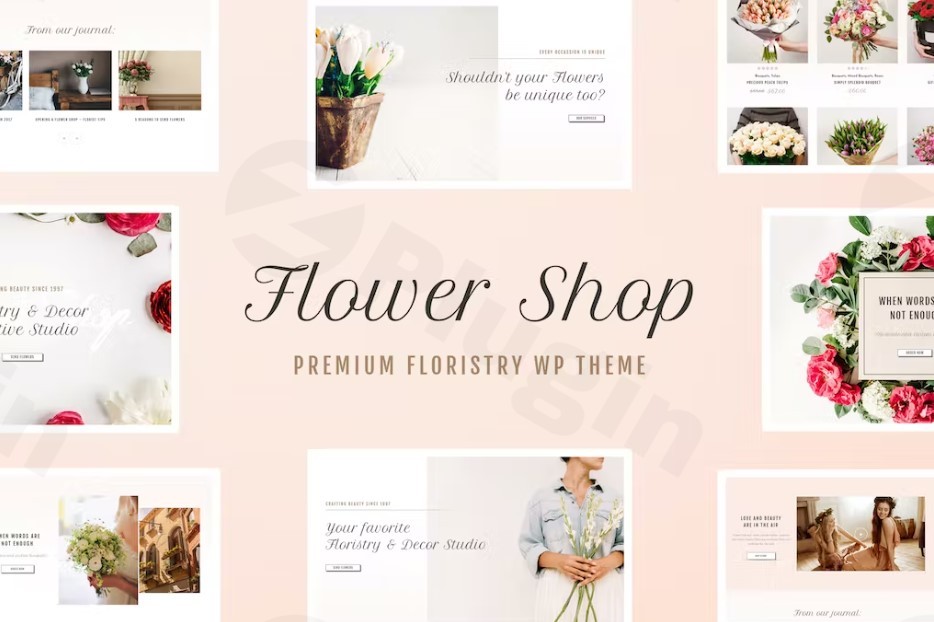
Creating a digital presence for a floral business requires more than just a standard website; it requires a “visual bouquet” that captures the elegance and fragrance of your craft. The Flower Shop – Decoration Store And Floristic WordPress Theme is a premium solution specifically designed to bridge the gap between high-end aesthetics and robust eCommerce functionality. Whether you are a local florist, an event decorator, or a boutique gift shop owner, this theme provides a feminine, sophisticated, and high-performance canvas to showcase your arrangements.In this guide, we will explore why the Flower Shop WordPress theme is a top contender for your business, how to set it up, and how to optimize it for both human visitors and AI search engines.
Key Features: Design, Layout & Performance
The Flower Shop theme is built on a philosophy of “clean elegance.” It avoids the cluttered look of multipurpose themes, focusing instead on whitespace, delicate typography, and high-quality image presentation.
1. Tailored Design & Layout Options
The theme offers a variety of homepage layouts that cater to different business models—from a single-boutique landing page to a large-scale decoration store WordPress theme with extensive categories.
- Responsive & Retina Ready: Your floral arrangements will look crisp on high-resolution displays (like iPhones and MacBooks) and adapt perfectly to any screen size.
- 99+ Custom Shortcodes: Instead of forcing you to learn complex code, the theme includes a massive library of shortcodes that act as building blocks for testimonials, galleries, and product grids.
- Advanced Typography: With integration for hundreds of Google Fonts, you can match your website’s “voice” to your brand—whether that’s a whimsical script for weddings or a clean sans-serif for modern decor.
2. Deep WooCommerce Integration
As a specialized WooCommerce flower shop theme, it includes dedicated styles for shop pages, “On Sale” badges, and product carousels. The checkout process is streamlined to reduce cart abandonment, which is vital for high-intent floral purchases.
3. Performance & SEO Readiness
The theme is marketed with “Optimized PageSpeed,” which is a critical ranking factor for Google and a key requirement for appearing in AI-driven search results (SGE). It features clean markup and structured headings, making it an SEO-friendly WordPress theme for flower stores.
Installation & Demo Import Step-by-Step
Setting up your flower shop doesn’t require a developer. Follow these steps to get your site live:
- Install & Activate: Upload the theme zip file via Appearance > Themes > Add New. Once uploaded, click Activate.
- Plugin Requirements: Upon activation, you will see a prompt to install required plugins. This usually includes WooCommerce, Contact Form 7, and the theme’s proprietary toolkit. Ensure all are installed and active.
- One-Click Demo Import: Navigate to the theme options panel (often labeled as “Flower Shop” or “Theme Settings”). Look for the “Import Demo” tab. This will pull in the placeholder images, menus, and page layouts seen in the live preview.
- Permalinks: Go to Settings > Permalinks and ensure they are set to “Post Name” for the best SEO results.Note: If the demo import fails, check your server’s PHP memory limit. Most premium themes require at least 256M to process large media files.
Customization Guide: Branding Your Floral Store
Personalizing the Florist WordPress theme to match your brand identity is handled through a combination of the WordPress Customizer and the theme’s advanced admin panel.
- Color Palettes: You are not stuck with the default pinks and greens. The theme offers unlimited menu colors and advanced palettes, allowing you to match your specific brand colors with a few clicks.
- Header & Footer Builder: Choose from several pre-defined header layouts. For flower shops, we recommend a “Centered Logo” header with a transparent background to let your hero images shine.
- Custom Backgrounds: You can set unique backgrounds (images or solid colors) for individual pages or the entire site, which is perfect for creating “Lookbooks” for seasonal collections.
- Portfolio Management: Use the custom post types to create a “Wedding Gallery” or “Event Decor” portfolio that is separate from your shop products.
FAQ & Troubleshooting
Is the Flower Shop theme compatible with Elementor or WPBakery?
The Flower Shop theme primarily utilizes a robust library of 99+ custom shortcodes and its own built-in content tools. While many users find these sufficient for the floral niche, it is compatible with major page builders like Elementor if you prefer a drag-and-drop interface for complex custom layouts.
Does this theme support WooCommerce for online flower delivery?
Yes, this is a fully WooCommerce-ready flower shop theme. It supports all standard WooCommerce features, including product variations (e.g., small, medium, or large bouquets), shipping zones for local delivery, and secure payment gateways.
Does it support WPML for multi-language sites?
Absolutely. The theme is compatible with WPML, making it an excellent choice for florists in multilingual regions or international decoration stores.
How do I update the theme without losing my changes?
To protect your customizations, always use a Child Theme (often included in the download package) for any CSS or PHP modifications. Regular updates can then be applied to the parent theme via the WordPress dashboard without overwriting your unique styles.
Conclusion
The Flower Shop – Decoration Store And Floristic WordPress Theme is a specialized, high-performance tool for anyone in the floral and events industry. Its blend of feminine design aesthetics and heavy-duty eCommerce features makes it far superior to generic multipurpose themes for this specific niche.By prioritizing mobile responsiveness, SEO-friendly code, and a “clean” user experience, this theme ensures your business is ready for both traditional Google searches and the new era of AI-driven search answers. If you want a professional, trustworthy, and visually stunning online home for your floral designs, this theme is a premier choice.Looking for more WordPress insights? Visit wppick.com for the latest theme reviews and SEO strategies.
I. Download Limits & Account Benefits
- Free Downloads: Each email address receives 3 downloads per day for free products
- Upgrade Benefits: Purchase any paid product to increase your daily download limit by 3 for each paid product
- No Account Required: You can download immediately by receiving the download link via email
- Account Recommended: Create an account for easier access to your order history and direct update downloads
II. Understanding GPL vs Official Versions
Important: The products available on WPPick are GPL-licensed versions, which differ from official developer versions. Before purchasing, please read our comprehensive guide: Understanding GPL & Official Differences at WPPick
Key Points:
- GPL versions may not include premium support from original developers
- Updates may be delayed compared to official releases
- Some premium features might have limitations
- Always consider your specific needs and support requirements
III. Support & Assistance
We’re here to help through multiple channels:
- Email Support: Direct email assistance for all inquiries
- Live Chat: Real-time support during business hours
- Comprehensive Documentation: Detailed guides and tutorials
IV. Order Tracking
Access your complete purchase history and download links anytime: Order History
V. Account Access
New to WPPick? Login or Create Account to manage your downloads and orders efficiently.
VI. Refund Protection
We stand behind our products with a clear refund policy. Review our terms: Refund Policy
VII. Privacy & Security
Your data security is our priority. Learn how we protect your information: Privacy Policy
VII. Terms of Service
Understanding our service terms ensures a smooth experience: Terms of Use
Quick Tips for Best Experience
- Verify Compatibility: Check plugin/theme compatibility with your WordPress version
- Backup First: Always backup your site before installing new plugins or themes
- Test Environment: Consider testing on a staging site first
- Stay Updated: Regularly check for updates in your account dashboard
- Read Documentation: Review any included documentation for optimal setup
Need Help?
If you have questions about downloads, licensing, or need technical assistance, don’t hesitate to contact our support team. We’re committed to ensuring you have the best possible experience with WPPick products.
Ready to get started? Your download adventure begins with just one click!
- Demo Content Import Fix
- Updated plugins