

Foxiz – Newspaper News And Magazine For WordPress
/Year
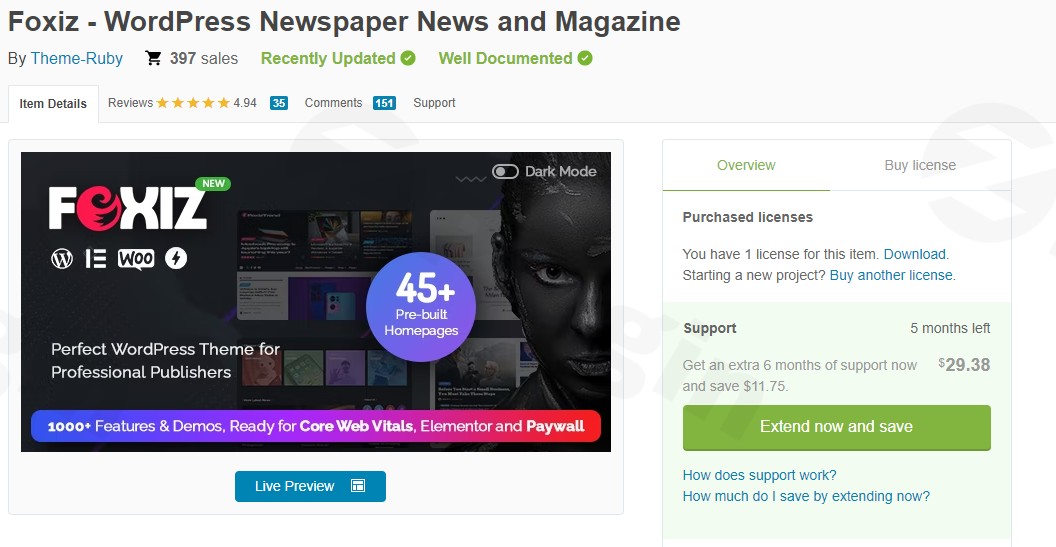
Introduction: The Ultimate Publishing Solution
The Foxiz WordPress theme is a modern, responsive, and highly versatile solution specifically engineered for news portals, online magazines, and blogs. Designed for publishers, content creators, and businesses, Foxiz provides an all-in-one platform to craft a professional and engaging online presence. Its design philosophy centers on delivering a visually appealing user experience combined with blazing-fast performance and extensive customization, making it an ideal choice for content-heavy websites that demand excellence.
Key Features: Design, Layout & Performance
Foxiz stands out with a comprehensive suite of features that empower users to create stunning and efficient publishing websites without needing a single line of code.
Design & Layout Options
Foxiz offers unparalleled control over your site’s aesthetic and structure, ensuring your content is presented beautifully and effectively.
- Diverse Homepage Layouts: Choose from multiple homepage layouts and over 40 pre-built demos that can be imported with a single click. These demos are constantly updated, and you can even combine elements from different layouts to create a truly unique design.
- Flexible Post & Blog Layouts: Showcase your articles with various blog and post layouts, including classic grid, modern list, and dynamic masonry styles. Customize individual post layouts, featured image displays, and content areas to highlight your most important stories.
- Ruby Templates: Leverage “Ruby Templates” – powerful tools for building and managing website sections and reusing layouts, offering a new dimension to site-wide customization.
- Mobile-First Design: With a focus on responsiveness, Foxiz ensures your website looks stunning and performs flawlessly on any device, from desktops to smartphones and tablets.
Customization Capabilities
With over 1,000 customization options, Foxiz places complete creative control at your fingertips.
- Comprehensive Color Schemes: Easily personalize your brand identity with extensive color options, including highlight and accent colors for categories, and a dedicated color system for the built-in dark mode feature.
- Advanced Typography: Integrate seamlessly with the WordPress Customizer to manage fonts and text styles across your site. Adjust font sizes for optimal readability, ensuring a comfortable experience for your audience.
- Drag-and-Drop Header & Footer Builder: Craft custom headers and footers with an intuitive drag-and-drop builder, allowing for unique layouts, mega menus, and smart navigation that enhance user experience.
- Dark Mode Support: Provide a sophisticated browsing experience with a built-in dark mode, letting users switch between light and dark themes with a single click.
Performance & SEO Features
Foxiz is engineered for speed and search engine visibility, crucial for any modern publishing platform.
- Blazing Fast Performance: Experience lightning-fast load times thanks to an optimized database structure and lightweight codebase. Foxiz is designed to score high on Core Web Vitals, ensuring a smooth and responsive experience for your visitors.
- SEO Optimized Structure: Built with search engine optimization as a priority, the theme includes schema markup, breadcrumbs, Open Graph support, and full compatibility with leading SEO plugins like Yoast SEO and All in One SEO.
- AMP Transitional Mode: Boost mobile performance with Accelerated Mobile Pages (AMP) transitional mode support, optimizing CSS and allowing control over components to meet AMP requirements.
- Image Optimization: Features native lazy load for images and optimized image sizes, further contributing to rapid page loads.
Installation & Demo Import
Setting up your Foxiz WordPress theme is a straightforward process, even for beginners. Here’s a step-by-step guide to get your news or magazine site up and running quickly.
Step 1: Purchase and Download the Theme
First, acquire the Foxiz theme from a reputable source like ThemeForest or a genuine GPL licensed provider such as ZeroPlugin.com, which ensures you receive 100% genuine GPL licensed products with regular updates and virus-verified clean files.
Step 2: Install the Foxiz Theme
- Log in to your WordPress dashboard.
- Navigate to Appearance > Themes.
- Click Add New at the top, then Upload Theme.
- Choose the
foxiz.zipfile you downloaded and click Install Now. - Once installed, click Activate.
Step 3: Install Required Plugins
Upon activation, Foxiz will prompt you to install and activate a few essential plugins for full functionality. These typically include:
- Foxiz Core: This companion plugin is vital for all theme settings and extended features.
- Elementor Website Builder: Foxiz leverages Elementor for its powerful front-end drag-and-drop building capabilities.Follow the on-screen prompts to install and activate these recommended plugins.
Step 4: One-Click Demo Import
To quickly set up your site with a pre-designed look, use the one-click demo import feature.
- After activating the required plugins, navigate to the Foxiz > Demo Importer section in your WordPress dashboard.
- Browse the 40+ pre-built demos and select the one that best suits your needs.
- Click Import. The theme will automatically import pages, posts, menus, widgets, and theme options from the chosen demo.
- What to Expect: The import process might take a few minutes depending on your hosting environment. Once complete, your site will largely resemble the chosen demo, providing a fantastic starting point for customization.Troubleshooting Tip: If your demo import encounters issues (e.g., gets stuck or looks incomplete), it might be due to server memory or timeout limits. Contact your hosting provider to temporarily increase
WP_MEMORY_LIMITandmax_execution_timeto recommended values (e.g., 256MB and 300 seconds, respectively).
Customization Guide: Branding & Layout
Personalizing your Foxiz site to match your brand and content strategy is intuitive and flexible. The theme offers numerous options through the WordPress Customizer, Theme Options panel, and Elementor.
Using the WordPress Customizer & Theme Options
- Global Styles: Access Appearance > Customize to modify global settings such as site identity (logo, favicon), header/footer layouts, and blog settings.
- Colors & Typography: Easily adjust your brand’s color palette for various elements, including accent colors, background colors, and specific styles for dark mode. Fine-tune your typography across the site, selecting from a wide range of fonts and adjusting sizes for headings and body text.
- Layout Adjustments: The Foxiz Theme Options panel (typically found under
Foxizin your WordPress dashboard) provides 1000+ options for granular control over every aspect of your site’s layout, categories, tags, and more. This is where you’ll find extensive settings for individual post designs, sidebar options, and general site structure.
Crafting Custom Headers & Footers
Foxiz’s drag-and-drop header and footer builder allows you to design unique top and bottom sections for your website.
- Navigate to the dedicated header/footer builder interface.
- Use the intuitive drag-and-drop elements to arrange logos, navigation menus (including mega menus), search bars, social icons, and other widgets.
- Preview your changes in real-time to ensure they align with your brand’s aesthetic.
Setting Up Your Homepage and Blog
- Homepage: If you’ve imported a demo, your homepage will be pre-configured. You can further customize it using Elementor, dragging and dropping elements like post blocks, sliders, and featured sections.
- Blog Page: Foxiz offers various blog index templates and category headers. You can designate a static page as your blog archive or let WordPress handle it automatically. Utilize the theme options to define how post listings appear (grid, list, masonry, etc.) and what meta-information is displayed.
- Menus: Create and assign your main navigation menus via Appearance > Menus. Foxiz supports smart navigation and mega menus, allowing you to build rich, multi-column dropdowns for extensive content categories.
FAQ & Troubleshooting
Here are answers to some common questions about the Foxiz WordPress theme, designed to be clear and helpful for any user.
Q1: Is Foxiz compatible with Elementor / WPBakery / Gutenberg?
Foxiz is fully compatible with Elementor Website Builder, requiring it for full front-end drag-and-drop design capabilities and offering support for all Elementor layouts. While it heavily relies on Elementor for advanced design, it also works seamlessly with the WordPress Block Editor (Gutenberg) for standard content creation. There is no explicit mention of WPBakery Page Builder compatibility, implying Elementor is the primary recommended page builder.
Q2: Does Foxiz support WooCommerce for online stores?
Yes, Foxiz seamlessly integrates with WooCommerce, allowing you to create and manage a fully functional online store within your news or magazine website. It provides dedicated styling and compatibility for WooCommerce pages, products, and checkout processes.
Q3: How can I ensure optimal performance with the Foxiz theme?
Foxiz is built for lightning-fast performance, but you can further optimize it by:
- Utilizing built-in features: Leverage native lazy load for images and optimized image sizes.
- Implementing caching: Install and configure caching plugins like WP Super Cache, W3 Total Cache, or LiteSpeed Cache.
- Image Optimization: Use plugins like WP-Optimize or Smush to compress and optimize images.
- Content Delivery Network (CDN): Integrate a CDN for faster content delivery globally.
Q4: Can I use Foxiz for niche blogs or review websites?
Absolutely. Foxiz is incredibly versatile and ideal for a wide range of content-heavy niches, including:
- Niche blogs: Fashion, food, beauty, technology, travel, lifestyle, personal blogs.
- Review websites: It comes with a built-in review system, making it perfect for tech reviews, product comparisons, or media critiques.
- It also supports specialized content like podcasts, recipes, and live blogging.
Q5: What support can I expect with the Foxiz theme?
Foxiz is backed by a highly praised and dedicated support team. Users consistently report excellent customer service, with issues typically resolved within 24 hours. This includes assistance with installation, configuration, and any theme-related questions, ensuring a smooth experience.
Conclusion
The Foxiz WordPress theme stands as a professional and powerful choice for anyone looking to build a high-performance news portal, online magazine, or blog. Its exceptional design flexibility, fueled by over 1,000 customization options and deep integration with Elementor, allows for endless creative possibilities without requiring coding skills.From its blazing-fast load times and meticulous SEO optimization, including Core Web Vitals readiness and schema markup, to its mobile-first design and AI-powered features, Foxiz is engineered for the demands of modern publishing. Its robust compatibility with essential plugins like WooCommerce and leading SEO tools, coupled with a highly responsive support team, further cements its position as a top-tier solution.Whether you’re a seasoned publisher, an aspiring blogger, an agency, or a marketer seeking to create an engaging and monetized content platform, Foxiz provides the tools and performance to shine. It’s a confident choice for those who value design, speed, and a rich feature set in their publishing ventures.
I. Download Limits & Account Benefits
- Free Downloads: Each email address receives 3 downloads per day for free products
- Upgrade Benefits: Purchase any paid product to increase your daily download limit by 3 for each paid product
- No Account Required: You can download immediately by receiving the download link via email
- Account Recommended: Create an account for easier access to your order history and direct update downloads
II. Understanding GPL vs Official Versions
Important: The products available on WPPick are GPL-licensed versions, which differ from official developer versions. Before purchasing, please read our comprehensive guide: Understanding GPL & Official Differences at WPPick
Key Points:
- GPL versions may not include premium support from original developers
- Updates may be delayed compared to official releases
- Some premium features might have limitations
- Always consider your specific needs and support requirements
III. Support & Assistance
We’re here to help through multiple channels:
- Email Support: Direct email assistance for all inquiries
- Live Chat: Real-time support during business hours
- Comprehensive Documentation: Detailed guides and tutorials
IV. Order Tracking
Access your complete purchase history and download links anytime: Order History
V. Account Access
New to WPPick? Login or Create Account to manage your downloads and orders efficiently.
VI. Refund Protection
We stand behind our products with a clear refund policy. Review our terms: Refund Policy
VII. Privacy & Security
Your data security is our priority. Learn how we protect your information: Privacy Policy
VII. Terms of Service
Understanding our service terms ensures a smooth experience: Terms of Use
Quick Tips for Best Experience
- Verify Compatibility: Check plugin/theme compatibility with your WordPress version
- Backup First: Always backup your site before installing new plugins or themes
- Test Environment: Consider testing on a staging site first
- Stay Updated: Regularly check for updates in your account dashboard
- Read Documentation: Review any included documentation for optimal setup
Need Help?
If you have questions about downloads, licensing, or need technical assistance, don’t hesitate to contact our support team. We’re committed to ensuring you have the best possible experience with WPPick products.
Ready to get started? Your download adventure begins with just one click!
- Fix cannot validate during activate AMP plugin due to conflict CSS color rgba.
- Improved update Google fonts.
- Other improvements and bug fixes.
- Fix popular posts filter issue with Light View Counter.
- Fix metabox script state cache issue which caused primary category search not to work.
- Added new Global Digest demo concept.
- Added light view counter support for better performance and optimized for high-traffic sites.
- Added popular query compatible with light view counters, working with all popular queries.
- Added new method to support multiple authors via ThemeRuby Multiple Authors, a lightweight and fast plugin.
- Added support to display posts compatible with ThemeRuby Multiple Authors plugin.
- Added FAQ schema for Accordion Gutenberg block.
- Added a new word rotation Elementor block with smooth animation.
- Added option to choose mobile browser navigation color.
- Added auto translation tool for quick translation.
- Added import/export for Translation Tool to help quickly move translation data between sites.
- Added entrance animation for Gallery block.
- Added support for featured image in RSS2 feed with on/off settings.
- Added support for CAPTCHA services reload on Newsletter popup to ensure it displays correctly.
- Improved optimization for PHP 8.4.x and WordPress 6.9.
- Improved optimized Foxiz queries for better performance.
- Improved Elementor edit page, auto ads no longer load during post editing.
- Improved CSS by removing unnecessary -webkit prefixes for modern browsers, optimized CSS load.
- Improved by removing HTML5 shim script as it is no longer needed in modern browsers.
- Many other improvements and bug fixes.
- Improved compatibility with the latest WooCommerce version 10.1.2.
- Improved 3rd-party Advanced Google reCAPTCHA compatibility for frontend login/register forms.
- Improved Table of Contents: removed H1 support as it is not necessary.
- Improved update Google Fonts.
- Improved demo importer functions.
- Added login form hook settings for login block for better compatibility with 3rd-party captcha plugins.
- Fixed local fonts uploader not applying when all Google Fonts are disabled.
- Fixed minor bugs.
- Improved table of contents HTML structure for better SEO
- Improved removal of delay in smooth scroll of table content for better UX
- Improved popup template block for cases with multiple trigger buttons using the same template
- Fixed image selection in avatar settings not working in some cases
- Fixed minor bugs
- Added new "SEO & Affiliate Monetize" demo for marketing and monetization-focused websites.
- Added single tagline color option for dark mode.
- Added stacked button styles and improve settings for the Elementor "Call to Action" block.
- Added support for translation files in the "loco" folder to preserve translations even when the plugin is disabled.
- Added glass effect option for the sticky menu.
- Added "Quick Links" block to support sub-term queries in taxonomy templates.
- Improved theme performance for faster load times and reduced memory usage.
- Improved subcategory display only shows subcategories that contain posts.
- Improved help texts in settings for better clarity and user guidance.
- Various other improvements and bug fixes
- Added new Gutenberg "Call to Action" block for affiliate marketing and blog conversions.
- Added new Gutenberg "Image Slider" block.
- Added new settings for the Gutenberg "Related Posts" block, heading layout supported.
- Added publish and updated date formats in single post meta.
- Improved Gutenberg block settings layout for easier configuration and quicker access.
- Improved update google fonts.
- Improved autoplay functionality and fixed issues in carousels and sliders blocks.
- Fixed autoplay in the Breaking News block.
- Various other improvements and bug fixes.