

Gillion | Multi-concept Blog/magazine & Shop WordPress Theme
/Year
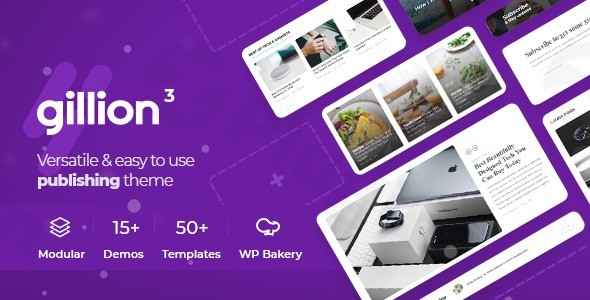
The Gillion WordPress theme is a high-performance, versatile powerhouse specifically engineered for content-heavy websites. Whether you are launching a professional news portal, a stylish fashion blog, or a functional online store, Gillion provides a “multi-concept” approach that balances aesthetic elegance with deep functional utility. Designed by Shufflehound, this multi-concept blog magazine WordPress theme focuses on reader engagement and ease of use, making it a top choice for publishers who want a premium look without writing a single line of code.
Key Features: Design, Layout & Performance
Gillion stands out in a crowded market by offering specialized tools that generic themes often overlook. Its design philosophy centers on clean typography and visual hierarchy, ensuring your content remains the primary focus.
1. Diverse Layout & Design Options
Gillion is packed with over 15+ high-quality, fully functional demo sites. These aren’t just templates; they are complete concepts ranging from tech and food to lifestyle and shop layouts.
- Grid & Blog Styles: Choose from over 5 different blog layouts, including adaptive grids, mixed layouts, and “open post” styles that support full-width imagery or traditional sidebar configurations.
- Modular Elements: The theme includes 50+ modular builder elements, allowing you to drag and drop sections to create truly unique pages.
- Header & Footer Flexibility: With multiple header layouts and a dedicated footer builder, you can maintain consistent branding across every pixel of your site.
2. Unique Reader Engagement Tools
One of the most impressive aspects of Gillion is its built-in functionality aimed at keeping visitors on your site longer:
- Bookmarking System: Logged-in users can save articles to a “read later” list, a feature usually requiring heavy third-party plugins.
- Review Module: Perfect for tech or product bloggers, this module allows you to create detailed reviews with scores, pros, and cons.
- Read Time & View Counters: These small but powerful UI elements provide social proof and improve the user experience by setting expectations for long-form content.
3. Performance & SEO Optimization
In an era of Core Web Vitals, Gillion is built for speed. It features clean code, AMP (Accelerated Mobile Pages) compatibility, and SEO-friendly markup. It is a fast WordPress theme that ensures your magazine or shop loads quickly on mobile devices, which is critical for both Google rankings and user retention.
Installation & Demo Import Guide
Setting up Gillion is straightforward, even for beginners. Follow these steps to get your site looking like the professional demos in minutes.
- Theme Installation: Log in to your WordPress dashboard, navigate to Appearance > Themes > Add New, and upload the
gillion.zipfile. Once uploaded, click Activate. - Plugin Setup: Upon activation, Gillion will prompt you to install required companion plugins, such as the Unison framework, WPBakery Page Builder, and Slider Revolution. Click “Begin installing plugins” and follow the prompts.
- One-Click Demo Import: Navigate to the Gillion Admin Panel (often under Tools > Demo Content Install). Choose your preferred niche demo and click Install.
- Note: Ensure your hosting environment has sufficient memory (at least 256MB) to prevent timeouts during the import of high-resolution images.
4. Final Polish: Once the import is complete, your menus, widgets, and homepage settings will be configured automatically to match the demo site.
Customization Guide: Personalizing Your Brand
Personalizing the Gillion WordPress theme is handled through a combination of the Live Customizer and the powerful Gillion Admin Panel.
- Global Styling: Use the Admin Panel to set your “Unlimited Colors” and typography. The theme focuses on readability, so you can easily adjust font sizes and line heights to suit your audience.
- Page Building: Gillion is a highly flexible Elementor compatible theme, but it also integrates deeply with WPBakery. You can use these drag-and-drop interfaces to rearrange homepage sections, add carousels, or create custom “About Me” pages.
- Header Customization: You can switch between the 4+ header styles instantly, adjusting logo placement and navigation menus without CSS knowledge.
* WooCommerce Integration: If you are building a shop, the theme’s compatibility with WooCommerce allows you to style your product grids and checkout pages to match the rest of your editorial content.
FAQ & Troubleshooting
Is Gillion WordPress theme good for WooCommerce?
Yes, Gillion is an SEO-friendly WooCommerce WordPress theme. it includes dedicated shop layouts and demo concepts specifically designed for e-commerce, allowing you to sell products seamlessly alongside your blog or magazine content.
How do I update the theme without losing my customizations?
To protect your changes, always use a Child Theme for CSS or PHP modifications. For general settings handled via the Gillion Admin Panel, your data is stored in the database and will persist through updates. Always back up your site before running theme or plugin updates.
Is the Gillion theme compatible with Elementor?
Yes, Gillion offers compatibility with both Elementor and WPBakery Page Builder. This gives you the freedom to choose your preferred workflow for creating custom page layouts.
What should I do if the demo import fails?
If the import stalls, it is usually due to server “maxexecutiontime” or “memory_limit” settings. Contact your host to increase these limits or use the manual import method provided in the Gillion documentation.
Conclusion
The Gillion WordPress theme is a premier choice for anyone looking to build a professional, content-centric website. Its standout features—like the bookmarking system and the robust review module—provide a level of sophistication rarely found in standard multipurpose themes. While it is exceptionally user-friendly for beginners due to the one-click demo imports and drag-and-drop builders, its clean code and child-theme support make it equally attractive for professional agencies. If you need a multi-concept blog magazine WordPress theme that is fast, SEO-ready, and visually stunning, Gillion is a top-tier investment for your digital presence on wppick.com.
I. Download Limits & Account Benefits
- Free Downloads: Each email address receives 3 downloads per day for free products
- Upgrade Benefits: Purchase any paid product to increase your daily download limit by 3 for each paid product
- No Account Required: You can download immediately by receiving the download link via email
- Account Recommended: Create an account for easier access to your order history and direct update downloads
II. Understanding GPL vs Official Versions
Important: The products available on WPPick are GPL-licensed versions, which differ from official developer versions. Before purchasing, please read our comprehensive guide: Understanding GPL & Official Differences at WPPick
Key Points:
- GPL versions may not include premium support from original developers
- Updates may be delayed compared to official releases
- Some premium features might have limitations
- Always consider your specific needs and support requirements
III. Support & Assistance
We’re here to help through multiple channels:
- Email Support: Direct email assistance for all inquiries
- Live Chat: Real-time support during business hours
- Comprehensive Documentation: Detailed guides and tutorials
IV. Order Tracking
Access your complete purchase history and download links anytime: Order History
V. Account Access
New to WPPick? Login or Create Account to manage your downloads and orders efficiently.
VI. Refund Protection
We stand behind our products with a clear refund policy. Review our terms: Refund Policy
VII. Privacy & Security
Your data security is our priority. Learn how we protect your information: Privacy Policy
VII. Terms of Service
Understanding our service terms ensures a smooth experience: Terms of Use
Quick Tips for Best Experience
- Verify Compatibility: Check plugin/theme compatibility with your WordPress version
- Backup First: Always backup your site before installing new plugins or themes
- Test Environment: Consider testing on a staging site first
- Stay Updated: Regularly check for updates in your account dashboard
- Read Documentation: Review any included documentation for optimal setup
Need Help?
If you have questions about downloads, licensing, or need technical assistance, don’t hesitate to contact our support team. We’re committed to ensuring you have the best possible experience with WPPick products.
Ready to get started? Your download adventure begins with just one click!
- Request validation for the Unyson settings
- Compatibility with WordPress 6.9
- Compatibility with WooCommerce 10.5
- 5 column option for Woocomerce in theme settings
- WooCommerce option to add sidebar for categories pages
- Slider Revolution to the latest version (6.7.41)
- WPBakery Page Builder to the latest version (8.7.2)
- Yellow Pencil Pro to the latest version (7.6.7)
- Theme contains outdated copies of some WooCommerce template files