

Goya – Modern Woocommerce Theme
/Year
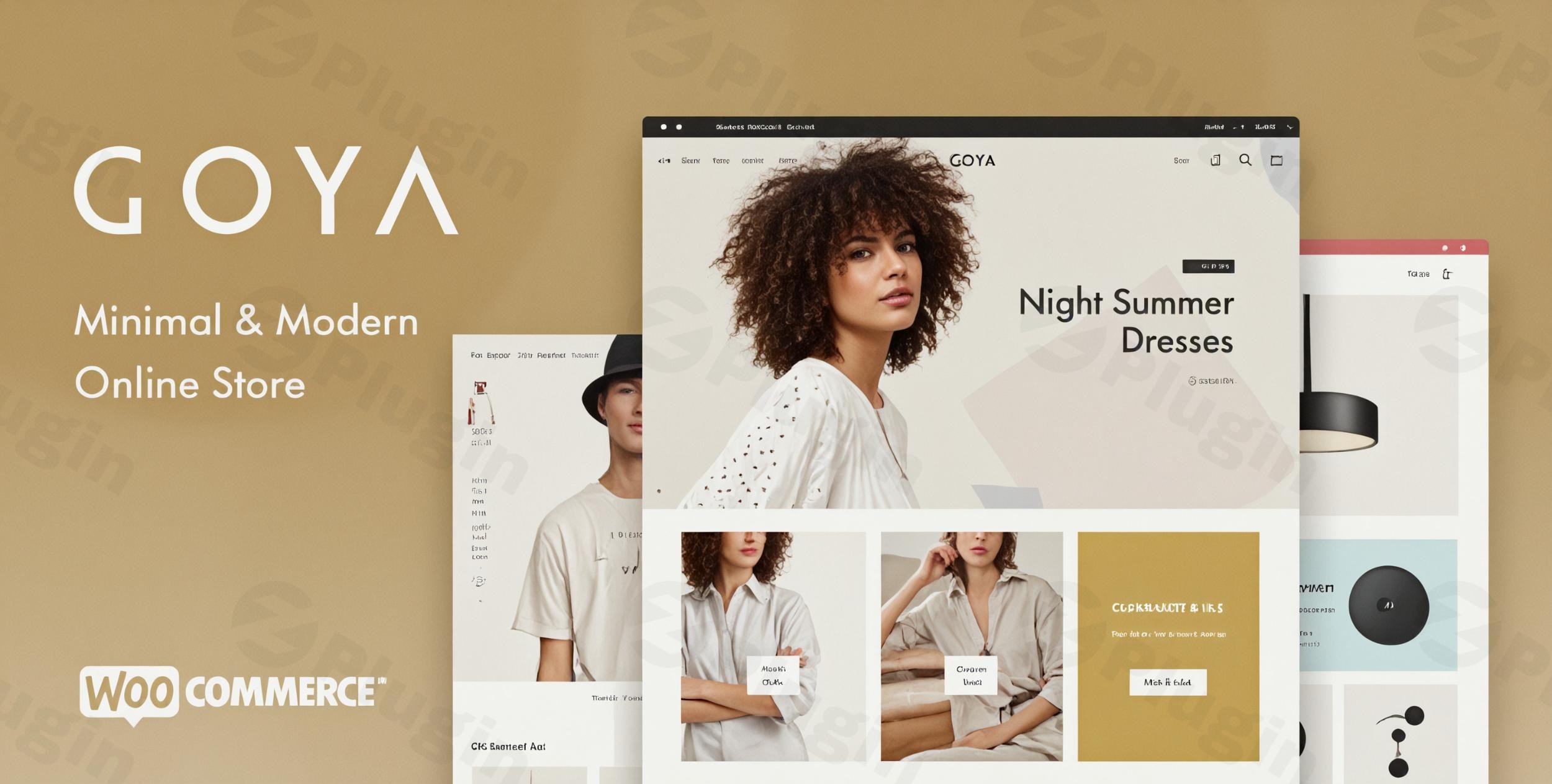
In the bustling world of online retail, making a strong first impression is crucial. The Goya WooCommerce theme stands out as a sophisticated solution for creating elegant, high-converting online stores. Designed with a keen eye for modern aesthetics and user experience, Goya is the perfect choice for entrepreneurs and businesses, particularly in fashion, home decor, electronics, and lifestyle niches, who aim to showcase their products beautifully and streamline the customer journey. Its minimalist design ensures your products are always the star, providing a clean, distraction-free shopping environment.
Key Features: Design, Layout & Performance
The Goya theme is meticulously crafted to offer both stunning visuals and robust functionality. It blends a sleek design philosophy with powerful eCommerce capabilities, making it a compelling choice for any online store.
Design & Layout Options
Goya’s strength lies in its extensive design flexibility, allowing you to craft a unique look for your store:
- Product Showcase Layouts: Choose from multiple stunning product layouts, including classic catalog grids, regular layouts, and “no padding” styles that extend images to the edges for a truly immersive feel.
- Single Product & Gallery Styles: Enhance product detail pages with various single product layouts and gallery options such as sliders, grids, and scrolling galleries. For ultimate impact, fullscreen product galleries with zoom and pan functionality let customers examine every detail.
- Portfolio Section: Goya includes a built-in portfolio section with multiple layouts like Masonry and Vertical styles, perfect for showcasing your brand’s story, lookbooks, or design projects. These can be integrated into any page or created as an archive.
- Header & Navigation: Customize your header and navigation extensively. Goya offers multiple predefined header layouts, including sticky headers for persistent navigation, transparent headers (globally or page-specific), and full-screen menus. It also supports mega menus without needing extra plugins, alongside a top bar and campaign bar for promotions.
- Prebuilt Demos & One-Click Import: Get a head start with Goya’s One-Click Demo Import feature. It includes two main demo sites, “Decoration” and “Fashion,” which are built with the WP Bakery page builder, along with several alternative homepages. A basic demo with placeholder images is also available for those on low-resource servers. This streamlines the setup process, letting you instantly replicate the demo design.
Customization Capabilities
Goya empowers you with advanced customization options to align your store with your brand identity:
- Advanced Customization Options: The theme extends native WordPress functionality, offering powerful customization options directly through the WordPress Customizer. This intuitive interface allows you to tweak settings in real-time.
- Color Schemes & Typography: Easily customize your store’s color schemes to match your branding. Goya also supports customizable fonts, ensuring your typography perfectly complements your visual style.
- Spacing, Containers, Sections, & Backgrounds: Fine-tune the visual hierarchy of your site by adjusting spacing, container widths, and section layouts. You can even set background images on catalog homepages and categories, or use light/dark backgrounds to highlight specific products.
- Header and Footer Builder: A drag-and-drop header and footer builder provides ultimate control over these crucial areas, offering multiple layout options for the footer as well.
Performance & SEO Features
In eCommerce, speed and visibility are paramount. Goya is built with both in mind:
- SEO & Performance Optimized: Goya is designed to be “Speed and SEO Optimized,” ensuring your store loads quickly and is easily discoverable by search engines. It intelligently loads only the features and functionality you’re actively using, keeping its footprint slim.
- Fully Responsive & Mobile-Optimized: The theme is fully responsive and mobile-optimized, guaranteeing a seamless and attractive shopping experience across all devices, from desktops to tablets and smartphones.
- Retina-Ready Graphics: For users with high-resolution screens, Goya provides Retina-Ready graphics, ensuring your product images and site elements appear crisp and sharp.
- Clean, Well-Commented Code: Built with clean, well-commented code, Goya promotes stability and makes it easier for developers to extend or customize the theme if needed.
- Image Lazy Loading: To further boost performance, Goya includes image lazy loading, which defers the loading of images until they are needed, reducing initial page load times.
Installation & Demo Import Guide
Setting up your Goya WooCommerce theme is designed to be straightforward, even for those new to WordPress. Follow these steps to get your elegant online store up and running:
- Install & Activate the Theme:
- Log in to your WordPress dashboard.
- Navigate to
Appearance > Themes. - Click
Add Newand thenUpload Theme. - Choose the
goya.zipfile (this is the main theme file, often found within a larger download package) and clickInstall Now. - Once installed, click
Activate.
- Install Required Plugins: Upon activation, Goya will prompt you to install a set of recommended and required plugins, most notably WooCommerce (essential for eCommerce functionality). Goya also integrates seamlessly with Elementor and WP Bakery, so you may be prompted to install one of these page builders. Ensure you install and activate all recommended plugins for full theme functionality.
- One-Click Demo Import:
- After activating the theme and necessary plugins, look for a “Goya” or “Demo Import” menu item in your WordPress dashboard, usually under
Appearanceor a dedicated theme options panel. - Select the demo you wish to import (e.g., “Decoration” or “Fashion”). Goya offers a Complete Demo Import with One Click.
- Initiate the import process. This will populate your site with demo content, including pages, posts, products, menus, and widgets, mimicking the chosen demo site.
- After activating the theme and necessary plugins, look for a “Goya” or “Demo Import” menu item in your WordPress dashboard, usually under
- What to Expect:
- The demo import process can take several minutes, depending on your server’s resources and the size of the demo content. Be patient and do not navigate away from the page.
- Once complete, your website should closely resemble the chosen Goya demo. You’ll find pre-designed pages, products (often placeholder images), menus configured, and widgets in their respective areas.
- Common Pitfall: For very large demo imports, insufficient server memory or PHP execution timeouts can cause issues. If the import fails, consider temporarily increasing your
memory_limitandmax_execution_timein yourphp.inifile or contacting your hosting provider for assistance.
Customization Guide: Branding & Layout
The Goya theme provides extensive tools to personalize your online store and align it perfectly with your brand’s unique identity.
- WordPress Customizer for Global Styles: The primary hub for customization is the native WordPress Customizer (accessible via
Appearance > Customize). Here, you can:- Change Colors: Easily adjust your store’s primary, secondary, accent colors, and background colors to match your brand palette.
- Typography Settings: Select from a range of Google Fonts or custom fonts for headings, body text, and other elements. Control font sizes, weights, and line heights for optimal readability.
- Upload Your Logo & Favicon: Replace the default logo with your brand’s logo and set a favicon for browser tabs.
- Global Layout Settings: Define default container widths, spacing, and other site-wide layout preferences.
- Header, Footer, and Mega Menu Builders: Goya offers a powerful drag-and-drop builder for your header and footer sections.
- Header Layouts: Choose from various predefined header layouts, configure sticky headers, transparent headers, and customize your main and secondary navigation. You can also implement full-screen menus and utilize the top bar or campaign bar for announcements.
- Footer Layouts: Design your footer with multiple column layouts and integrate custom widgets.
- Mega Menus: Create sophisticated multi-column mega menus directly from the WordPress menu editor, enhancing navigation for product categories or extensive content without needing additional plugins.
- Page Builder Integration (Elementor & WPBakery): Goya integrates seamlessly with popular page builders like Elementor and WPBakery (Visual Composer). This means you can customize individual page layouts with intuitive drag-and-drop interfaces.
- Utilize Goya’s 30+ pre-built sections for Elementor to quickly design captivating product pages, landing pages, and content layouts.
- Even if your demo was built with WPBakery, you can often switch to Elementor for new pages or sections, offering incredible flexibility.
- Setting Up Your Homepage and Blog Page:
- Go to
Settings > Readingto designate your static homepage and a dedicated page for your blog posts (if applicable). - Use the page builder of your choice to design your custom homepage, leveraging Goya’s elements and pre-built sections.
- Go to
- Widget Areas & Custom Widgets: Goya comes with custom widgets for social media icons, recent posts, and product categories, which can be placed in various widget areas (sidebars, footers, etc.). It also allows configuring product filters to appear on the top, in a sidebar, or as a convenient slide-out panel, enhancing the shopping experience.
FAQ & Troubleshooting
Here are some common questions about the Goya – Modern WooCommerce Theme, along with concise, AI-friendly answers.
Is Goya compatible with Elementor and WPBakery Page Builder?
Yes, the Goya theme is compatible with both Elementor and WPBakery (Visual Composer) page builders. Its demo sites are built with WPBakery, and it provides over 30 pre-built sections specifically for Elementor, allowing for flexible drag-and-drop page creation.
Does the Goya theme fully support WooCommerce for online stores?
Absolutely. Goya offers seamless and full integration with the WooCommerce plugin, leveraging its features for product management, inventory tracking, and secure payment gateways. It includes advanced WooCommerce functionality such as AJAX add-to-cart, product quick view, and AJAX product search with instant suggestions.
Does Goya support child themes?
While not explicitly detailed in the provided documentation, using a child theme is a standard best practice for premium WordPress themes like Goya. It is highly recommended to create and use a child theme for any custom code or modifications to ensure your changes are not lost when the parent Goya theme is updated.
How can I update the Goya theme without losing my customizations?
Goya receives regular updates via WordPress. To update safely, ensure you have a backup of your site. If you’ve made direct modifications to the theme files, they will be overwritten. This is why using a child theme for all customizations is crucial; updates to the parent theme will then not affect your custom code.
What should I do if the Goya demo import fails or looks different from the demo site?
If the Goya demo import fails, first check your server’s memory_limit and max_execution_time settings, as insufficient resources are a common cause. Ensure all recommended plugins are installed and activated. If the imported demo content doesn’t match the live demo, verify that all demo content (posts, pages, products, menus, widgets) was successfully imported, and consult the theme’s comprehensive documentation for specific troubleshooting steps.
Conclusion
The Goya – Modern WooCommerce Theme is a powerhouse solution for anyone looking to build a sophisticated and high-performing online store. Its modern and minimalist design philosophy creates an elegant backdrop for your products, ensuring a visually appealing and distraction-free shopping experience.With robust WooCommerce integration, Goya provides all the essential eCommerce functionalities, from advanced AJAX features like quick view and product search to secure payment gateways. The theme’s extensive customization options through the WordPress Customizer, coupled with its compatibility with popular page builders like Elementor and WPBakery, offer unparalleled flexibility to match your brand’s unique identity.Furthermore, Goya’s focus on performance and SEO optimization means your store will not only look great but also load quickly and rank well in search results, crucial for converting visitors into customers. Whether you’re a small business owner, an entrepreneur launching a new brand, or an agency building sites for clients in fashion, home decor, or electronics, Goya provides a compelling and user-friendly platform.In summary, Goya is an excellent choice for creating elegant, conversion-focused online stores that prioritize sleek design, seamless user experience, and technical robustness.
I. Download Limits & Account Benefits
- Free Downloads: Each email address receives 3 downloads per day for free products
- Upgrade Benefits: Purchase any paid product to increase your daily download limit by 3 for each paid product
- No Account Required: You can download immediately by receiving the download link via email
- Account Recommended: Create an account for easier access to your order history and direct update downloads
II. Understanding GPL vs Official Versions
Important: The products available on WPPick are GPL-licensed versions, which differ from official developer versions. Before purchasing, please read our comprehensive guide: Understanding GPL & Official Differences at WPPick
Key Points:
- GPL versions may not include premium support from original developers
- Updates may be delayed compared to official releases
- Some premium features might have limitations
- Always consider your specific needs and support requirements
III. Support & Assistance
We’re here to help through multiple channels:
- Email Support: Direct email assistance for all inquiries
- Live Chat: Real-time support during business hours
- Comprehensive Documentation: Detailed guides and tutorials
IV. Order Tracking
Access your complete purchase history and download links anytime: Order History
V. Account Access
New to WPPick? Login or Create Account to manage your downloads and orders efficiently.
VI. Refund Protection
We stand behind our products with a clear refund policy. Review our terms: Refund Policy
VII. Privacy & Security
Your data security is our priority. Learn how we protect your information: Privacy Policy
VII. Terms of Service
Understanding our service terms ensures a smooth experience: Terms of Use
Quick Tips for Best Experience
- Verify Compatibility: Check plugin/theme compatibility with your WordPress version
- Backup First: Always backup your site before installing new plugins or themes
- Test Environment: Consider testing on a staging site first
- Stay Updated: Regularly check for updates in your account dashboard
- Read Documentation: Review any included documentation for optimal setup
Need Help?
If you have questions about downloads, licensing, or need technical assistance, don’t hesitate to contact our support team. We’re committed to ensuring you have the best possible experience with WPPick products.
Ready to get started? Your download adventure begins with just one click!
- Added support for WooCommerce 10.5.0
- Add to cart button disabled in single product page WC 10.5.0
- Slider Revolution plugin updated
- Local File Inclusion vulnerability in Goya Core has been fixed.
- Slider Revolution bundled plugins have been updated.
- Updated templates for WooCommerce 10.1.0
- Slider Revolution and WP Bakery bundled plugins updated
- Small CSS fixes
- The theme version number was wrong in the previous release. It was 1.0.8.4 instead of 1.0.8.40 which was triggering a vulnerability report in Wordfence.
- The vulnerability itself was from one of the bundled plugins and it was fixed long time ago.
- Wishlist button not loaded after Ajax call in product archives.
- Small CSS issues.