

Grand Tour | Tour Travel WordPress For Travel And Tour
/Year
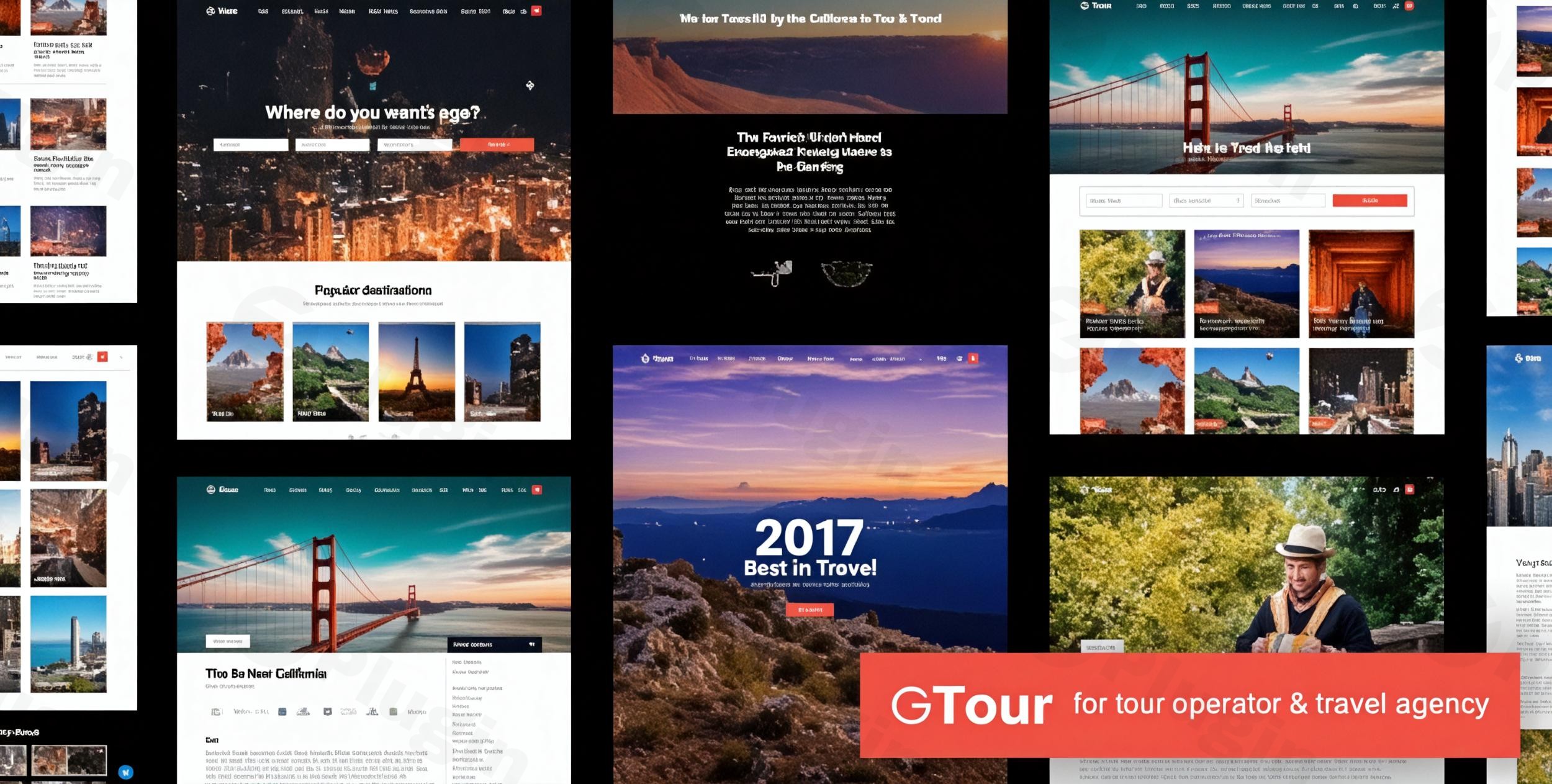
Welcome to the world of seamless travel website creation! The Grand Tour WordPress theme is a modern, responsive solution specifically designed for tour operators, travel agencies, and travel bloggers looking to establish a professional, high-converting online presence. It blends elegant design with powerful, niche-specific functionalities, making it the ideal Tour Travel WordPress theme for showcasing breathtaking destinations and streamlining booking processes.
Key Features: Design, Layout & Performance
Grand Tour is engineered to captivate visitors and convert them into customers, focusing on visual appeal, intuitive navigation, and robust functionality tailored for the travel industry.
Design & Layout Options
The theme empowers you to create visually stunning travel websites with an array of flexible design tools:
- 20+ Pre-designed Templates: Jumpstart your site with professionally crafted templates for tours and destinations, allowing you to present itineraries and locations with unique flair.
- 8 Predefined Styles & 8 Predefined Colors: Launch quickly with a polished look, choosing from various ready-to-use aesthetic styles and color schemes that can be further customized to match your brand.
- Immersive Visual Effects: Engage your audience with smooth parallax scrolling rendered at a buttery 60 frames per second, and truly make your site memorable with video parallax backgrounds for key sections.
- Diverse Blog Layouts: Share compelling travel stories using any of the 10 blog templates, ensuring your content remains fresh and engaging.
- Retina Ready Display: Guarantee crystal-clear imagery and sharp typography on all high-resolution screens, providing an exceptional viewing experience for your visitors.
Customization Capabilities
Grand Tour offers extensive customization to reflect your brand’s unique identity:
- Fully Customizable: While specific font systems are not detailed, the theme is built for deep personalization, allowing you to modify colors, fonts, and layouts to fit your vision. This includes eight predefined styling options and color schemes that serve as excellent starting points.
- Header & Menu Flexibility: Choose from 8 distinct menu layouts and leverage Elementor for advanced header and navigation menu setup, giving you precise control over your site’s top-level navigation.
Performance & SEO Features
Built with the modern web in mind, the Grand Tour theme prioritizes speed and search engine visibility:
- SEO Optimized: Constructed with clean, semantic HTML code, Grand Tour is designed for better search engine rankings, helping potential customers discover your travel offerings more easily.
- Mobile-Ready & Responsive: This theme is fully responsive and Google mobile-friendly, ensuring a flawless user experience across all devices, from desktops to smartphones and tablets.
- Translation Ready: With compatibility for WPML, Grand Tour allows you to create multilingual travel sites, expanding your reach to a global audience.
- Optimized Assets: The use of sharp font icons contributes to faster load times and crystal-clear visuals, enhancing overall site performance.
Installation & Demo Import
Setting up your Grand Tour travel agency theme is a straightforward process, designed to get your website online quickly.
- Install & Activate the Theme:
- Download the Grand Tour theme package from your purchase source.
- From your WordPress dashboard, navigate to Appearance > Themes > Add New > Upload Theme.
- Select the downloaded
grand-tour.zipfile and click Install Now. - Once installed, click Activate.
- Install Required Companion Plugins:
- After activation, you will typically see a notification prompting you to install required plugins (e.g., Elementor, Contact Form 7, WooCommerce). Install and activate all recommended plugins for full theme functionality.
- Utilize One-Click Demo Import:
- Grand Tour comes with a One-Click Demo Import feature, allowing you to instantly populate your site with pre-built content, pages, menus, and widgets, mirroring one of the 8 predefined styles.
- Look for a “Demo Import” or “Import Sample Data” option within the theme’s settings or an accompanying plugin’s menu in your WordPress dashboard.
- Select your desired demo and initiate the import.
- Post-Import Expectations:
- After the import, your website will resemble the chosen demo. You’ll find pre-configured menus, sample pages (home, about, contact, tours, destinations), blog posts, and widgets.
- Common Pitfalls: Large demo imports can sometimes require increased server memory and execution time. If you encounter issues (e.g., a blank page or incomplete import), contact your hosting provider to temporarily increase
WP_MEMORY_LIMITandmax_execution_time.
Customization Guide: Branding & Layout
Personalizing your Grand Tour theme to match your brand and content is intuitive, whether you’re adjusting global styles or building unique tour pages.
- WordPress Customizer & Global Styles: While the theme is “fully customizable,” you’ll primarily use the WordPress Customizer (Appearance > Customize) to modify global settings like colors, typography, and site identity (logo, favicon). Here, you can select from the 8 predefined color schemes or define your custom palette.
- Logo & Site Identity: Easily upload your brand logo and set your site title and tagline through the Customizer.
- Header & Footer Layouts: Grand Tour provides 8 menu layouts for your header. For more advanced header and navigation menu customization, the theme integrates with Elementor. Navigate to the theme options or Elementor editor to build or modify these sections.
- Custom Post Types for Travel Content: The theme includes specialized Custom Post Types for:
- Tour Post: Detailed display of tour plans, pricing, and booking options.
- Destination Post: Comprehensive information about cities, places, images, and videos.
- Team Member Post: Showcase your staff or guides.
- These custom post types make managing your travel content highly efficient and structured.
- Homepage & Blog Page Setup:
- Go to Settings > Reading to set a static page as your homepage (often pre-imported with the demo) and another page as your blog/posts page.
- Use the theme’s content builder or Elementor to design these pages further.
- Menu Configuration: After demo import, your main navigation menus should be set. If not, go to Appearance > Menus to create or assign menus to the theme’s various menu locations. The theme supports one-page navigation and features a drag-and-drop menu system for ease of use.
Advanced Booking & Conversion Tools
Beyond its stunning aesthetics, Grand Tour integrates powerful tools designed to optimize your travel business operations and drive bookings.
- Flexible Booking System: The theme offers versatile booking options, allowing you to integrate with popular solutions like Contact Form 7, leverage the full power of WooCommerce for complete e-commerce functionality, or even link to custom external booking URLs.
- Multiple Payment Gateways: With WooCommerce integration, you can accept a wide range of payment methods, including credit cards, PayPal, bank transfers, and more, providing convenience for your customers.
- Smart Coupon System: Drive sales and reward loyal customers by creating gift certificates, store credit, and promotional offers with the intelligent coupon system.
- Real-time Visitor Tracking: Create a sense of urgency and social proof by displaying how many people are currently viewing specific tours, encouraging faster booking decisions.
- Tour Review System: Build trust and credibility with a built-in system that allows customers to leave detailed reviews and feedback on tours, helping new visitors make informed choices.
- Advanced Search: Empower your visitors to find their ideal trip quickly with an advanced search functionality that allows filtering by date, price, and availability.
FAQ & Troubleshooting
Here are answers to some common questions about the Grand Tour WordPress theme.
Is Grand Tour compatible with Elementor and Gutenberg?
Grand Tour explicitly supports the Elementor page builder, particularly for setting up headers, navigation menus, and creating tour posts. While not explicitly stated as Gutenberg-native, you can use the Block Editor for standard page and post content. For comprehensive page building, Elementor is the recommended tool within this theme.
Does Grand Tour support WooCommerce for online stores?
Yes, Grand Tour integrates seamlessly with WooCommerce, making it an excellent WooCommerce travel booking theme. This allows customers to easily checkout and pay for tour bookings using various online payment options directly through your website.
Does the Grand Tour theme support child themes?
Yes, Grand Tour supports child themes. Using a child theme is highly recommended for any custom code or styling changes you wish to make, as it ensures your modifications are preserved when the main theme receives updates.
How can I update the Grand Tour theme without losing my customizations?
If you have made customizations, ensure they are implemented via a child theme. When an update is available (especially from reputable sources like ZeroPlugin.com that provide regular updates), you can safely update the parent Grand Tour theme through your WordPress dashboard or by replacing the theme files via FTP, without affecting your child theme’s modifications.
What should I do if the Grand Tour demo import fails or looks different from the demo site?
If your demo import fails or doesn’t perfectly match the live demo, it’s often due to server resource limitations.
- Increase Server Resources: Contact your hosting provider to temporarily increase PHP
memory_limit,upload_max_filesize,post_max_size, andmax_execution_time. - Ensure All Plugins are Activated: Make sure all recommended companion plugins (like Elementor) are installed and activated before attempting the demo import.
- Check for Errors: Review your WordPress error logs for specific messages that might indicate the problem.
- Re-import: Try importing the demo again after adjusting server settings and confirming plugins.
Conclusion
The Grand Tour WordPress theme is an outstanding choice for anyone in the travel industry, from bustling travel agencies to niche tour operators and passionate travel bloggers. Its rich feature set, focused entirely on the needs of this sector, sets it apart from generic multipurpose themes.With its 20+ pre-designed templates, captivating parallax effects, and robust advanced booking system integrated with WooCommerce, Grand Tour provides a complete solution for creating a visually stunning and highly functional travel website. It’s built with SEO optimization and mobile responsiveness at its core, ensuring your site performs well across all devices and search engines. While it leverages Elementor for some customization, its one-click demo import and intuitive setup make it accessible for beginners, yet powerful enough for experienced agencies and freelancers.If you’re looking to transform your travel business with a professional, high-converting online presence that truly showcases your offerings, Grand Tour is a remarkably strong contender.
I. Download Limits & Account Benefits
- Free Downloads: Each email address receives 3 downloads per day for free products
- Upgrade Benefits: Purchase any paid product to increase your daily download limit by 3 for each paid product
- No Account Required: You can download immediately by receiving the download link via email
- Account Recommended: Create an account for easier access to your order history and direct update downloads
II. Understanding GPL vs Official Versions
Important: The products available on WPPick are GPL-licensed versions, which differ from official developer versions. Before purchasing, please read our comprehensive guide: Understanding GPL & Official Differences at WPPick
Key Points:
- GPL versions may not include premium support from original developers
- Updates may be delayed compared to official releases
- Some premium features might have limitations
- Always consider your specific needs and support requirements
III. Support & Assistance
We’re here to help through multiple channels:
- Email Support: Direct email assistance for all inquiries
- Live Chat: Real-time support during business hours
- Comprehensive Documentation: Detailed guides and tutorials
IV. Order Tracking
Access your complete purchase history and download links anytime: Order History
V. Account Access
New to WPPick? Login or Create Account to manage your downloads and orders efficiently.
VI. Refund Protection
We stand behind our products with a clear refund policy. Review our terms: Refund Policy
VII. Privacy & Security
Your data security is our priority. Learn how we protect your information: Privacy Policy
VII. Terms of Service
Understanding our service terms ensures a smooth experience: Terms of Use
Quick Tips for Best Experience
- Verify Compatibility: Check plugin/theme compatibility with your WordPress version
- Backup First: Always backup your site before installing new plugins or themes
- Test Environment: Consider testing on a staging site first
- Stay Updated: Regularly check for updates in your account dashboard
- Read Documentation: Review any included documentation for optimal setup
Need Help?
If you have questions about downloads, licensing, or need technical assistance, don’t hesitate to contact our support team. We’re committed to ensuring you have the best possible experience with WPPick products.
Ready to get started? Your download adventure begins with just one click!
- Add 2 new demos websites
- Fix pagination alignment issue
- Fix tour classic, grid issue when use with search form
- Fix share to social media icon display issue