
Hind – Multi-concept Portfolio & Photography WordPress Theme
/Year
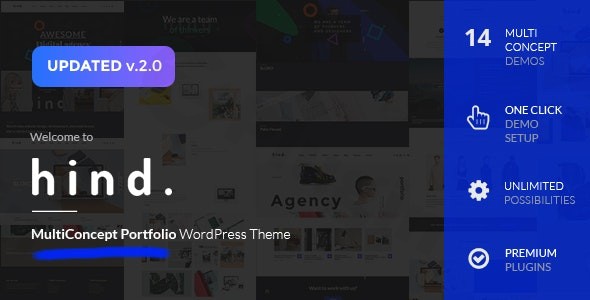
The digital landscape demands more than just a website; it requires an immersive experience that captures attention and conveys professionalism. For creative professionals and photographers, a visually stunning and high-performing online portfolio is non-negotiable. The Hind WordPress theme delivers precisely this, offering a fast, clean, and flexible foundation for showcasing your work. Whether you’re a designer, artist, videographer, or a creative agency, Hind is engineered to help you craft an impactful online presence with minimal effort, making it an ideal multi-concept portfolio WordPress theme.
Key Features: Design, Layout & Performance
Hind stands out with a comprehensive suite of features designed to empower creatives. It combines aesthetic flexibility with robust performance, ensuring your website not only looks incredible but also loads quickly and functions flawlessly.
Design & Layout Options
Hind is truly a multi-concept theme, offering extensive design freedom. You can kickstart your project with 14 ready-to-use homepage designs, providing diverse aesthetics for various creative niches. For displaying your projects, the theme boasts an impressive 14 portfolio layout variations, including fullwidth or boxed options, spaced or regular grid styles, and flexible column count settings.Beyond static layouts, Hind brings your portfolio to life with 8 captivating portfolio item animations and 18 category filter animations, ensuring an engaging user experience. The theme supports both onepage and multi-page site structures, giving you complete control over your site’s navigation and flow. With 20+ header style combinations, including transparent and sticky headers, you can perfectly frame your brand.
Customization Capabilities
Branding is made simple with Hind’s intuitive customization options. The theme integrates with 650+ Google Fonts, offering vast typographical control to match your brand’s voice. Color customization is equally flexible, with 10 predefined color schemes and the ability to create unlimited custom palettes through the advanced Hind Theme Control Panel.At its core, Hind includes a Visual Page Builder, providing a drag-and-drop interface for effortless page construction. This allows even those without coding knowledge to create complex and visually rich layouts. Additionally, the theme bundles Revolution Slider with 11 premium templates, perfect for dynamic hero sections and captivating slideshows.
Performance & SEO Features
In today’s competitive online environment, speed is paramount for both user experience and search engine rankings. Hind is built for performance, achieving an impressive Google Page Speed Score of 90/100. This means your portfolio will load quickly, keeping visitors engaged and improving your site’s SEO.The theme is developed on Bootstrap 3, ensuring a solid and responsive foundation. With full retina support, your images and graphics will appear crisp and sharp on high-resolution displays. Hind is also inherently SEO optimized with clean markup and is fully responsive, adapting seamlessly to all devices and major browsers (Chrome, Firefox, IE, Safari, Opera).
Installation & Demo Import
Setting up your Hind-powered website is a straightforward process, even if you’re new to WordPress.
- Install & Activate the Theme:
- After purchasing the Hind theme, download the theme files from your source (e.g., ZeroPlugin.com or ThemeForest).
- In your WordPress dashboard, navigate to
Appearance > Themes > Add New > Upload Theme. - Upload the
hind.zipfile (or similar, ensure it’s the installable theme file, not the full download package). - Once uploaded, click
Install Nowand thenActivate.
- Install Required Plugins:
- Upon activation, Hind will prompt you to install its recommended and required plugins, including the Visual Page Builder (WPBakery) and Revolution Slider. Click “Begin installing plugins” and install/activate them all. These are crucial for the theme’s full functionality and demo content.
- Use One-Click Demo Import:
- Hind features a one-click demo data import system. Navigate to the theme’s options panel (usually found under
Appearance > Theme Optionsor a dedicated menu item like “Hind” in your dashboard). - Look for a “Demo Import” or “Import Sample Data” section.
- Select your preferred demo layout from the 14 available options and click the import button.
- What to expect: The demo import will bring in pages, posts, portfolio items, widgets, menus, and theme options, making your site look exactly like the chosen demo. Be aware that importing a large demo can take several minutes and may require sufficient server memory and execution time. If you encounter issues, increasing your PHP memory limits (e.g.,
memory_limitto 256M andmax_execution_timeto 300 in yourwp-config.phporphp.ini) can help.
- Hind features a one-click demo data import system. Navigate to the theme’s options panel (usually found under
- Post-Import Adjustments:
- After a successful import, you may need to manually set your homepage (
Settings > Reading) and assign your navigation menus (Appearance > Menus). The demo import typically sets these up, but it’s good to verify.
- After a successful import, you may need to manually set your homepage (
Customization Guide: Branding & Layout
Personalizing your Hind theme to reflect your unique brand is made simple through its integrated tools and comprehensive control panel.
- Utilizing the Visual Page Builder (WPBakery):
- Hind bundles the Visual Composer (now WPBakery Page Builder), which is your primary tool for custom page layouts. For any page or post, you can switch to the “Backend Editor” or “Frontend Editor” to drag-and-drop elements, add custom content, and arrange sections.
- The theme includes 13 custom-made theme VC elements, specifically designed to enhance your portfolio and photography showcases. These elements provide unique ways to display your projects, testimonials, and other creative content.
- Advanced Hind Control Panel:
- Beyond the page builder, the “Advanced Hind Control Panel” (often found under
Appearance > Theme Optionsor a dedicated “Hind” menu) is where you’ll manage global settings. - Colors & Typography: Easily switch between 10 predefined color skins or craft your own custom color scheme. Access the extensive Google Fonts library to set font styles for headings, body text, and other elements.
- Header & Footer Layouts: With 20+ header style combinations, you can choose the perfect look for your navigation. Configure transparent or sticky headers and define custom logos. While a dedicated mega menu builder isn’t explicitly mentioned, the theme offers two menu positions (Header/Offcanvas) with different styles.
- Sidebar Management: Hind provides 5 widget sidebars and dedicated sidebar management for every page and post, allowing you to control sidebar content and placement with precision.
- Beyond the page builder, the “Advanced Hind Control Panel” (often found under
- Basic WordPress Customization:
- For standard WordPress settings, you’ll still use the native WordPress Customizer (
Appearance > Customize). Here, you can set your site title, tagline, upload a site icon (favicon), and manage widgets in your assigned sidebar areas. - Remember to save your changes regularly as you customize to see them reflected on your live site.
- For standard WordPress settings, you’ll still use the native WordPress Customizer (
FAQ & Troubleshooting
Here are answers to some common questions about the Hind WordPress theme:
Is Hind compatible with Elementor / WPBakery / Gutenberg?
The Hind theme includes and is built around WPBakery Page Builder (formerly Visual Composer) for its drag-and-drop functionality, featuring 13 custom-made theme elements. While it’s compatible with recent WordPress versions (5.x-6.x), its primary page-building interface is WPBakery, not Elementor or the native Gutenberg block editor.
Does Hind support WooCommerce for online stores?
Yes, the Hind theme offers full WooCommerce support. This means you can seamlessly integrate an online store into your portfolio or photography website to sell your creative work, prints, or any other products directly from your site.
Does Hind support child themes?
While the theme is designed for easy customization without coding, using a child theme is generally recommended for advanced modifications to ensure your changes are not lost during theme updates. The provided documentation mentions to check with support for child theme availability, implying it might not be explicitly bundled but can likely be created.
How can I update the theme without losing my customizations?
If you’ve made customizations directly to the theme files, they will be overwritten during an update. To avoid this, always use the theme’s built-in customization options, a child theme for code modifications, or custom CSS/JS fields available in the theme options or WordPress Customizer. Always back up your website before performing any theme update.
What should I do if the demo import fails or looks different from the demo site?
Demo import failures are often due to low server resources (PHP memory limit, execution time) or conflicting plugins. Check your host’s PHP configuration and ensure all required plugins are installed and activated. If your site looks different, verify that you’ve set your static homepage and main navigation menus correctly after the import. Re-importing the demo on a clean WordPress installation can also resolve issues.
Conclusion
The Hind WordPress theme emerges as a powerful and visually striking solution for creative professionals and photographers seeking to establish a compelling online presence. Its emphasis on aesthetic design, combined with a high Google Page Speed Score, makes it an excellent choice for visually-driven portfolios where performance matters.With its 14 diverse homepage designs, 14 portfolio layouts, and extensive customization options through the included Visual Page Builder (WPBakery) and Advanced Hind Control Panel, Hind offers unparalleled flexibility to match any creative vision. The seamless WooCommerce integration further extends its utility, allowing artists and photographers to monetize their work directly.For designers, agencies, artists, or anyone needing a responsive photography WordPress theme that combines speed, flexibility, and a professional aesthetic without requiring deep coding knowledge, Hind is a confident recommendation. It’s a complete creative solution designed to help your work shine.
I. Download Limits & Account Benefits
- Free Downloads: Each email address receives 3 downloads per day for free products
- Upgrade Benefits: Purchase any paid product to increase your daily download limit by 3 for each paid product
- No Account Required: You can download immediately by receiving the download link via email
- Account Recommended: Create an account for easier access to your order history and direct update downloads
II. Understanding GPL vs Official Versions
Important: The products available on WPPick are GPL-licensed versions, which differ from official developer versions. Before purchasing, please read our comprehensive guide: Understanding GPL & Official Differences at WPPick
Key Points:
- GPL versions may not include premium support from original developers
- Updates may be delayed compared to official releases
- Some premium features might have limitations
- Always consider your specific needs and support requirements
III. Support & Assistance
We’re here to help through multiple channels:
- Email Support: Direct email assistance for all inquiries
- Live Chat: Real-time support during business hours
- Comprehensive Documentation: Detailed guides and tutorials
IV. Order Tracking
Access your complete purchase history and download links anytime: Order History
V. Account Access
New to WPPick? Login or Create Account to manage your downloads and orders efficiently.
VI. Refund Protection
We stand behind our products with a clear refund policy. Review our terms: Refund Policy
VII. Privacy & Security
Your data security is our priority. Learn how we protect your information: Privacy Policy
VII. Terms of Service
Understanding our service terms ensures a smooth experience: Terms of Use
Quick Tips for Best Experience
- Verify Compatibility: Check plugin/theme compatibility with your WordPress version
- Backup First: Always backup your site before installing new plugins or themes
- Test Environment: Consider testing on a staging site first
- Stay Updated: Regularly check for updates in your account dashboard
- Read Documentation: Review any included documentation for optimal setup
Need Help?
If you have questions about downloads, licensing, or need technical assistance, don’t hesitate to contact our support team. We’re committed to ensuring you have the best possible experience with WPPick products.
Ready to get started? Your download adventure begins with just one click!
- Plugins updated to new versions
- Added PHP 8.3 support
- Added WordPress 6.8.x support
- Added WooCommerce 9.9.x support