
Ignavo – Auto Parts Woocommerce Theme
/Year
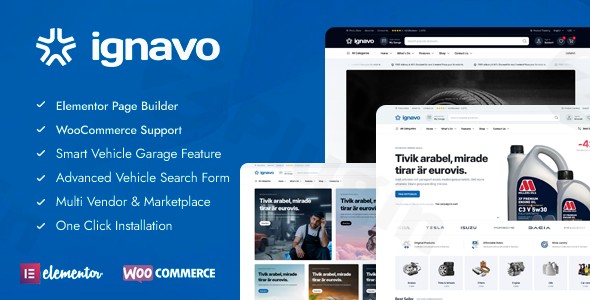
Building an online store for auto parts, car accessories, or industrial equipment requires more than just a generic eCommerce platform. It demands specialized functionality to handle complex product compatibility and deliver a seamless user experience. The Ignavo WordPress theme is precisely engineered to meet these demands, offering a robust and visually appealing solution for automotive businesses looking to thrive online. This comprehensive review and setup guide will walk you through Ignavo’s capabilities, from its groundbreaking vehicle filtering system to its intuitive customization options, ensuring you can launch a high-converting auto parts store with confidence.
Introduction: Transforming Automotive eCommerce with Ignavo
Ignavo is a premium WooCommerce theme for auto parts stores designed from the ground up to revolutionize how automotive retailers and equipment suppliers conduct business online. Its core value lies in an innovative vehicle compatibility system that allows customers to effortlessly find products tailored to their specific make, model, and year. This focus on precision not only enhances the shopping experience but also significantly reduces returns and boosts customer confidence. Crafted with a modern, flat design aesthetic, Ignavo combines visual appeal with technical excellence, making it the go-to solution for auto-focused entrepreneurs, aftermarket sellers, and industrial automotive retailers aiming for a visually stunning and conversion-optimized storefront.
Key Features: Design, Layout & Performance for Automotive Sales
Ignavo stands out with a suite of features meticulously crafted for the automotive industry, blending design flexibility with powerful performance and essential eCommerce functionalities.
Design & Layout Options
The theme provides extensive control over your store’s aesthetics and structure:
- Customizable Homepage Layouts: Ignavo offers dynamic product display options and pre-built professional demos tailored for auto parts, industrial tools, and automotive accessories. This allows for quick setup with a fully functional website that looks professional from day one.
- Flexible Product Display: Showcase your inventory effectively with various product listing layouts, including grid, list, or filterable options, specifically designed around the unique structure of an auto parts business. Category page templates are also available to highlight product ranges efficiently.
- Elementor Page Builder Integration: Unleash your creativity with seamless compatibility with the Elementor Page Builder. This drag-and-drop interface empowers you to build stunning product pages, landing pages, and custom layouts without writing a single line of code, providing complete control over your site’s design.
Customization Capabilities
Ignavo ensures your brand identity shines through with extensive customization options:
- Unlimited Color Schemes & Typography: Fully customize your store’s look with unlimited color options to match your brand. With Google Fonts integration and over 1400 font icons, you can achieve the perfect typographic hierarchy and visual style.
- Comprehensive Styling Controls: The theme supports unlimited background options and extensive controls for spacing, containers, sections, and backgrounds, all contributing to its modern, flat design aesthetic.
- Enhanced Visual Elements: Beyond standard options, Ignavo includes AJAX-powered shop filters, product search, and add-to-cart functionality for a smoother user experience. Features like Quick View, Wishlist, Recently Viewed Products, Product Image Zoom, Product Video (YouTube and Vimeo), and Product 360 View provide detailed product presentation crucial for automotive parts.
Performance & SEO Features
Built for the competitive online market, Ignavo prioritizes speed and search engine visibility:
- Lightning-Fast Loading Times: Engineered with clean, efficient code, Ignavo guarantees lightning-fast loading times across all devices. This optimization is crucial for user experience and better search engine rankings.
- Fully Responsive Design & Retina Ready: The theme is fully responsive, ensuring an exceptional shopping experience on desktops, tablets, and mobile devices. It’s also Retina Ready, delivering crisp, high-resolution visuals on compatible screens.
- SEO Best Practices: Developed with the latest web technologies and SEO best practices, Ignavo ensures your automotive store ranks well in search engines. Its clean markup and structured headings contribute to better crawlability and indexation.
- AI Integration for Product Descriptions: A unique feature is its integration with AI (OpenAI) to generate product descriptions and short descriptions, significantly streamlining content creation and ensuring rich, SEO-friendly product details.
Installation & Demo Import: Getting Started with Ignavo
Setting up your Ignavo-powered auto parts store is a straightforward process, designed to get you online quickly.
Step 1: Obtain Your Ignavo Theme Files
When you purchase Ignavo through ZeroPlugin.com, you receive a genuine GPL-licensed product. This ensures you get regular updates, security patches, and files that have undergone rigorous VirusTotal third-party security scanning for complete safety.
Step 2: Install and Activate the Theme
- Download: After purchasing, download the Ignavo theme files (usually a
.ziparchive). - Upload: Log in to your WordPress dashboard. Navigate to Appearance > Themes > Add New > Upload Theme. Choose the Ignavo
.zipfile you downloaded and click “Install Now.” - Activate: Once installed, click “Activate” to make Ignavo your active theme.
Step 3: Install Required Plugins
Upon activation, Ignavo will typically prompt you to install a set of recommended plugins. These are crucial for the theme’s full functionality. Expect to install:
- WooCommerce: Essential for all eCommerce features.
- Elementor: For drag-and-drop page building and layout customization.
- Dokan (Optional): If you plan to build a multi-vendor marketplace.
- Other companion plugins recommended by Ignavo for its specialized features.Install and activate all required plugins as prompted by the theme.
Step 4: One-Click Demo Import
Ignavo comes with pre-built professional demos that allow you to quickly launch your store with content tailored for auto parts, industrial tools, and automotive accessories.
- Access Demo Importer: Look for a “Demo Import,” “Import Demo Data,” or similar option in your WordPress dashboard, often found under Appearance or a dedicated theme options panel (e.g., “Ignavo Options”).
- Choose a Demo: Select the demo that best suits your store’s niche.
- Import: Click the “Import” button. The theme will then import pages, posts, sample products, menus, widgets, and theme options to replicate the chosen demo site.What to Expect During/After Demo Import:
- The import process can take several minutes, depending on your server speed and the size of the demo content. Do not navigate away from the page during this time.
- After a successful import, your website will largely resemble the chosen demo. You’ll find pre-designed pages, sample products, and menu structures ready for you to customize.
- You might need to manually set your homepage (under Settings > Reading) and assign your main navigation menus (under Appearance > Menus) if they don’t automatically set correctly.Potential Pitfalls:For large demo imports, ensure your server meets basic WordPress requirements for PHP memory limit (e.g., 256M or higher) and execution time. If the import fails, contact your hosting provider or refer to the theme’s documentation for specific server configuration advice.
Customization Guide: Branding Your Automotive Store
Personalizing your Ignavo theme to match your brand and specific business needs is intuitive, thanks to its deep integration with the WordPress Customizer and Elementor.
Using the WordPress Customizer & Global Styles
The WordPress Customizer (accessible via Appearance > Customize) is your central hub for global theme settings. Here, you can:
- Colors & Backgrounds: Adjust your brand’s primary, secondary, and accent colors. Ignavo offers unlimited color options, allowing you to fine-tune every element. You can also set unlimited background options for various sections.
- Typography: Select from a vast library of Google Fonts for your headings, body text, and other elements, ensuring your store’s readability and aesthetic appeal.
- Site Identity: Upload your logo, favicon, and update your site title and tagline.
- Blog & Shop Layouts: Configure default layouts for your blog archives and WooCommerce shop pages.
Designing with Elementor
For more granular control over individual page layouts and content, Elementor is indispensable:
- Customizing Pages: Navigate to any page and click “Edit with Elementor.” You can then drag and drop sections, columns, and widgets to create unique layouts. Add image carousels, call-to-action buttons, pricing tables, and more.
- Header & Footer Layouts: While specific builders are not explicitly detailed, Elementor’s comprehensive capabilities often extend to designing custom headers and footers. Look for theme options that allow Elementor templates to be used for these global areas.
- Product Pages: Craft highly engaging product pages using Elementor, highlighting your vehicle compatibility system, product videos, and 360-degree views to enhance the customer experience.
Setting Up Your Homepage, Blog Page, and Menus
- Homepage: Go to Settings > Reading and select a static page for your homepage, typically one of the demo pages you imported.
- Blog Page: Similarly, choose another static page to serve as your Posts page (blog archive).
- Navigation Menus: Under Appearance > Menus, create or edit your main navigation menus. Assign them to the primary menu locations provided by Ignavo (e.g., “Primary Menu,” “Footer Menu,” “Mobile Menu”). Ignavo’s support for a mobile bottom menu ensures excellent mobile navigation.The customization experience with Ignavo is designed to be accessible for both beginners and advanced users. The pre-built demos provide an excellent starting point, and Elementor’s visual editing makes it easy to iterate and perfect your store’s design.
FAQ & Troubleshooting: Common Questions About Ignavo
Here are answers to some frequently asked questions about the Ignavo WordPress theme, designed to be clear and helpful for common search queries.
Is Ignavo compatible with Elementor and other page builders?
Yes, Ignavo is explicitly compatible with the Elementor Page Builder, offering seamless drag-and-drop functionality for creating and customizing pages without any coding. While its primary integration is with Elementor, modern WordPress themes generally maintain compatibility with the Block Editor (Gutenberg).
Does Ignavo fully support WooCommerce for online stores?
Absolutely, Ignavo is fundamentally a WooCommerce theme and is designed for deep integration with WooCommerce. It supports full product management, inventory handling, secure payment processing, and shipping, enhanced with AJAX-powered shop filters, product search, and add-to-cart features.
Can I use Ignavo to build a multi-vendor marketplace?
Yes, Ignavo is multi-vendor marketplace ready through its compatibility with the popular Dokan plugin. This allows you to expand your business by enabling multiple vendors to sell auto parts and equipment through your platform, creating a diverse automotive marketplace.
Is Ignavo optimized for speed and SEO?
Yes, Ignavo is highly optimized for performance and SEO. It is built with clean, efficient code that ensures lightning-fast loading times across all devices. The theme follows SEO best practices, providing a structure that helps your automotive store rank well in search engines.
How does the Advanced Vehicle Filtering System (Smart Vehicle Garage) work?
The Advanced Vehicle Filtering System, also known as the Smart Vehicle Garage, allows customers to create personal garages by adding their vehicle details (make, model, year). Once a vehicle is saved, customers will only see parts that are compatible with their specific car, eliminating guesswork, reducing returns, and building confidence in your product offerings.
Conclusion: Driving Your Automotive Business Forward with Ignavo
The Ignavo – Auto Parts WooCommerce Theme is an exceptional choice for anyone looking to build a professional, high-performing online store in the automotive parts and equipment industry. Its specialized features, particularly the Advanced Vehicle Filtering System, set it apart from generic eCommerce themes, directly addressing a critical need for this niche.With its design flexibility powered by Elementor, unlimited customization options, and visually appealing pre-built demos, Ignavo makes it easy to create a unique and branded storefront. The theme’s focus on performance and SEO readiness ensures that your products are easily discoverable and your customers enjoy a lightning-fast shopping experience. Furthermore, its multi-vendor capabilities with Dokan and innovative AI integration for product descriptions position Ignavo as a future-proof solution.Ignavo is ideally suited for auto parts retailers and wholesalers, car accessory shops, industrial tool suppliers, and businesses aiming to create comprehensive multi-vendor automotive marketplaces. Whether you’re a seasoned store owner or an entrepreneur just starting, Ignavo provides the robust, purpose-built foundation you need to elevate your automotive eCommerce business, drive conversions, and ensure customer satisfaction.
I. Download Limits & Account Benefits
- Free Downloads: Each email address receives 3 downloads per day for free products
- Upgrade Benefits: Purchase any paid product to increase your daily download limit by 3 for each paid product
- No Account Required: You can download immediately by receiving the download link via email
- Account Recommended: Create an account for easier access to your order history and direct update downloads
II. Understanding GPL vs Official Versions
Important: The products available on WPPick are GPL-licensed versions, which differ from official developer versions. Before purchasing, please read our comprehensive guide: Understanding GPL & Official Differences at WPPick
Key Points:
- GPL versions may not include premium support from original developers
- Updates may be delayed compared to official releases
- Some premium features might have limitations
- Always consider your specific needs and support requirements
III. Support & Assistance
We’re here to help through multiple channels:
- Email Support: Direct email assistance for all inquiries
- Live Chat: Real-time support during business hours
- Comprehensive Documentation: Detailed guides and tutorials
IV. Order Tracking
Access your complete purchase history and download links anytime: Order History
V. Account Access
New to WPPick? Login or Create Account to manage your downloads and orders efficiently.
VI. Refund Protection
We stand behind our products with a clear refund policy. Review our terms: Refund Policy
VII. Privacy & Security
Your data security is our priority. Learn how we protect your information: Privacy Policy
VII. Terms of Service
Understanding our service terms ensures a smooth experience: Terms of Use
Quick Tips for Best Experience
- Verify Compatibility: Check plugin/theme compatibility with your WordPress version
- Backup First: Always backup your site before installing new plugins or themes
- Test Environment: Consider testing on a staging site first
- Stay Updated: Regularly check for updates in your account dashboard
- Read Documentation: Review any included documentation for optimal setup
Need Help?
If you have questions about downloads, licensing, or need technical assistance, don’t hesitate to contact our support team. We’re committed to ensuring you have the best possible experience with WPPick products.
Ready to get started? Your download adventure begins with just one click!
- Updated: WooCommerce outdated files.
- Updated: Ignavo Core Plugin.