

Jannah – Best Newspaper Magazine News Buddypress Amp
/Year
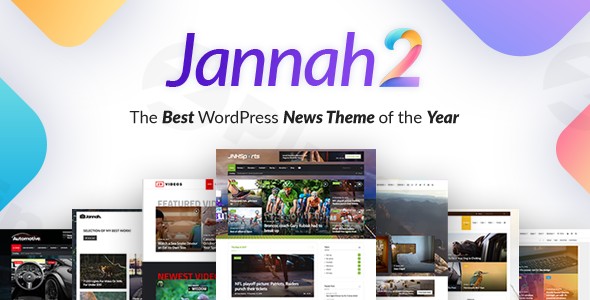
In the dynamic world of online publishing, a robust and visually compelling website is paramount. The Jannah News WordPress Theme, a premium solution developed by the acclaimed TieLabs team (creators of the best-selling Sahifa theme), stands as a testament to over a year of dedicated development, offering an unparalleled platform for news, magazine, and blog websites. Jannah is engineered not just to display content, but to revolutionize how it’s consumed, making it an indispensable asset for serious publishers, journalists, and content creators aiming for professional-grade design and performance.
The Core Design Philosophy: Content-First, User-Centric Experience
Jannah’s design philosophy centers on delivering a superior content-first experience, ensuring that your articles, images, and videos shine. It combines aesthetic elegance with cutting-edge functionality, providing a seamless and engaging journey for every visitor. This theme is built for websites with high content volume and traffic, understanding the intricate needs of online publications, from fast load times to intuitive navigation and immersive content presentation.
Key Design & Engagement Features for Modern Publishers
Jannah integrates a suite of advanced features designed to enhance user engagement, optimize readability, and provide a visually stunning online presence across all devices.
- Adaptive Responsive Design & AMP Compatibility: Your content will look flawless on any device, from desktops to the latest smartphones and tablets. Jannah’s responsive design includes swipeable content for mobile users, and its full compatibility with Accelerated Mobile Pages (AMP) guarantees lightning-fast loading speeds on mobile, significantly improving user experience and SEO.
- Dynamic Dark Mode: Offer your readers a comfortable viewing experience with a built-in dark mode. Jannah even includes auto dark mode detection, adapting to a user’s system preferences for a truly personalized touch.
- Extensive Typography Options: With access to over 800 (and nearly 1,000) Google Fonts, Jannah empowers you to create visually appealing and unique typography that perfectly aligns with your brand’s voice and aesthetic.
- Flexible Header & Footer Layouts: Achieve endless design possibilities with unlimited header and footer layout options. This flexibility allows you to craft a distinctive brand identity that resonates with your audience.
- Custom Widgets & Functionality: Beyond standard WordPress widgets, Jannah includes over 12 custom widgets such as weather updates, social media feeds, and newsletter sign-ups, enriching your site’s functionality and user interaction.
- Innovative ‘Select & Share’: This unique feature allows readers to highlight text directly on your site and instantly share it across social media platforms, fostering organic content spread and engagement.
- AJAX Live Search: Enhance content discoverability with Jannah’s AJAX live search, providing instant, real-time search results as users type, making navigation swift and efficient.
- Immersive Visuals: Captivate your audience with native GIF support, parallax effects, and video backgrounds, adding a dynamic and modern flair to your website’s design.
- Full RTL (Right-to-Left) Support: Jannah offers 100% RTL support, making it an excellent choice for websites catering to languages like Arabic and Hebrew, ensuring a consistent and localized experience.
Technical Prowess & Performance Optimization
A premium theme must not only look good but also perform exceptionally. Jannah is built on a foundation of robust technical specifications and performance optimization, ensuring your site is fast, stable, and highly visible.
- SEO Optimized from the Ground Up: Designed with SEO best practices, Jannah is compatible with leading SEO plugins like Yoast SEO and Rank Math. It also includes Articles and Reviews Schema, helping your content rank higher in search engine results.
- Blazing Fast Performance: Jannah is meticulously optimized for speed, featuring lazy loading for images, minified CSS and JavaScript files, and a built-in cache system to ensure rapid page load times and a smooth browsing experience.
- Broad Compatibility: Regularly updated for the latest WordPress versions, Jannah also offers full compatibility with popular tools like WooCommerce for e-commerce, BuddyPress and bbPress for social communities, and leading page builders such as Elementor and WPBakery.
Unmatched Customization and Flexibility
Jannah puts the power of design firmly in your hands, offering extensive customization options that require no coding knowledge.
- Intuitive Drag-and-Drop Page Builder: Seamlessly create custom layouts and sophisticated pages with Jannah’s integrated drag-and-drop page builder, allowing for effortless design and arrangement of your content.
- Comprehensive Theme Options Panel: A user-friendly theme options panel provides centralized control over every aspect of your website’s design and functionality, making customization intuitive and accessible.
- 25+ Pre-designed Demos: Jumpstart your project with dozens of professionally crafted demos, tailored for various niches including news, tech, travel, and more. These one-click importable demos provide a perfect starting point that can be fully customized to your brand.
- Unlimited Sidebars & Custom Widget Areas: Tailor your sidebar content for different pages or categories, enhancing content relevance and user experience.
- Custom Category Options: Personalize your categories with custom logos, colors, and backgrounds, allowing for distinct branding across different content sections.
Target Audience & Ideal Use Cases
Jannah is purpose-built for:
- Publishers and Journalists: Ideal for established news portals, online magazines, and journalistic platforms requiring high-volume content management.
- Content Creators & Bloggers: Perfect for professional bloggers and content marketers who need a feature-rich, visually appealing platform to showcase their work.
- Niche Communities: With BuddyPress and bbPress integration, Jannah is also suited for creating online social communities around specific interests.From a fast-paced tech review site to an elegant travel blog or a comprehensive local news outlet, Jannah provides the tools to build a powerful and engaging online presence.
Setup & Customization Guide: Getting Started with Jannah
Setting up Jannah is designed to be straightforward, allowing you to quickly launch your professional website.
- Theme Installation: After downloading Jannah, upload and install it via your WordPress dashboard (Appearance > Themes > Add New > Upload Theme). Activate the theme upon successful installation.
- Plugin Installation: Jannah will prompt you to install its recommended plugins, including its custom page builder and other extensions essential for full functionality. Install and activate these plugins.
- Demo Import: Access the “Install Demos” section within the Theme Options panel. With a single click, you can import one of the 25+ pre-designed demos, including all layout, content, and plugin settings. This provides a complete website structure to customize.
- Global Customization: Navigate to the “Theme Options” panel to adjust global settings such as typography, color schemes, header and footer layouts, and general site behavior.
- Page Building with Drag-and-Drop: For individual pages and posts, utilize the integrated page builder (Elementor or WPBakery if you choose to use them) to design custom layouts. Drag and drop elements, add media, and arrange your content exactly as you envision.
- Content Creation: Start populating your site with your articles, images, and videos, leveraging Jannah’s robust post formats and media handling capabilities.
Expert Insights: Why Jannah is a Trusted Premium Solution
As experts in WordPress theme development and web design, we confidently recommend Jannah for its unwavering commitment to quality and performance. Developed by TieLabs, a team with a proven track record, Jannah is a well-coded, stable, and highly performant theme that receives regular updates and improvements. This dedication ensures long-term compatibility with WordPress, ongoing security, and access to new features, solidifying its position as a trusted choice among long-term users.Available on ThemeForest for a regular license price of $59, Jannah includes lifetime free updates, representing an excellent investment for a premium, feature-rich solution.
Conclusion: Transform Your Digital Publishing with Jannah
The Jannah News WordPress Theme is more than just a theme; it’s a comprehensive digital publishing platform. Its blend of sophisticated design, cutting-edge engagement features, robust technical specifications, and unparalleled customization options makes it the ideal choice for anyone serious about content marketing and online publishing. With Jannah, you’re not just building a website; you’re crafting an immersive, high-performance experience that will captivate your audience and elevate your brand in the competitive digital landscape.
I. Download Limits & Account Benefits
- Free Downloads: Each email address receives 3 downloads per day for free products
- Upgrade Benefits: Purchase any paid product to increase your daily download limit by 3 for each paid product
- No Account Required: You can download immediately by receiving the download link via email
- Account Recommended: Create an account for easier access to your order history and direct update downloads
II. Understanding GPL vs Official Versions
Important: The products available on WPPick are GPL-licensed versions, which differ from official developer versions. Before purchasing, please read our comprehensive guide: Understanding GPL & Official Differences at WPPick
Key Points:
- GPL versions may not include premium support from original developers
- Updates may be delayed compared to official releases
- Some premium features might have limitations
- Always consider your specific needs and support requirements
III. Support & Assistance
We’re here to help through multiple channels:
- Email Support: Direct email assistance for all inquiries
- Live Chat: Real-time support during business hours
- Comprehensive Documentation: Detailed guides and tutorials
IV. Order Tracking
Access your complete purchase history and download links anytime: Order History
V. Account Access
New to WPPick? Login or Create Account to manage your downloads and orders efficiently.
VI. Refund Protection
We stand behind our products with a clear refund policy. Review our terms: Refund Policy
VII. Privacy & Security
Your data security is our priority. Learn how we protect your information: Privacy Policy
VII. Terms of Service
Understanding our service terms ensures a smooth experience: Terms of Use
Quick Tips for Best Experience
- Verify Compatibility: Check plugin/theme compatibility with your WordPress version
- Backup First: Always backup your site before installing new plugins or themes
- Test Environment: Consider testing on a staging site first
- Stay Updated: Regularly check for updates in your account dashboard
- Read Documentation: Review any included documentation for optimal setup
Need Help?
If you have questions about downloads, licensing, or need technical assistance, don’t hesitate to contact our support team. We’re committed to ensuring you have the best possible experience with WPPick products.
Ready to get started? Your download adventure begins with just one click!
- Improvements and minor bug fixes.
- Improvements and minor bug fixes
- Ajax pagination bug
- Cross Site Scripting (XSS) vulnerability
- Local File Inclusion vulnerability
- PHP Object Injection vulnerability
- Jannah Extensions plugin updated to version 1.1.5
- Improvements and minor bug fixes
- Jannah Extensions plugin updated to version 1.1.4
- Added Flipboard share button
- Enhanced TikTok integration placement above the footer
- Addressed issue where post views would reset when certain white label options were enabled
- Resolved layout issue with Web Stories circle format
- Improvements and minor bug fixes
- Added support for AVIF image format in the lightbox
- Introduced an option to display trending posts in the Posts List Widget
- Added support for custom background settings in footer widgets
- Added PHP actions before and after titles in all blocks
- Optimized the process of saving category settings data
- The Related Posts section and widgets now hide posts if the query type is set to "Tags" and the current post has no tags
- Updated all Twitter-related text, including "Tweet", "Retweet" etc
- Resolved a bug in the Weather widget that prevented the Animated option from working
- Corrected an image dimension issue in the masonry layout
- Improvements and minor bug fixes