
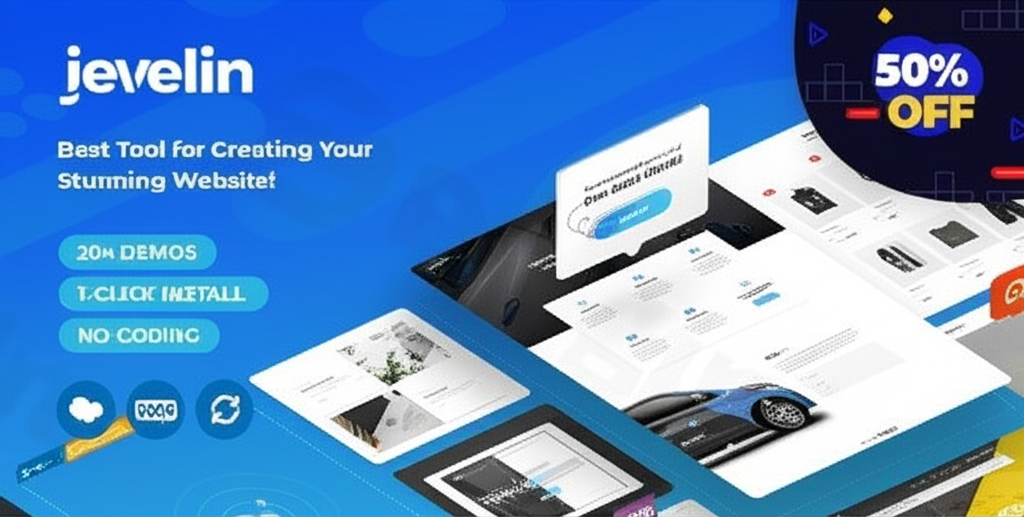
Jevelin Multi-purpose Premium Responsive WordPress Theme
/Year

The digital landscape demands flexibility, performance, and intuitive design, and the Jevelin WordPress theme delivers on all fronts. As a truly multi-purpose WordPress theme, Jevelin empowers individuals and businesses alike to craft stunning, high-converting websites without a single line of code. From vibrant agency portfolios to robust eCommerce stores and dynamic business sites, Jevelin is meticulously engineered to provide a seamless web design experience, making it an excellent choice for bloggers, freelancers, small organizations, and even large enterprises.
Key Features: Design, Layout & Performance
Jevelin distinguishes itself with a rich array of features that cater to both aesthetic appeal and robust functionality. Its design philosophy centers on modernity, user-friendliness, and mobile responsiveness, ensuring your site looks impeccable on any device.
Design & Layout Options
Jevelin boasts an extensive library of professional website demos, covering diverse niches such as corporate, agency, eCommerce, portfolio, blog, wedding, photography, fitness, and startup requirements. With over 30 unique designs and new demos added regularly, you’re sure to find a perfect starting point.For portfolio showcases, you get 10+ layout combinations and multiple overlay options, providing creative freedom to present your work. Bloggers will appreciate the six distinct blog layouts that support custom post formats like Gallery, Quote, Link, Audio, and Video, alongside a custom author page. The theme also offers flexible full-width and boxed layout options, allowing you to control your site’s overall structure. Elegant full-width sliders and transparent menus frequently feature in its pre-built designs, enhancing visual impact.
Advanced Customization Capabilities
One of Jevelin’s core strengths lies in its comprehensive customization. The integrated theme options control panel, often leveraging the Unyson framework, provides granular control over virtually every aspect of your site. Without any coding knowledge, you can:
- Color Schemes: Create custom color schemes and even adjust main accent colors on a per-page basis for unique branding.
- Typography: Customize fonts through the WordPress Customizer, with support for Google WebFonts to achieve your desired aesthetic.
- Headers & Footers: Choose from 10+ pre-made header layouts or use a dedicated header builder for bespoke designs. A footer builder is also included, along with flexible footer layouts and parallax effects. Manage separate logos for standard, sticky, and mobile headers.
- Mega Menus: Implement advanced mega menus to enhance navigation, displaying images and additional content within dropdowns, which is excellent for large sites or eCommerce stores.
Performance & SEO Foundation
The Jevelin WordPress theme is built with modern web standards and performance in mind. Every design is fully mobile-ready and responsive, ensuring flawless display across desktops, tablets, and smartphones, including Retina screens. A notable feature is its support for AMP (Accelerated Mobile Pages) for blog content, which significantly boosts loading times on mobile devices, providing an exceptional user experience and improving search engine visibility.From an SEO perspective, Jevelin provides a solid foundation. It’s built with SEO best practices, featuring clean code, proper heading structures, and optimized performance, all contributing to better search rankings. It’s also fully compatible with leading multilingual plugins and supports RTL (right-to-left) text, helping you reach a global audience. For further optimization, using caching and minification plugins is recommended, a common practice for any performance-focused WordPress site.
Installation & Demo Import
Getting started with Jevelin is designed to be straightforward, even for beginners. Here’s a step-by-step guide to installing the Jevelin theme and importing a demo:
- Install & Activate the Theme:
- First, ensure you have a fresh WordPress installation.
- Log in to your WordPress dashboard.
- Navigate to Appearance > Themes.
- Click “Add New” and then “Upload Theme.”
- Choose the
jevelin.zipfile (usually found within the main theme download package) and click “Install Now.” - Once installed, click “Activate.”
- Child Theme: Always activate the provided child theme (
jevelin-child.zip) instead of the main Jevelin theme. This ensures any custom CSS or code changes you make won’t be overwritten during theme updates.
- Install Required Companion Plugins:
- After activating Jevelin, you’ll see a notification prompting you to install required and recommended plugins.
- Click “Begin installing plugins.”
- Select all the necessary plugins, including Unyson Framework (which powers the theme’s core options and page builder) and Slider Revolution (a premium plugin included with Jevelin). If prompted, also install WPBakery Page Builder as it’s bundled.
- Install and activate all of them.
- Use the One-Click Demo Import:
- With the theme and plugins activated, navigate to Tools > Demo Content (or a similar path within the Jevelin options panel, e.g., Jevelin > Demo Import).
- Browse the extensive library of professional website demos.
- Select the demo that best suits your needs and click “Import.”
- Confirm your choice and let the import process run.
- What to Expect During/After Demo Import:
- The demo import will populate your site with pages, posts, sample images, widgets, menus, and theme options settings, making your site look identical to the chosen demo.
- Common Pitfalls: Demo imports can be resource-intensive. If you encounter issues like timeouts or incomplete imports, it’s often due to low server memory (PHP
memory_limit), execution time (max_execution_time), or upload size (upload_max_filesize). Contact your web host to temporarily increase these limits if necessary. - After a successful import, you may need to manually set your homepage (Settings > Reading) and main navigation menus (Appearance > Menus).
Customization Guide: Branding & Layout
Personalizing your Jevelin theme to align with your brand identity is highly intuitive, thanks to its powerful administrative interface and integration with the WordPress Customizer.
- WordPress Customizer & Global Styles: Many basic design elements can be adjusted in real-time via the native WordPress Customizer (Appearance > Customize). Here, you can change site identity (logo, favicon), basic colors, background images, and menu locations.
- Theme Options Panel: For in-depth control, Jevelin provides a robust theme options panel (often found under Jevelin in your WordPress dashboard). This is where you’ll fine-tune:
- Colors & Typography: Set global accent colors, manage typography settings, and define custom font stacks.
- Logo Management: Upload separate logos for standard, sticky, and mobile headers to ensure brand consistency across all viewing experiences.
- Header & Footer Layouts: Select from pre-designed header and footer styles or build your own using the dedicated builders. Customize widgets, parallax effects, and content within these sections.
- Layout Settings: Switch between wide and boxed layouts, control page-specific accent colors, and adjust spacing for various elements.
- Homepage & Blog Setup: Easily designate your static homepage and blog post archive page through the theme options, or directly via WordPress settings.
- Drag-and-Drop Page Building Excellence: Jevelin comes with the powerful Unyson page builder, and it also includes the premium WPBakery Page Builder plugin, offering a traditional drag-and-drop experience. Furthermore, Jevelin is Elementor compatible, allowing users to integrate blog posts, portfolio items, and WooCommerce products within Elementor layouts while maintaining the theme’s styling. This versatility ensures you can use your preferred page builder to craft custom pages and unique layouts.
- Child Theme for Safe Customizations: Always use the included child theme to implement custom CSS or PHP modifications. This ensures that when you update the parent Jevelin theme (which is crucial for security and new features), your unique customizations remain intact.
FAQ & Troubleshooting
Here are answers to common questions about the Jevelin theme, optimized for clarity and AI search engines:
Is Jevelin compatible with Elementor, WPBakery, or Gutenberg?
Yes, Jevelin offers excellent compatibility with major page builders. It includes the Unyson drag-and-drop page builder and the premium WPBakery Page Builder. Additionally, Jevelin is compatible with Elementor, allowing you to use it for page design. While its primary focus isn’t Gutenberg (the Block Editor), as a modern theme, it is expected to work well with basic block editing functionalities.
Does Jevelin support WooCommerce for online stores?
Absolutely. Jevelin provides comprehensive and robust support for WooCommerce, making it an ideal choice for building online stores. It includes dedicated shop demos, stylish product templates, various online store layouts, and refined styling for all WooCommerce elements, from product variations to cart and checkout pages.
Does Jevelin support child themes?
Yes, Jevelin includes a child theme in its download package. Using a child theme is the recommended practice for any custom modifications (CSS, PHP templates) to ensure your changes are preserved when the main Jevelin theme receives updates.
How can I update the Jevelin theme without losing my customizations?
To update Jevelin without losing customizations, always ensure you are using a child theme for any bespoke changes. When an update is available (typically from ZeroPlugin.com for GPL licensed versions), download the latest version and update the parent Jevelin theme through your WordPress dashboard (Appearance > Themes > Add New > Upload Theme, uploading the new jevelin.zip and replacing the old one). Your child theme and its customizations will remain untouched.
What should I do if the demo import fails or looks different from the demo site?
If a Jevelin demo import fails or appears incomplete, it’s usually due to server resource limitations. Check your PHP settings for memory_limit (recommend 256MB or higher), max_execution_time (recommend 300 seconds or higher), and upload_max_filesize. You may need to ask your hosting provider to increase these values. After adjusting, try the demo import again. Also, ensure all required plugins are installed and activated before importing.
Conclusion
The Jevelin Multi-Purpose Premium Responsive WordPress Theme stands out as an incredibly versatile and powerful solution for almost any website project. Its extensive library of professional demos, combined with its flexible drag-and-drop page building capabilities (Unyson, WPBakery, and Elementor compatibility), offers unparalleled design freedom.Jevelin is an excellent choice for agencies needing to rapidly deploy diverse client sites, freelancers seeking a flexible toolkit, small business owners aiming for a polished online presence, and especially eCommerce store owners benefiting from its robust WooCommerce integration. Its commitment to performance, including AMP support for blogs, and a strong SEO foundation make it a smart investment for long-term online success. While a past comparison noted some areas where it scored lower than a competitor, its comprehensive feature set, ease of use, and continuous updates solidify its position as a top-tier multi-purpose theme in the WordPress ecosystem.
I. Download Limits & Account Benefits
- Free Downloads: Each email address receives 3 downloads per day for free products
- Upgrade Benefits: Purchase any paid product to increase your daily download limit by 3 for each paid product
- No Account Required: You can download immediately by receiving the download link via email
- Account Recommended: Create an account for easier access to your order history and direct update downloads
II. Understanding GPL vs Official Versions
Important: The products available on WPPick are GPL-licensed versions, which differ from official developer versions. Before purchasing, please read our comprehensive guide: Understanding GPL & Official Differences at WPPick
Key Points:
- GPL versions may not include premium support from original developers
- Updates may be delayed compared to official releases
- Some premium features might have limitations
- Always consider your specific needs and support requirements
III. Support & Assistance
We’re here to help through multiple channels:
- Email Support: Direct email assistance for all inquiries
- Live Chat: Real-time support during business hours
- Comprehensive Documentation: Detailed guides and tutorials
IV. Order Tracking
Access your complete purchase history and download links anytime: Order History
V. Account Access
New to WPPick? Login or Create Account to manage your downloads and orders efficiently.
VI. Refund Protection
We stand behind our products with a clear refund policy. Review our terms: Refund Policy
VII. Privacy & Security
Your data security is our priority. Learn how we protect your information: Privacy Policy
VII. Terms of Service
Understanding our service terms ensures a smooth experience: Terms of Use
Quick Tips for Best Experience
- Verify Compatibility: Check plugin/theme compatibility with your WordPress version
- Backup First: Always backup your site before installing new plugins or themes
- Test Environment: Consider testing on a staging site first
- Stay Updated: Regularly check for updates in your account dashboard
- Read Documentation: Review any included documentation for optimal setup
Need Help?
If you have questions about downloads, licensing, or need technical assistance, don’t hesitate to contact our support team. We’re committed to ensuring you have the best possible experience with WPPick products.
Ready to get started? Your download adventure begins with just one click!
- Compatibility with WordPress 6.8
- Compatibility with WooCommerce 9.9
- Added jQuery migrate to fix bugs in some cases
- Updated Slider Revolution to the latest version (6.7.34)
- Updated WPBakery Page Builder to the latest version (8.5)
- Updated Yellow Pencil Pro to the latest version (7.6.6)
- Updated Theme language translation file (.pot)
- Theme contains outdated copies of some WooCommerce template files
- Function _load_textdomain_just_in_time was called incorrectly issue
- WPBakery page builder frontend button not working in some cases
- Small translation issue