

Jobcareer | Best Job Board Responsive WordPress Theme
/Year
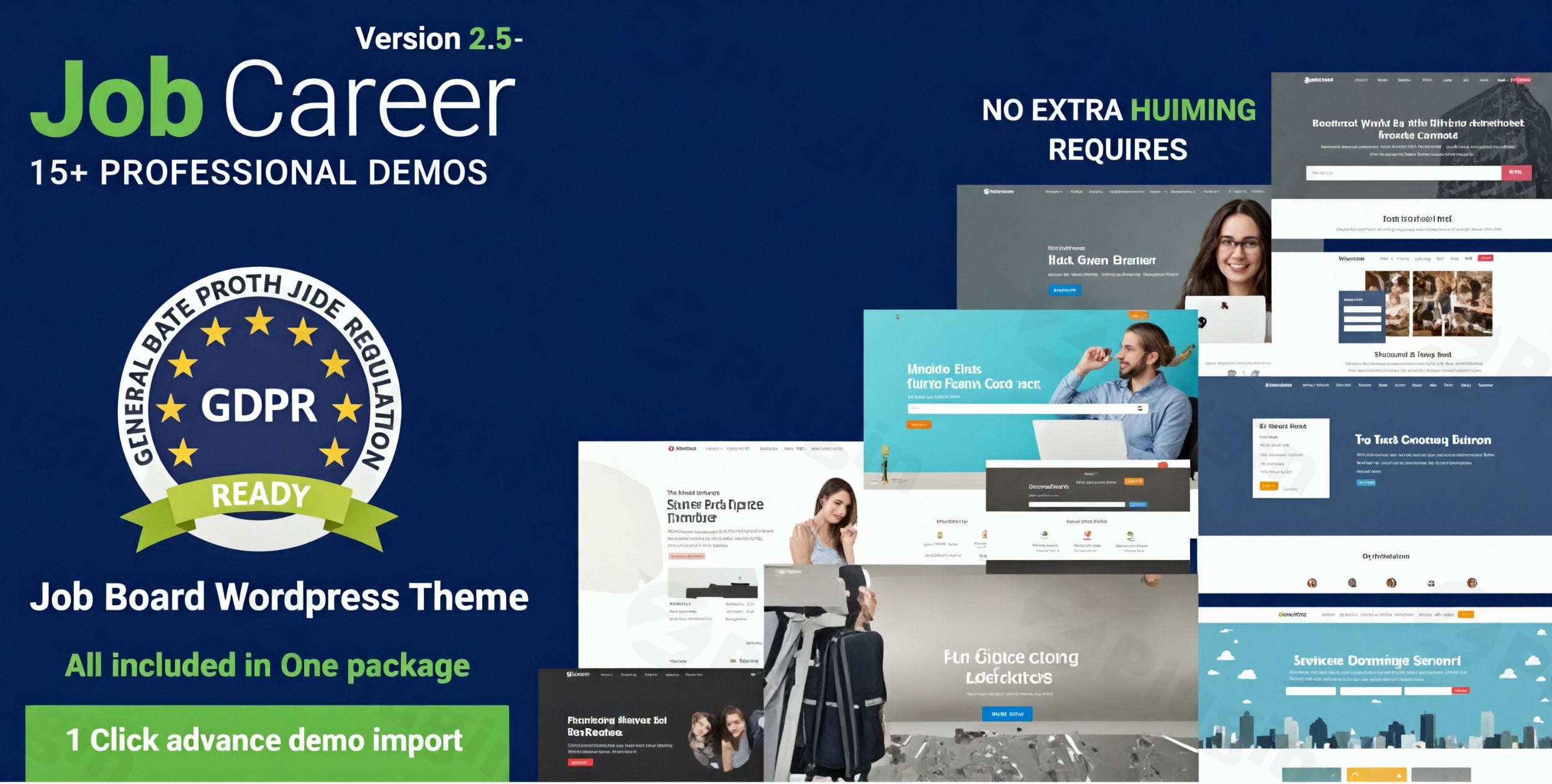
The JobCareer WordPress theme by Chimp Studio is a powerful, specialized solution designed to transform any WordPress website into a fully functional job portal or career platform. Ideal for human resource management, recruitment agencies, and job posting services, JobCareer provides an all-in-one system for connecting job seekers with employers, emphasizing a professional corporate look and feel.This comprehensive review will guide you through JobCareer’s features, design capabilities, installation process, and customization options, helping you understand why it’s considered one of the best job board WordPress themes available.
Key Features: Design, Layout & Performance
JobCareer is engineered to provide a robust yet user-friendly experience for both site administrators and users. Its feature set focuses on efficient job management, advanced search capabilities, and a polished presentation across all devices.
Design & Layout Options
JobCareer prioritizes a modern and fully responsive design, ensuring your job board looks impeccable and functions flawlessly on desktops, tablets, and mobile devices.
- Responsive Design: The theme automatically adjusts to various screen sizes, providing an optimal viewing and interaction experience for all users, crucial for a WordPress job portal theme.
- Unique Demo Layouts: JobCareer comes with versatile, pre-designed demo layouts specifically crafted for employment agencies and recruiters. These starter sites offer professional aesthetics and practical functionality, allowing you to launch quickly.
- Specialized Views: It includes multiple dashboard views and supports various job listing styles, providing flexibility in how opportunities are presented and managed.
- Mobile App Integration: A significant differentiator is the inclusion of a free mobile app, enhancing accessibility for job seekers on the go.
Customization Capabilities
JobCareer offers extensive customization options, allowing you to tailor your job board to your precise specifications without needing coding knowledge.
- Drag-and-Drop Building: The theme offers robust compatibility with Elementor and Elementor Pro, empowering you with intuitive drag-and-drop page building capabilities. This makes it easy to design custom layouts for job listings, employer profiles, and candidate dashboards.
- Branding & Aesthetics: While specific details on color schemes and typography systems are not explicitly outlined, the theme’s “extensive customization” portal and Elementor integration suggest deep control over visual elements. You can brand your site with custom colors, fonts, and imagery to maintain a consistent corporate identity.
- Profile & Resume Builder: The theme includes a built-in Profile Builder and Resume-Builder, simplifying the creation and management of detailed user profiles for both job seekers and employers.
Performance & SEO Features
JobCareer is built with an eye toward performance and search engine optimization, which is vital for a competitive recruitment agency WordPress theme.
- SEO-Friendly Structure: The theme is described as “built with SEO in mind,” suggesting clean, semantic code and structured headings that help search engines understand your content. This contributes to better visibility for job postings and overall site traffic.
- Mobile Responsiveness: Its fully responsive nature is a key SEO factor, improving user experience and search rankings on mobile devices.
- Compatibility: JobCareer is designed for stability and broad compatibility with modern WordPress versions (e.g., WordPress 6.5 and 6.8) and essential plugins like WooCommerce, MailChimp, WPML, and Contact Form 7.
Installation & Demo Import
Setting up JobCareer is designed to be straightforward, allowing you to quickly get your job listing website WordPress ready.
- Install & Activate the Theme:
- Navigate to
Appearance > Themesin your WordPress dashboard. - Click
Add Newand thenUpload Theme. - Choose the JobCareer theme zip file you downloaded and click
Install Now. - Once installed, click
Activate.
- Navigate to
- Install Required Plugins:
- Upon activation, JobCareer will likely prompt you to install a set of recommended or required plugins (e.g., companion plugins, Elementor, WooCommerce). Follow the on-screen instructions to install and activate these.
- Import Demo Content:
- JobCareer offers “unique demo layouts.” Look for a
Demo Import,Import Data, or similar option within the theme’s settings or a dedicated dashboard section. - Select your desired demo layout and initiate the one-click demo import process.
- What to Expect: The demo import will populate your site with sample pages, posts, job listings, menus, and widgets, making your site look like the theme’s live demo. Be aware that large demo imports can sometimes require increased server memory or longer execution times. If you encounter issues, consult your web host or the theme documentation.
- JobCareer offers “unique demo layouts.” Look for a
Customization Guide: Branding & Layout
Personalizing your JobCareer theme is made flexible through its integration with Elementor and its comprehensive customization options.
- WordPress Customizer & Elementor: While a specific “Theme Customizer” might not be explicitly named for every setting, JobCareer’s deep integration with Elementor means you’ll do much of your design customization through Elementor’s drag-and-drop interface. For global settings, expect to use standard WordPress
Appearancemenus. - Changing Colors and Typography: Utilize Elementor’s global styles or theme-specific options to define your brand’s color palette and typography. This ensures consistency across your job portal.
- Logo and Site Identity: Upload your brand logo and favicon via the standard WordPress
Appearance > Customize > Site Identitysection. - Header and Footer Layouts: Leverage Elementor to design custom headers and footers, or use the theme’s built-in options to configure these crucial site areas, including navigation menus and widgetized zones.
- Setting Up Pages and Menus:
- Design your homepage, job listing pages, and employer/candidate dashboards using Elementor’s powerful page-building features.
- Go to
Appearance > Menusto create and assign your primary navigation, linking to key sections like “Find Jobs,” “Post a Job,” and “My Account.”The customization experience with JobCareer, especially with Elementor, is intuitive. It allows users, including beginners, to achieve a professional, branded look and feel for their job board without delving into code.
FAQ & Troubleshooting
Here are answers to common questions about the JobCareer WordPress theme:
Is JobCareer theme responsive?
Yes, JobCareer is a fully responsive WordPress theme. It automatically adjusts its layout and design to fit any screen size, providing an optimal viewing and interaction experience on desktops, tablets, and mobile devices.
Is JobCareer compatible with Elementor and WooCommerce?
Yes, JobCareer offers strong compatibility with Elementor and Elementor Pro, allowing for intuitive drag-and-drop page building. It is also fully integrated with WooCommerce, enabling you to set up paid job listings and other monetization options for your job board.
How to build a job board with JobCareer?
To build a job board with JobCareer, install and activate the theme along with its recommended plugins (like Elementor). Then, import one of the theme’s pre-built demo layouts. Customize the content, branding, and job posting functionalities through the WordPress dashboard and Elementor to create your personalized job listing website WordPress.
Does JobCareer support frontend job submission?
Yes, JobCareer supports frontend job submission, allowing employers to register, create profiles, and post job listings directly from the user-facing website without needing access to the WordPress dashboard backend.
What should I do if the demo import fails or looks different from the demo site?
If the demo import fails, first check your server’s PHP memory limit and execution time settings (consult your web host). If the import completes but looks different, ensure all recommended plugins are installed and activated. Sometimes, images are replaced with placeholders due to licensing, or specific widgets need manual configuration after import. Refer to the theme’s official documentation or support channels for detailed troubleshooting.
Conclusion
The JobCareer WordPress theme by Chimp Studio is a robust and highly capable solution for anyone looking to create a professional job board WordPress theme or recruitment platform. Its focus on specialized job portal features, combined with a user-friendly interface and strong compatibility with modern WordPress tools like Elementor and WooCommerce, makes it an excellent choice.JobCareer shines with its fully responsive design, advanced job listing management, employer and candidate dashboards, and built-in application tracking. The inclusion of a free mobile app and a wealth of premium add-ons further enhances its value proposition.Whether you’re a recruitment agency, a freelancer building a job portal for a client, or an entrepreneur looking to monetize job listings, JobCareer provides the comprehensive tools and design flexibility needed for a successful and high-converting online recruitment presence. It’s a confident choice for building a feature-rich, SEO-ready, and visually appealing job board website.
I. Download Limits & Account Benefits
- Free Downloads: Each email address receives 3 downloads per day for free products
- Upgrade Benefits: Purchase any paid product to increase your daily download limit by 3 for each paid product
- No Account Required: You can download immediately by receiving the download link via email
- Account Recommended: Create an account for easier access to your order history and direct update downloads
II. Understanding GPL vs Official Versions
Important: The products available on WPPick are GPL-licensed versions, which differ from official developer versions. Before purchasing, please read our comprehensive guide: Understanding GPL & Official Differences at WPPick
Key Points:
- GPL versions may not include premium support from original developers
- Updates may be delayed compared to official releases
- Some premium features might have limitations
- Always consider your specific needs and support requirements
III. Support & Assistance
We’re here to help through multiple channels:
- Email Support: Direct email assistance for all inquiries
- Live Chat: Real-time support during business hours
- Comprehensive Documentation: Detailed guides and tutorials
IV. Order Tracking
Access your complete purchase history and download links anytime: Order History
V. Account Access
New to WPPick? Login or Create Account to manage your downloads and orders efficiently.
VI. Refund Protection
We stand behind our products with a clear refund policy. Review our terms: Refund Policy
VII. Privacy & Security
Your data security is our priority. Learn how we protect your information: Privacy Policy
VII. Terms of Service
Understanding our service terms ensures a smooth experience: Terms of Use
Quick Tips for Best Experience
- Verify Compatibility: Check plugin/theme compatibility with your WordPress version
- Backup First: Always backup your site before installing new plugins or themes
- Test Environment: Consider testing on a staging site first
- Stay Updated: Regularly check for updates in your account dashboard
- Read Documentation: Review any included documentation for optimal setup
Need Help?
If you have questions about downloads, licensing, or need technical assistance, don’t hesitate to contact our support team. We’re committed to ensuring you have the best possible experience with WPPick products.
Ready to get started? Your download adventure begins with just one click!
- Vulnerability issues
- Listing Images missing
- Styling & js issues
- Purchase Code Verfications
- Extras structure improvements
- Compatibility with WordPress 6.8
- Styling & Responsive issues
- SMTP Mailing Fixed
- Geolocation not working
- Extras structure improvements